Welcome to ROSMASTER X3 Plus repository
1.Voice control robotic arm movement
1.Voice control robotic arm movement
Command word table
| Command words | Command words |
|---|---|
| Clamp the clip | Lift the arm up |
| Open the clip | Put the arm down |
| Action A | Arm left |
| Action B | Arm right |
| Action C | Action D |
| Action E | Reset |
| Go ahead | Back |
| Turn left | Turn right |
| Enter A mode | Enter B mode |
| Robot stop | Robot sleep |
| Red light up | Green light up |
| Blue light up | Yellow light up |
| light A | light B |
| light C | display power |
| Warning |
1.1、Function Description
Voice control the motion status of the car, RGB light bar, robotic arm action group, etc.
1.2 Start
1.2.1 Ros package path
~/yahboomcar_ws/src/yahboomcar_voice_ctrl/
1.2.2 Start
#You need to enter docker first, perform this step more#If running the script to enter docker fails, please refer to 07.Docker-orin/05, Enter the robot's docker container~/run_docker.shroslaunch yahboomcar_voice_ctrl voice_ctrl_arm.launch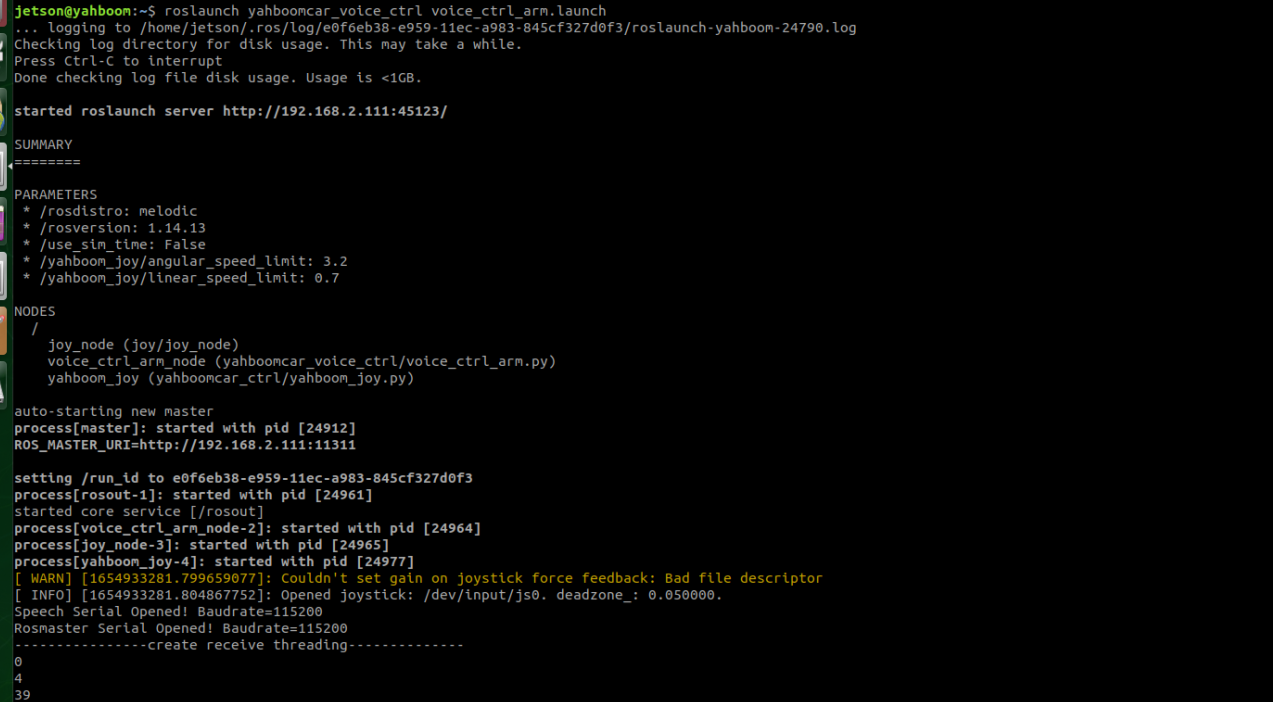
1.2.3 Code voice_ctrl_arm.py
- Code path
xxxxxxxxxx~/yahboomcar/src/yahboomcar_voice_ctrl/scripts
Code analysis:
1) import the relevant library files
xxxxxxxxxxfrom Speech_Lib import Speechfrom voice_arm_library import *from Rosmaster_Lib import RosmasterSpeech_Lib: Voice module library, path:
xxxxxxxxxx~/software/py_install_V0.0.1/py_install/Speech_Libvoice_arm_library:Robot arm action group library, path:
xxxxxxxxxx~/yahboomcar/src/yahboomcar_voice_ctrl/scriptsRosmaster_Lib: Rosmaster driver library, path:
xxxxxxxxxx~/software/py_install/Rosmaster_Lib2)Create voice recognition objects, drive control objects and robotic arm action objects
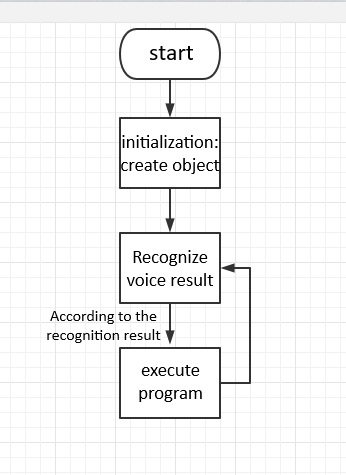
xxxxxxxxxxspe = Speech()self.car = Rosmaster()voice_arm = Voice_Arm()3)Main function: According to the result of the voice recognition, the relative code is executed. In this course, we take returning the robotic arm to the initial position as an example.
xxxxxxxxxxspeech_r = spe.speech_read()if speech_r!=999:print(speech_r)#print(speech_r)if speech_r == 49 :spe.void_write(45)voice_arm.init_pose()voice_arm.init_pose()it is the program that needs to be executed. At this time, it will jump to thevoice_arm_librarylibrary and execute the function init_pose() inside. In the init_pose() function, the following function will be executed.xxxxxxxxxxdef init_pose(self):self.arm_joint.joints =[90.0, 145.0, 0.0, 0.0, 90.0, 31.0]self.pubPoint.publish(self.arm_joint)Defines the angle that each joint needs to execute, takes
TargetAngleas the topic, and publishes the data; then returns to the main function, subscribes to the TargetAngle topic; receives the data, enters the callback function, and sends it to the underlying control through theself.car.set_uart_servo_anglefunction , which drives the servo.1.3 Flowchart