Welcome to ROSMASTER X3 Plus repository
7.MoveIt scene design(VM)
7. MoveIt scene design
7. MoveIt scene design7.1. Start7.2. Source code7.3. Scene import and export7.3.1. Import7.3.2. Export
This lesson takes the MoveIT simulation as an example. If you need to set the synchronization between the real machine and the simulation, please refer to the lesson [02, MoveIt Precautions and Controlling the Real Machine]. ! ! ! be careful! ! !
The effect demonstration is a virtual machine, and other masters are running (related to the performance of the master, depending on the actual situation).
7.1. Start
Start the MoveIT
roslaunch arm_moveit_demo x3plus_moveit_demo.launch sim:=true Start scene design node
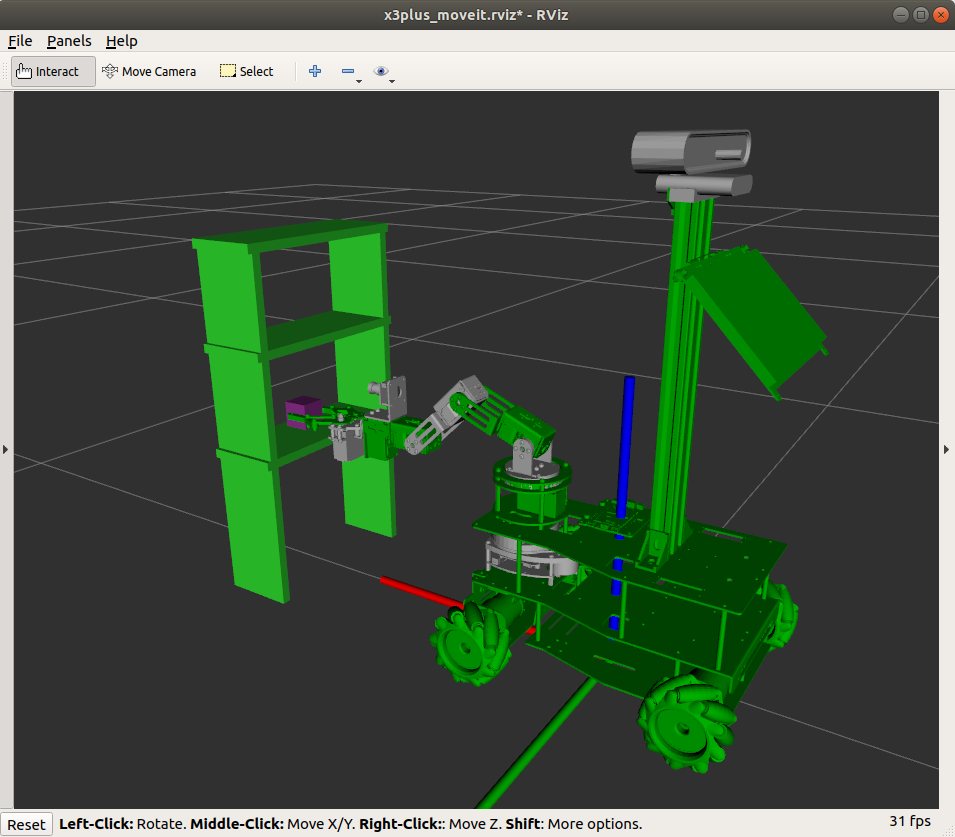
xxxxxxxxxxrosrun arm_moveit_demo 06_set_SceneThe effect diagram is as follows
7.2. Source code
Open gripper
xxxxxxxxxx #Simulation pub_joint = rospy.Publisher("/move_group/fake_controller_joint_states", JointState, queue_size=1000) #Real machine pub_Arm = rospy.Publisher("TargetAngle", ArmJoint, queue_size=1000) arm_joint = ArmJoint() arm_joint.id = 6 arm_joint.angle = 180 - 0.55 * 180 / pi joint_state = JointState() joint_state.name = ["grip_joint"] joint_state.position = [-0.58] for i in range(10): pub_joint.publish(joint_state) pub_Arm.publish(arm_joint) sleep(0.1)Add end-of-arm clamps
xxxxxxxxxx p = PoseStamped() p.header.frame_id = end_effector_link p.pose.orientation.w = 1 #Add tool scene.attach_box(end_effector_link, 'tool', p, [0.03, 0.03, 0.03])Add a stand
xxxxxxxxxx table_list = { "obj0": [[0.08, 0.01, 0.4], [0.4, -0.1, 0.2]], "obj1": [[0.08, 0.01, 0.4], [0.4, 0.1, 0.2]], "obj2": [[0.08, 0.22, 0.01], [0.4, 0, 0.4]], "obj3": [[0.08, 0.22, 0.01], [0.4, 0, 0.29]], "obj4": [[0.08, 0.22, 0.01], [0.4, 0, 0.17]], } #Add obj for i in range(len(table_list)): add_obj(p, table_list.keys()[i], table_list[table_list.keys()[i]][0], table_list[table_list.keys()[i]][1])Cycle planning between two points
xxxxxxxxxx i = 0 while i < 5: yahboomcar.set_joint_value_target(target_joints1) yahboomcar.go() yahboomcar.set_joint_value_target(target_joints2) yahboomcar.go() i += 1 print ("Plan {}th time!!!".format(i))7.3. Scene import and export
7.3.1. Import
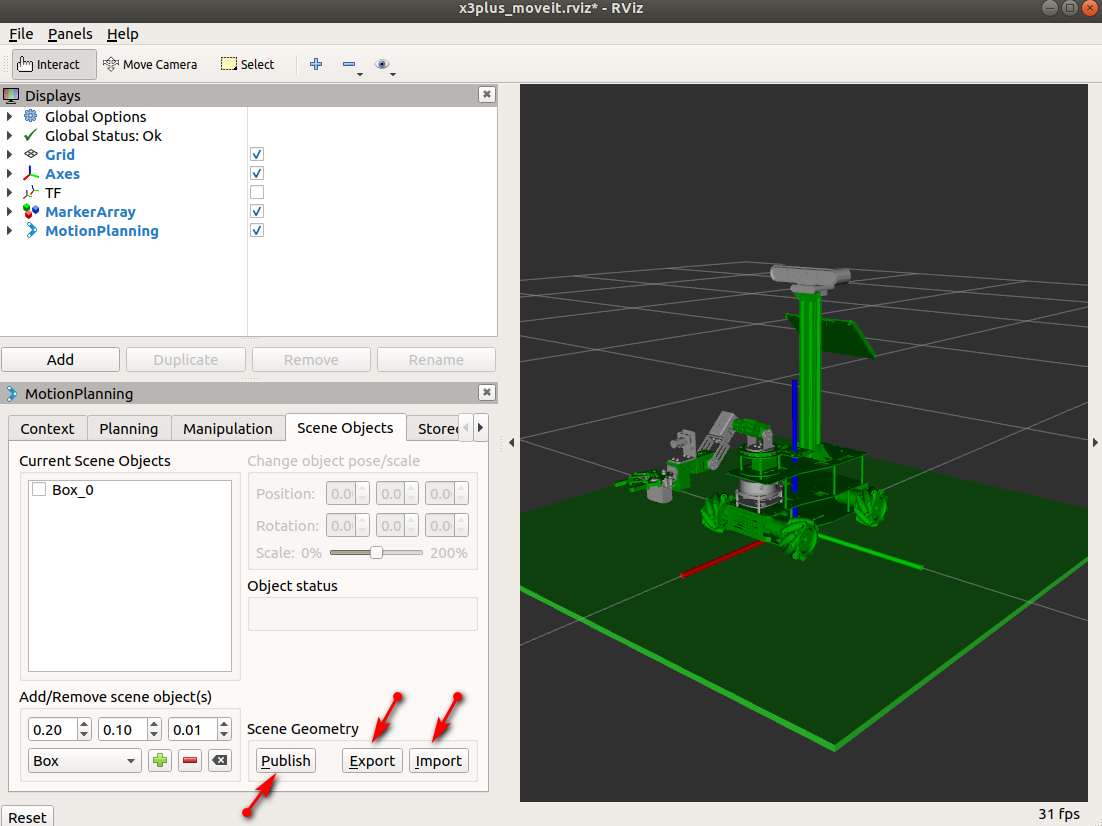
As shown above, click the [Import] button, select the [arm_moveit_demo/scene/floor.scene] file, and then import it after confirmation.
Be sure to click [Publish], or it will not work.
7.3.2. Export
Click the [Export] button as shown above, select the path to be saved, and modify the name to be saved, which will be used for the next import and release.