Welcome to Jetson Orin NX Developer Kit repository
当製品の日本語版マニュアル資料は、こちらからご取得ください。
03.System Update Notes
Precautions when installing or updating on Orin NX
Users who purchased after October 17, 2025 can skip this tutorial; customers who purchased before October 17, 2025 must pay particular attention:
If you need to run the upgrade command or click the pop-up window to update the system, the following commands must be executed before running it, otherwise the system will not boot after the update.
sudo apt updatesudo apt install cpio
After running the above commands, perform the upgrade.
xxxxxxxxxxsudo apt upgradesudo apt-get upgradeIf the desktop pop-up window prompts you to update the system and you clicked install, you need to run the following commands before the system shuts down and reboots, otherwise the system will not boot after the reboot.
xxxxxxxxxxsudo apt updatesudo apt install cpiosudo apt upgradeSolution for a system that will not boot after the update:
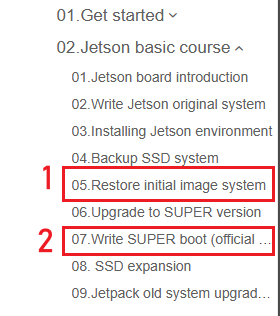
If you want to keep using our image, first refer to item ①, prepare an SSD enclosure yourself and flash the SSD image again. If the system still will not boot after reflashing the SSD image, refer to item ② and flash the super bootloader. Finally check whether it boots.
If you do not want to use our image, you can flash the official clean image by referring to the tutorial below. However, the clean image contains no environment at all and cannot be used with our tutorials directly.