Welcome to Jetson Orin NX Developer Kit repository
当製品の日本語版マニュアル資料は、こちらからご取得ください。
10.ROS2 custom interface message
10. ROS2 Custom Interface Message
1. Introduction to Communication Interfaces
In the ROS system, whether it is a topic, a service, or an action, an important concept is always used: the communication interface.
Communication is not one person talking to themselves, but an exchange between two or more people. What is the content of this exchange? To make it easy for everyone to understand, we can define a standard structure for the data being passed. This is the communication interface.
Interfaces reduce the dependencies between programs, which makes it convenient for us to use other people's code and also convenient for others to use our code. This is the core goal of ROS: to avoid reinventing the wheel.
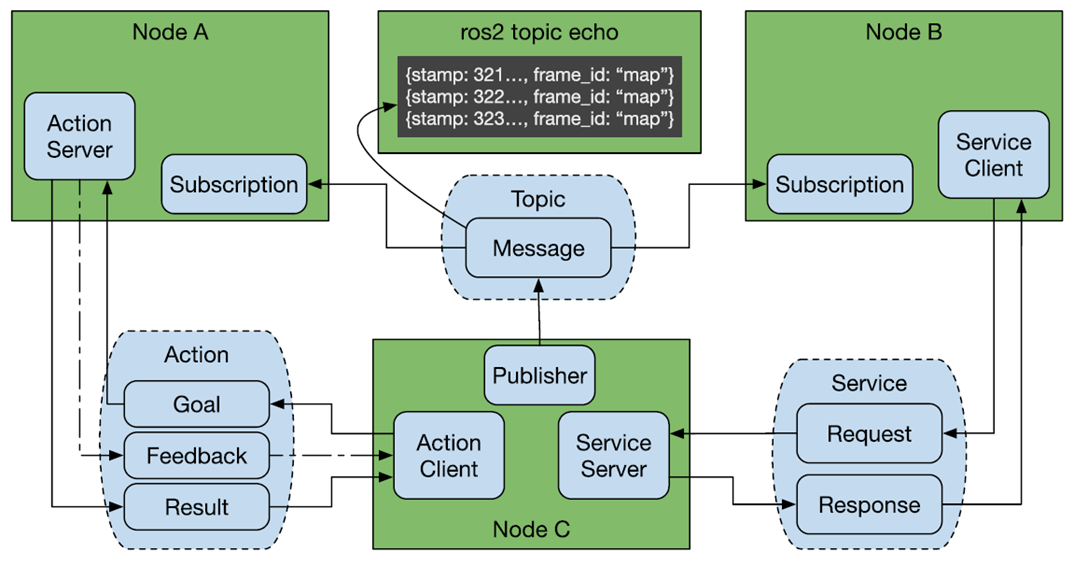
ROS has three common communication mechanisms, namely topics, services, and actions. Through the interface defined for each communication type, various nodes can be organically connected together.
2. Process for Creating a Custom Interface
The process for creating a custom interface message is similar to the process of writing an executable program in a function package. The main steps are as follows:
Create an interface function package;
Create and edit the .msg file, .srv file, and .action file
Edit the configuration file;
Compile;
Test.
3. Creating a Custom Interface for Action Communication
In the [11. ROS2 Action Communication Server Implementation] case, we have already demonstrated the complete process of creating an action communication interface. You can review it first, and it will not be repeated here.
4. Creating a Custom Interface for Topic Communication
In the [ROS2 Action Communication Server Implementation] course, we have already created a custom interface function package. Create a new msg folder under the function package pkg_interfaces, create a Person.msg file under the msg folder, and enter the following content in the file:
string nameint32 agefloat64 height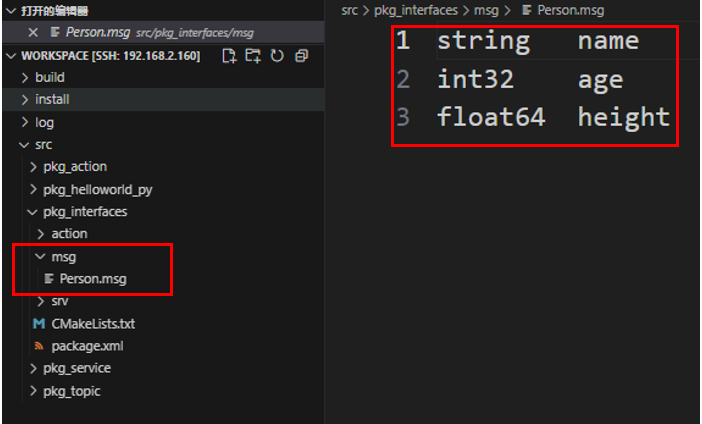
Add the following configuration to package.xml and CMakeLists.txt:
CMakeLists.txt
xxxxxxxxxxrosidl_generate_interfaces(${PROJECT_NAME} "action/Progress.action" "msg/Person.msg")package.xml
xxxxxxxxxx<buildtool_depend>rosidl_default_generators</buildtool_depend><exec_depend>rosidl_default_runtime</exec_depend><depend>action_msgs</depend><member_of_group>rosidl_interface_packages</member_of_group>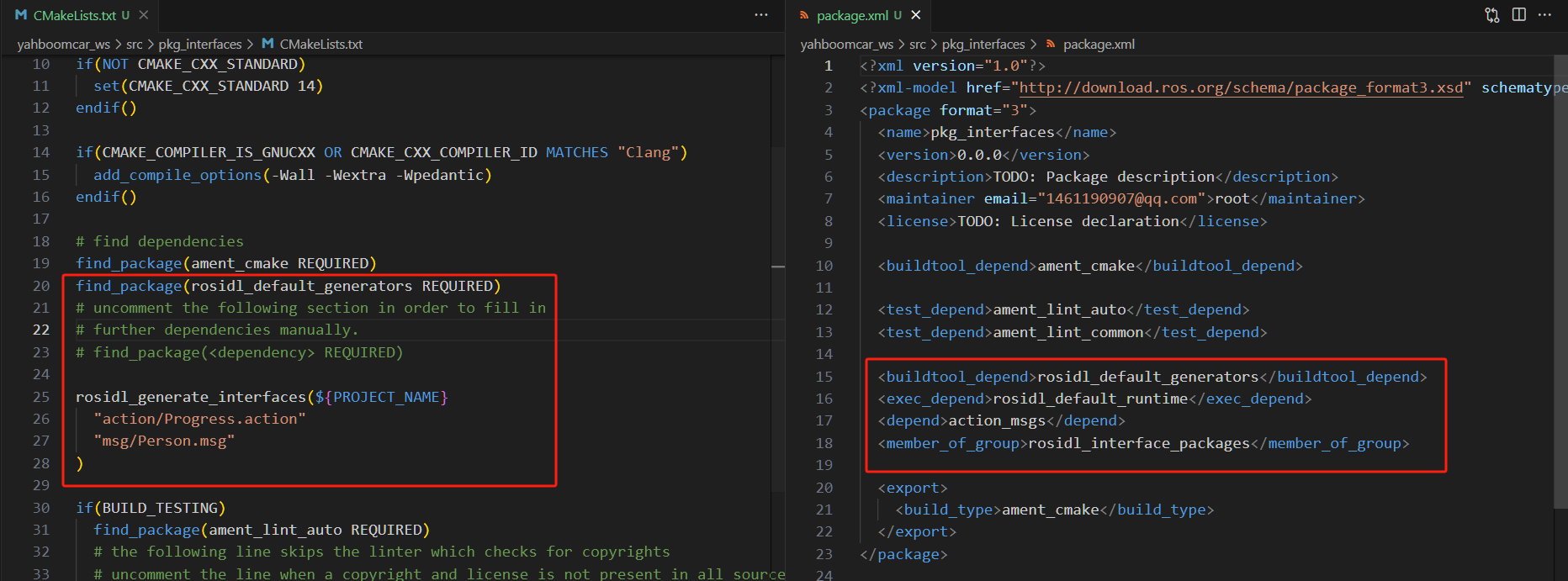
Enter the current workspace in the terminal and compile the function package:
xxxxxxxxxxcolcon build --packages-select pkg_interfaces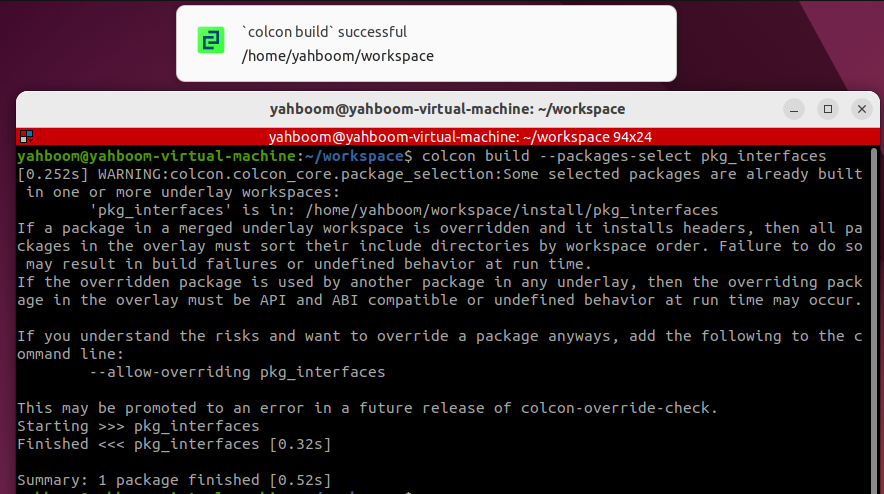
Test whether the interface works properly
First, refresh the environment variables
xxxxxxxxxxsource install/setup.bash View the interface type
xxxxxxxxxxros2 interface show pkg_interfaces/msg/PersonUnder normal circumstances, the terminal will output content consistent with the Person.msg file.

5. Creating a Custom Interface for Service Communication
In the [ROS2 Action Communication Server Implementation] course, we have already created a custom interface function package. Create a new srv folder under the function package pkg_interfaces, create an Add.srv file under the srv folder, and enter the following content in the file:
xxxxxxxxxxint32 num1int32 num2---int32 sum
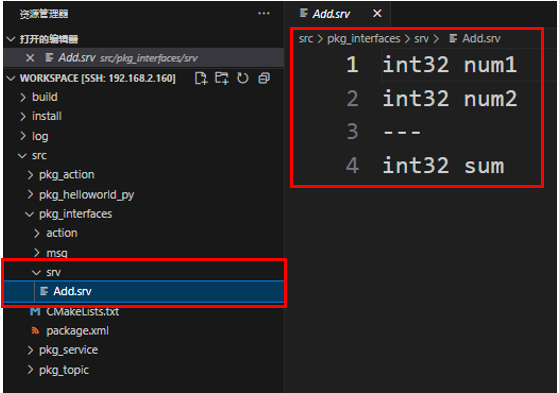
Add the following configuration to package.xml and CMakeLists.txt:
CMakeLists.txt
xxxxxxxxxxrosidl_generate_interfaces(${PROJECT_NAME} "action/Progress.action" "msg/Person.msg" "srv/Add.srv")package.xml
xxxxxxxxxx<buildtool_depend>rosidl_default_generators</buildtool_depend><exec_depend>rosidl_default_runtime</exec_depend><depend>action_msgs</depend><member_of_group>rosidl_interface_packages</member_of_group>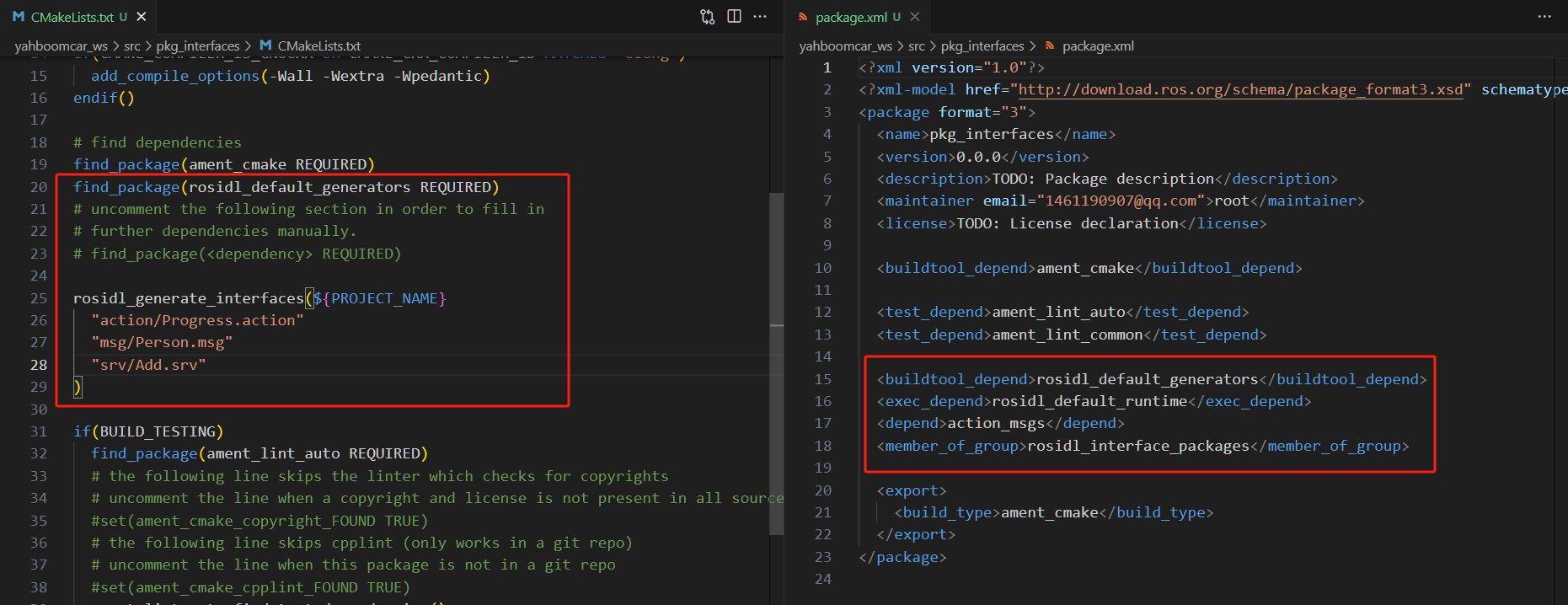
Enter the current workspace in the terminal and compile the function package:
xxxxxxxxxxcd ~/yahboomcar_ros2_ws/yahboomcar_wscolcon build --packages-select pkg_interfacessource install/setup.bash
Test
xxxxxxxxxxros2 interface show pkg_interfaces/srv/Add
Under normal circumstances, the terminal will output content consistent with the Person.msg file.
