Welcome to Jetson Orin NX Developer Kit repository
当製品の日本語版マニュアル資料は、こちらからご取得ください。
02.PyTorch
PyTorch environment setup
PyTorch environment setup1. System information2. Install the dependencies3. Install PyTorch3.1. Offline installation3.2. Online installation4. Verify the installationReferences
pip installation note: Under PEP 668, Ubuntu 24.04 marks the system Python as "externally managed", so installing directly with pip may report
externally-managed-environment.--break-system-packagesallows pip to install packages in that environment; virtual environments usually do not need this parameter, but it is kept in this tutorial so that the commands stay consistent.
The factory system already has the relevant environment set up, so the installation steps can be skipped.
PyTorch is an open-source deep learning framework developed by Meta (formerly Facebook). It is known for its flexibility and ease of use, and is widely used in academic research and industrial applications.
1. System information
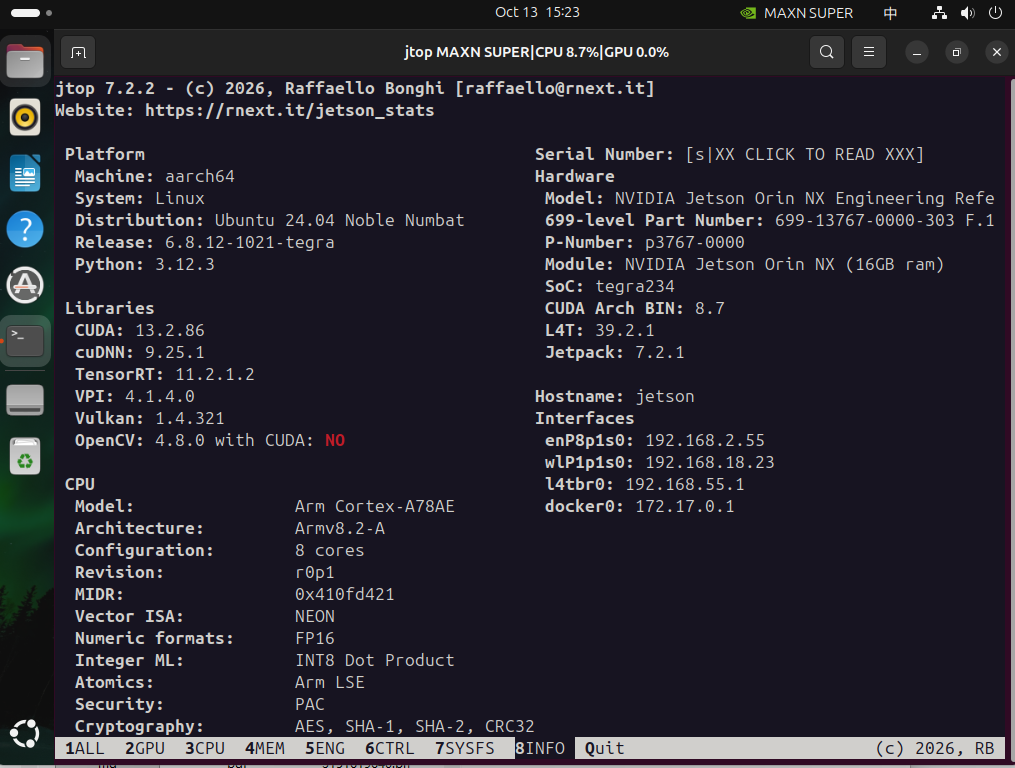
The current system uses PyTorch 2.8.0, Python 3.12, ARM64, and the PyTorch CUDA build version is 12.9.
2. Install the dependencies
sudo apt updatesudo apt install python3-pip libopenblas-dev -yBefore the installation, confirm the CUDA/cuSPARSELt dependencies according to the NVIDIA instructions for the current JetPack version; do not add the Ubuntu 22.04 CUDA software source, and do not uninstall python3-sympy.
3. Install PyTorch
The current system has verified that PyTorch 2.8.0 runs on CUDA 12.9. The installation must use a wheel for NVIDIA Jetson ARM64 with CPython 3.12 that matches the current CUDA/JetPack; the PyTorch 2.5.0a0, cp310 or JetPack 6 wheels from the old tutorial must not be used.
Choose either the offline or the online method to install PyTorch!
3.1. Offline installation
Download the PyTorch 2.8.0 wheel that matches the current JetPack, Python ABI and CUDA version from the NVIDIA Jetson PyTorch release page.
Download URL: https://docs.nvidia.com/deeplearning/frameworks/install-pytorch-jetson-platform/index.html
xxxxxxxxxxcd Downloads/
xxxxxxxxxxpython3 -m pip install --user --break-system-packages ./<downloaded PyTorch 2.8.0 ARM64 wheel file>
3.2. Online installation
Copy the matching wheel URL from the current NVIDIA Jetson wheel release page:
xxxxxxxxxxexport TORCH_INSTALL='<NVIDIA wheel URL for PyTorch 2.8.0, CPython 3.12, ARM64, CUDA 12.9>'
xxxxxxxxxxpython3 -m pip install --user --break-system-packages --no-cache-dir "$TORCH_INSTALL"
4. Verify the installation
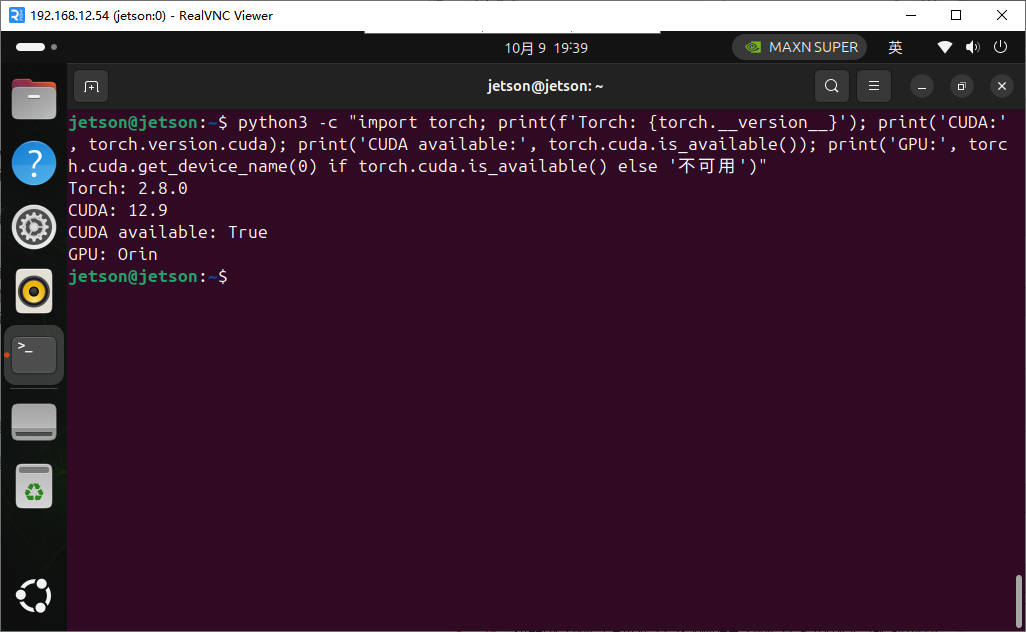
xxxxxxxxxxpython3 -c "import torch; print(f'Torch: {torch.__version__}'); print('CUDA:', torch.version.cuda); print('CUDA available:', torch.cuda.is_available()); print('GPU:', torch.cuda.get_device_name(0) if torch.cuda.is_available() else 'unavailable')"
References
https://docs.nvidia.com/deeplearning/frameworks/install-pytorch-jetson-platform/index.html