Welcome to Jetson Orin NX Developer Kit repository
当製品の日本語版マニュアル資料は、こちらからご取得ください。
08.SSD expansion
SSD expansion
The factory image system performs disk compression, so the capacity displayed inside the system is inconsistent with the actual capacity; users can expand the SSD by following this tutorial.
The tutorial is performed inside the Jetson Orin mainboard system
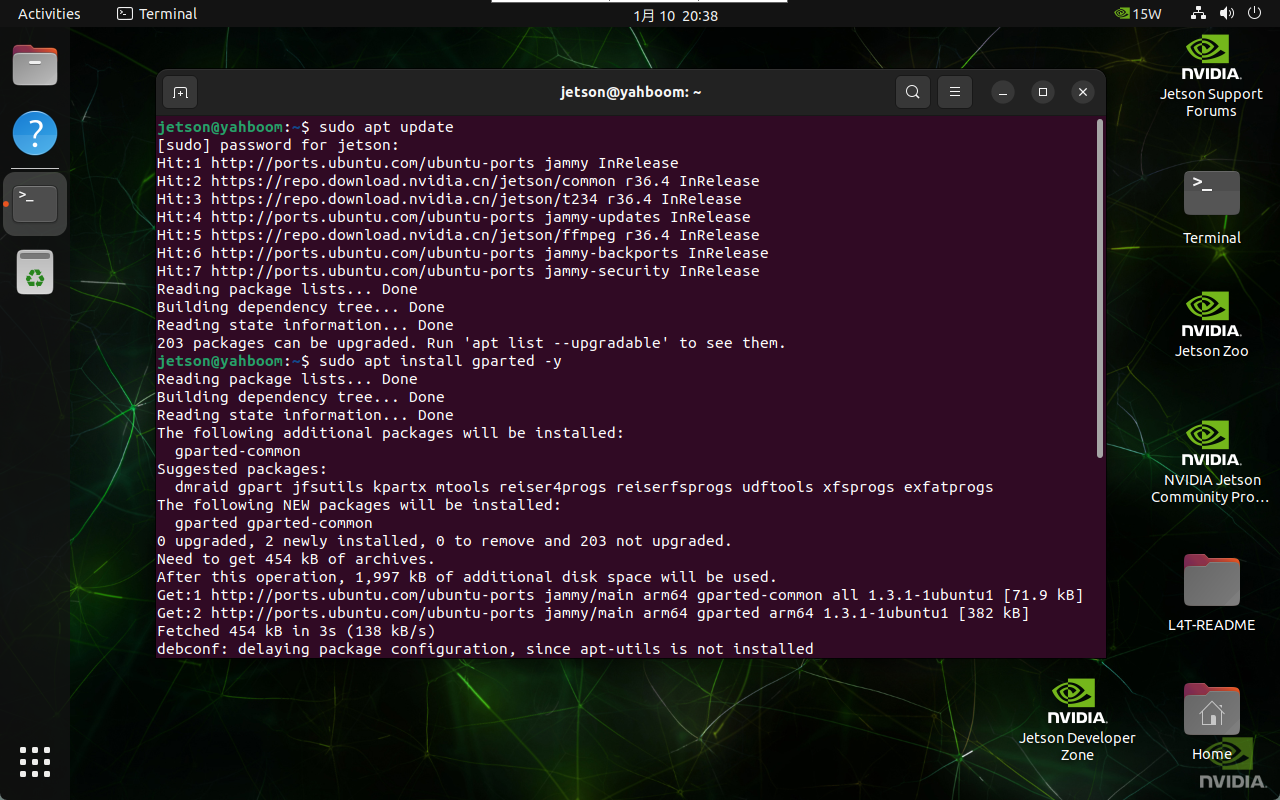
1. Install GParted
xxxxxxxxxxsudo apt updatesudo apt install gparted -y
2. Use GParted
Find the GParted application icon in the system application menu bar and open it, or enter the following command in the terminal to start it:
xxxxxxxxxxgparted
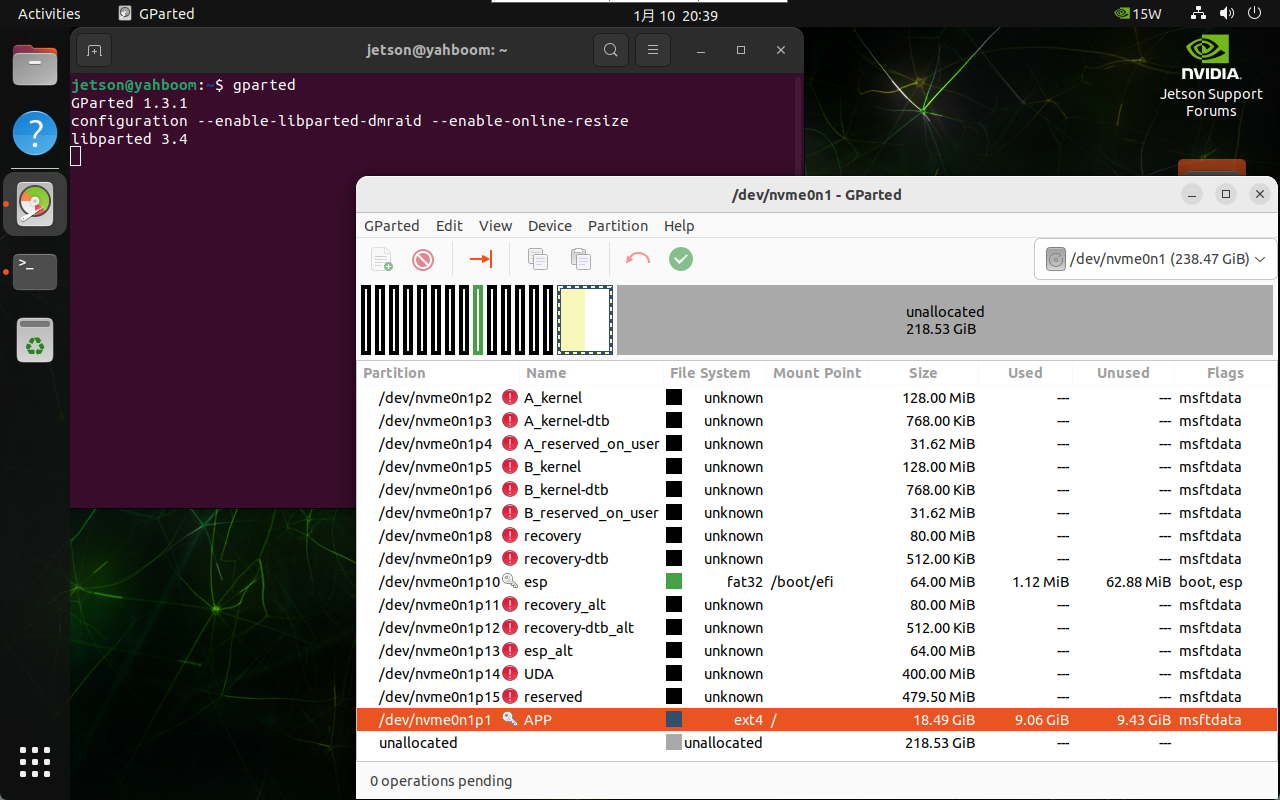
3. Adjust the partitions
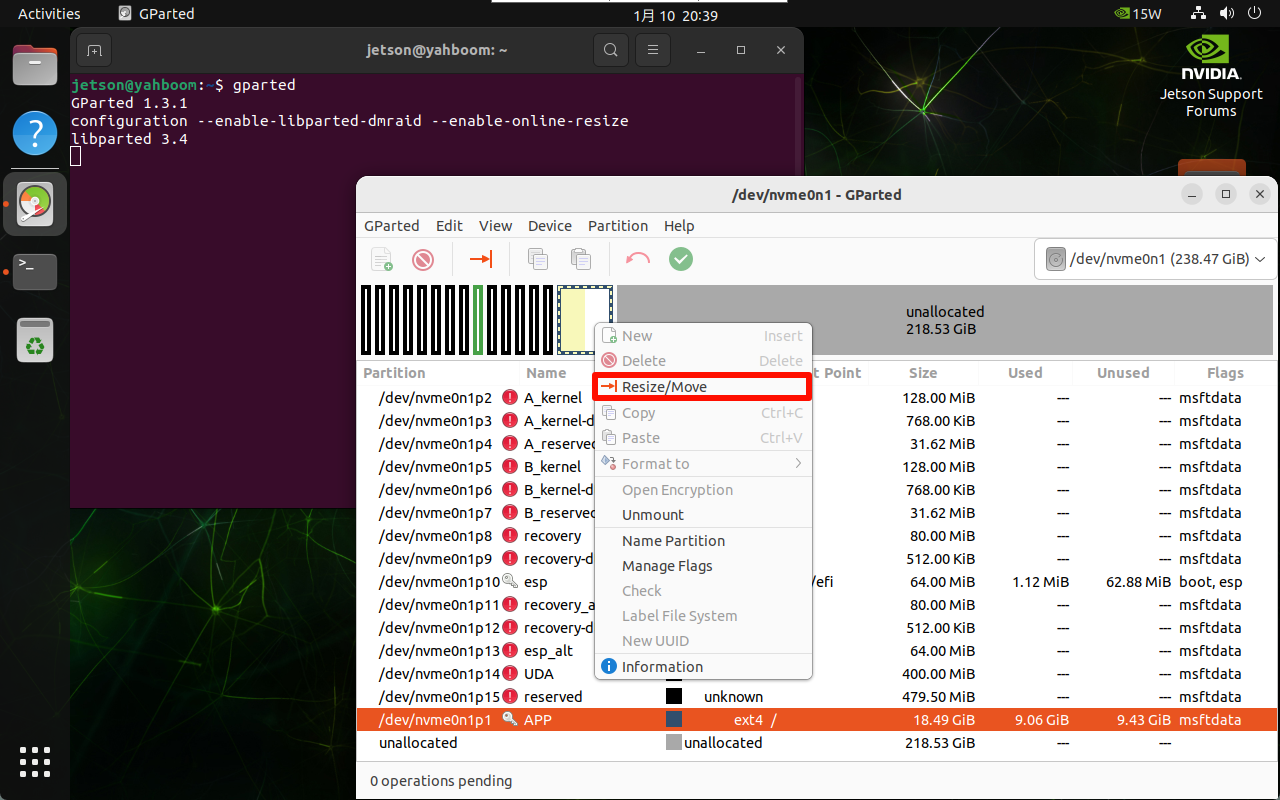
Right-click the disk partition that needs to be expanded: generally you should select the largest partition on the disk
You can adjust the partition size with the slider: you can maximize the space and slide it all the way to the right
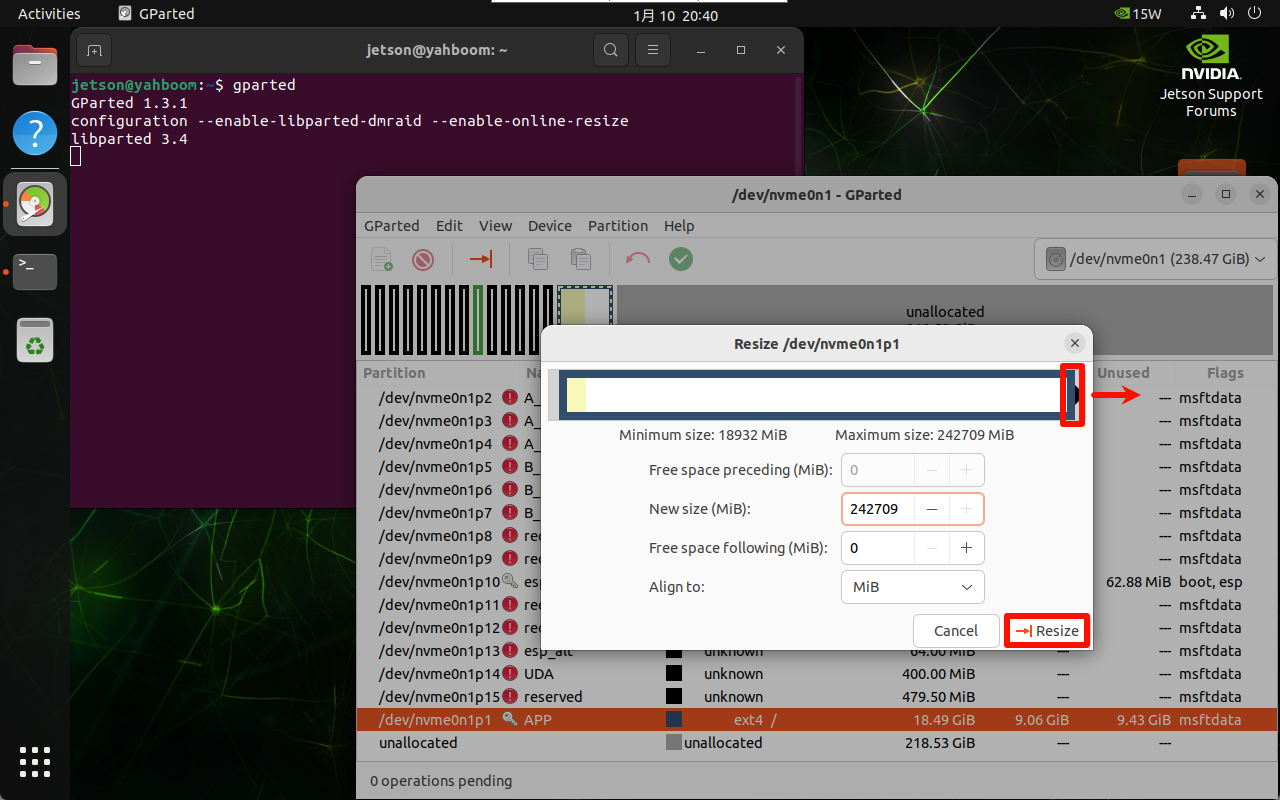
Confirm the partition adjustment operation:
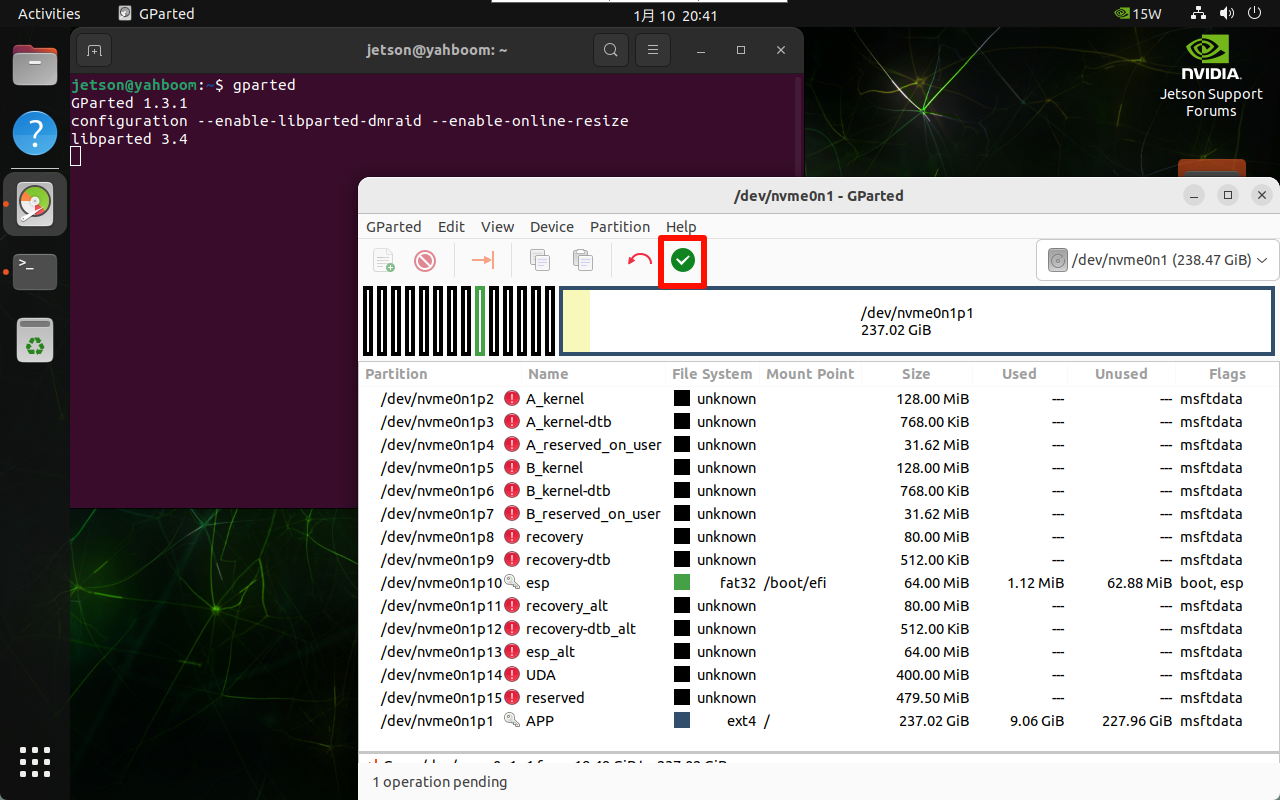
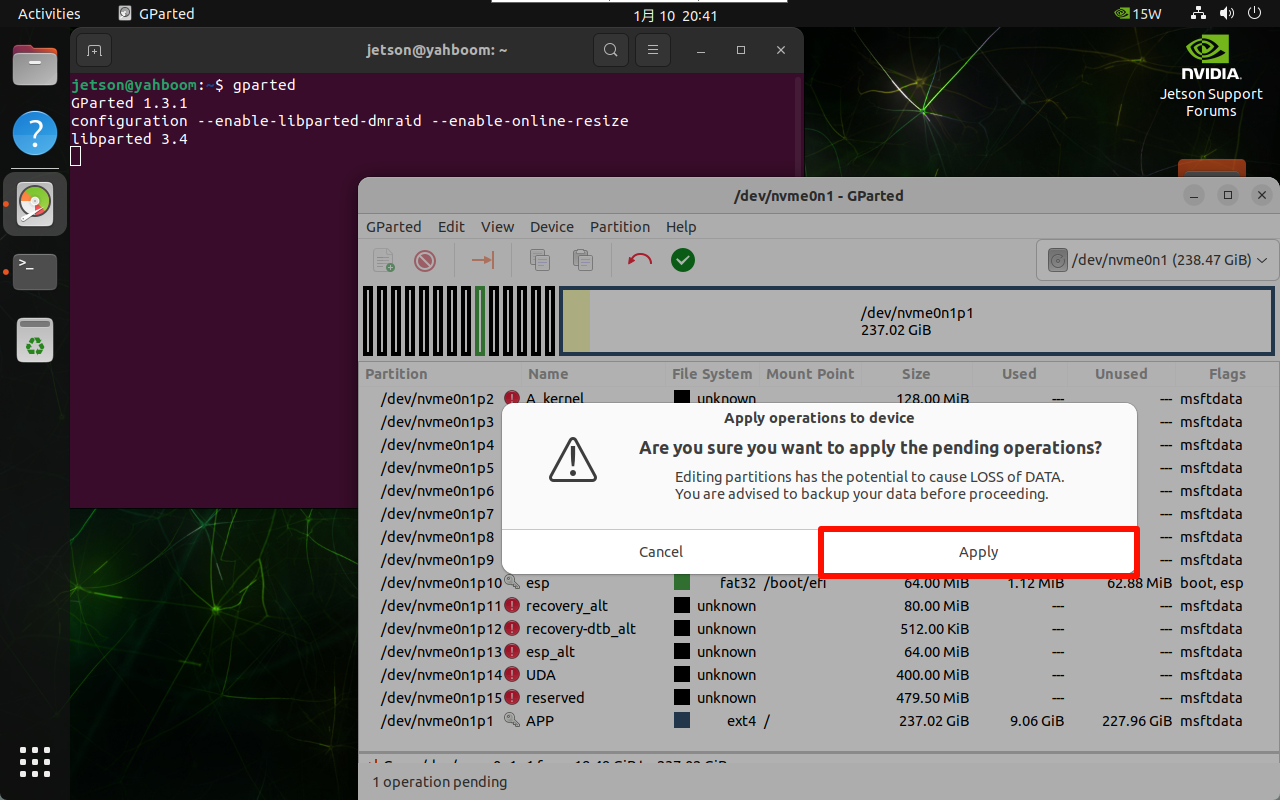
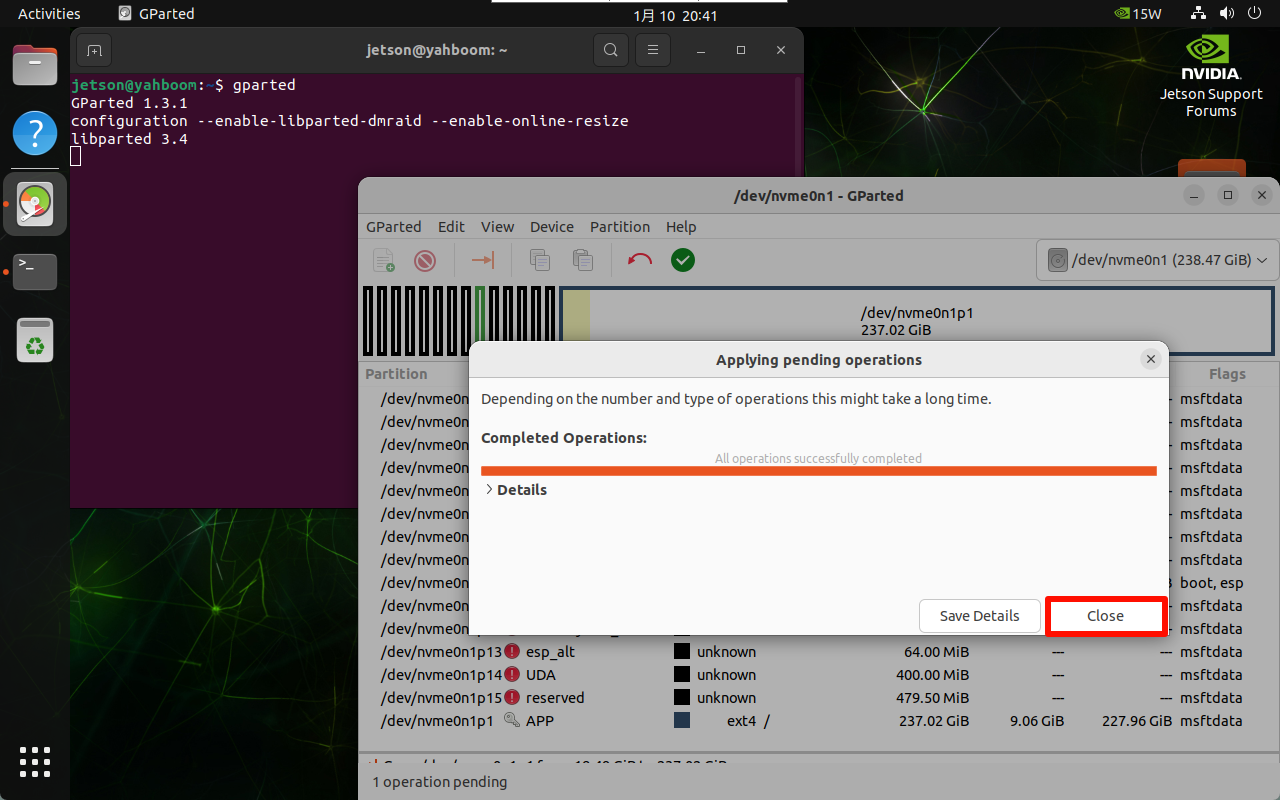
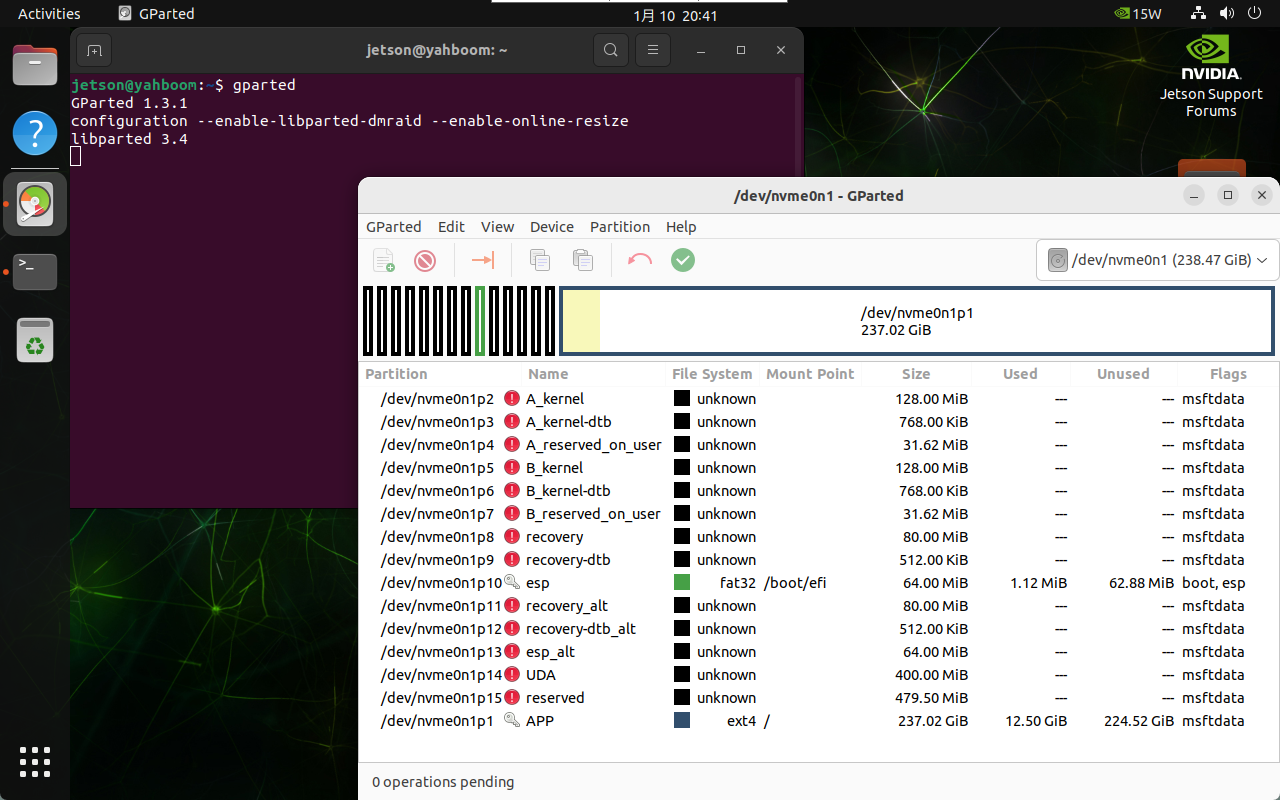
After the partitioning is finished, close the GParted software yourself!