Welcome to Jetson Orin NX Developer Kit repository
当製品の日本語版マニュアル資料は、こちらからご取得ください。
09.Llava visual multimodal large model
Llava
Llava1. Model size2. Performance3. Using Llava3.1 Run Llava3.2 Start a conversation3.3 Vision function3.4 End the conversationReferences
Demonstration environment
Development board: Jetson Orin series mainboard
1. Model size
| Model | Size |
|---|---|
| llava:7b | 4.7GB |
2. Performance
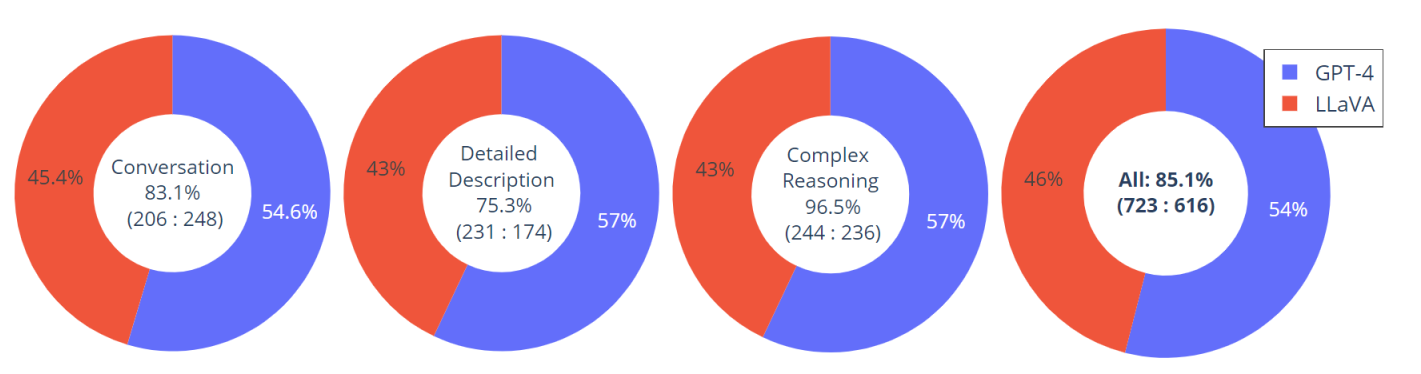
3. Using Llava
3.1 Run Llava
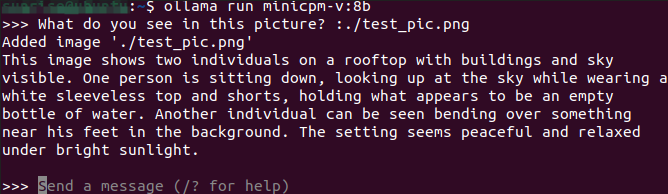
Use the run command to start the model; if the model has not been downloaded before, it is pulled automatically from the Ollama model library:
ollama run llava:7b
3.2 Start a conversation
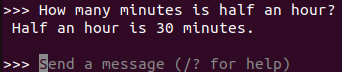
xxxxxxxxxxHow many minutes is half an hour?
The time it takes to answer depends on the hardware configuration, so be patient!
3.3 Vision function

xxxxxxxxxxWhat do you see in this picture? :./test_pic.png# Using ": + the absolute path of the image" in the conversation lets the model use its vision function and parse the information in the image

3.4 End the conversation
Use the Ctrl+d shortcut or /bye to end the conversation!
References
Ollama
Official website: https://ollama.com/
GitHub: https://github.com/ollama/ollama
Llava
Corresponding Ollama model: https://ollama.com/library/llava