Welcome to Jetson Orin NX Developer Kit repository
当製品の日本語版マニュアル資料は、こちらからご取得ください。
06.I2C communication
I2C communication
I2C communication1. GPIO pin diagram2. I2C test2.1. Install the dependencies2.2. I2C device2.2.1. Query the I2C buses2.2.2. Query the I2C devices2.3. Run the program3. Experiment effect
1. GPIO pin diagram
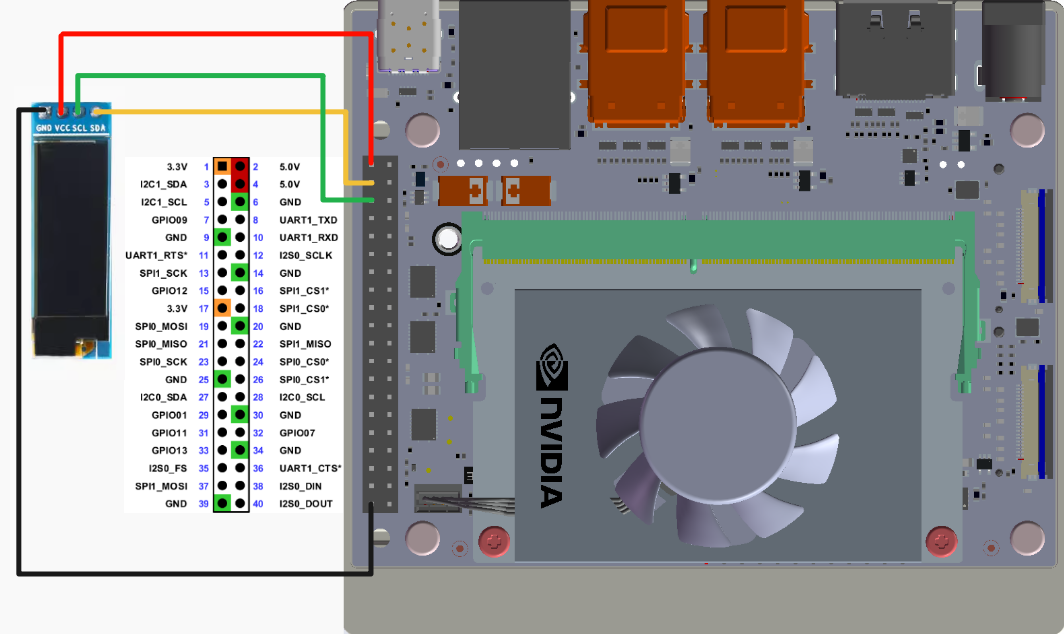
Use a 0.91-inch OLED to test the I2C communication function, and connect it as follows:
Note: Do not connect the pins incorrectly or cause a short circuit, as a mistake may damage the mainboard hardware!
2. I2C test
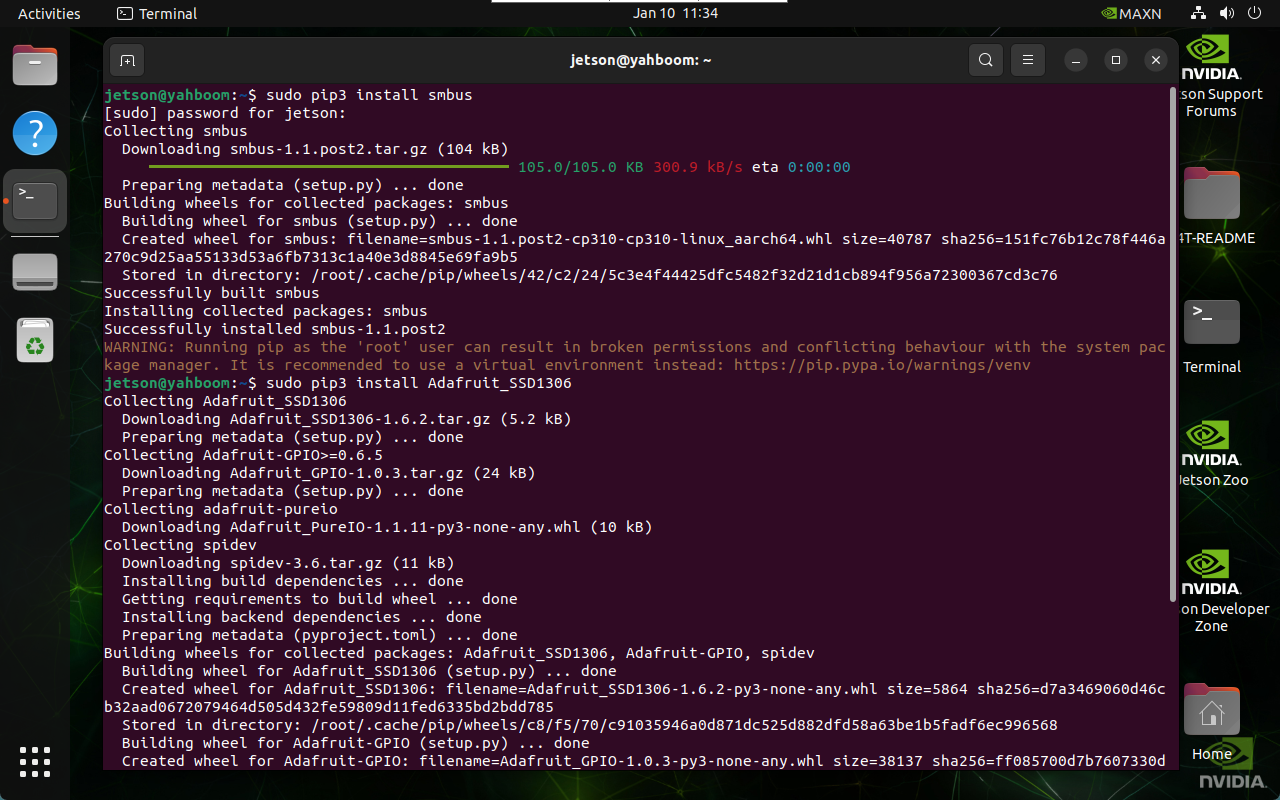
2.1. Install the dependencies
sudo pip3 install smbus --break-system-packagessudo pip3 install Adafruit_SSD1306 --break-system-packages
2.2. I2C device
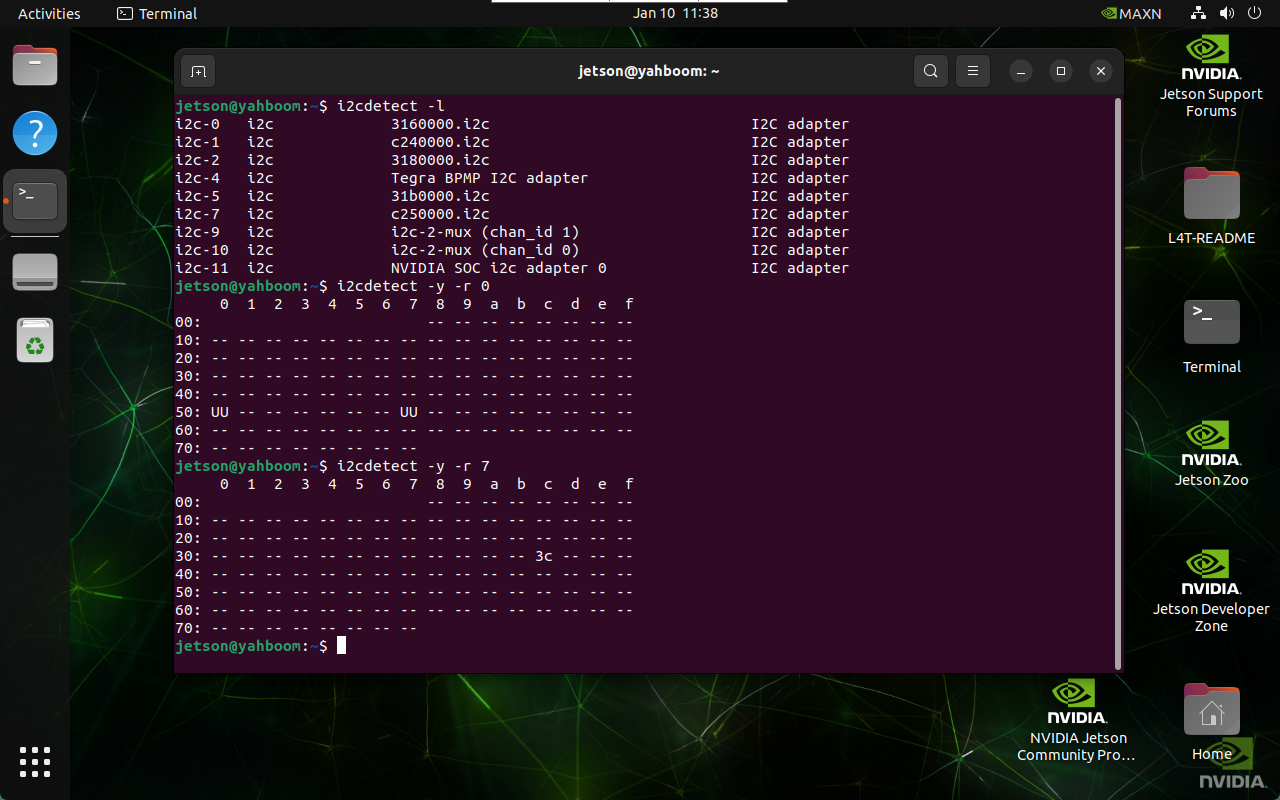
During normal development, we need to find the bus on which the I2C device is mounted and its device address.
2.2.1. Query the I2C buses
Enter the following command in the terminal to list all the buses of the device:
xxxxxxxxxxi2cdetect -l
2.2.2. Query the I2C devices
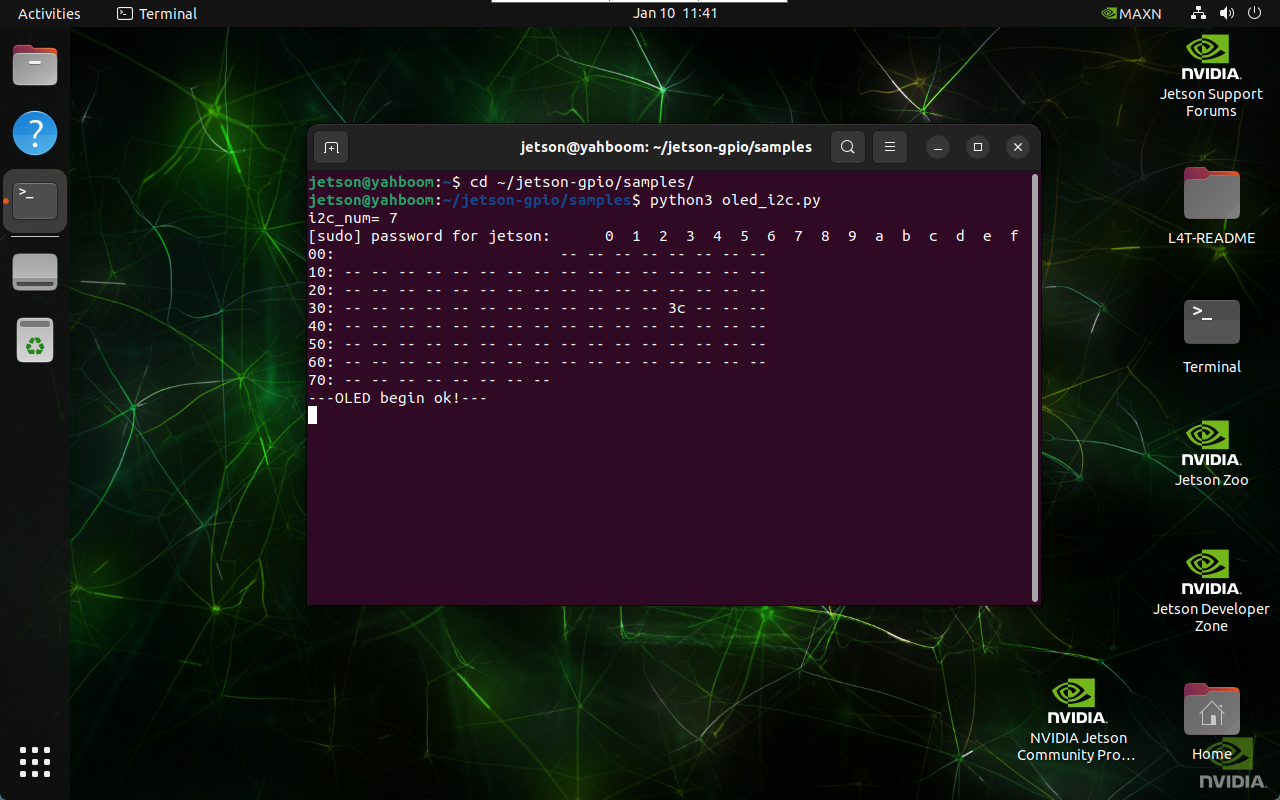
Enter the following command in the terminal to list the I2C devices on the specified bus: the I2C address of the oled is 0x3c
xxxxxxxxxxi2cdetect -y -r *
2.3. Run the program
oled_i2c.py is not provided by the jetson-gpio library:
xxxxxxxxxxcd ~/jetson-gpio/samples/
xxxxxxxxxxpython3 oled_i2c.py
3. Experiment effect
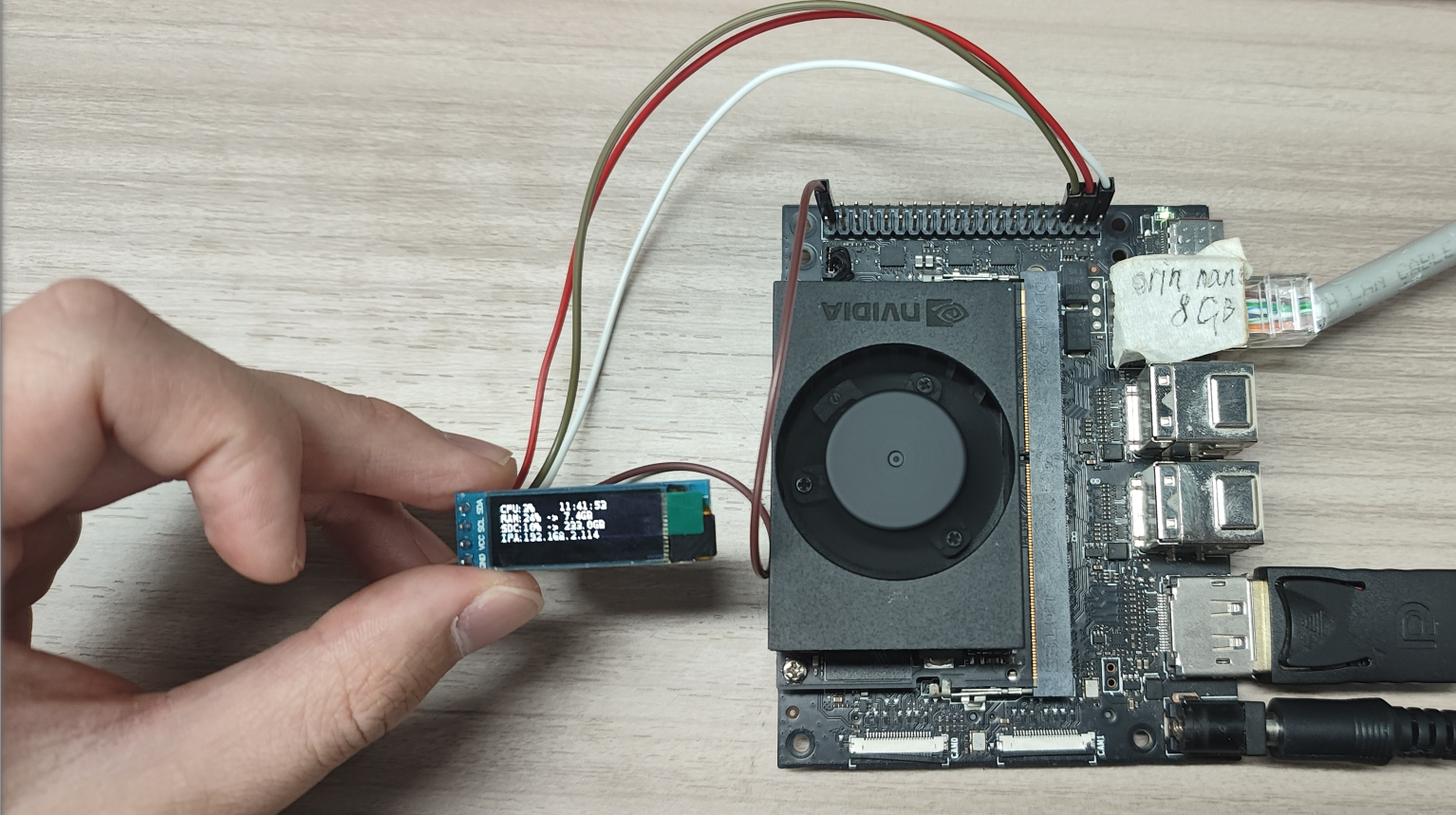
After the program is started, the OLED displays system information such as the system CPU usage, the system time and the memory usage: