Welcome to Jetson Orin NX Developer Kit repository
当製品の日本語版マニュアル資料は、こちらからご取得ください。
12.ROS2 meta-function package
12. Introduction to the ROS2 Meta-Function Package
1. Introduction to the Meta-Function Package
Completing a systematic function may involve multiple function packages. For example, after implementing a robot navigation module, there may be different sub-function packages under this module, such as mapping, localization, path planning, and so on. Then, when the user installs this module, do they need to install every single function package one by one?
Obviously, installing function packages one by one is inefficient. In ROS2, a method is provided to bundle different function packages into one package. When installing a certain functional module, you can directly invoke the bundled package. This package is also called a meta-function package (metapackage).
MetaPackage is a concept from the Linux file management system. It is a virtual package in ROS2 that contains no substantive content, but it depends on other packages. In this way, other packages can be combined. We can think of it as the table of contents of a book, telling us which sub-packages are in this package collection and where to download them.
For example: the command sudo apt install ros-${ROS_DISTRO}-desktop uses a meta-function package to install ROS2. This meta-function package depends on some other function packages in ROS2, and installing this package will install its dependencies as well.
Classic meta-function package case: navigation2
navigation2 github repository: GitHub - ros-navigation/navigation2: ROS 2 Navigation Framework and System
2. Purpose
It makes installation convenient for users: with just this one package, all the other related software packages can be organized and installed together.
3. Implementation
Create a new function package
ros2 pkg create pkg_metapackageModify the package.xml file and add the packages that the execution depends on
x <package format="3"> <name>pkg_metapackage</name> <version>0.0.0</version> <description>TODO: Package description</description> <maintainer email="1461190907@qq.com">root</maintainer> <license>TODO: License declaration</license>
<buildtool_depend>ament_cmake</buildtool_depend>
<exec_depend>pkg_interfaces</exec_depend> <exec_depend>pkg_helloworld_py</exec_depend> <exec_depend>pkg_topic</exec_depend> <exec_depend>pkg_service</exec_depend> <exec_depend>pkg_action</exec_depend> <exec_depend>pkg_param</exec_depend>
<test_depend>ament_lint_auto</test_depend> <test_depend>ament_lint_common</test_depend>
<export> <build_type>ament_cmake</build_type> </export></package>
The contents of the file CMakeLists.txt are as follows
xxxxxxxxxxcmake_minimum_required(VERSION 3.5)project(pkg_metapackage)
if(CMAKE_COMPILER_IS_GNUCXX OR CMAKE_CXX_COMPILER_ID MATCHES "Clang")  add_compile_options(-Wall -Wextra -Wpedantic)endif()
find_package(ament_cmake REQUIRED)
ament_package()
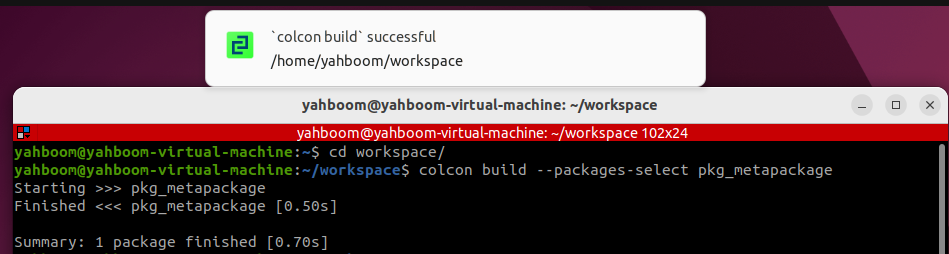
Compile the meta-function package
No actual executable file will be produced
xxxxxxxxxxcolcon build --packages-select pkg_metapackage