Welcome to Jetson Orin NX Developer Kit repository
当製品の日本語版マニュアル資料は、こちらからご取得ください。
05.Docker interaction
Docker interaction
Docker interaction1. Bash script1.1. Basic use (Docker)1.2. Run the script2. Shared data2.1. Shared folder2.2. Shared network3. Shared hardware3.1. Shared graphical interface3.2. Ordinary camera3.3. Depth camera
The tutorial mainly introduces the data and hardware interaction between the host and Docker.
1. Bash script
Bash (Bourne Again SHell) is a scripting language used for automated tasks, and users can combine multiple commands and execute them in sequence!
Docker commands provide optional parameters to start containers, but too many parameters will affect the reading and understanding of the command
1.1. Basic use (Docker)
Basic script
x#!/bin/bashdocker run -it \<image_name>:<tag> /bin/bash
Sample script
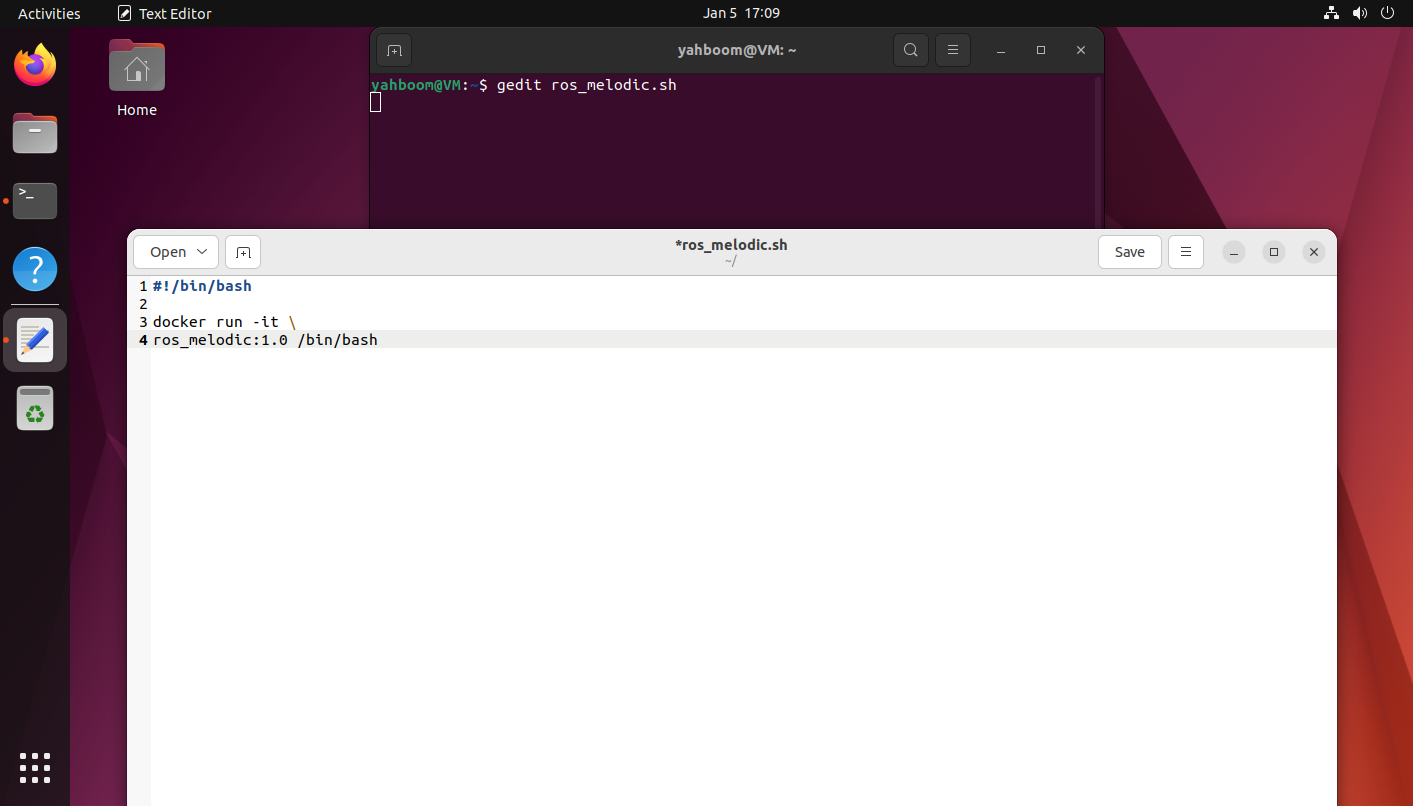
Write the example into the ros_melodic.sh file:
xxxxxxxxxxgedit ros_melodic.sh
xxxxxxxxxx#!/bin/bashdocker run -it \ros_melodic:1.0 /bin/bash
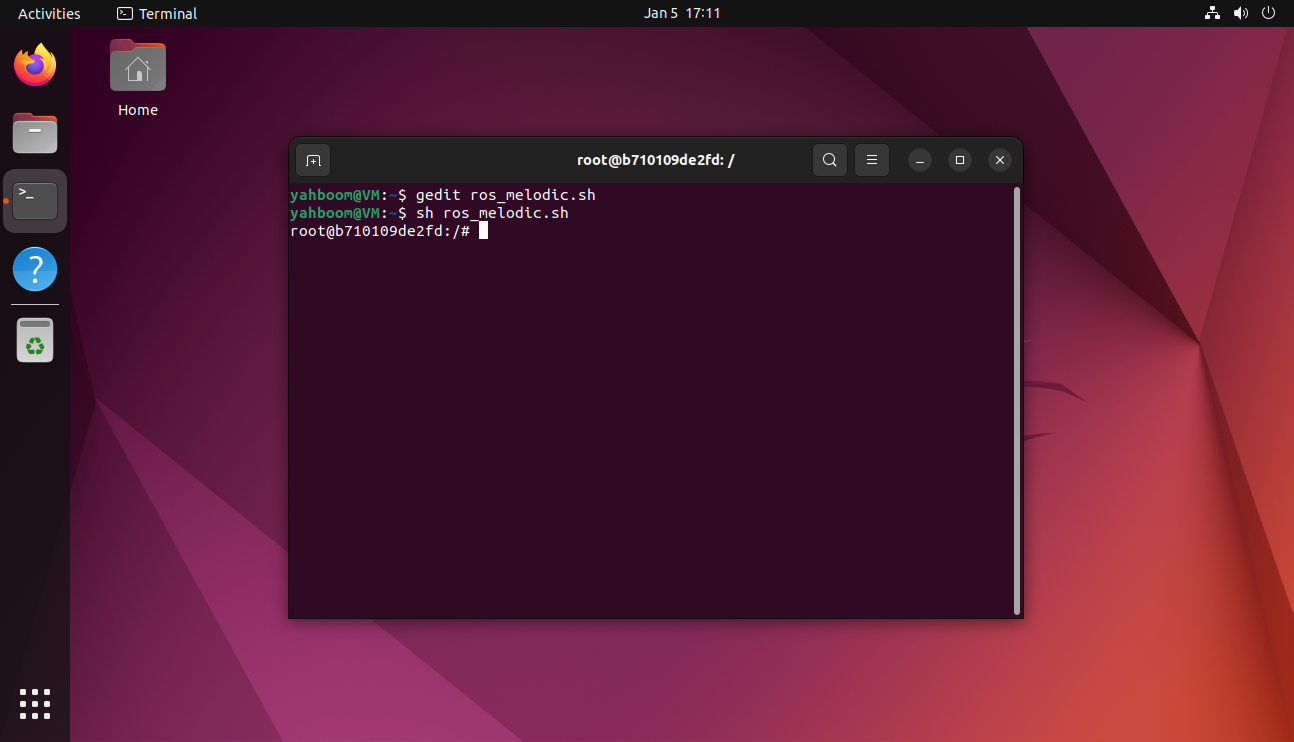
1.2. Run the script
xxxxxxxxxxsh ros_melodic.sh
2. Shared data
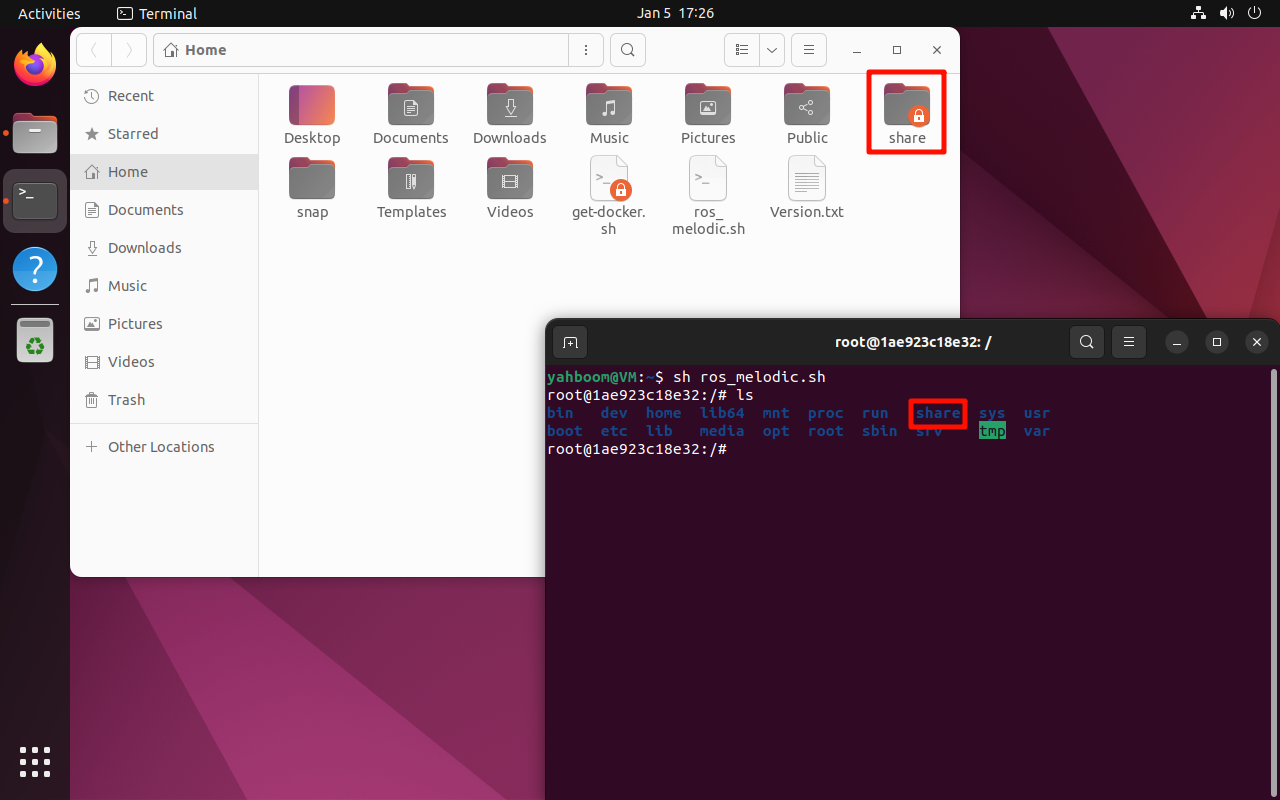
2.1. Shared folder
Share the host's share folder with Docker.
Sample script
xxxxxxxxxx#!/bin/bashdocker run -it \-v /home/yahboom/share:/share \ros_melodic:1.0 /bin/bash
2.2. Shared network
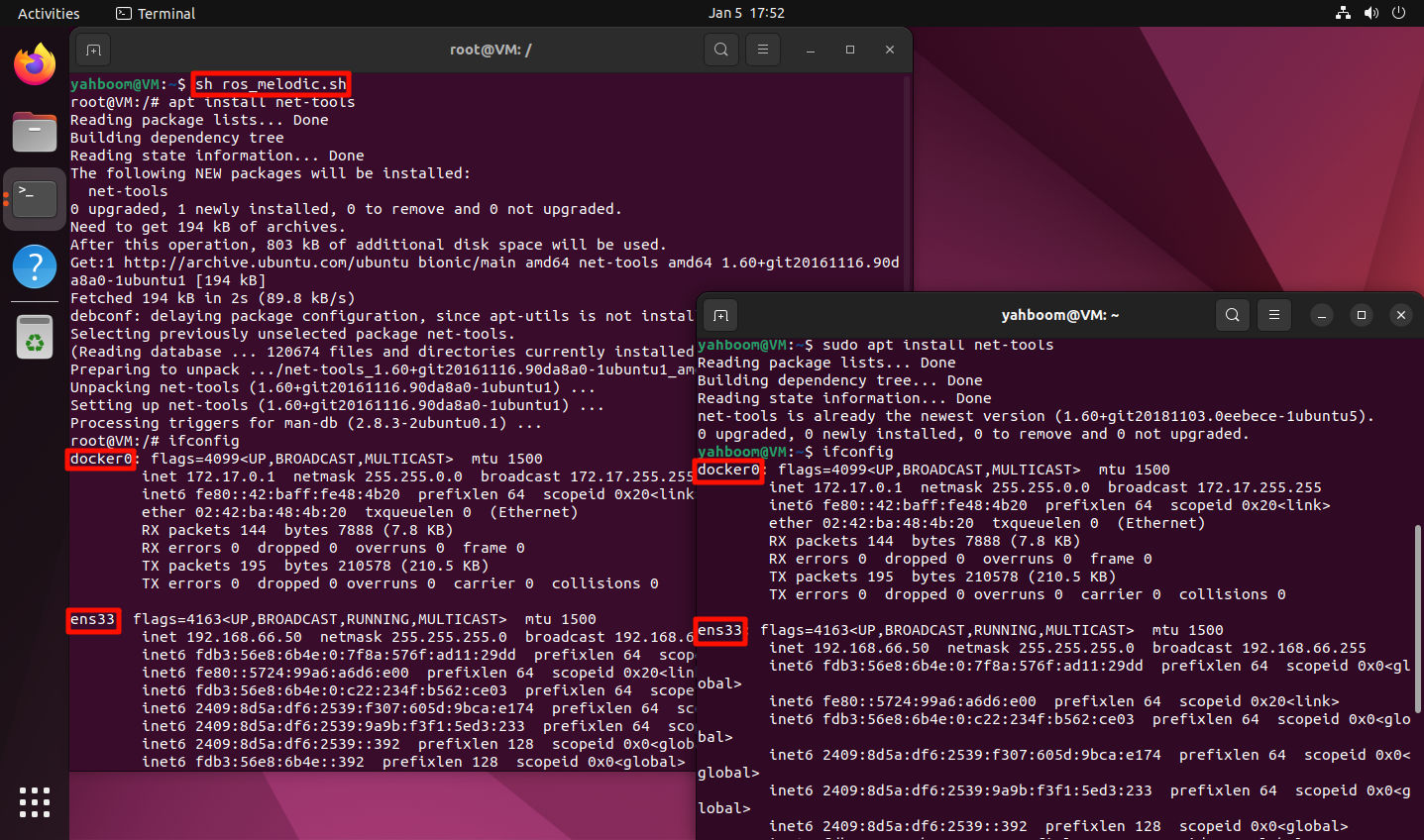
Share the host's network with Docker.
Sample script
xxxxxxxxxx#!/bin/bashdocker run -it \--net=host \-v /home/yahboom/share:/share \ros_melodic:1.0 /bin/bash
If the ifconfig command is not available, install net-tools:
xxxxxxxxxxsudo apt install net-tools -y
xxxxxxxxxxifconfig
3. Shared hardware
3.1. Shared graphical interface
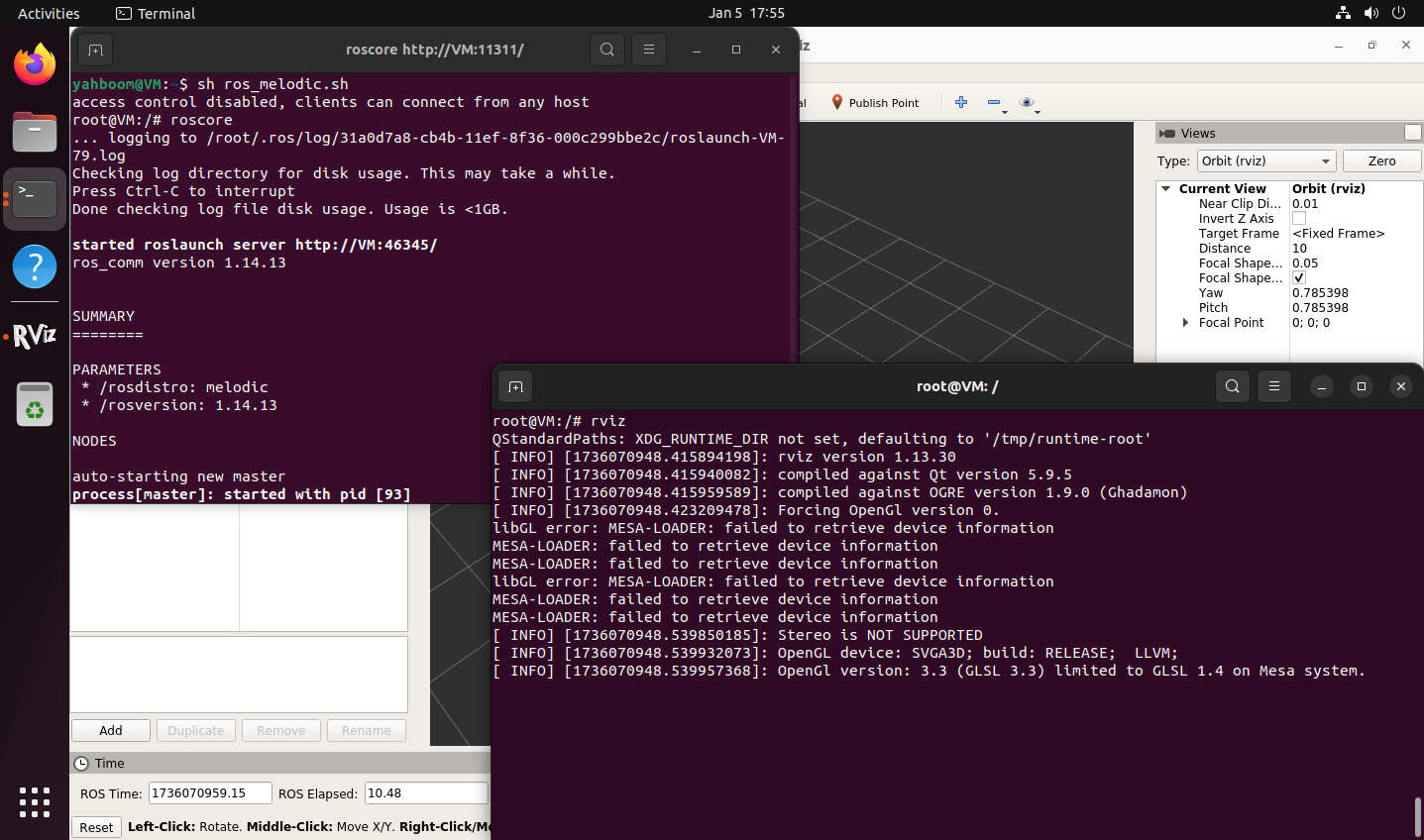
For Docker to run a graphical interface program, the output has to be directed to the local display.
The following script only authorizes the local root user to connect to the current X11 display. Please run it from a graphical desktop session; after the container exits, run xhost -si:localuser:root to revoke the authorization.
Sample script
xxxxxxxxxx#!/bin/bashxhost +si:localuser:roottrap 'xhost -si:localuser:root' 0docker run -it \--net=host \-e DISPLAY=$DISPLAY \-e "QT_X11_NO_MITSHM=1" \-v /tmp/.X11-unix:/tmp/.X11-unix \-v /home/yahboom/share:/share \ros_melodic:1.0 /bin/bash
3.2. Ordinary camera
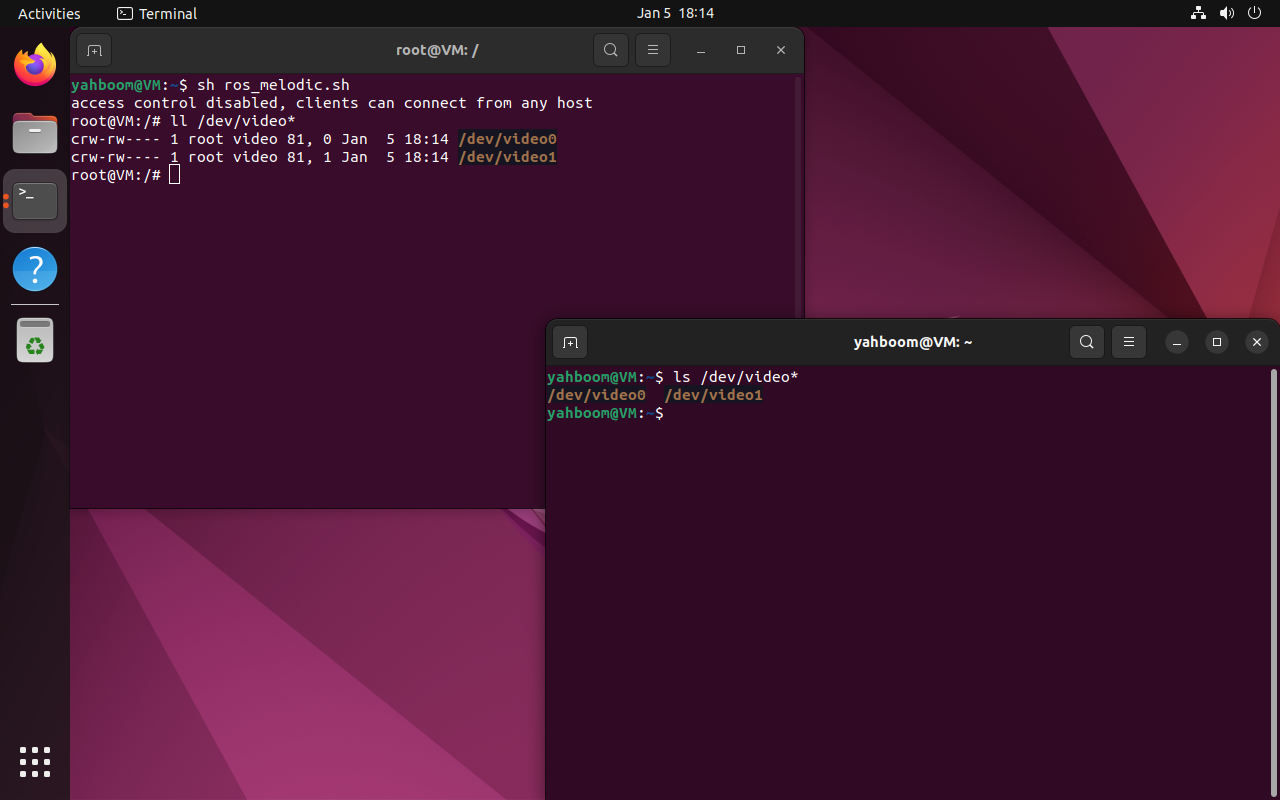
Map an ordinary camera to Docker: you only need to add the /dev/video* device node corresponding to the camera
xxxxxxxxxxIf only one camera is connected, it generally corresponds to /dev/video0
Sample script
xxxxxxxxxx#!/bin/bashxhost +si:localuser:roottrap 'xhost -si:localuser:root' 0docker run -it \--net=host \-e DISPLAY=$DISPLAY \-e "QT_X11_NO_MITSHM=1" \-v /tmp/.X11-unix:/tmp/.X11-unix \-v /home/yahboom/share:/share \--device=/dev/video0 \ros_melodic:1.0 /bin/bash
3.3. Depth camera
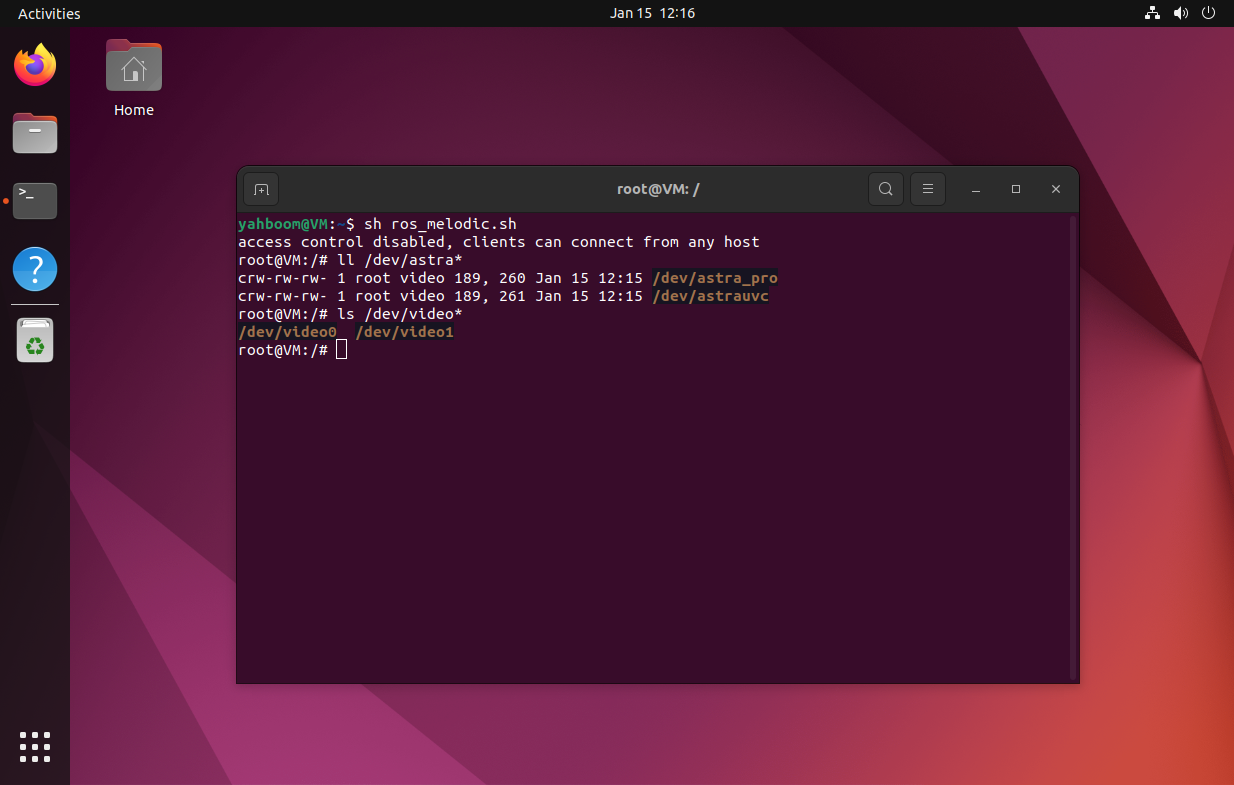
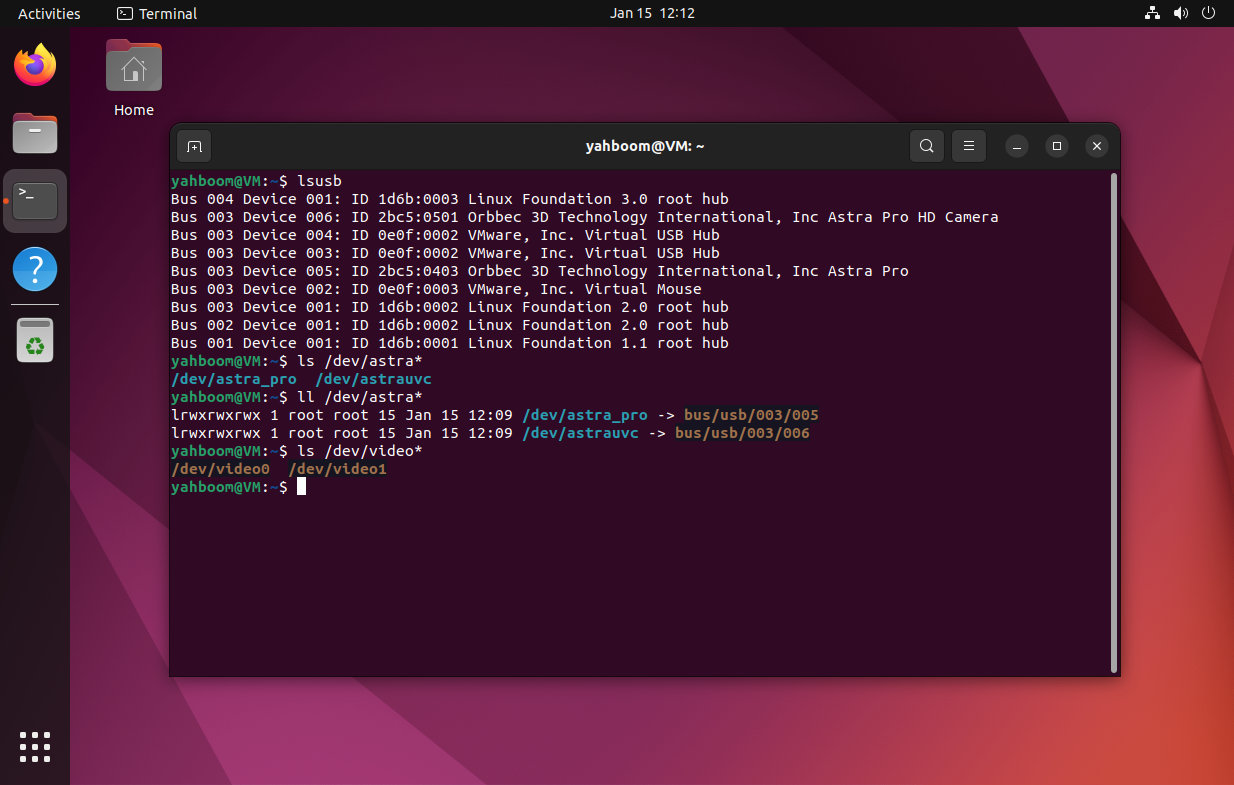
Compared with an ordinary camera, a depth camera needs extra information before the camera can be called: take Astra Pro as an example
View USB device information
xxxxxxxxxxlsusb
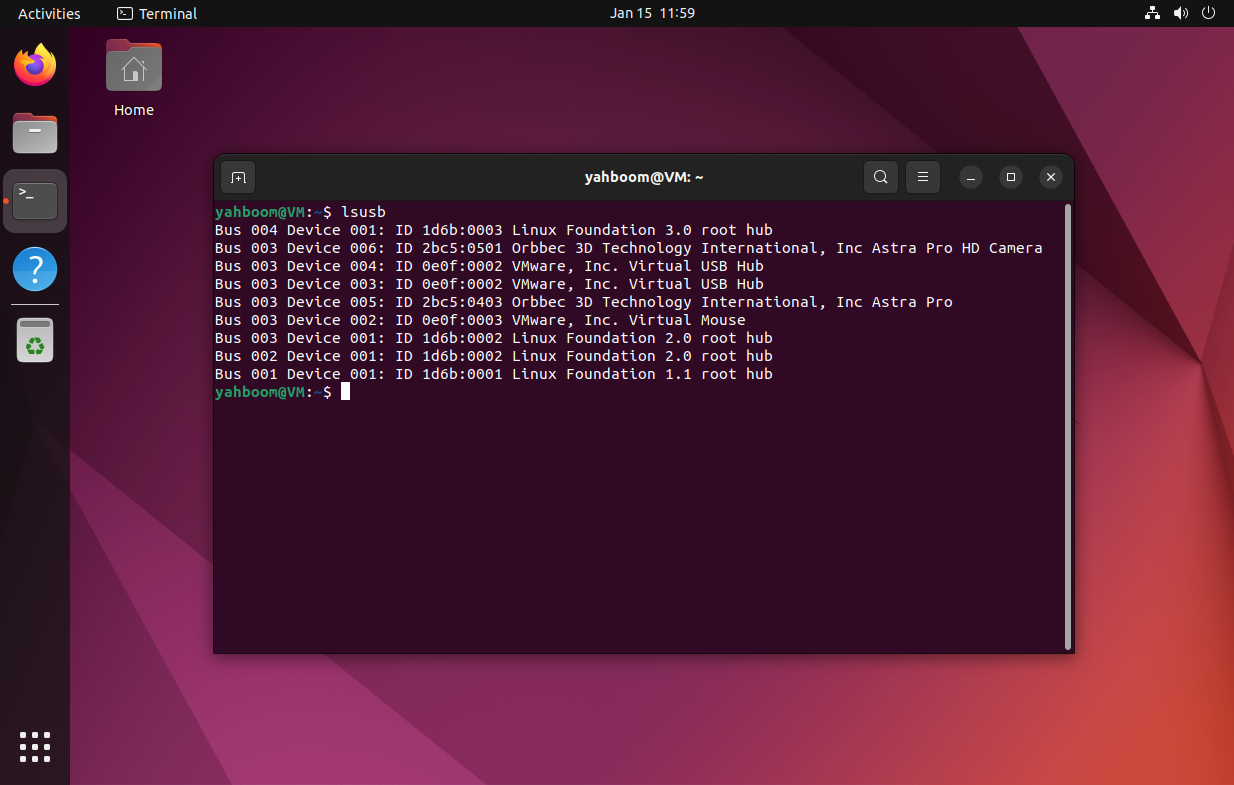
The information we need to pay attention to: USB bus number, device number on the USB bus, vendor ID of the device, product ID
xxxxxxxxxxBus 003 Device 005: ID 2bc5:0403 Orbbec 3D Technology International, Inc Astra ProBus 003 Device 006: ID 2bc5:0501 Orbbec 3D Technology International, Inc Astra Pro HD Camera
USB bus number: Bus 003
Device number on the USB bus: Device 005, Device 006
Vendor ID of the device: 2bc5
Product ID: 0403, 0501
Based on the vendor ID and the product ID you can locate the device and the device ID remapping, and the USB bus number together with the device number on the USB bus affect the device connection inside Docker.
Device ID remapping
The binding process and method are not introduced here, the result is shown directly, because device ID remapping is not part of the content of this tutorial.
Every time docker is started, pay attention to the USB bus number and the device number on the USB bus corresponding to the depth camera. If the two do not match, starting the camera inside Docker will keep reporting that the device cannot be connected.
Sample script
xxxxxxxxxx#!/bin/bashxhost +si:localuser:roottrap 'xhost -si:localuser:root' 0docker run -it \--net=host \-e DISPLAY=$DISPLAY \-e "QT_X11_NO_MITSHM=1" \-v /tmp/.X11-unix:/tmp/.X11-unix \-v /home/yahboom/share:/share \-v /dev/bus/usb/003/005:/dev/bus/usb/003/005 \-v /dev/bus/usb/003/006:/dev/bus/usb/003/006 \--device=/dev/astra_pro \--device=/dev/astrauvc \--device=/dev/video0 \--device=/dev/video1 \ros_melodic:1.0 /bin/bash