Welcome to Jetson Orin NX Developer Kit repository
当製品の日本語版マニュアル資料は、こちらからご取得ください。
08.Exchange space expansion
Exchange space expansion
Exchange space expansion1. Exchange space2. Exchange space expansion2.1. Disable the ZRAM swap configuration2.2. Create the 8GB file2.3. Set up the exchange space format2.4. Enable the exchange space2.5. Start the exchange space automatically at boot3. Verify the expansion
1. Exchange space
Exchange space is a mechanism that the operating system uses to extend the available memory. It keeps the system running when the memory is insufficient, avoiding program crashes or a system freeze!
Note: exchange space is accessed far more slowly than physical memory
2. Exchange space expansion
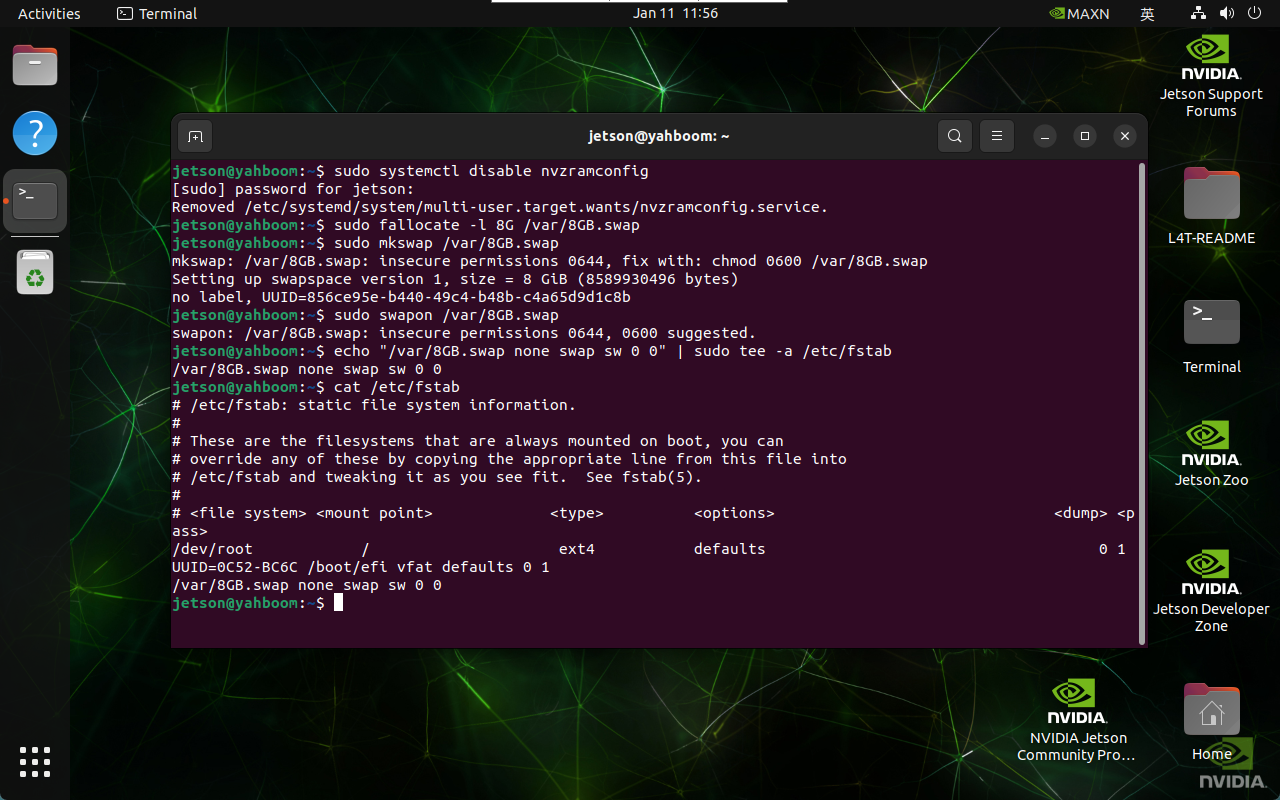
sudo systemctl disable nvzramconfigsudo fallocate -l 8G /var/8GB.swapsudo mkswap /var/8GB.swapsudo swapon /var/8GB.swapecho "/var/8GB.swap none swap sw 0 0" | sudo tee -a /etc/fstab
2.1. Disable the ZRAM swap configuration
Disable the ZRAM swap configuration on the Jetson device: ZRAM compresses the memory pages and stores them in memory, to reduce the reliance on the disk.
xxxxxxxxxxsudo systemctl disable nvzramconfig
2.2. Create the 8GB file
Use fallocate to create an 8GB file at the path /var/8GB.swap.
xxxxxxxxxxsudo fallocate -l 8G /var/8GB.swap
2.3. Set up the exchange space format
xxxxxxxxxxsudo mkswap /var/8GB.swap
2.4. Enable the exchange space
xxxxxxxxxxsudo swapon /var/8GB.swap
2.5. Start the exchange space automatically at boot
xxxxxxxxxxecho "/var/8GB.swap none swap sw 0 0" | sudo tee -a /etc/fstab
3. Verify the expansion
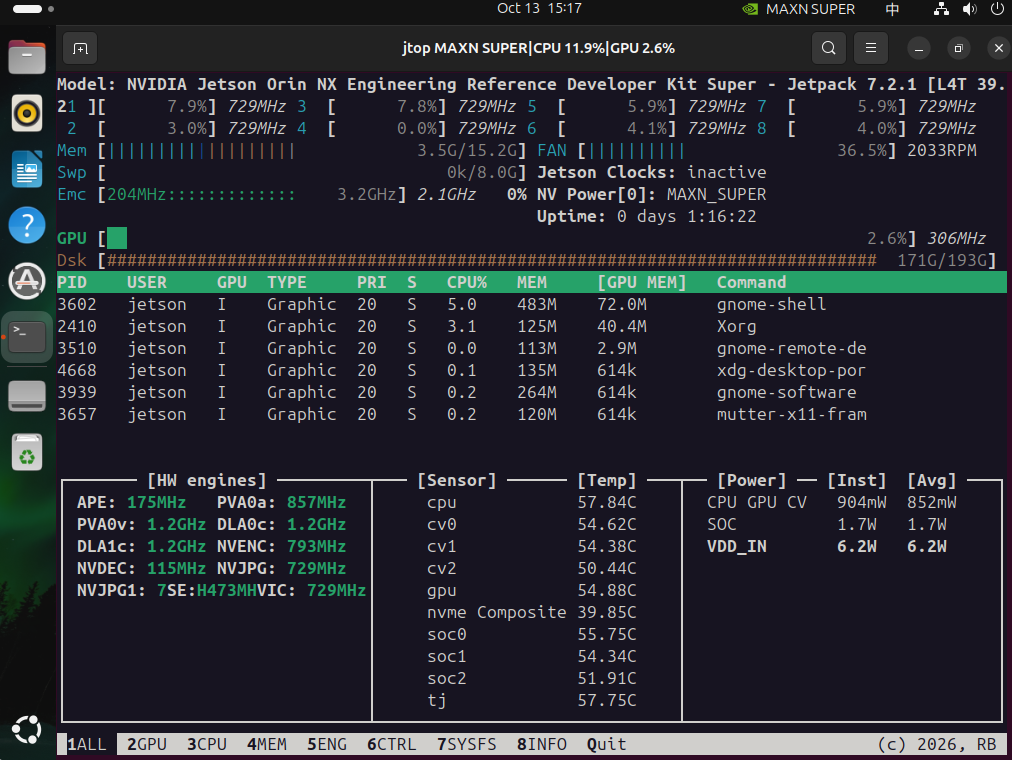
After the system reboots, the system exchange space has increased to 8GB: