Welcome to Jetson Orin NX Developer Kit repository
当製品の日本語版マニュアル資料は、こちらからご取得ください。
06.Image segmentation
Isaac ROS Image segmentation
Isaac ROS Image Segmentation official website link: https://nvidia-isaac-ros.github.io/repositories_and_packages/isaac_ros_image_segmentation/index.html
Overview
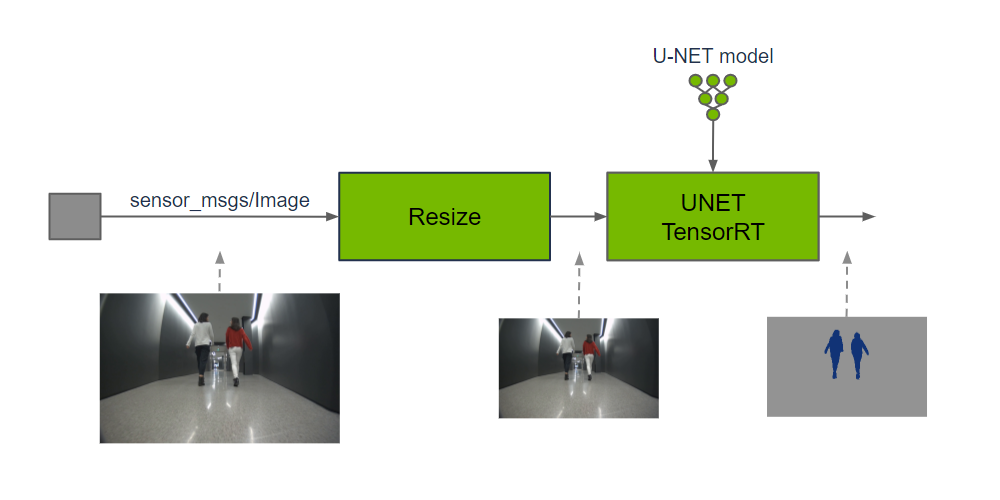
Image segmentation classifies the input image pixel by pixel with a DNN and outputs the spatial distribution of each semantic category in the image, which can be used for the subsequent perception and scene understanding.
Model preparation
seg_all.launch.py requires a SegFormer TensorRT engine with NCHW input and int64 output. First check the model directory:
xxxxxxxxxxcd /workspaces/isaac_ros-dev/isaac_ros_assetsls -lh models/triton/optimized_deployable_shuffleseg_unet_amr_v1.0/1/model.plan models_pending/optimized_deployable_shuffleseg_unet_amr_v1.0/1/model.planIf model.plan is already in the active directory, no switch is needed. If the model is in the pending directory and you have confirmed that you want to make it the active one, run the following inside the container:
xxxxxxxxxxmv models/triton/optimized_deployable_shuffleseg_unet_amr_v1.0 models_pending/mv models_pending/optimized_deployable_shuffleseg_unet_amr_v1.0 models/triton/ls -lh models/triton/optimized_deployable_shuffleseg_unet_amr_v1.0/1/model.planBefore running it, confirm that the active directory exists and that there is no directory with the same name in pending, so that the move does not fail or overwrite an existing model. After the switch, confirm that model.plan exists and then start the case. This launch file loads the plan directly, so the Triton server does not have to be started.
Quick experience
First start the container with the following command
xxxxxxxxxx./run_isaac.sh
Then confirm the container on the host with docker ps, and open the container terminals with docker exec -it <container name> bash. Each terminal has to use the same ROS/FastDDS environment, for example:
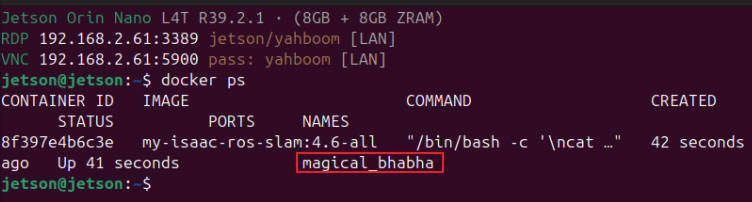
Note: all the terminals below are executed inside the container:
Terminal A: start the segmentation and RViz:
xxxxxxxxxxros2 launch /workspaces/isaac_ros-dev/launch/seg_all.launch.pyThe RViz configuration rviz/segformer.rviz displays the original image /image and the colour mask /segformer/colored_segmentation_mask.
Terminal B: play the input bag in a loop:
xxxxxxxxxxros2 bag play --loop \ /workspaces/isaac_ros-dev/isaac_ros_assets/isaac_ros_segformer/segformer_sample_data \ --remap \ /image_rect:=/image \ /camera_info_rect:=/camera_info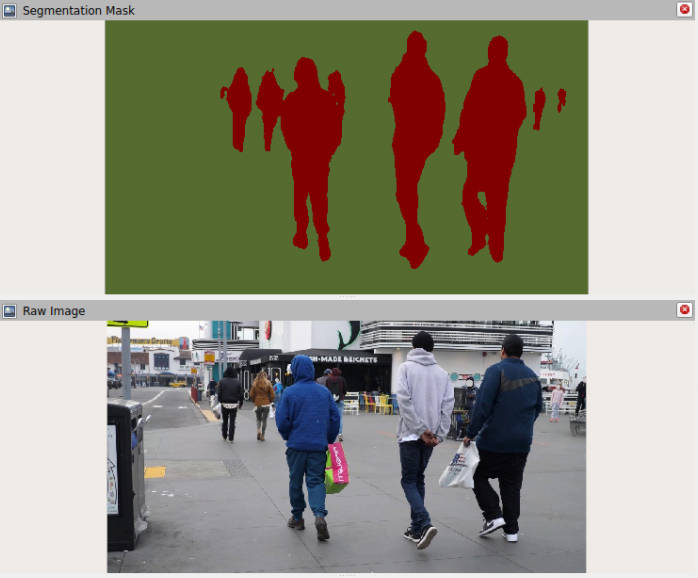
Terminal C: check the size, the encoding and the frequency of the mask:
ros2 topic echo --once /segformer/colored_segmentation_mask --field widthros2 topic echo --once /segformer/colored_segmentation_mask --field heightros2 topic echo --once /segformer/colored_segmentation_mask --field encodingtimeout 8 ros2 topic hz /segformer/colored_segmentation_mask