Welcome to Jetson Orin NX Developer Kit repository
当製品の日本語版マニュアル資料は、こちらからご取得ください。
6.ROS2 node
6. ROS2 Nodes
1. Node Introduction
During communication, no matter which method is used, the construction of the communication objects depends on nodes (Node). In ROS2, in general, each node corresponds to a single functional module (for example, a lidar driver node may be responsible for publishing lidar messages, and a camera driver node may be responsible for publishing image messages). A complete robot system may consist of many nodes working together. A single executable file in ROS2 (a C++ program or a Python program) can contain one or more nodes.
2. Node Creation Process
Create the program file
Import the related ROS libraries
Write the node functionality
Write the configuration file
Compile and run
3. Hello World Node Example
Here we take the Python function package as an example.
3.1. Creating the Python Function Package
Replace workspace with the actual workspace path
cd workspace/srcros2 pkg create pkg_helloworld_py --build-type ament_python --dependencies rclpy --node-name helloworld3.2. Writing the Code
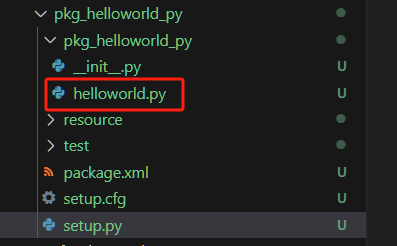
After executing the command above, pkg_helloworld_py is created, and the helloworld.py file is created at the same time for writing the node:
Delete the original code in helloworld.py and write the following code:
ximport rclpy # ROS2 Python interface libraryfrom rclpy.node import Node # ROS2 node classimport time
"""Create a HelloWorld node, and output the "hello world" log during initialization"""class HelloWorldNode(Node): def __init__(self, name): super().__init__(name) # ROS2 node parent class initialization while rclpy.ok(): # Whether the ROS2 system is running normally self.get_logger().info("Hello World") # ROS2 log output time.sleep(0.5) # Sleep to control the loop time
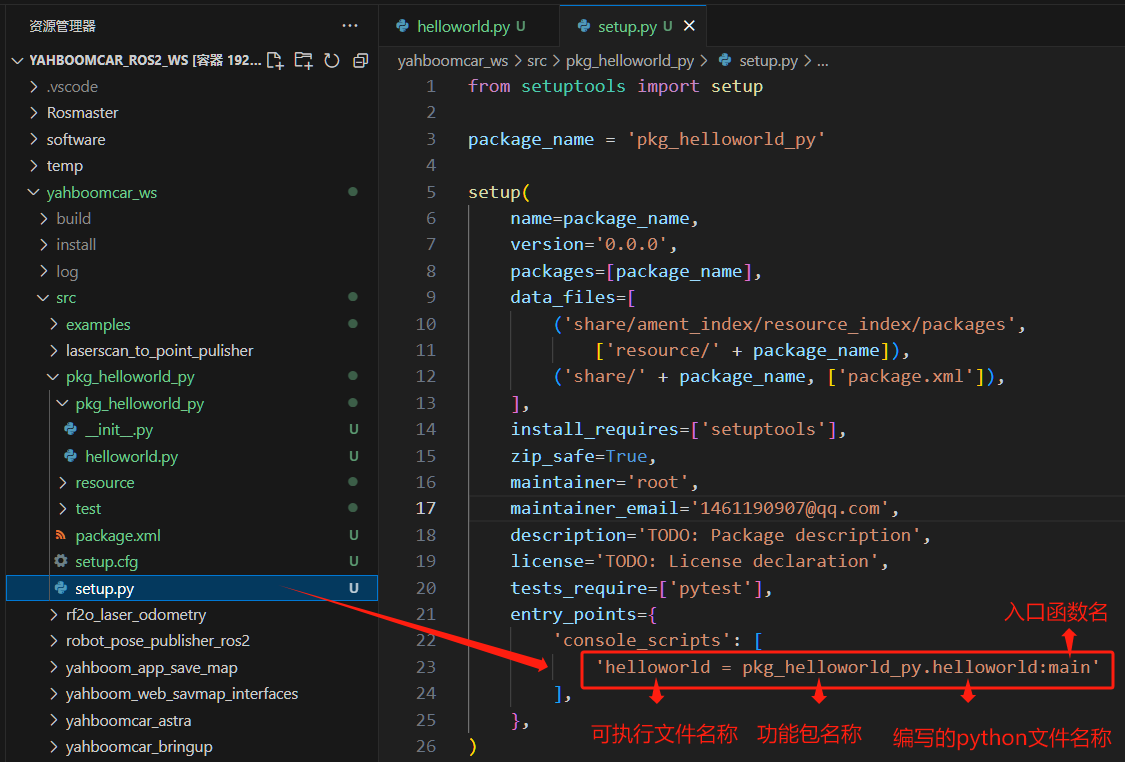
def main(args=None): # The main entry main function of the ROS2 node rclpy.init(args=args) # ROS2 Python interface initialization node = HelloWorldNode("helloworld") # Create the ROS2 node object and initialize it rclpy.spin(node) # Loop and wait for ROS2 to exit node.destroy_node() # Destroy the node object rclpy.shutdown() # Shut down the ROS2 Python interfaceAfter the code is written, the compilation options of the function package need to be set, so that the system knows the entry point of the Python program. Open the setup.py file of the function package and add the following entry point configuration:
3.3. Building the Function Package
Build the function package
xxxxxxxxxxcolcon build --packages-select pkg_helloworld_pyRefresh the environment variables in the workspace
xxxxxxxxxxsource install/setup.bash3.4. Running the Node
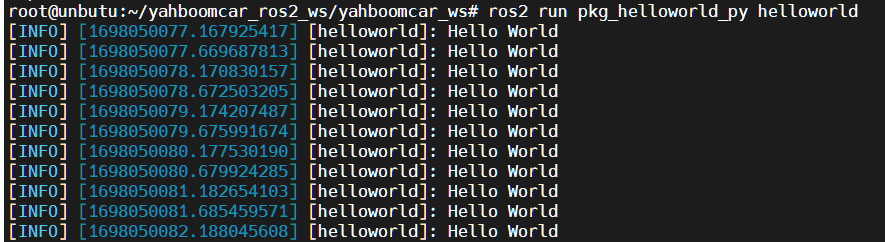
xxxxxxxxxxros2 run pkg_helloworld_py helloworldAfter running successfully, you can see the effect of the "Hello World" string being printed in a loop in the terminal: