Welcome to Jetson Orin NX Developer Kit repository
当製品の日本語版マニュアル資料は、こちらからご取得ください。
08.Model conversion
Model conversion
Model conversion1. Jetson AGX Orin YOLO11 (benchmark)2. Enable the maximum performance of the mainboard2.1. Enable the MAX power mode2.2. Enable the Jetson clocks3. Model conversion3.1. CLI: pt → onnx → engine3.2. Python: pt → onnx → engine4. Model predictionCLI usageFrequently Asked QuestionsERROR: onnxslimReferences
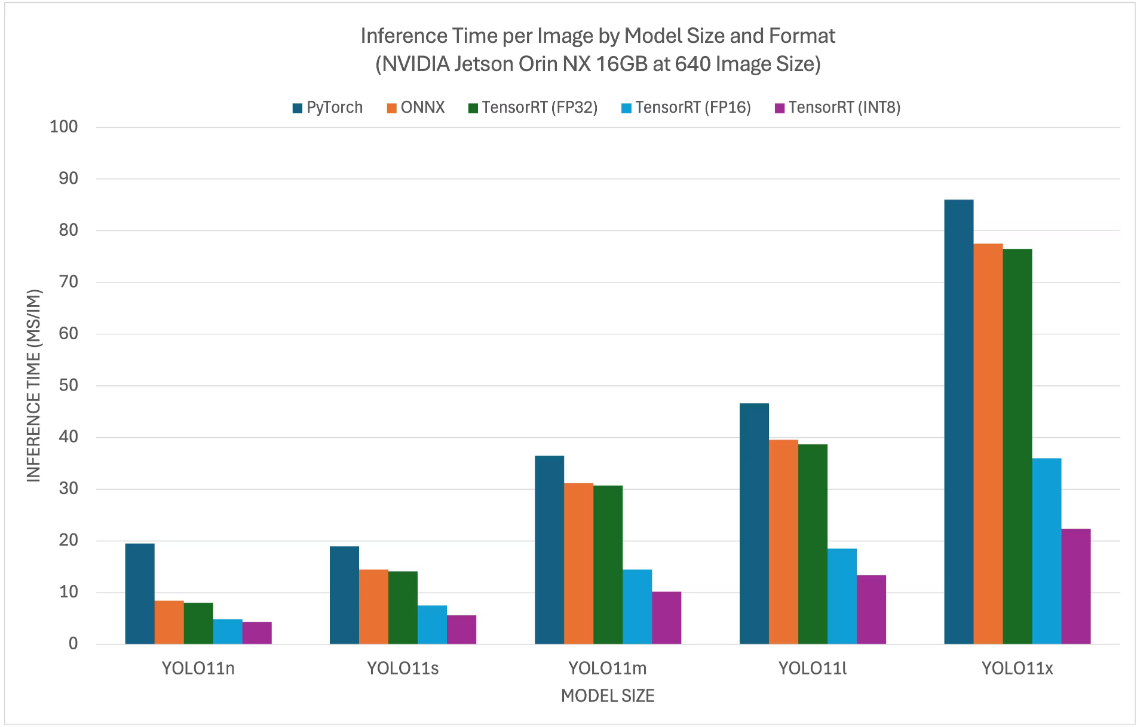
1. Jetson AGX Orin YOLO11 (benchmark)
The YOLO11 benchmark data comes from the Ultralytics team, which tests models in multiple different formats (data is for reference only)
2. Enable the maximum performance of the mainboard
2.1. Enable the MAX power mode
Enabling the MAX Power Mode (the maximum power mode) on the Jetson ensures that all the CPU and GPU cores are turned on:
sudo nvpmodel -m 0
2.2. Enable the Jetson clocks
Enabling the Jetson Clocks ensures that all the CPU and GPU cores run at the maximum frequency:
xxxxxxxxxxsudo jetson_clocks
3. Model conversion
According to the test parameters of the models in different formats provided by the Ultralytics team, we can find that the inference performance is the best when using TensorRT!
xxxxxxxxxxThe first time you use the export mode of YOLO11, some dependencies will be automatically installed. Just wait for the automatic installation to complete!
3.1. CLI: pt → onnx → engine
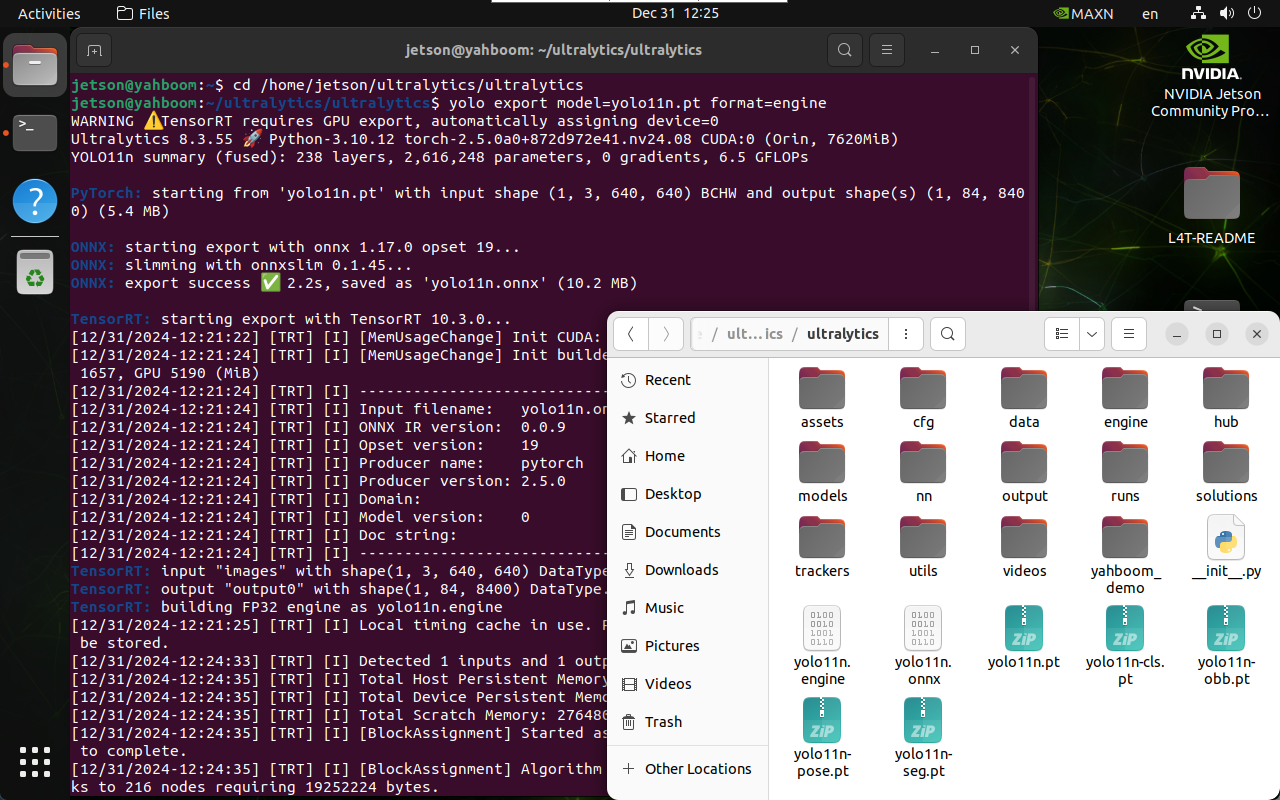
Convert the PyTorch format model to TensorRT: the conversion process will automatically generate an ONNX model
xxxxxxxxxxcd /home/jetson/ultralytics/ultralytics
xxxxxxxxxxyolo export model=yolo11n.pt format=engine# yolo export model=yolo11n-seg.pt format=engine# yolo export model=yolo11n-pose.pt format=engine# yolo export model=yolo11n-cls.pt format=engine# yolo export model=yolo11n-obb.pt format=engine
3.2. Python: pt → onnx → engine
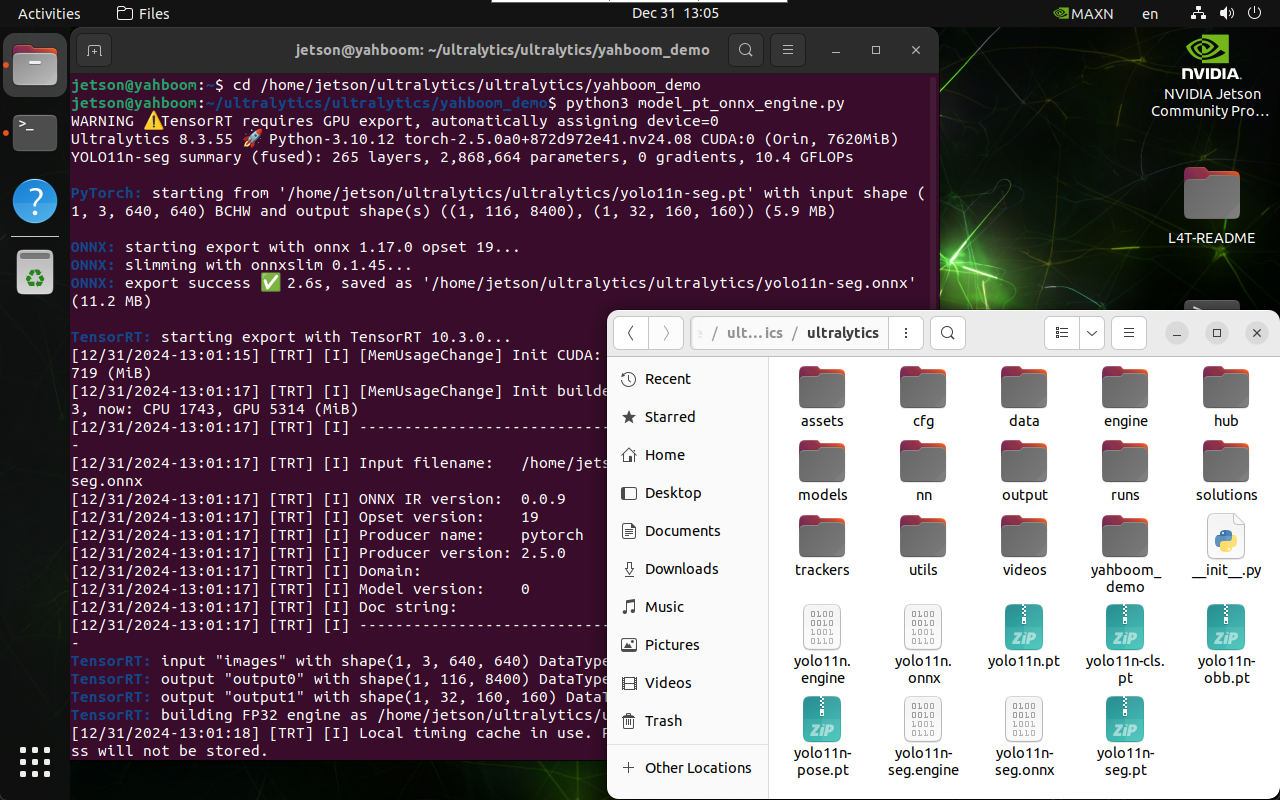
Convert the PyTorch format model to TensorRT: the conversion process will automatically generate an ONNX model
xxxxxxxxxxcd /home/jetson/ultralytics/ultralytics/yahboom_demo
xxxxxxxxxxpython3 model_pt_onnx_engine.py
xfrom ultralytics import YOLO# Load a YOLO11n PyTorch model# model = YOLO("/home/jetson/ultralytics/ultralytics/yolo11n.pt")model = YOLO("/home/jetson/ultralytics/ultralytics/yolo11n-seg.pt")# model = YOLO("/home/jetson/ultralytics/ultralytics/yolo11n-pose.pt")# model = YOLO("/home/jetson/ultralytics/ultralytics/yolo11n-cls.pt")# model = YOLO("/home/jetson/ultralytics/ultralytics/yolo11n-obb.pt")# Export the model to TensorRTmodel.export(format="engine")
Note: The converted model file is located in the location of the converted model file
4. Model prediction
CLI usage
The CLI currently only supports calling the USB camera.
xxxxxxxxxxcd /home/jetson/ultralytics/ultralytics
xxxxxxxxxxyolo predict model=yolo11n.onnx source=0 save=False show
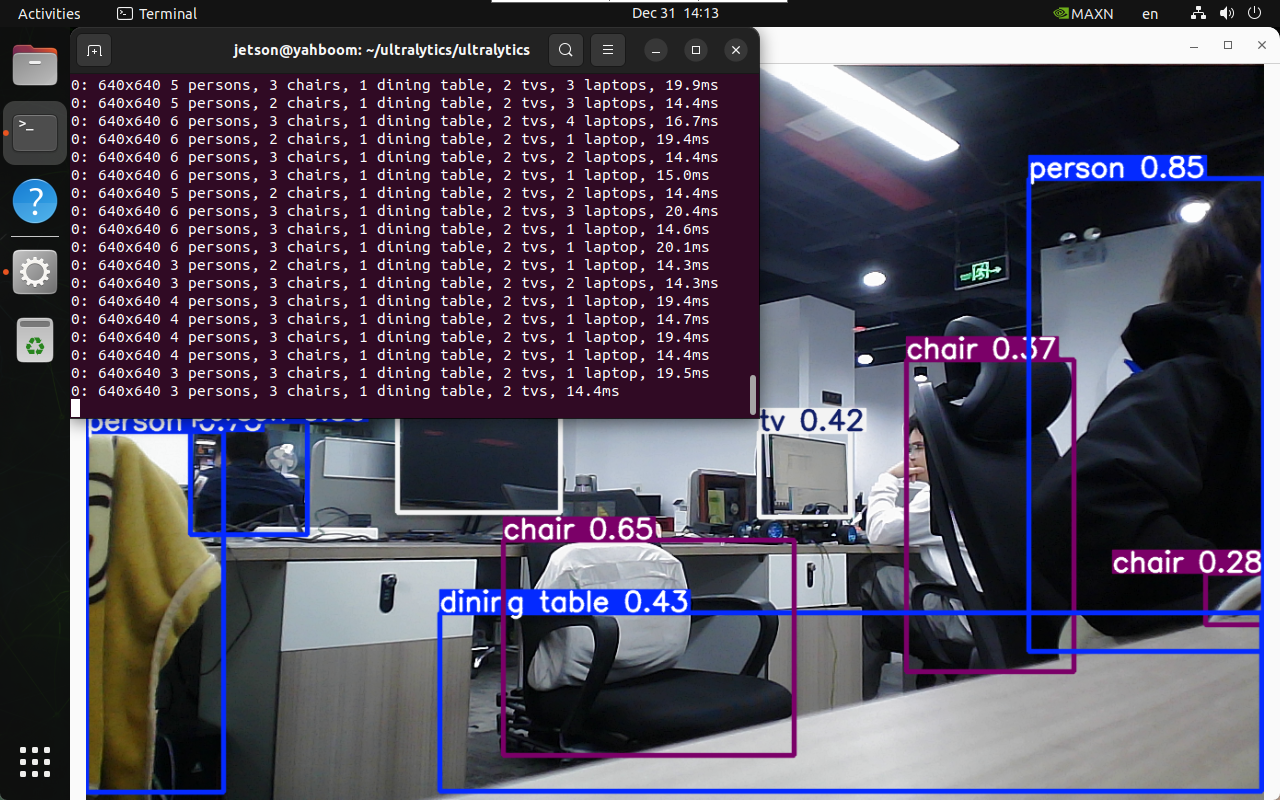
xxxxxxxxxxyolo predict model=yolo11n.engine source=0 save=False show
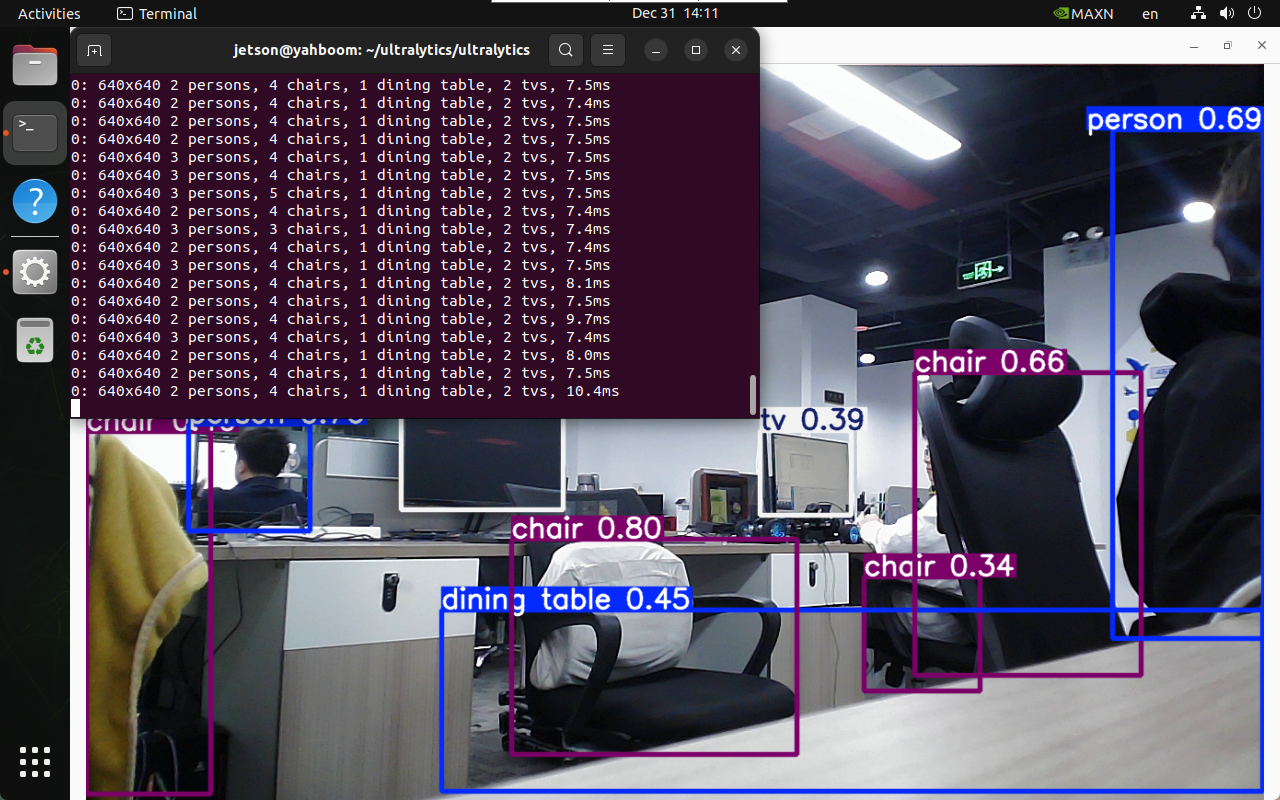
Frequently Asked Questions
ERROR: onnxslim
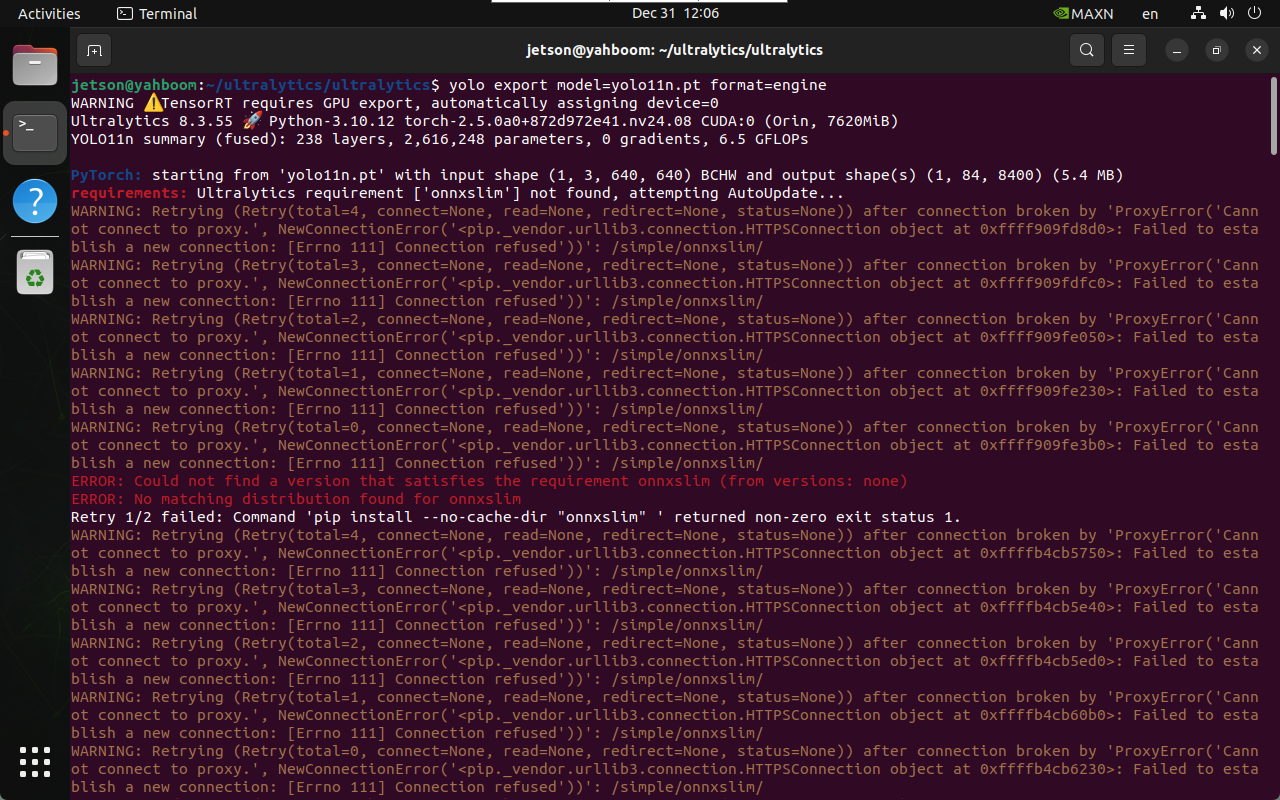
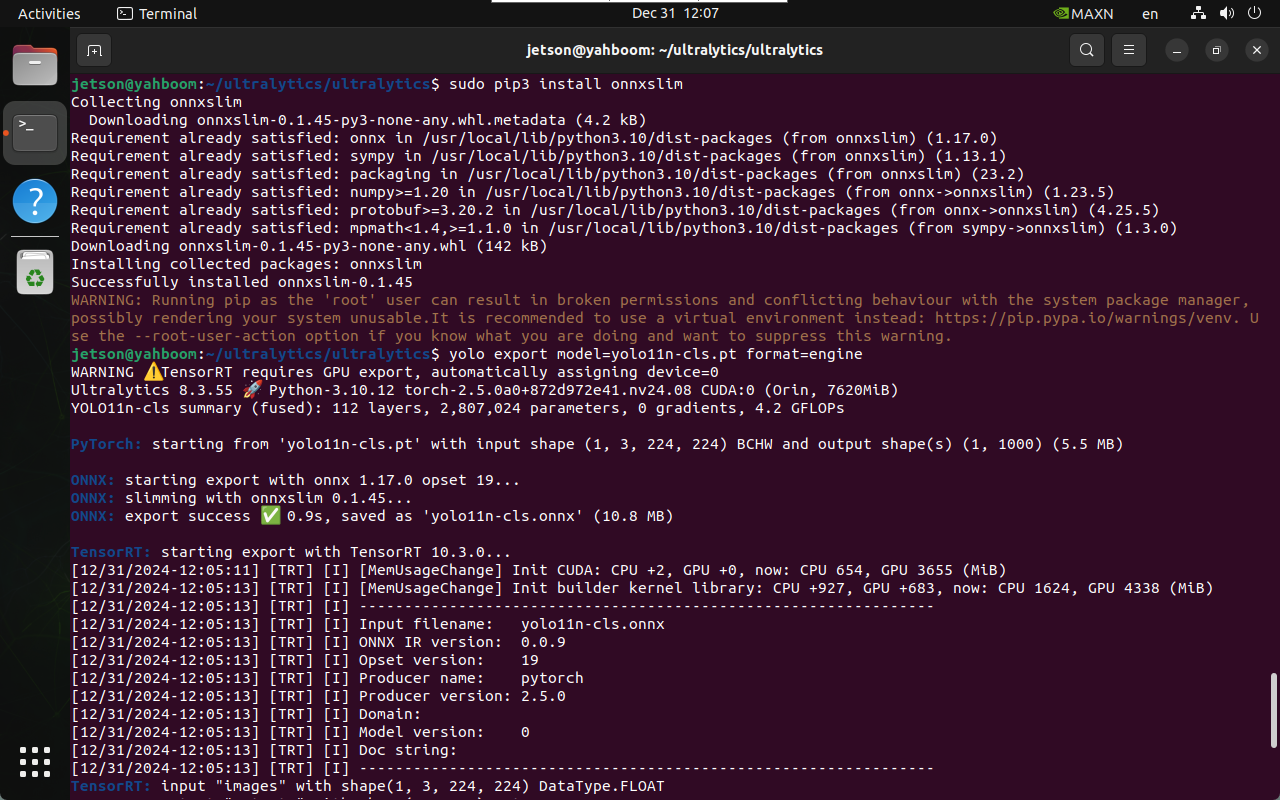
Solution: enter the onnxslim installation command in the terminal
xxxxxxxxxxsudo pip3 install onnxslim