Welcome to Jetson Orin NX Developer Kit repository
当製品の日本語版マニュアル資料は、こちらからご取得ください。
05.Serial communication
Serial communication
Serial communication1. GPIO pin diagram2. Serial port test2.1. Install cutecom2.2. Use cutecom3. Experiment effect
1. GPIO pin diagram
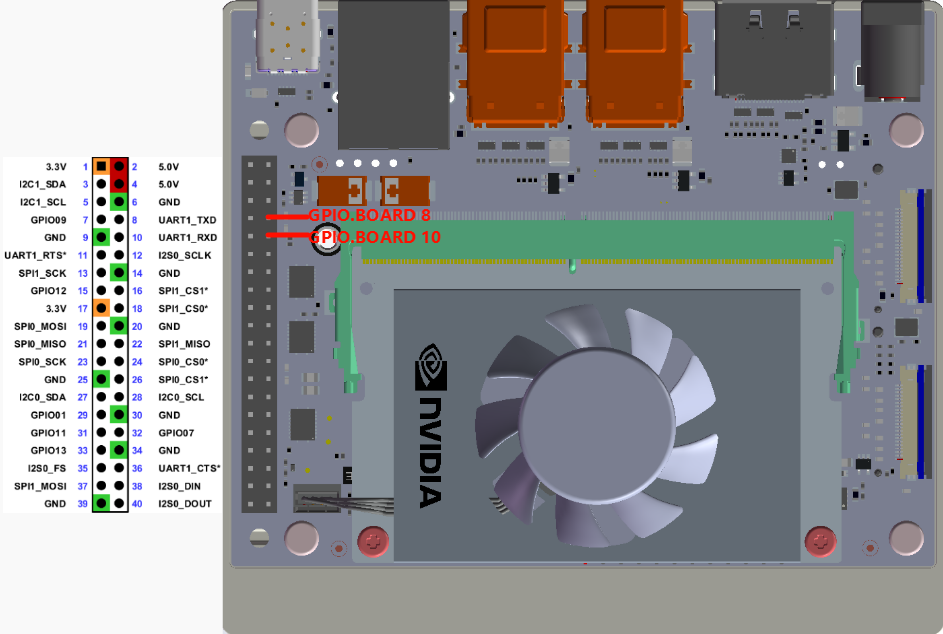
GPIO.BOARD pin 8 corresponds to GPIO.BCM 14, GPIO.BOARD pin 10 corresponds to GPIO.BCM 15:
2. Serial port test
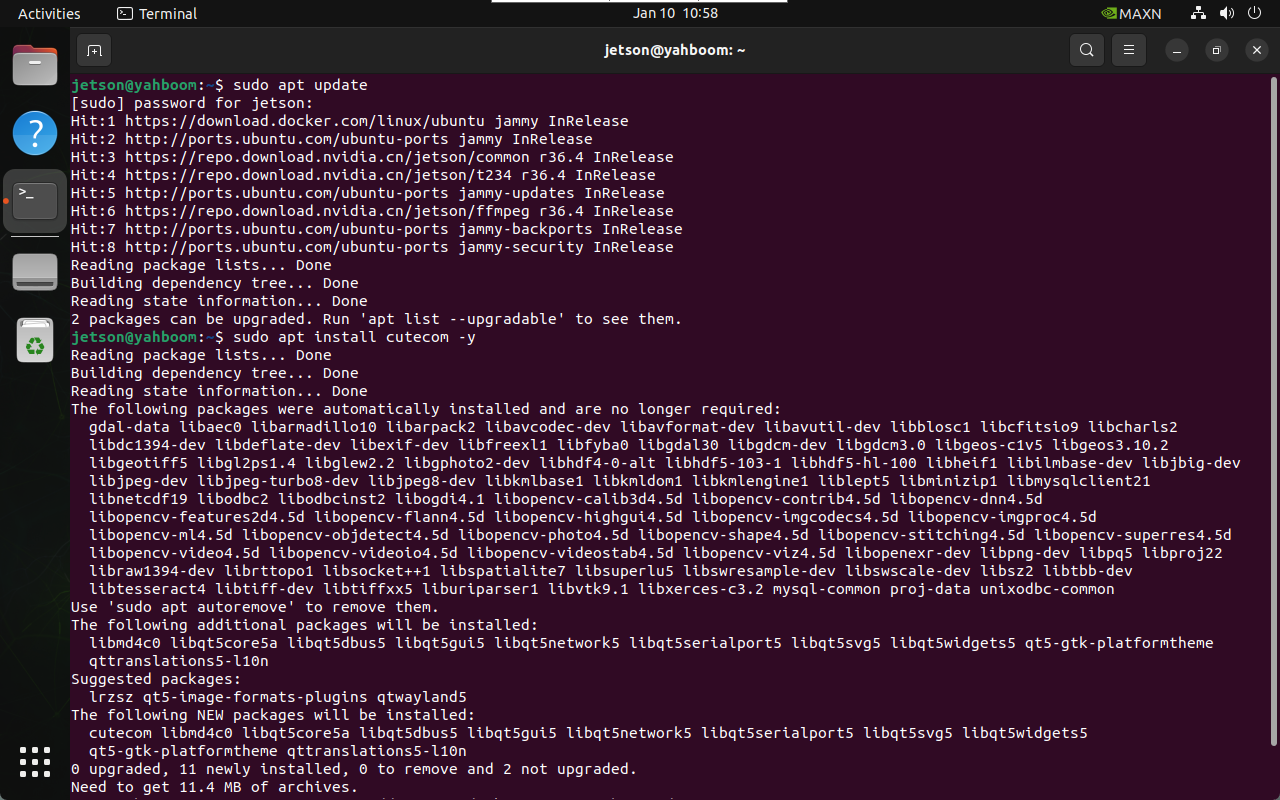
2.1. Install cutecom
sudo apt updatesudo apt install cutecom -y
2.2. Use cutecom
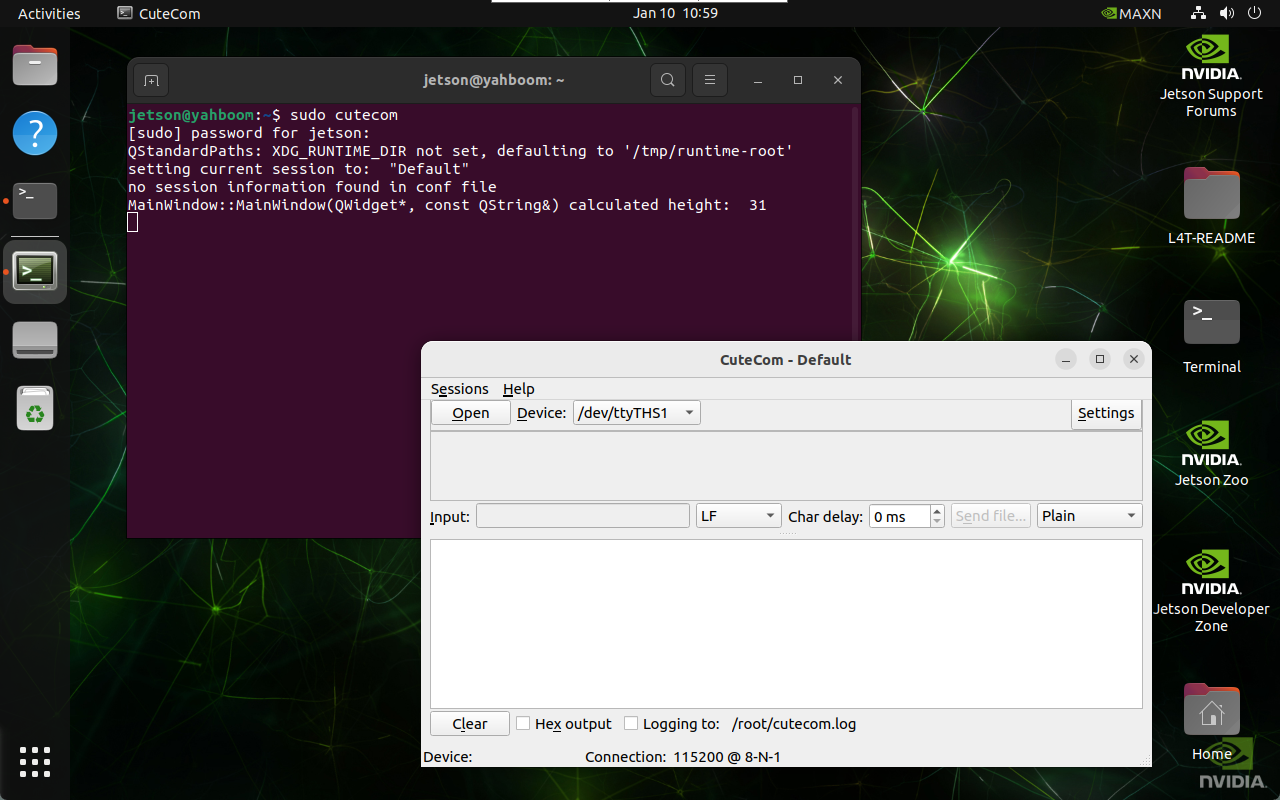
Start cutecom in the terminal:
xxxxxxxxxxcutecom
3. Experiment effect
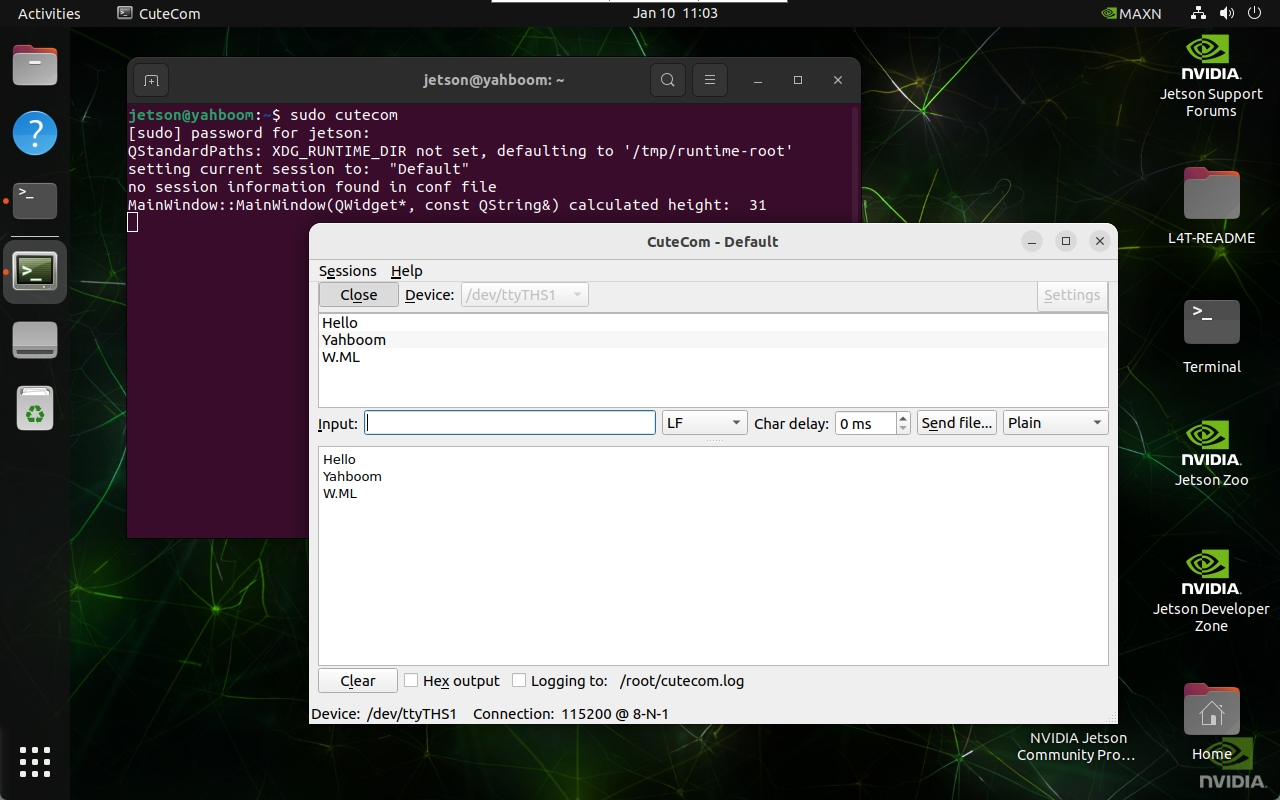
Use a jumper cap or a Dupont wire to short-circuit the GPIO.BOARD 8 pin and the GPIO.BOARD 10 pin.
Use cutecom to open the /dev/ttyTHS1 serial port: enter the data to be sent on the serial port in Input, the upper window shows the data sent by the /dev/ttyTHS1 port, and the lower window shows the data received by /dev/ttyTHS1:
Note: Do not connect the pins incorrectly or cause a short circuit, as a mistake may damage the mainboard hardware!