Welcome to Jetson Orin NX Developer Kit repository
当製品の日本語版マニュアル資料は、こちらからご取得ください。
11.Modify screen resolution
Modify the ORIN display resolution
Modify the ORIN display resolution1. Directly operating with a mouse2. Modifying it through a VNC remote login
This tutorial uses a 7-inch screen as an example
1. Directly operating with a mouse
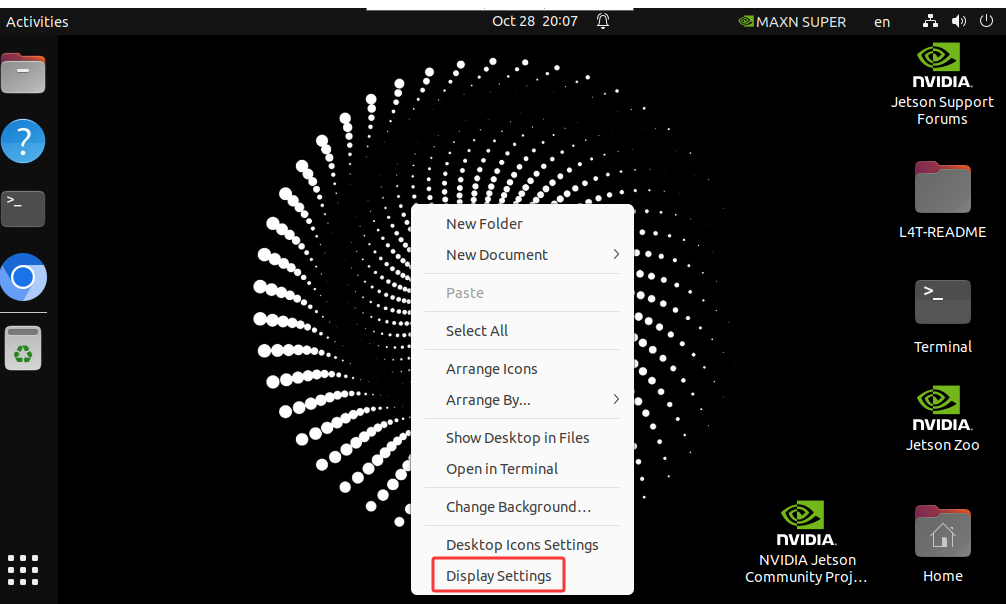
Plug the mouse into the USB port of the orin, right-click on the desktop and choose Display Setting
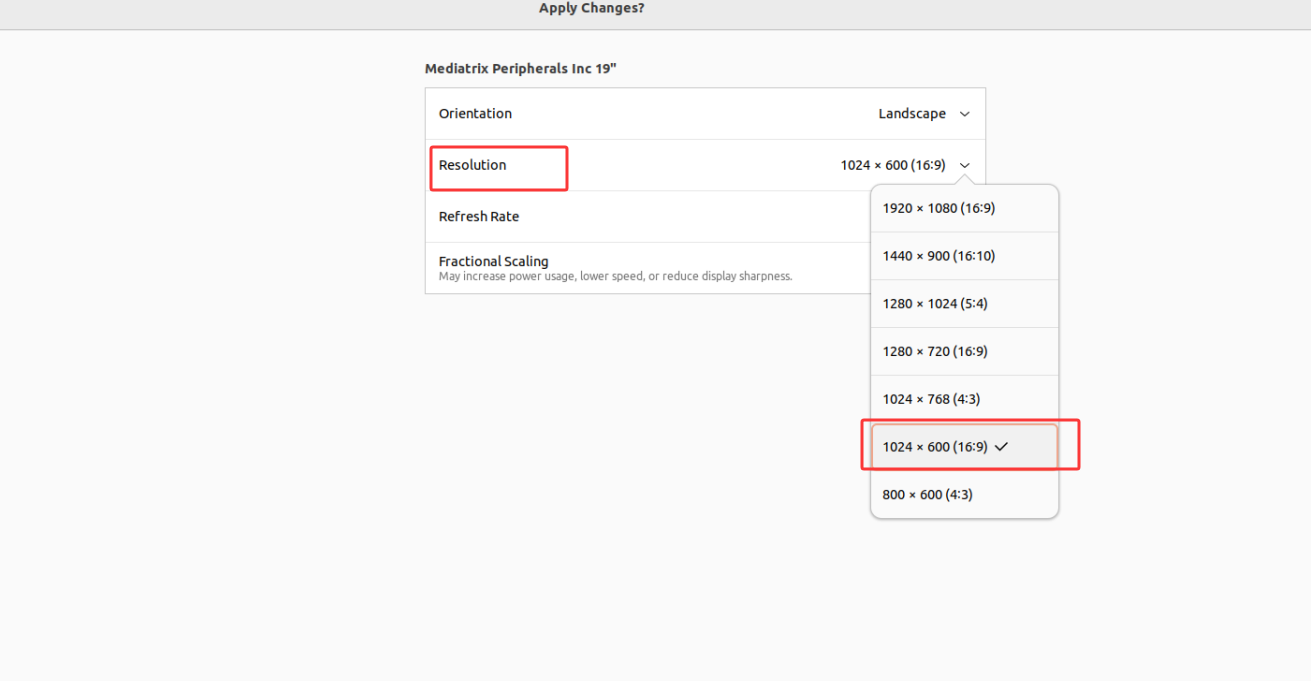
Click Resolution; since the resolution of the 7-inch screen is 1024x600, select 1024x600 here
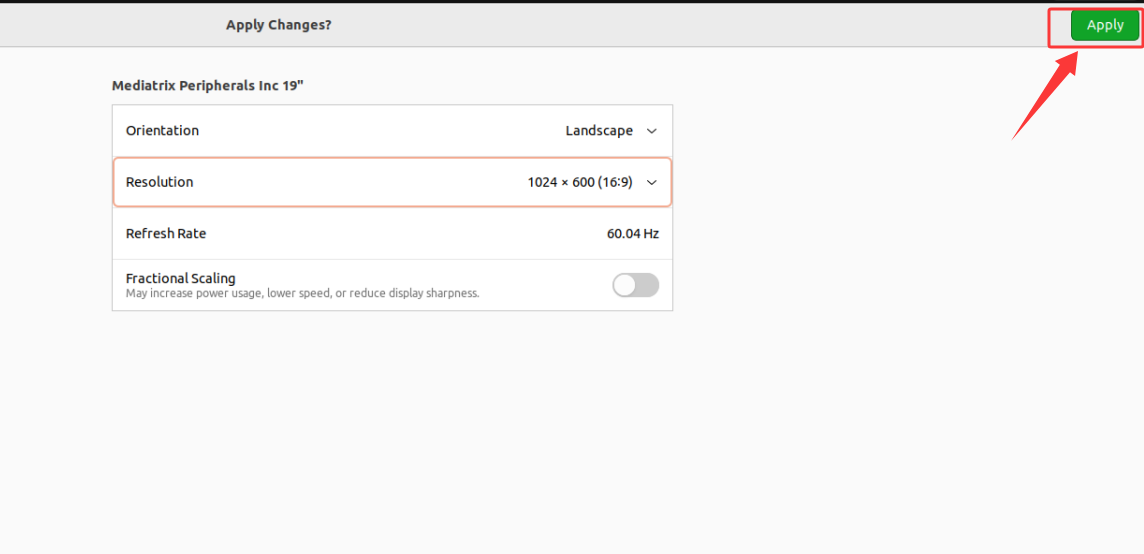
After selecting it, click Apply in the top right corner
After clicking Apply, the prompt shown below appears; click Keep Changes.
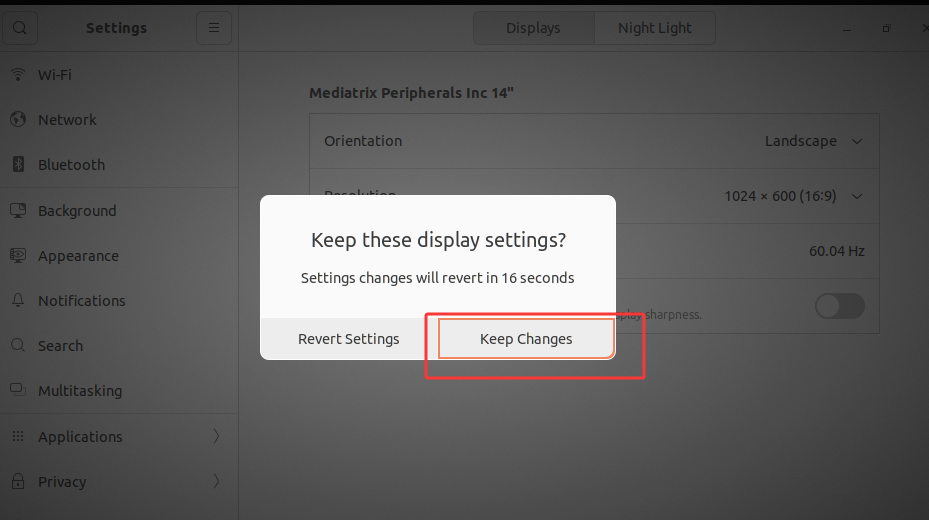
The modification is complete after the steps above.
2. Modifying it through a VNC remote login
Refer to the 04.VNC remote control chapter and log in to the ORIN mainboard remotely through VNC
After logging in, right-click on the desktop and choose Display Setting
Click Resolution; since the resolution of the 7-inch screen is 1024x600, select 1024x600 here
After selecting it, click Apply in the top right corner
After clicking Apply, the VNC connection is dropped immediately, so you need to log in to VNC again. After logging in, the prompt shown below appears; click Keep Changes.
The modification is complete after the steps above.