Welcome to K230 Vision Module repository
2. Play Audio
Audio Playback
Introduction to the results of routine experiments
We have recorded audio with K230. Now let's try to play the audio.
Here our speakers are not integrated on K230, and need to be connected externally through the reserved audio output interface
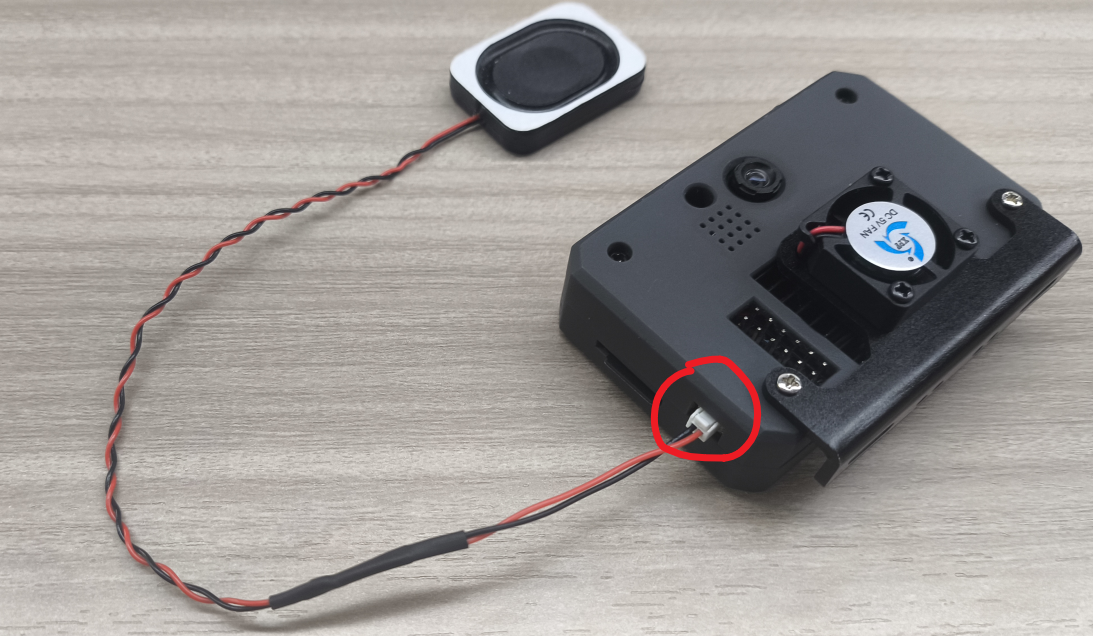
The example code for this section is located in: [Source Code/10.Media/02.play_audio.py]
We use CanMV IDE to open the sample code and connect K230 to the computer via USB.
Click the Run button in the lower left corner of CanMV IDE, and K230 will start playing the audio file [/data/audio/audio.wav]
Code Explanation
[For the completed code and comments, please refer to the code file:]
Let's analyze the structure of this code.
- Overall architecture
It mainly contains two functions:
exit_check: Check exit conditionsplay_audio: Core audio playback function
Manage speaker hardware with YbSpeaker
- Initialization of key components
xxxxxxxxxxspk = YbSpeaker() # 扬声器实例 Speaker instancewf = wave.open(filename, 'rb') # WAV文件读取器 WAV file readerp = PyAudio() # 音频处理实例 Audio processing exampleMediaManager.init() # 媒体管理器 Media Manager- Audio parameter configuration
xxxxxxxxxxCHUNK = int(wf.get_framerate()/25) # 计算chunk大小 Calculate chunk sizestream = p.open( format=p.get_format_from_width(wf.get_sampwidth()), channels=wf.get_channels(), rate=wf.get_framerate(), output=True, frames_per_buffer=CHUNK)- Playback process control
xxxxxxxxxxdata = wf.read_frames(CHUNK)while data: stream.write(data) data = wf.read_frames(CHUNK) if exit_check(): break- Resource management mechanism
xxxxxxxxxxtry: # Audio playback logic # 音频播放逻辑finally: stream.stop_stream() stream.close() p.terminate() wf.close() spk.disable() MediaManager.deinit()- Error handling
- Using the try-except-finally structure
- Special exit_check function handles user interruption
- Exception catching and logging