Welcome to K230 Vision Module repository
5.microbit_k230 DM code recognition
microbit_k230 DM code recognition
microbit_k230 DM code recognitionK230 and microbit communication1. Experimental Prerequisites2. Experimental wiring3. Main code explanation4. Experimental Phenomenon
K230 and microbit communication
1. Experimental Prerequisites
This tutorial uses microbit, and the corresponding routine path is [14.export\microbit-K230\5.Microbit_k230_dmcode].
K230 needs to run the [14.export\CanmvIDE-K230\05.find_datamatrices.py] program to start the experiment. It is recommended to download it as an offline program.
Items needed:
Windows computer, microbit, USB to TTL module, K230 vision module (including TF card with image burned), type-C data cable, connecting cable (Dupont cable), alligator clip, import K230AI library: https://github.com/YahboomTechnology/K230-Module.git
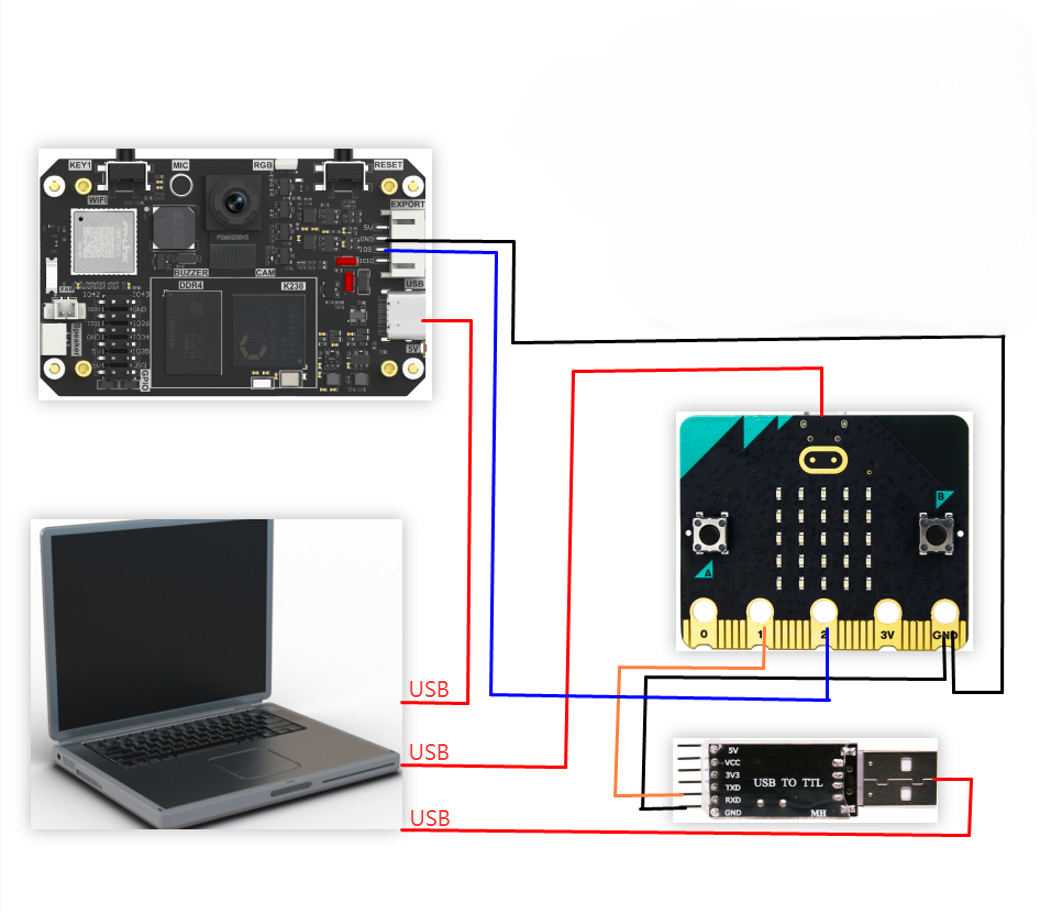
2. Experimental wiring
| k230 vision module | Microbit |
|---|---|
| GND | GND |
| TXD(IO9) | P2 |
| USB to TTL module | Microbit |
|---|---|
| RXD | P1 |
| GND | GND |
3. Main code explanation
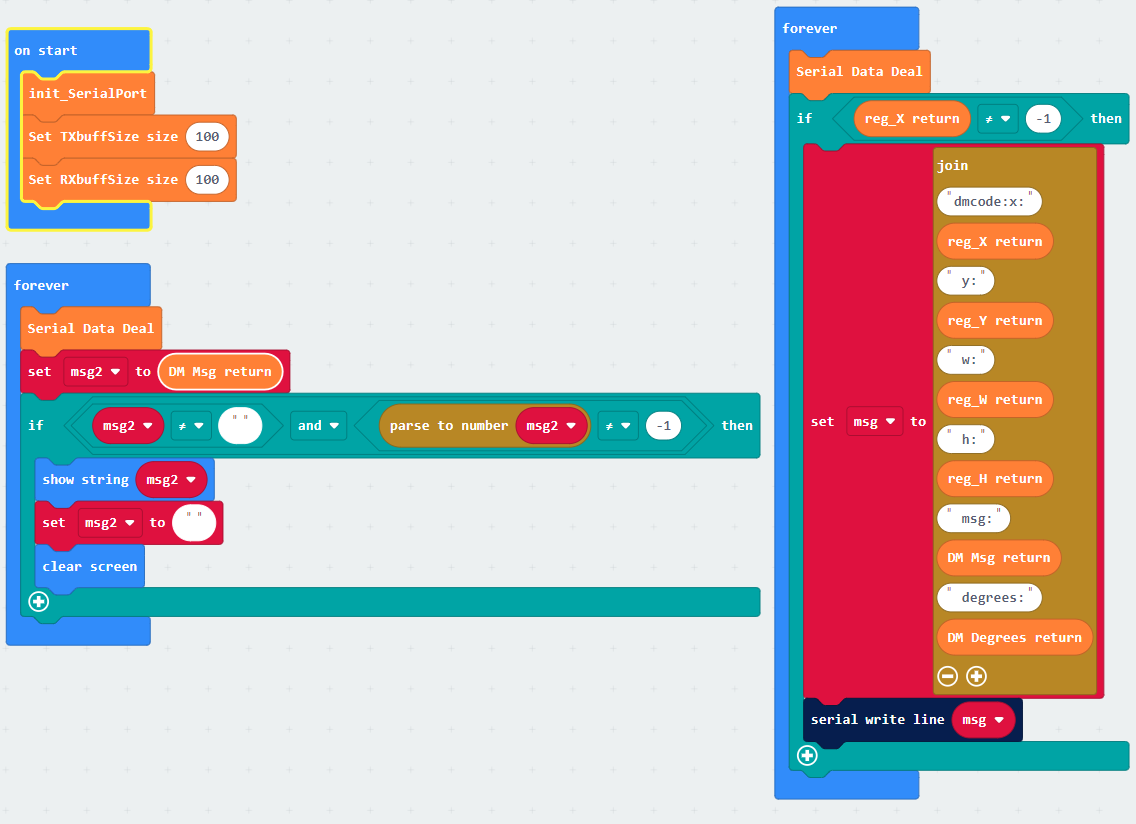
From the code, we can simply configure the serial port and call the relevant serial port and K230 building blocks to obtain data.
- x: is the horizontal coordinate of the upper left corner of the identified box
- y: is the vertical coordinate of the upper left corner of the identified box
- w: is the width of the identified box
- h: is the length of the identified box
- id: is the tag number of apriltag
- degrees: is the rotation angle of apriltag
4. Experimental Phenomenon
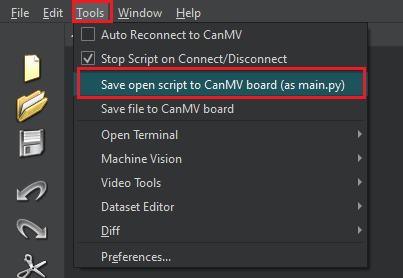
- After connecting the cables, the k230 visual module runs offline After K230 is connected to Canmv IDE, open the corresponding program, click [Save open script to CanMV board (as main.py)] on the toolbar, and then restart K230.
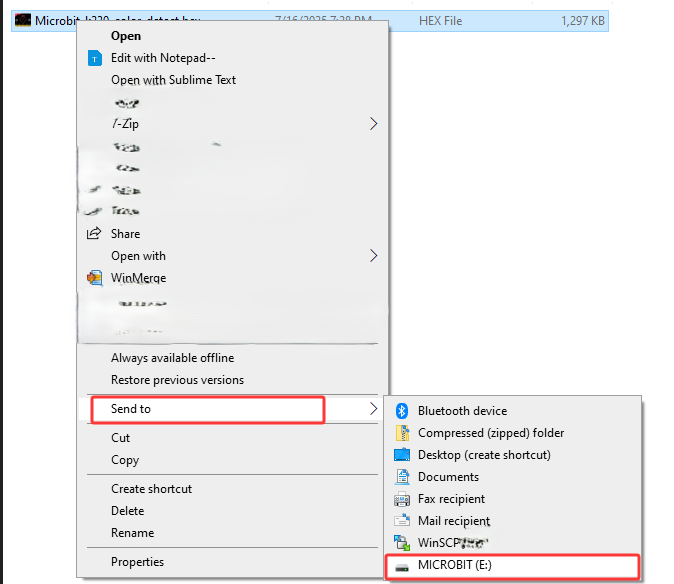
- Find the hex program of this tutorial, right-click the hex program, and upload the hex program of this tutorial to the microbit
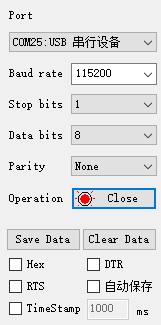
- The serial port assistant is set to the interface shown in the figure
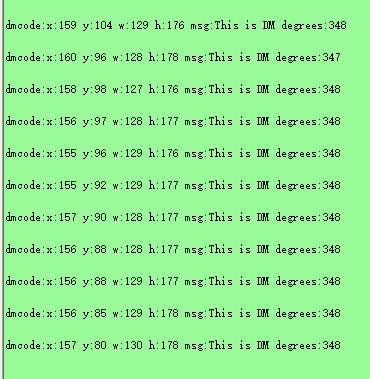
- When the K230 camera screen recognizes the DM code, the serial port assistant will print out the information transmitted from K230 to microbit.
- x: is the horizontal coordinate of the upper left corner of the identified box
- y: is the vertical coordinate of the upper left corner of the identified box
- w: is the width of the identified box
- h: is the length of the identified box
- msg: is the content of the DM code
- degrees: is the rotation angle of the DM code
As shown in the figure below