Welcome to MicroROS V2 Robot Car repository
2. VM Handle Remote Control
Quick-Start Handle Control in the Virtual Machine
1. Course Content
Use a USB gamepad to control the robot car's movement and buzzer, providing a more intuitive operating experience than the keyboard.
2. Preparation
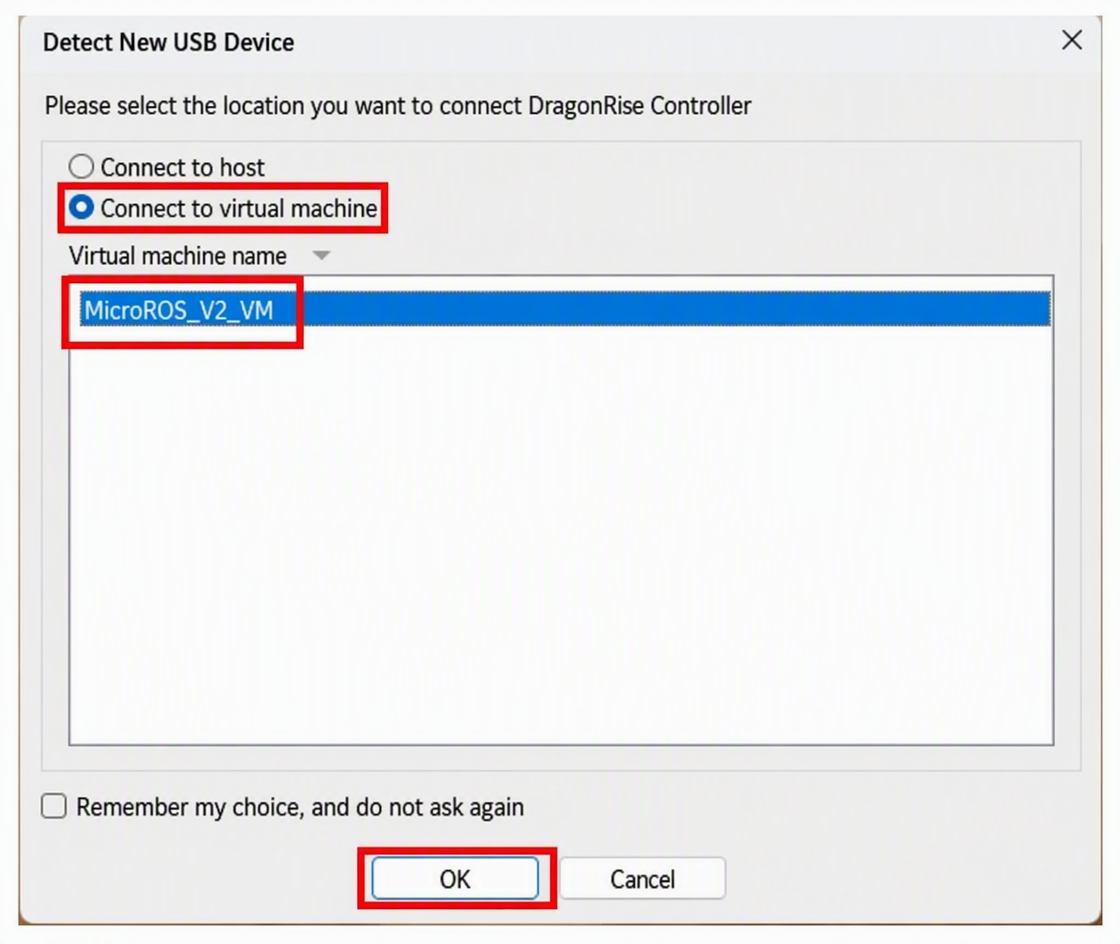
- Plug the USB gamepad receiver into the computer and choose to connect the USB device to the virtual machine
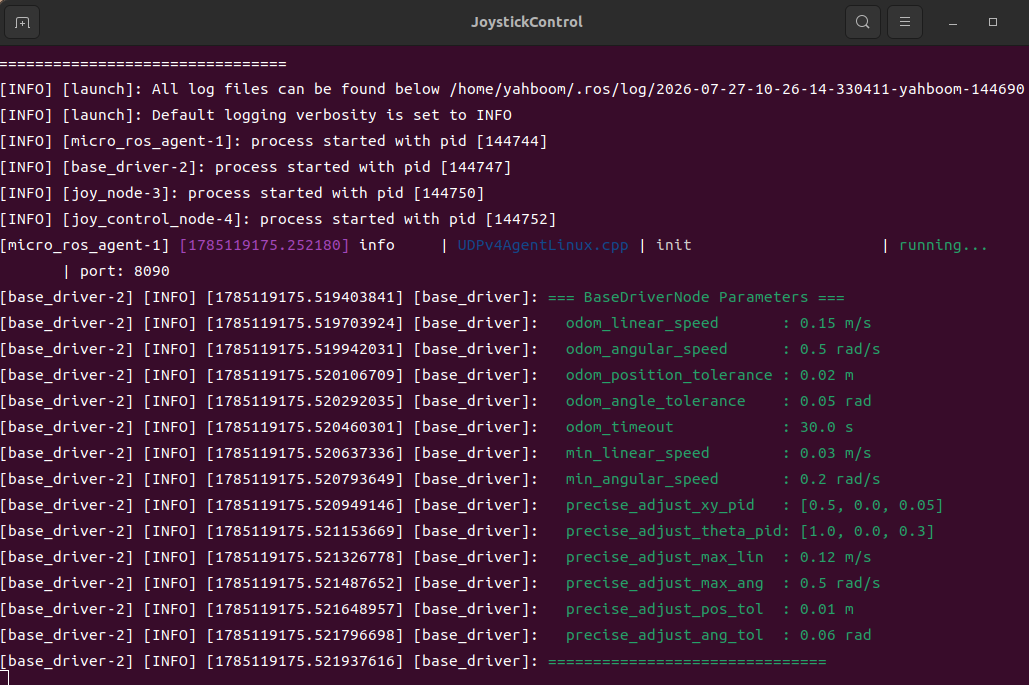
- Double-click the JoystickControl icon on the virtual machine desktop to quickly start gamepad control
3. Gamepad Key Bindings
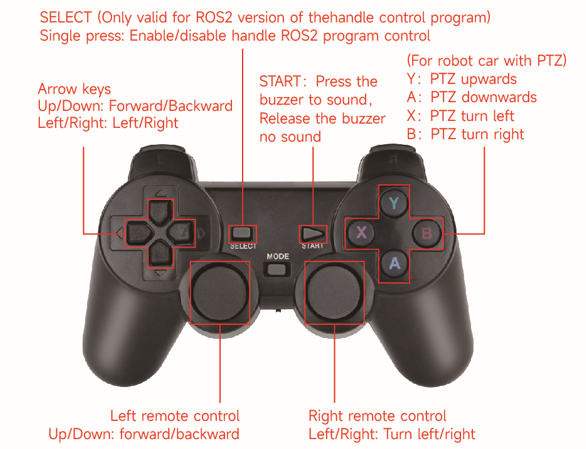
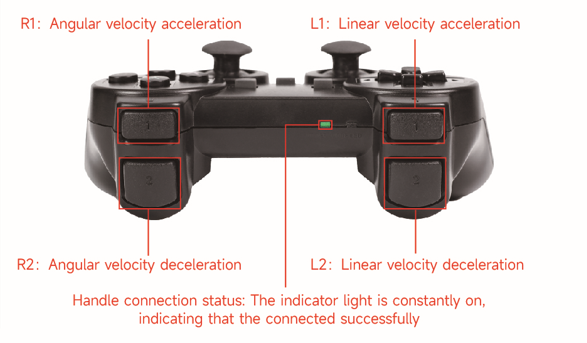
3.1 Movement Control
Control uses per-axis arbitration between the joysticks and the D-pad — the joystick takes priority, and the D-pad acts as a fallback only when the corresponding joystick axis is idle:
| Input | Function | Curve | Description |
|---|---|---|---|
| Left stick up/down (LY) | Forward / Backward | Square curve (power=2.0) | Analog control with a 0.15 dead zone |
| Right stick left/right (RX) | Turn left / Turn right | Cubic curve (power=3.0) | Analog control with a 0.15 dead zone |
| Left stick left/right (LX) | No function | — | Unused |
| Right stick up/down (RY) | No function | — | Unused |
| D-pad up/down | Forward / Backward | — | Takes effect only when LY is idle (digital fallback) |
| D-pad left/right | Turn left / Turn right | — | Takes effect only when RX is idle (digital fallback) |
3.2 Speed Levels
There are 5 fixed speed levels (G1–G5), with G2 as the default:
| Level | Linear speed | Angular speed |
|---|---|---|
| G1 | 0.20 m/s | 0.50 rad/s |
| G2 ★ | 0.30 m/s | 1.50 rad/s |
| G3 | 0.50 m/s | 2.50 rad/s |
| G4 | 0.75 m/s | 3.75 rad/s |
| G5 | 1.00 m/s | 5.00 rad/s |
| Key | Function |
|---|---|
| L1 | Increase linear speed by one level |
| L2 | Decrease linear speed by one level |
| R1 | Increase angular speed by one level |
| R2 | Decrease angular speed by one level |
Reaching G5 or dropping to G1 triggers a double beep.
3.3 Handle Control
| Key | Function | Description |
|---|---|---|
| X | Servo S1 forward | Effective when X is pressed alone |
| B | Servo S1 reverse | Effective when B is pressed alone |
| Y | Servo S2 reverse | Effective when Y is pressed alone |
| A | Servo S2 forward | Effective when A is pressed alone |
S1 travel range: -90° ~ +90°; S2 travel range: -90° ~ +20°.
3.4 Buzzer and Enable Switch
| Key | Function |
|---|---|
| START (OPTIONS) | Hold to beep continuously; release to stop |
| SELECT (SHARE) | Toggle the gamepad enable state (/JoyState: True ↔ False) |