Welcome to MicroROS V2 Robot Car repository
5. OpenClaw Natural Interaction + Multimodal Visual Understand + Slam Navigation + Visual Track
OpenClaw Natural Interaction + Multimodal Visual Understanding + SLAM Navigation + Visual Line Following
OpenClaw Natural Interaction + Multimodal Visual Understanding + SLAM Navigation + Visual Line Following1. Course Content2. Preparation3. Case Demonstration 3.1 Record a Semantic Position3.2 Reference Scenario Demonstration Case4. Source Code Analysis4.1 FollowLine4.2 follow_line.pyexecute() — PID Steering Controlprocess() — Image Processing and State Machine5. Color Calibration
1. Course Content
Use OpenClaw to complete a compound long-flow task: navigate to the target area according to the instruction semantics, then observe the environment and follow the line of a specified color to drive along it
2. Preparation
Important
Complete the prerequisite course content of [OpenClaw Natural Interaction + SLAM Navigation]
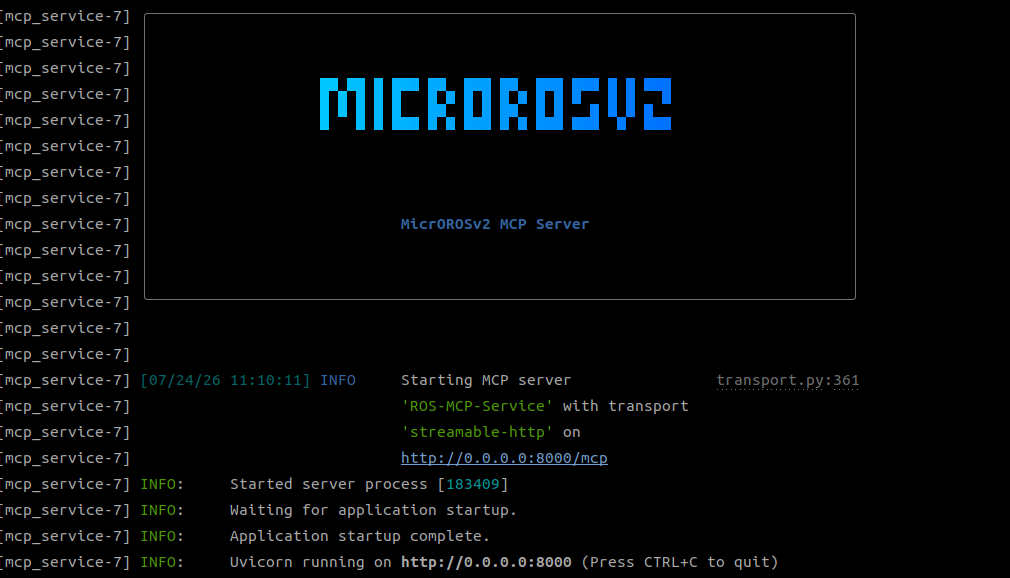
xxxxxxxxxxros2 launch microros_v2_bringup openclaw_service.launch.py use_nav:=true
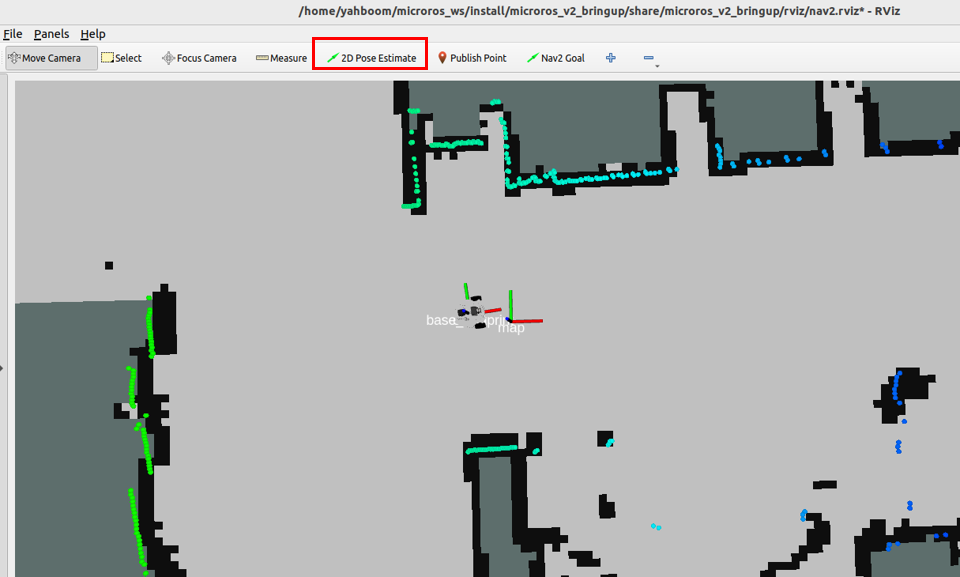
Use the 2D Pose Estimate tool to initialize the robot's position in the map
3. Case Demonstration
Tip
You can write the commands and scenarios according to your own needs. The following is a case demonstration. You can choose any interaction method; here we demonstrate with Web Chat on the web page as an example
Set up a simple scene with colored lines on the ground
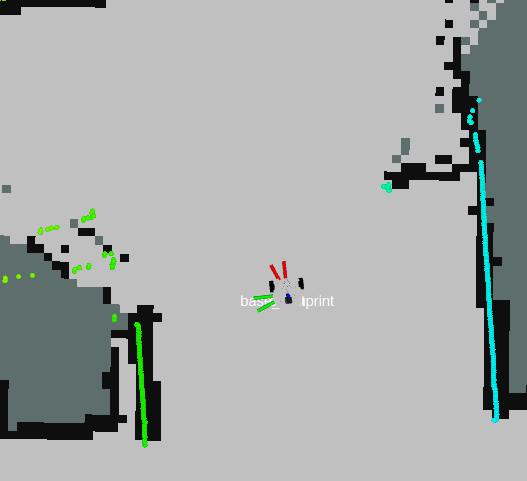
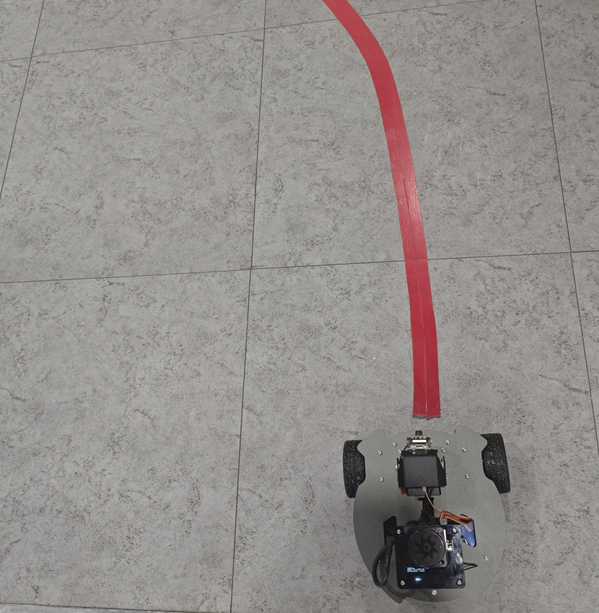
3.1 Record a Semantic Position
Here the name uses the "Transport Workshop" workshop as an example; the scene naming is for reference only
xxxxxxxxxxrobot_control call-tool RecordMapLocation --name 搬运车间 --symbol A

3.2 Reference Scenario Demonstration Case
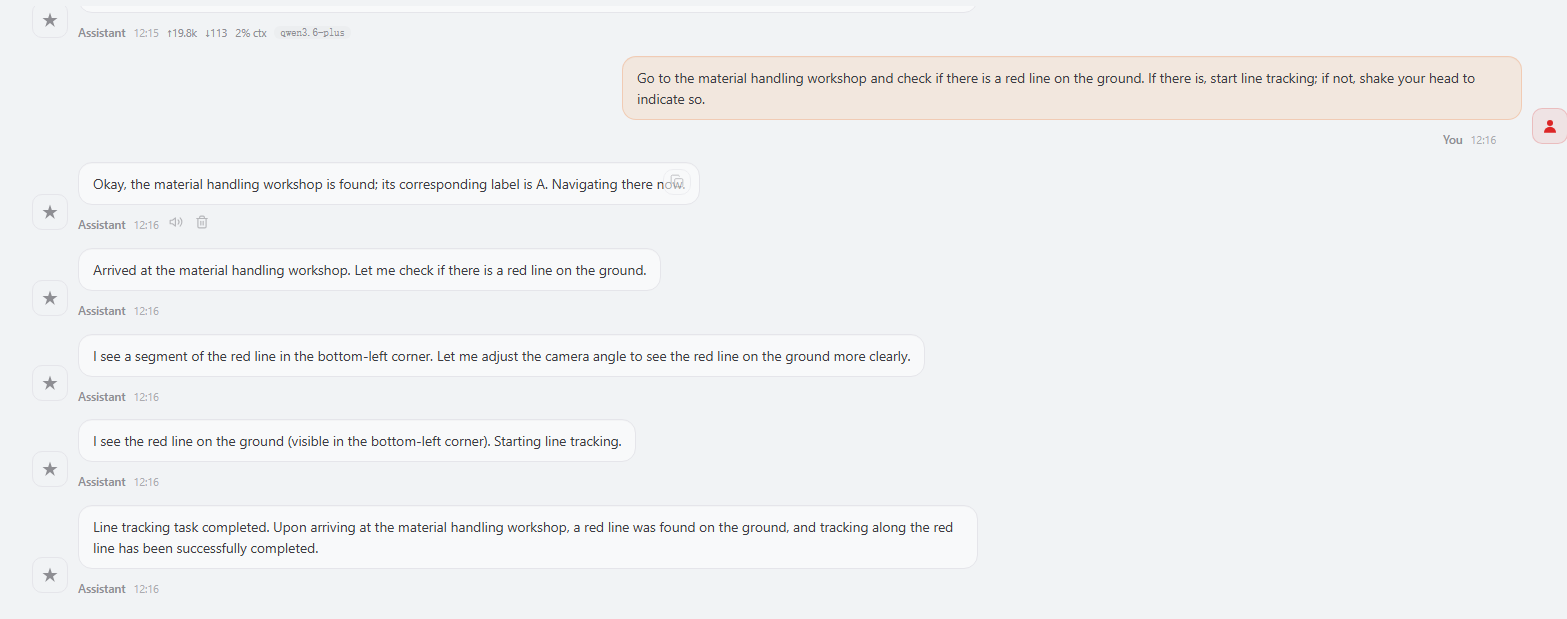
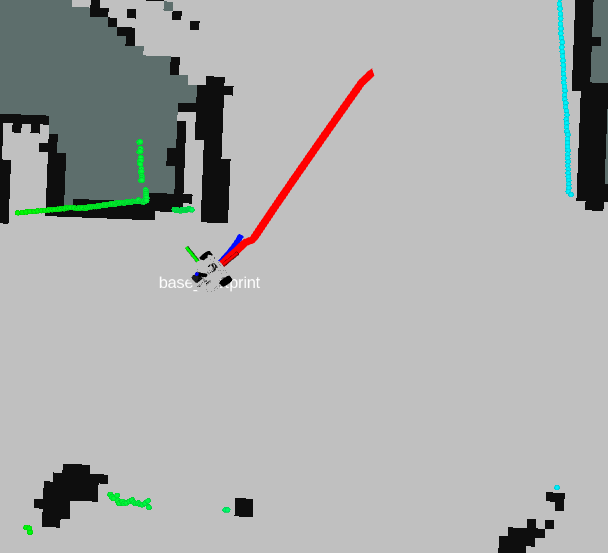
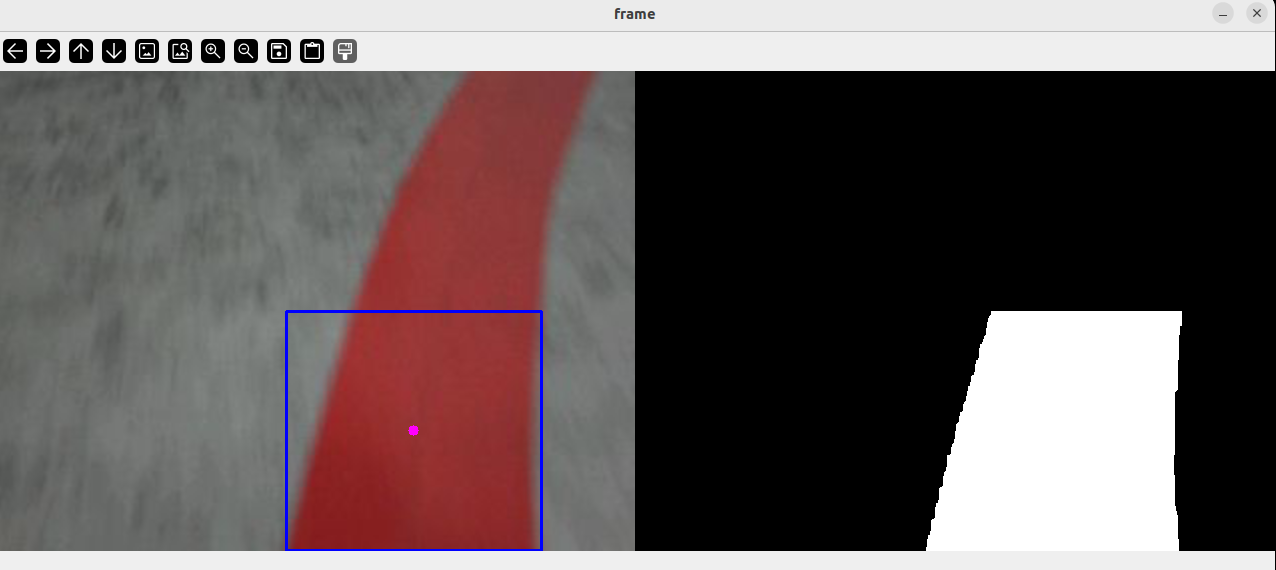
Go to the transport workshop, check whether there is a red line on the ground. If there is, start line following; if not, shake the head to indicate
4. Source Code Analysis
Source Code Path
xxxxxxxxxx$HOME/microros_ws/src/multi_brains_pre/multi_brains_pre/action_controller.py
4.1 FollowLine
FollowLine() is the line-following entry function in action_controller.py. It is responsible for starting an independent line-following subprocess to control the chassis to drive along the line of a specified color. The overall flow is as follows:
Color parameter validation: After removing quotes and converting to lowercase for the incoming
colorparameter, checks whether it is one of the four valid colorsred,green,blue,yellow; returns an error if invalidAdjust the pan-tilt pose: Calls
_publish_ptz(x=0.0, y=-90.0)to adjust the pan-tilt pitch angle to -90° (facing the ground), so that the camera can clearly observe the ground lineStart the line-following subprocess: Starts the
follow_lineROS2 node viasubprocess.Popen, passing in thecolorparameter. An independent subprocess is used instead of a thread so that the line-following logic has its own control loop and is not affected by the main loop of the MCP serverWait for execution to complete: Calls
process.wait()to block and wait for the subprocess to finish, and judges the result by the exit code:Exit code
0: line following completed normally (the line disappeared)Exit code
2: the target line was not detected after startup (timeout exit)Other non-zero codes: execution exception
Cleanup and reset: Executed in the
finallyblock regardless of success or failure — callskill_process_treeto ensure the subprocess and its child processes are terminated, then restores the pan-tilt to the -45° default pose
x def FollowLine(self, color: str) -> list[bool, str]: import subprocess color = color.strip("'\"").strip().lower() if color not in ('red', 'green', 'blue', 'yellow'): error_msg = f"Invalid color specified: '{color}'. Valid options are: red, green, blue, yellow." self.get_logger().error(Fore.RED+error_msg+Fore.RESET) return [False, error_msg]
self._publish_ptz(x=0.0, y=-90.0) time.sleep(0.5) self.follow_line_process = None result = [True, "Follow line finished"] try: self.follow_line_process = subprocess.Popen( ['ros2', 'run', 'multi_brains_pre', 'follow_line', '--ros-args', '-p', f'color:={color}']) self.get_logger().info(f"Start following the {color} line ...") self.follow_line_process.wait() return_code = self.follow_line_process.returncode if return_code == 2: self.get_logger().warn(Fore.YELLOW+"No line segment found, follow line aborted"+Fore.RESET) result = [False, "No line segment found"] elif return_code not in (0, None): result = [False, f"Follow line process exited with code {return_code}"] except Exception as e: self.get_logger().error(Fore.RED+f"FollowLine failed: {e}"+Fore.RESET) self._publish_ptz(x=0.0, y=-45.0) return [False, str(e)] finally: if self.follow_line_process is not None: kill_process_tree(self.follow_line_process.pid) self.follow_line_process = None self._publish_ptz(x=0.0, y=-45.0) return result
4.2 follow_line.py
Source Code Path
xxxxxxxxxx$HOME/microros_ws/src/multi_brains_pre/multi_brains_pre/external_action/follow_common.py
follow_common.py is the core implementation of line following. Through the LineDetect ROS2 node, it subscribes to the camera image, detects the line of the specified color, and drives the chassis to drive along the line. It adopts a color recognition + PID steering control scheme overall.
execute() — PID Steering Control
execute(point_x) drives the chassis to steer according to the detected center x-coordinate of the line:
Error calculation:
(point_x - 320) / 16normalizes the pixel deviation (image width 640, center 320, divided by 16 to compress to the [-20, 20] range)PID output: The steering angular velocity is calculated by the PID controller and clamped to
max_angularDead zone handling: When the pixel deviation is less than 40px, the angular velocity is set to zero to avoid frequent fine adjustment on straight segments
Constant forward: The linear velocity is always kept at
linear=0.15m/s for uniform forward movement
process() — Image Processing and State Machine
process(rgb_img) is the processing core for each frame of the image:
Color recognition: Scales the image to 640×480, performs HSV color binarization through
color.line_follow(), and detects the enclosing circleLine validity check: When the enclosing circle radius
circle[2] >= 4, a valid line is considered detected;last_seen_timeis updated andexecute()is called to steerLine loss handling: Stops when no line is detected; if
line_detected_once=Trueand the line is still not seen afterlost_timeout(2s), the line is considered disappeared and line following is complete
xxxxxxxxxxclass LineDetect(Node):
    def __init__(self, name):        super().__init__(name)        # publisher / subscriber        self.pub_cmdVel = self.create_publisher(Twist, '/cmd_vel', 10)        self.rgb_image_sub = self.create_subscription(Image, '/camera/image_raw', self.rgb_img_callback, 5)        self.rgb_bridge = CvBridge()
        # target color is passed as a string parameter: red / green / blue / yellow        self.declare_parameter('color', 'red')        self.color_name = self.get_parameter('color').get_parameter_value().string_value.strip().lower()
        # load the HSV range of the target color from the HSV profile file        self.hsv_text = os.path.join(get_package_share_directory('microros_v2_bringup'), 'config', 'HSV.text')        self.hsv_range = self.load_hsv_range(self.color_name)        if self.hsv_range is None:            self.get_logger().error(Fore.RED + f"Cannot follow line: no HSV range for color '{self.color_name}'" + Fore.RESET)            raise SystemExit(1)
        self.color = color_follow()        self.scale = 1000        self.linear = 0.15        self.FollowLinePID = (30, 0, 10)        self.max_angular = 0.5  # cap the turning angular velocity (rad/s)        self.PID_init()
        # state used to detect when the line disappears (line following finished)        self.line_detected_once = False        self.last_seen_time = None        self.lost_timeout = 2.0  # seconds without the line before finishing
        # exit with a failure code if no line is found within this many seconds after startup        self.start_time = time.time()        self.startup_timeout = 15.0        self.startup_timer = self.create_timer(1.0, self.check_startup_timeout)
        self.get_logger().info(Fore.GREEN + f"Following '{self.color_name}' line, HSV range: {self.hsv_range}" + Fore.RESET)
    def load_hsv_range(self, color_name):        '''Load the (lower, upper) HSV range of color_name from the HSV profile file.'''        index = COLOR_INDEX.get(color_name)        if index is None:            self.get_logger().error(f"Invalid color '{color_name}'. Valid options: red, green, blue, yellow")            return None        try:            with open(self.hsv_text, 'r') as f:                lines = [line.strip() for line in f if line.strip()]        except Exception as e:            self.get_logger().error(f"Failed to read HSV file: {e}")            return None        if index > len(lines):            self.get_logger().error(f"HSV profile for '{color_name}' (line {index}) not found")            return None        values = list(map(int, lines[index - 1].split(',')))        if len(values) != 6:            self.get_logger().error("Invalid HSV format in file")            return None        return ((values[0], values[1], values[2]), (values[3], values[4], values[5]))
    def PID_init(self):        self.PID_controller = simplePID(            [0, 0],            [self.FollowLinePID[0] / 1.0 / self.scale, 0],            [self.FollowLinePID[1] / 1.0 / self.scale, 0],            [self.FollowLinePID[2] / 1.0 / self.scale, 0])
    def check_startup_timeout(self):        '''Exit with a failure code if no line is found within the startup timeout.'''        if not self.line_detected_once and (time.time() - self.start_time) > self.startup_timeout:            self.get_logger().error(Fore.RED + f"No '{self.color_name}' line found within {self.startup_timeout:.0f}s, exiting" + Fore.RESET)            self.finish(code=2)
    def execute(self, point_x):        '''Drive the chassis so the detected line stays centered in the view.'''        twist = Twist()        [z_Pid, _] = self.PID_controller.update([(point_x - 320) * 1.0 / 16, 0])        # limit the turning angular velocity to keep the motion smooth        z_Pid = max(-self.max_angular, min(self.max_angular, z_Pid))        twist.angular.z = z_Pid        twist.linear.x = self.linear        if abs(point_x - 320) < 40:            twist.angular.z = 0.0        self.pub_cmdVel.publish(twist)
    def process(self, rgb_img):        rgb_img = cv.resize(rgb_img, (640, 480))        rgb_img, binary, circle = self.color.line_follow(rgb_img, self.hsv_range)        # a valid line is found when the enclosing circle radius is large enough        if len(circle) != 0 and circle[2] >= 4:            if not self.line_detected_once:                self.line_detected_once = True                self.startup_timer.cancel()            self.last_seen_time = time.time()            self.execute(circle[0])        else:            # stop the chassis while the line is not visible            self.pub_cmdVel.publish(Twist())            # finish once the line disappears after having been followed            if self.line_detected_once and self.last_seen_time is not None \                    and (time.time() - self.last_seen_time) > self.lost_timeout:                self.get_logger().info(Fore.GREEN + "Line disappeared, follow line finished" + Fore.RESET)                self.finish()        return rgb_img, binary
    def rgb_img_callback(self, msg):        rgb_image = self.rgb_bridge.imgmsg_to_cv2(msg, 'bgr8')        result_image, binary = self.process(rgb_image)        if len(binary) != 0:            cv.imshow('frame', ManyImgs(1, ([result_image, binary])))        else:            cv.imshow('frame', result_image)        cv.waitKey(1)
    def finish(self, code=0):        '''Stop the chassis and exit the process with the given exit code.'''        self.pub_cmdVel.publish(Twist())        cv.destroyAllWindows()        raise SystemExit(code)
5. Color Calibration
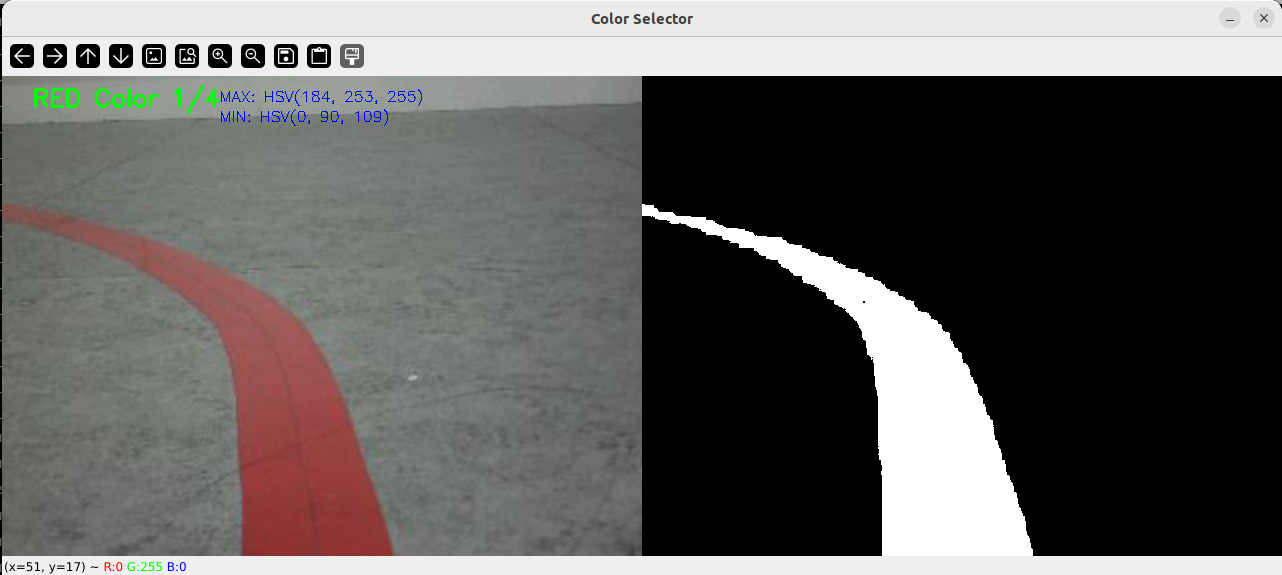
When the current color recognition effect is poor, refer to the color calibration method here to calibrate the HSV values
xxxxxxxxxxros2 launch microros_v2_bringup colorSelect.launch.py
Press and hold the left mouse button on the color to be calibrated, then drag to select the target color, then observe the color recognition effect in the binarized image. Press Space to automatically save the color parameters to the specified parameter file. After calibration is complete, press Ctrl+C in the terminal to close the calibration program
Parameter save path
$HOME/microros_ws/src/microros_v2_bringup/config/HSV.text