Welcome to MicroROS V2 Robot Car repository
8. Openclaw Vector Memory
OpenClaw Vector Memory
OpenClaw Vector Memory1. Course ContentCourse OverviewWhat Is Vector MemoryWorking PrincipleUse CasesWorkflowFeatures2. Preparation3. Memory Function Demo Case4. Retrieving Memory in Vector Mode4.1 Preparation4.2 Configuring the embeddings Model API_KEY4.3 Verifying Vector Memory
1. Course Content
Course Overview
OpenClaw has powerful memory functions that allow the robot to remember important information during conversations and intelligently retrieve and use these memories in subsequent interactions. This lesson introduces OpenClaw's Vector Memory (Semantic Memory) system, an intelligent memory retrieval mechanism based on semantic understanding.
What Is Vector Memory
Vector memory is OpenClaw's built-in semantic search memory system, which achieves intelligent memory retrieval through the following core technologies:
- Vector Embedding: Converts memory documents into high-dimensional vector representations so that computers can understand the semantic meaning of the text
- Semantic retrieval: Matches based on the semantic similarity of the query, not just keyword matching, and can understand synonyms and related concepts
Working Principle
Vectorization processing
- Convert the content of MEMORY.md and memory/*.md into vector representations
- Support semantic understanding, not just keyword matching
Semantic retrieval
- Based on the semantic meaning of the query, not exact keywords
- Return the most relevant text fragments and their location information
Use Cases
| Scenario | Example |
|---|---|
| Recall past decisions | "the previous decision about sorting order" |
| Find relevant experience | "how to handle robotic arm grasp failure" |
| Task context | "the project the user mentioned last week" |
| Personal preferences | "the interaction style the user prefers" |
Workflow
User question → memory_search (semantic query) → return relevant fragments → memory_get (read specific location) → generate answer
Features
- Intelligent matching: Understands synonyms and related concepts
- Automatic citation: Returned results include file paths and line numbers
- Complementary to file memory: Vector memory is used for retrieval, while file memory is used for persistent storage
2. Preparation
- First study the [OpenClaw Skills Development] chapter to learn how to create new skills
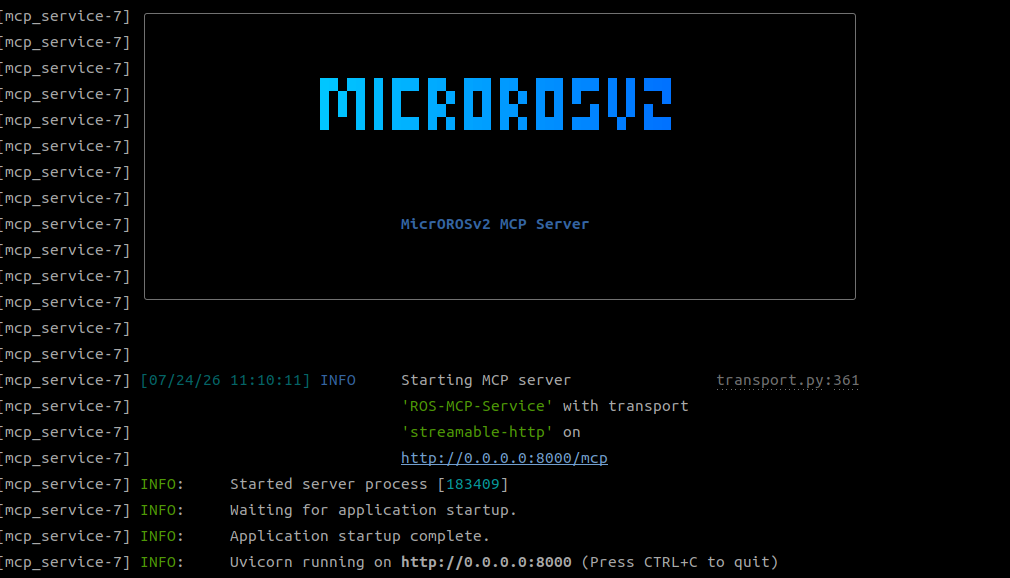
xxxxxxxxxxros2 launch microros_v2_bringup openclaw_service.launch.py
3. Memory Function Demo Case
[!TIP]
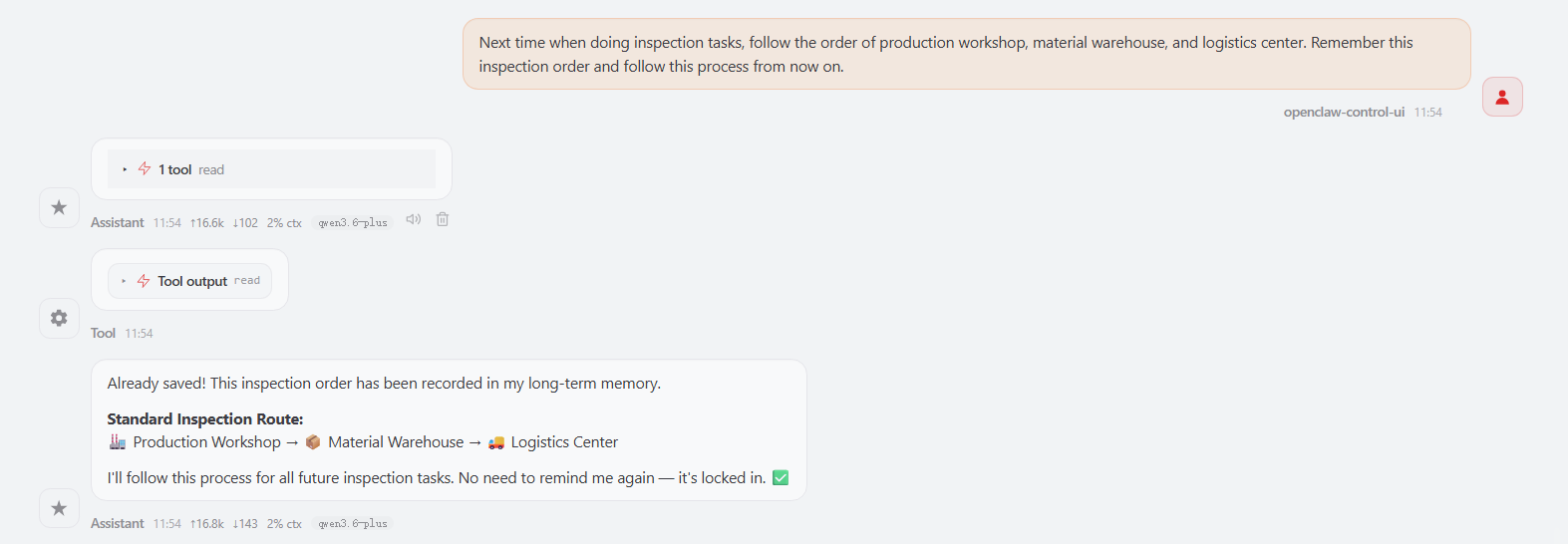
- The case here is only a demo reference. You can freely converse according to your own needs. The following is a case demo, using WebChat as an example
- In the future, when performing inspection tasks, inspect in the order of production workshop, material warehouse, and logistics center. Remember this inspection order and follow this process in the future
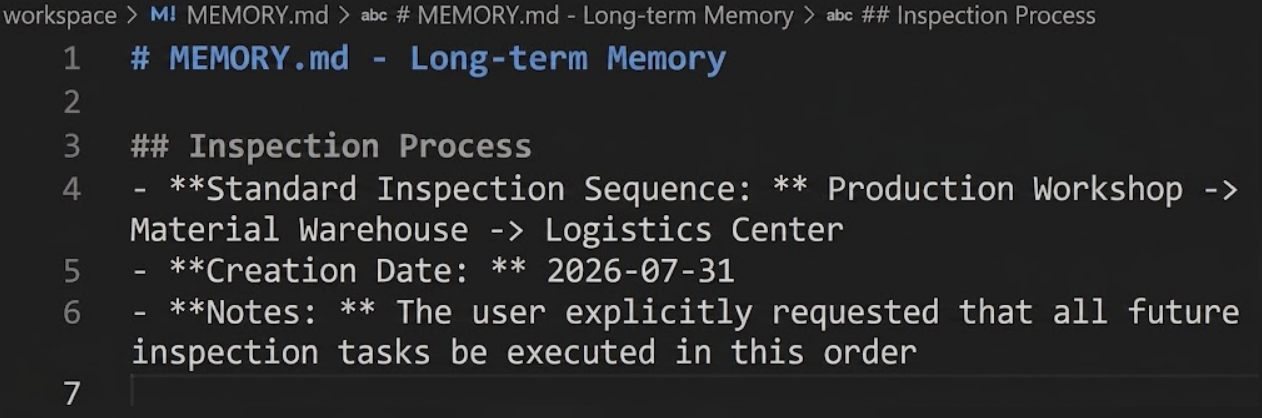
- OpenClaw's memory content is stored in files at the following path. You can view the memory content from the above case:
xxxxxxxxxxcat $HOME/.openclaw/workspace/MEMORY.md
4. Retrieving Memory in Vector Mode
- OpenClaw supports slicing and retrieving memory documents in vector mode, which is suitable for semantic retrieval in larger memory documents
[!TIP]
- OpenClaw's built-in default mode is full-text retrieval mode, which is suitable for most use cases. If you have higher requirements for the memory function, you can refer to the following tutorial to implement vector storage of memory documents by adding an external embeddings model
4.1 Preparation
- You need to register an account with a provider that offers an embeddings model. The following demo uses the openrouter platform as an example. For account registration and API application, refer to the tutorial [AI Large Model Development - Register Model Service Account - 3. OpenRouter Platform Account]
4.2 Configuring the embeddings Model API_KEY
- Set the model provider (openai interface protocol)
xxxxxxxxxxopenclaw config set agents.defaults.memorySearch.provider "openai"
- Set baseUrl; here openrouter is used as an example. If you are using an embeddings model from another provider, replace it with the actual baseUrl
xxxxxxxxxxopenclaw config set agents.defaults.memorySearch.remote.baseUrl "https://openrouter.ai/api/v1"
- Set the embeddings model; here the
"openai/text-embedding-3-small"model is used as an example. If you are using another embeddings model, replace it with the actual name
xxxxxxxxxxopenclaw config set agents.defaults.memorySearch.model "openai/text-embedding-3-small"
- Set the API_KEY of the embeddings model
xxxxxxxxxxopenclaw config set agents.defaults.memorySearch.remote.apiKey "sk-or-v1-133949f96bec556343539a587f53d077xxxxxxxxxxxxxxxx"
- Restart the OpenClaw gateway for the configuration to take effect
xxxxxxxxxxopenclaw gateway restart
4.3 Verifying Vector Memory
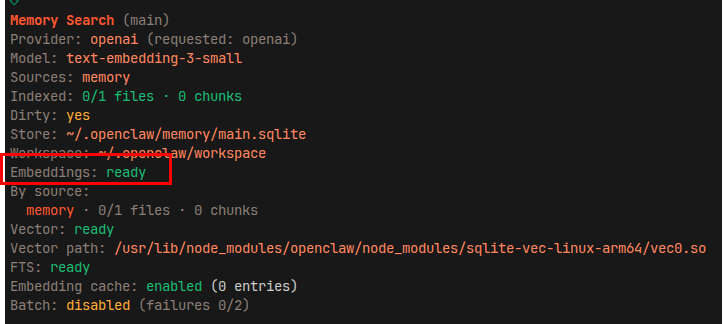
- Check whether the vector memory configuration has taken effect. The display below proves that the configuration was successful, where Vector is the file path of the sliced content
xxxxxxxxxxopenclaw memory status --deep
- After the initial configuration, you can manually update the index once
xxxxxxxxxxopenclaw memory index --force

- Test whether memory retrieval can retrieve the memory fragment from the above demo case
xxxxxxxxxxopenclaw memory search "Inspection"
- Here,
0.357is the semantic relevance score. The higher the score, the higher the semantic similarity. Generally, results above 0.3 have good relevance