Welcome to MicroROS V2 Robot Car repository
8. Model Prediction
Model Prediction
1. Experiment Objective
Use a trained custom YOLO model to run inference predictions on new data, and verify the detection performance of the custom model in a ROS2 environment.
2. Experiment Principle
1. Glossary
| Term | Description |
|---|---|
| YOLO | You Only Look Once, a real-time object detection algorithm that completes detection and localization in a single inference |
| Model Prediction | Using a trained model to run inference on new input data and output detection results |
| Custom Model | A model file (best.pt) trained by the user on their own dataset, optimized for a specific scenario |
| best.pt | The best weight file saved by Ultralytics YOLO after training, which contains the model structure and parameters |
| Inference | The process of feeding input data into a trained model and obtaining the prediction result |
2. Technical Architecture
The workflow for ROS2 inference with a custom model is exactly the same as with a pretrained model — you only need to point the model path parameter to your custom best.pt file.
It supports 5 tasks × 3 input sources, with the corresponding launch files:
| Task | Real-time Camera | Image | Video |
|---|---|---|---|
| Object Detection | yolo_realtime_detect.launch.py | yolo_image_detect.launch.py | yolo_video_detect.launch.py |
| Instance Segmentation | yolo_seg_realtime.launch.py | yolo_seg_image.launch.py | yolo_seg_video.launch.py |
| Pose Estimation | yolo_pose_realtime.launch.py | yolo_pose_image.launch.py | yolo_pose_video.launch.py |
| Image Classification | yolo_cls_realtime.launch.py | yolo_cls_image.launch.py | yolo_cls_video.launch.py |
| Oriented Object Detection | yolo_obb_realtime.launch.py | yolo_obb_image.launch.py | yolo_obb_video.launch.py |
All launch files come from the microros_v2_yolo_pkg package, and the custom model path is specified via the model_path parameter.
3. Experiment Steps
1. Hardware Requirements
| Hardware | Requirement |
|---|---|
| PTZ version | ✅ Supported |
| No-PTZ version | ✅ Supported |
| Required peripheral | ESP32 camera (realtime mode) |
2. Prerequisites
- A custom model
best.pthas been trained (you can place your own trained model here) - Put the model file in a path accessible to the YOLO package (e.g.
/home/yahboom/MODELS/yolo/) - Type yolo_env in the terminal and press Enter to enter the virtual environment
3. Image Mode (Custom Model Detection)
ros2 launch microros_v2_yolo_pkg yolo_image_detect.launch.py \ model_path:=/home/yahboom/MODELS/yolo/yolo26n.pt4. Video Mode (Custom Model Detection)
xxxxxxxxxxros2 launch microros_v2_yolo_pkg yolo_video_detect.launch.py \ model_path:=/home/yahboom/MODELS/yolo/yolo26n.pt5. Real-time Camera Mode (Custom Model Detection)
Launch the proxy + camera + joint model (Terminal 1)
xxxxxxxxxxros2 launch microros_v2_bringup car_base.launch.py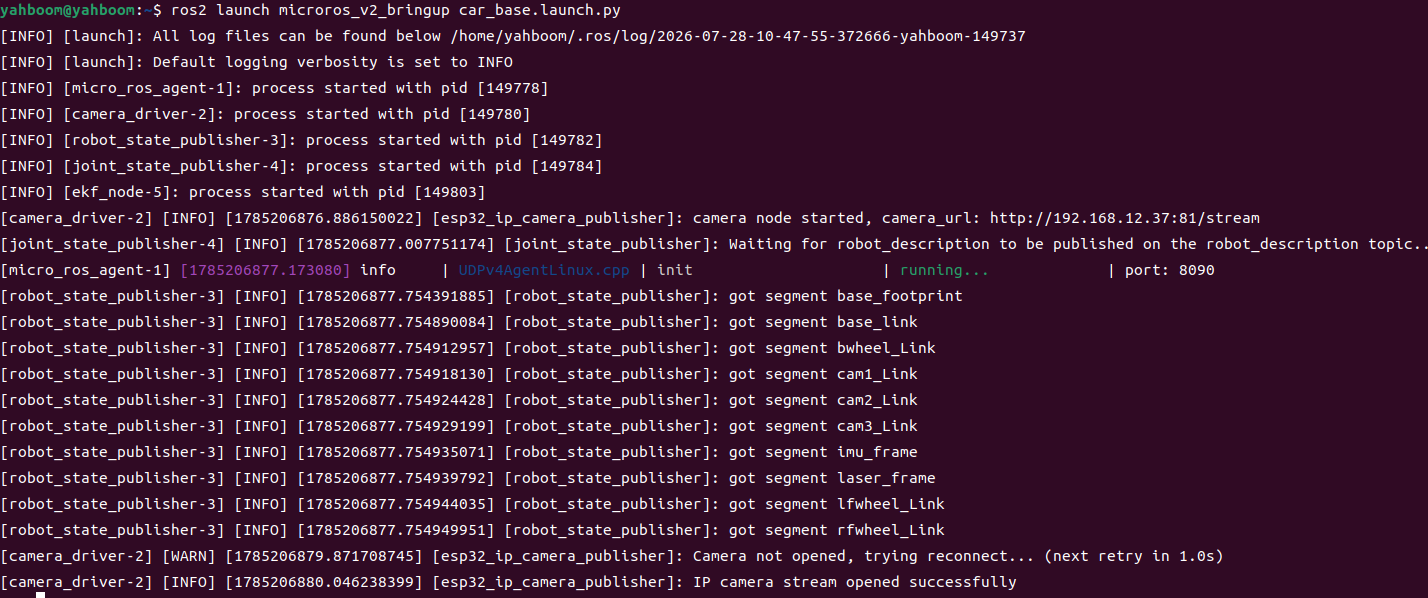
Terminal 2 — Launch YOLO real-time detection (custom model):
xxxxxxxxxx# The model path can be replaced with a personally trained modelros2 launch microros_v2_yolo_pkg yolo_realtime_detect.launch.py \ model_path:=/home/yahboom/MODELS/yolo/yolo26n.pt 6. Other Task Examples
You can replace the model path in the commands below with your own trained model
Custom segmentation model real-time inference:
xxxxxxxxxxros2 launch microros_v2_yolo_pkg yolo_seg_realtime.launch.py \ model_path:=/home/yahboom/MODELS/yolo/yolo26n-seg.ptCustom classification model image inference:
xxxxxxxxxxros2 launch microros_v2_yolo_pkg yolo_cls_image.launch.py \ model_path:=/home/yahboom/MODELS/yolo/yolo11n-cls.pt7. How to Stop
Press Ctrl+C in each terminal, or press q or ESC to exit.
4. Experimental Phenomena
- Use the custom model to detect/segment/classify objects of custom classes.
- Higher accuracy than the pretrained model in specific scenarios.
- The detected object classes match the classes labeled in the training dataset.
5. Common Problems
| Problem | Cause | Solution |
|---|---|---|
| Model fails to load | Wrong path or incompatible model format | Check the best.pt path and export it with ultralytics |
| Low detection accuracy | Insufficient training data or overfitting | Increase the amount of data, apply data augmentation, adjust epochs |
| Slow inference with the custom model | Model architecture too large | Use yolo11n as the base model when training and exporting |
The model_path parameter has no effect | The default value in the launch file overrides it | Make sure to use the := assignment syntax instead of = |