Welcome to MicroROS V2 Robot Car repository
2. Build a Pose Map
Building Pose Graph
1. Course Content
1. Use slam_toolbox to build grid maps and pose maps
[!NOTE]
- At least one grid map is required before marking the road network .geojson file
- The pose map is used for quick relocalization during waypoint marking and navigation, improving the accuracy of global localization as well as the accuracy of waypoint marking.
2. Building a Grid Map
- Enter the command in the terminal
ros2 launch microros_v2_bringup slam_toolbox.launch.py
- Then start the keyboard control node (a gamepad can also be used for control)
xxxxxxxxxxros2 run teleop_twist_keyboard teleop_twist_keyboard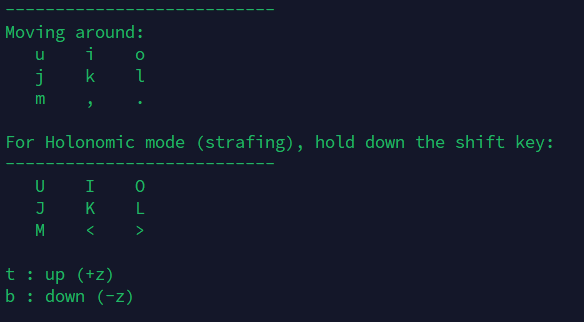
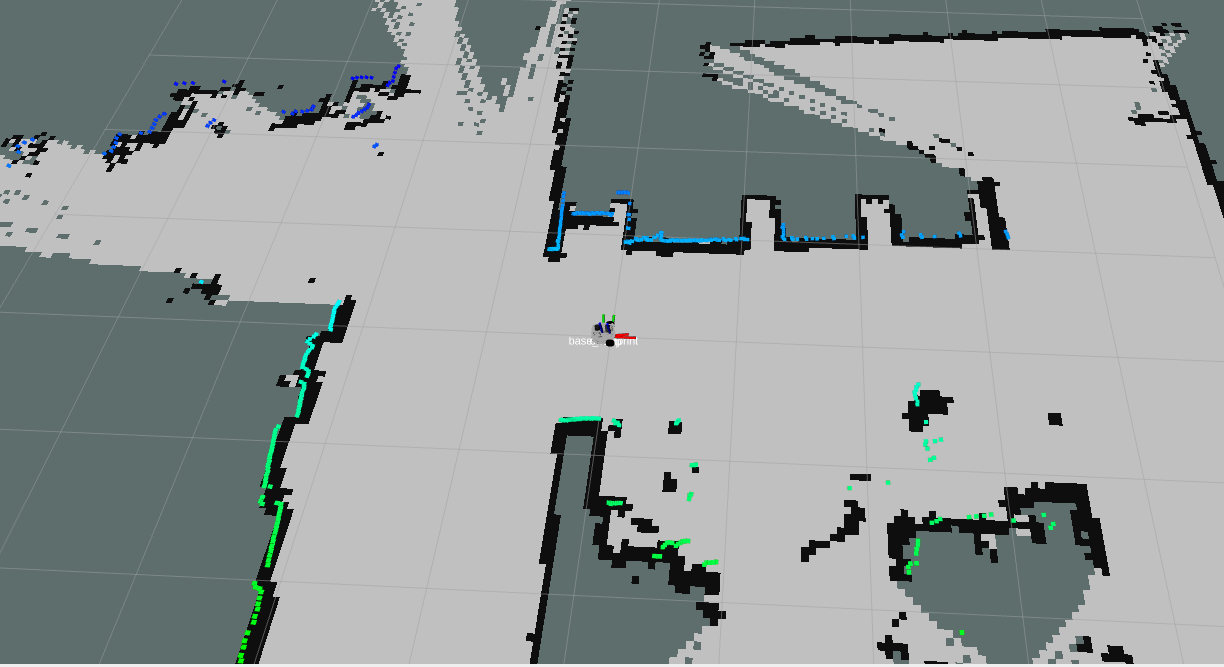
- Build the map by controlling the vehicle's movement
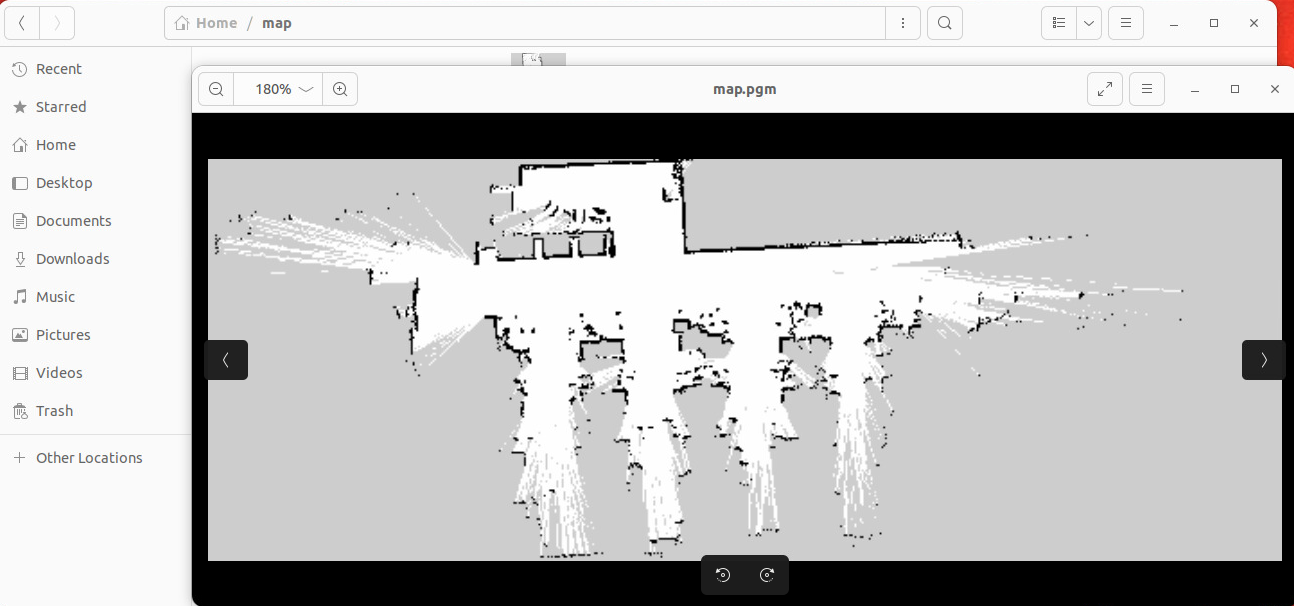
- Save the grid map
xxxxxxxxxxros2 launch microros_v2_bringup save_map.launch.py
[!TIP]
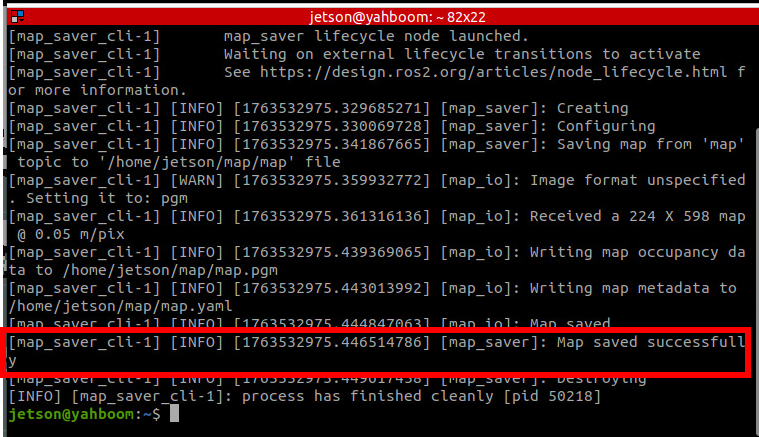
- map_name is used to specify the map name of the saved grid map. If no startup parameter is provided, the default map name is
map, and all map files are saved in the$HOME/mapdirectory. The terminal promptMap saved sucessfullyindicates that the map was saved successfully.
Check the number of pose points (important)
- Click the MarkerArray option in the Display panel of Rviz to view the pose points of the pose map. Ensure there are enough pose points within the map area; if a certain area has too few or no pose points at all, the localization performance in that area will be poor during navigation.
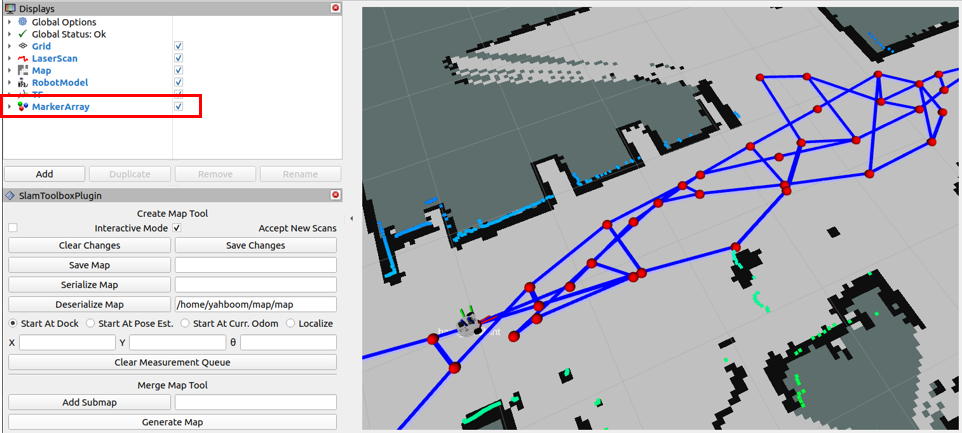
- Click the MarkerArray option in the Display panel of Rviz to view the pose points of the pose map. Ensure there are enough pose points within the map area; if a certain area has too few or no pose points at all, the localization performance in that area will be poor during navigation.
Save the pose map
xxxxxxxxxx ros2 launch microros_v2_bringup save_map.launch.py map_type:=posegraph[!TIP]
- map_type is the type of map to save. The default is
gridmapto save a grid map; selectingposegraphsaves the pose map ofslam_toolbox. Here the terminal promptslam_toolbox.srv.SerializePoseGraph_Response(result=0)indicates that the pose map has been saved.
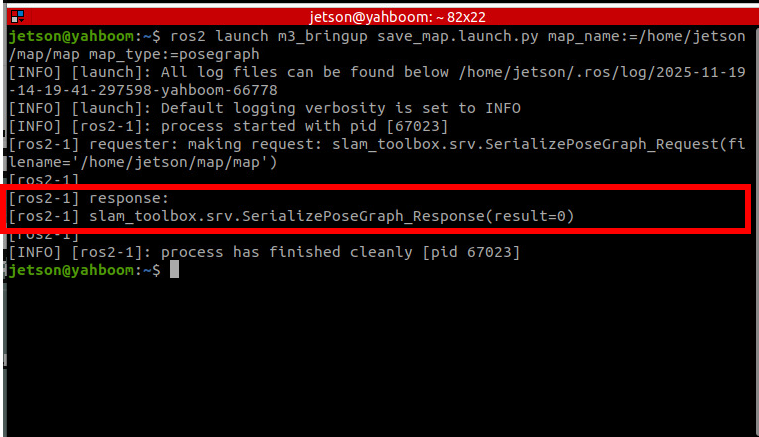
- Map files are saved by default in the
$HOME/mapfolder (map.pgm, map.yaml)