Welcome to MicroROS V2 Robot Car repository
1. Multi Machine Handle Control
Multi-Machine Handle Control
Multi-Machine Handle Control1. Course Overview2. Preparation2.1 Configure Robot Namespaces3. Demonstration Case4. Check Node Communication5. Source Code Analysis
1. Course Overview
- Configure namespace for multiple robot chassis, and connect multiple MicroROSv2 robot cars via the Micro-ROS agent for synchronized control.
[!NOTE]
- This course uses 2 MicroROSv2 robot cars for demonstration.
2. Preparation
2.1 Configure Robot Namespaces
- After powering on the device, use a Type-C cable to connect the computer to the robot car.
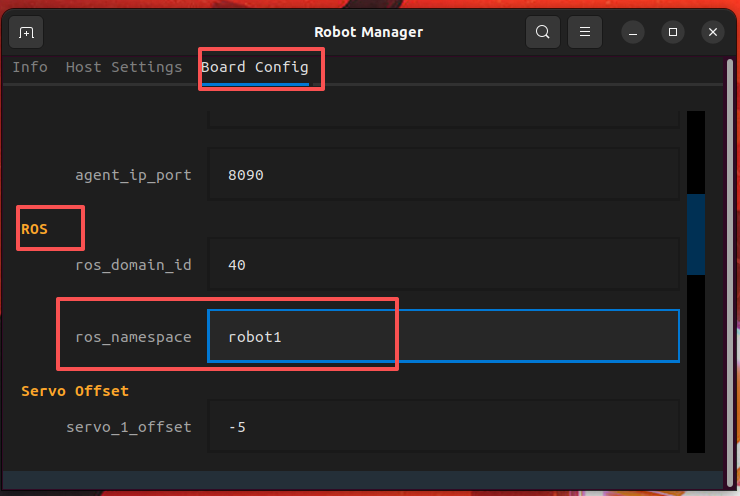
- Double-click the RobotManager application icon on the virtual machine desktop, select the Control page, and add the namespace of robot1 under ROS — rosnamespace.
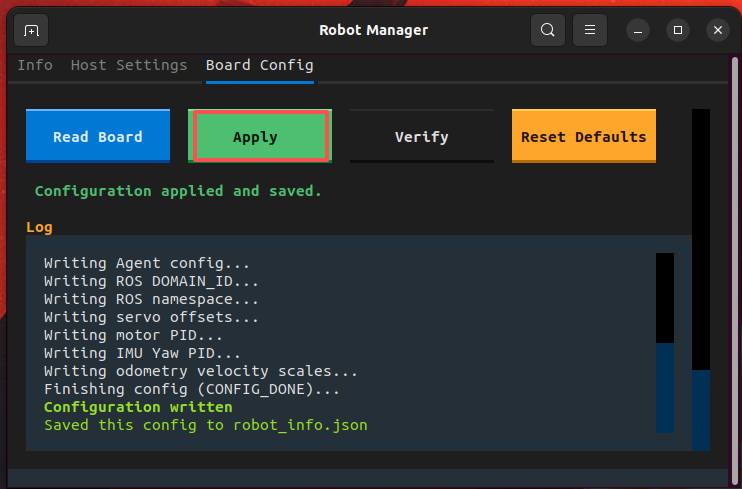
- Click Apply Configuration to write the parameters to the control board.
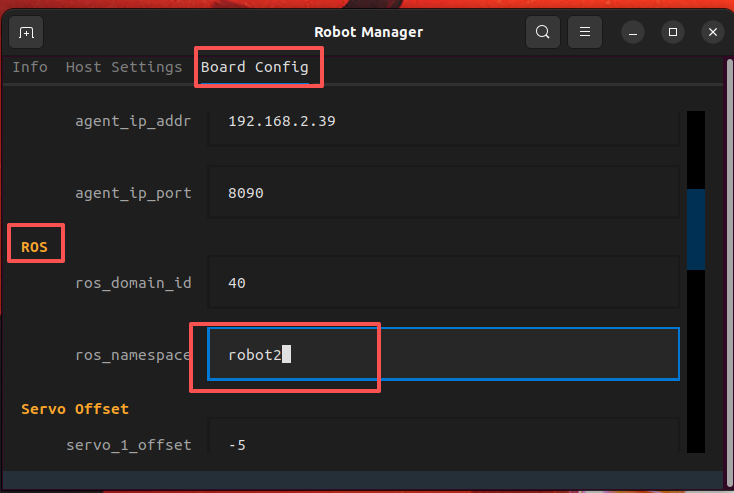
- robot2
Refer to the operation steps above to change the chassis namespace on the second robot car.
3. Demonstration Case
ros2 launch microros_v2_bringup multi_robot_demo.launch.py demo:=joystick robot_names:=robot1,robot2 camera_types:=ptz,ptz
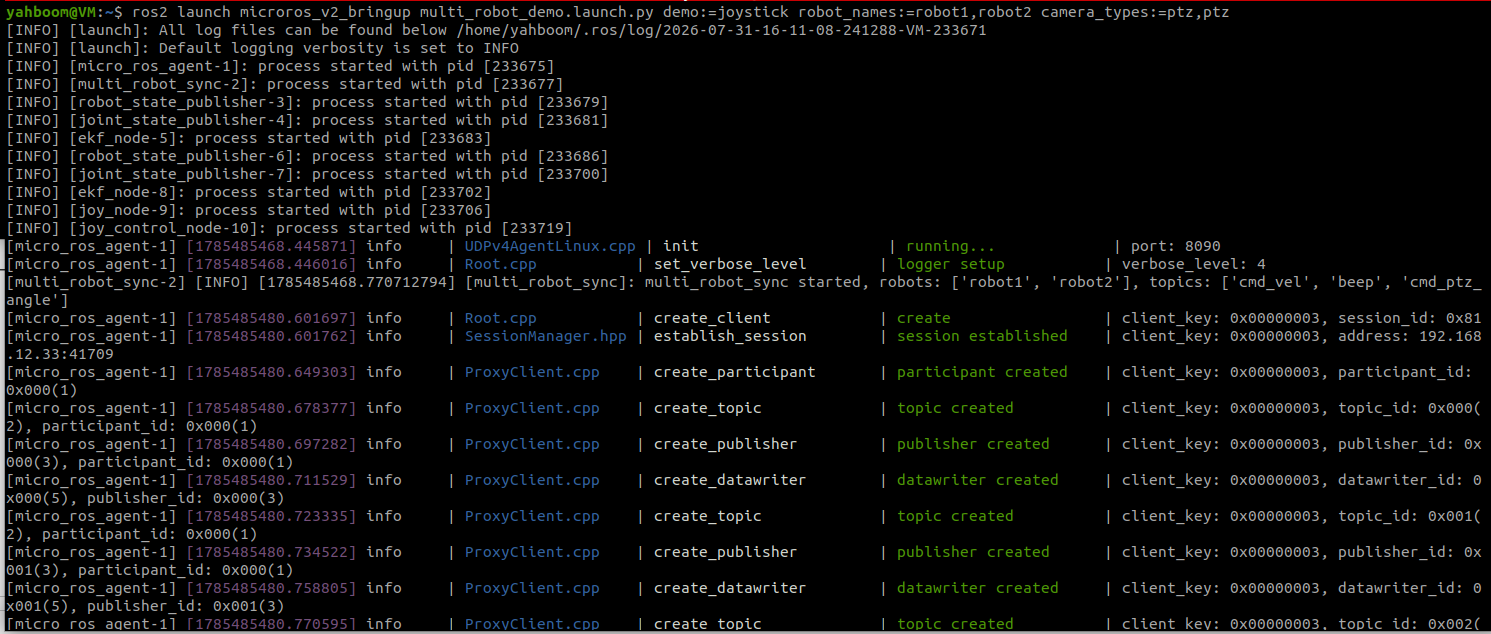
- Make sure the handle USB receiver is connected to the virtual machine. Press the START button on the handle to activate handle control (exit the handle sleep state), and then you can use the handle to control the two robots to move synchronously at the same time.
[!TIP]
- For setting up and operating multiple robots, refer to the above process. Just set a different namespace for each robot car, and make sure the parameters below actually match.
- robot_names: List of robot names, separated by English commas. For example, robot1,robot2 means two MicroRosV2 robots.
- camera_types: List of camera model types, separated by English commas. For example, ptz,no_ptz means the camera types of the two robots; the order matches the order of robot_names.
4. Check Node Communication
xxxxxxxxxxrqt_graph
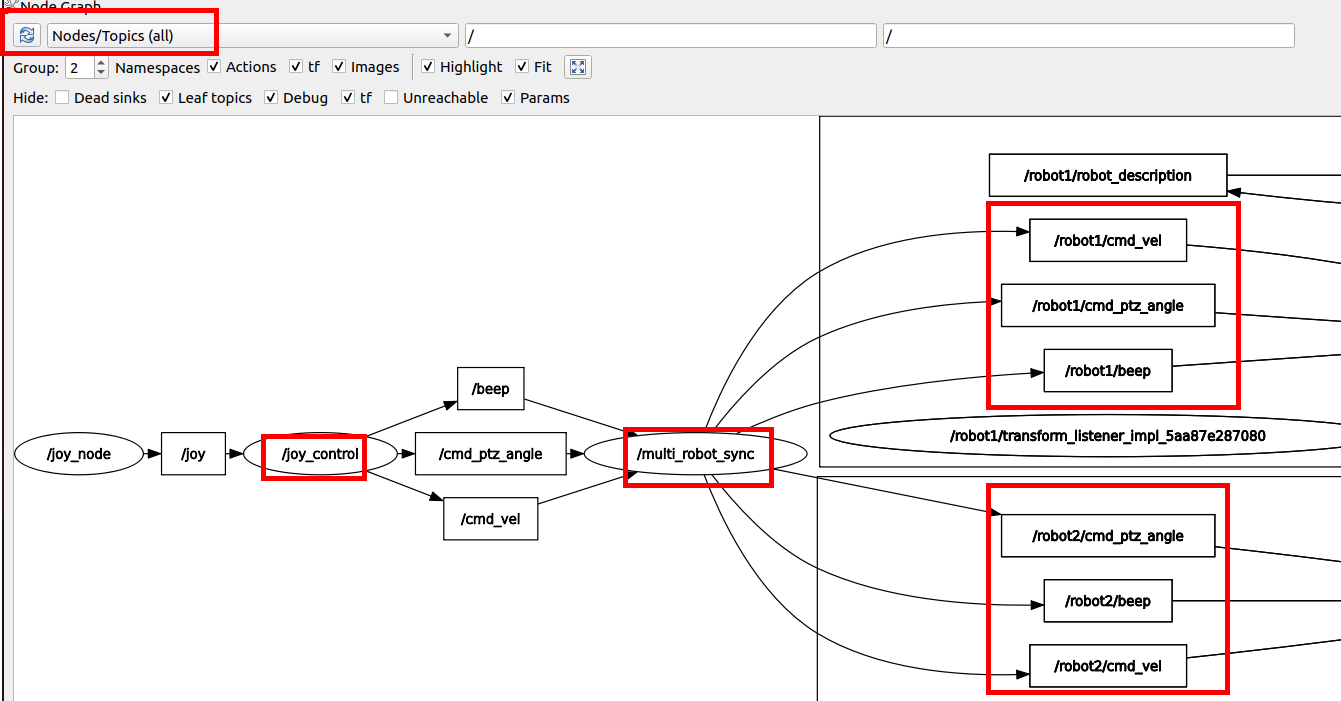
- In the figure below, multi_robot_sync subscribes to the handle control node and forwards the control commands to different robots.
5. Source Code Analysis
- Source code path
xxxxxxxxxx$HOME/microros_ws/src/common_demo/common_demo/multi_robot/multi_robot_sync.py
- Launch file path
xxxxxxxxxx$HOME/home/yahboom/microros_ws/src/microros_v2_bringup/multi_robot_demo.launch.py
- This node is a message synchronization forwarder. It subscribes to the common topics published by the handle, then copies and forwards the messages to the namespaced topics of each robot.
- SYNC_TOPICS: Defines the three topics to synchronize —
cmd_vel(chassis velocity),beep(buzzer), andcmd_ptz_angle(PTZ angle). - Parameter declaration: Receives the list of robot names through the
robot_namesparameter, with a default value of['robot1', 'robot2'], which can be passed in via the launch file at startup. - Creating publishers: Iterates over
SYNC_TOPICSand creates a corresponding publisher under each robot's namespace, for example/robot1/cmd_vel,/robot2/cmd_vel. - Creating subscribers: Creates a non-namespaced subscriber for each topic (such as
cmd_vel) to subscribe to the raw commands published by the handle node. Herelambda msg, t=topic:usest=topicto correctly capture the current loop variable value in the closure. - sync_callback callback: After receiving a handle message, it retrieves all publishers for that topic from
publishers_mapand forwards the message unchanged one by one, so that each robot receives the same command, achieving synchronized control.
xSYNC_TOPICS = { 'cmd_vel': Twist, 'beep': UInt16, 'cmd_ptz_angle': Vector3,}class MultiRobotSync(Node): def __init__(self): super().__init__('multi_robot_sync') self.declare_parameter('robot_names', ['robot1', 'robot2']) robot_names = [name.strip().strip('/') for name in self.get_parameter('robot_names').value if name.strip()] if not robot_names: self.get_logger().error('robot_names is empty, nothing to sync') self.publishers_map = {} for topic, msg_type in SYNC_TOPICS.items(): self.publishers_map[topic] = [ self.create_publisher(msg_type, f'/{name}/{topic}', 10) for name in robot_names ] self.create_subscription( msg_type, topic, lambda msg, t=topic: self.sync_callback(t, msg), 10) self.get_logger().info( f'multi_robot_sync started, robots: {robot_names}, ' f'topics: {list(SYNC_TOPICS.keys())}') def sync_callback(self, topic, msg): for pub in self.publishers_map[topic]: pub.publish(msg)