Welcome to MicroROS V2 Robot Car repository
2. Pose Detection
Pose Detection
1. Experiment Objective
Use MediaPipe Pose to detect the 33 body pose keypoints in the camera image and visualize the human skeleton in real time.
2. Experiment Principle
1. Key Terms
| Keyword | Description |
|---|---|
| MediaPipe Pose | Google's body pose keypoint detection model that predicts 33 3D body joint coordinates from a single frame |
| 33 body keypoints | Covers the face (11 points), torso (4 points) and limbs (18 points); finer than OpenPose's 18 points |
| Keypoint smoothing | smooth_landmarks=True enables cross-frame smoothing to reduce keypoint jitter |
| Detection/tracking confidence | The minimum confidence thresholds for the initial detection stage and the ongoing tracking stage (default 0.5 each) |
2. Technical Architecture
Terminal 1: start agent + camera + joint modelsTerminal 2: start pose detection
3. Experiment Steps
1. Hardware Preparation
| Hardware | Requirement |
|---|---|
| PTZ version | ✅ Supported |
| No-PTZ version | ✅ Supported |
| Required peripherals | ESP32 camera |
2. Start the agent + camera + joint models (Terminal 1)
xxxxxxxxxxros2 launch microros_v2_bringup car_base.launch.py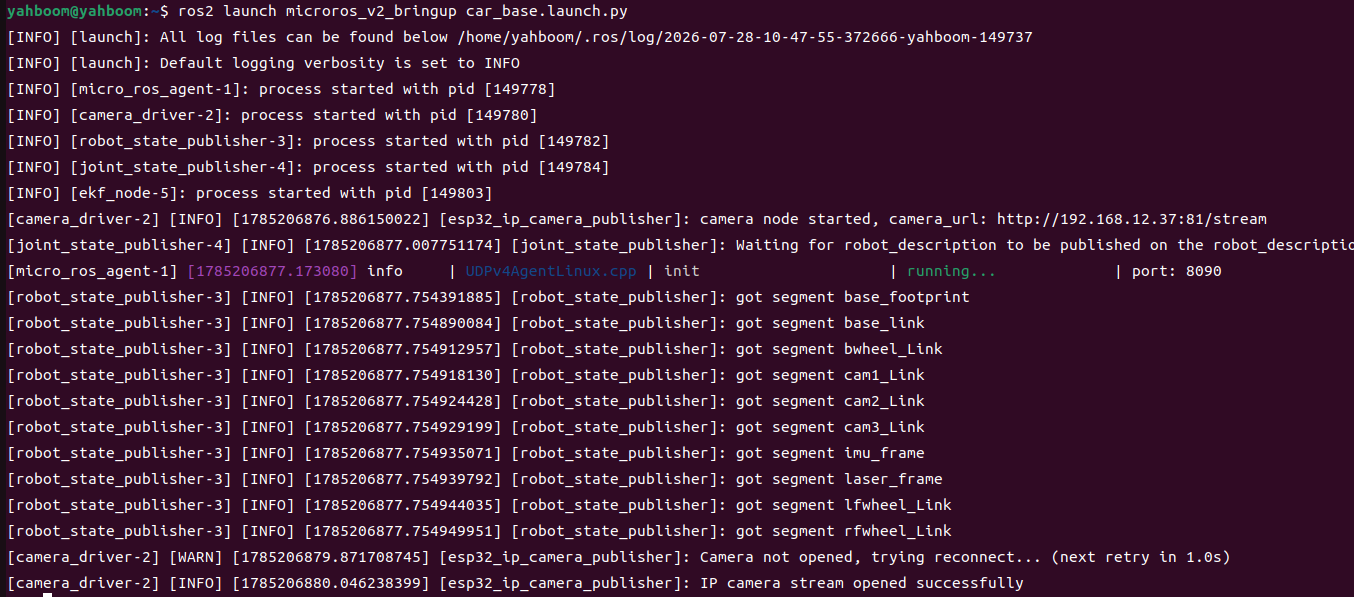
3. Start pose detection (Terminal 2)
xxxxxxxxxxros2 launch microros_v2_mediapipe_pkg pose_detector.launch.py4. Operating Instructions
Press q to exit.
5. How to Stop
Press Ctrl+C in each terminal, one by one, to stop.
4. Observed Results
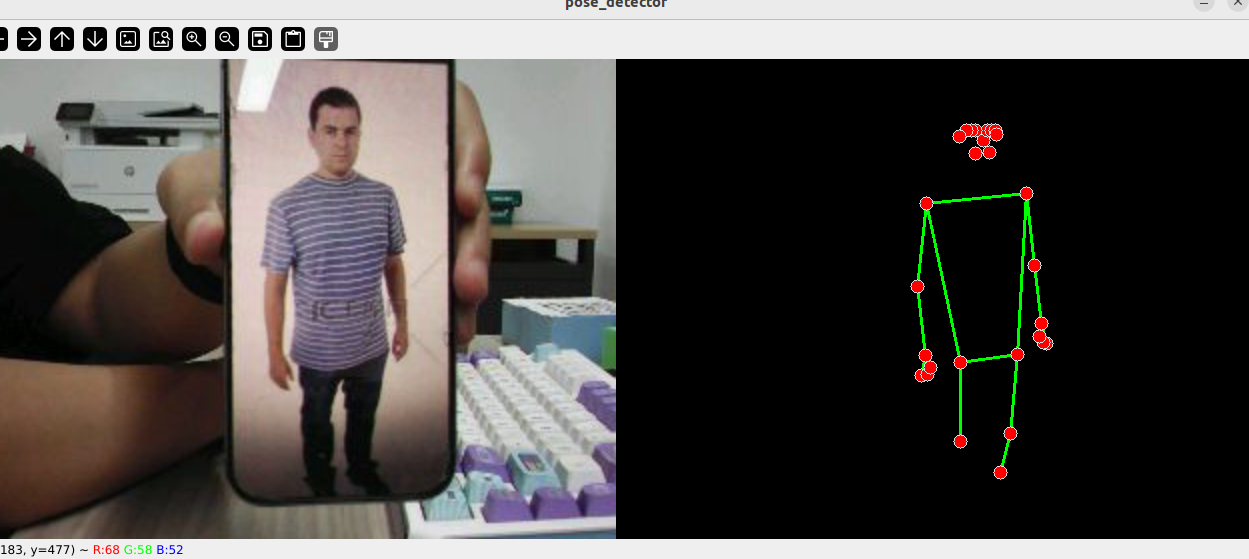
- 33 keypoints are marked at the corresponding joints (including 11 face points), with colored skeleton connections overlaid in real time
- With
smooth_landmarks=true, keypoints show no obvious jitter between frames
5. Code Walkthrough
Source code paths:
- Launch:
~/microros_ws/src/microros_v2_mediapipe_pkg/launch/pose_detector.launch.py- Node:
~/microros_ws/src/microros_v2_mediapipe_pkg/microros_v2_mediapipe_pkg/PoseDetector.py
1. Core Node Analysis
x# Source file: ~/microros_ws/src/microros_v2_mediapipe_pkg/microros_v2_mediapipe_pkg/PoseDetector.pyclass PoseDetector(Node): def __init__(self): super().__init__("pose_detector_node") self.declare_parameter("rgb_topic", "/camera/image_raw") self.declare_parameter("static_image_mode", False) self.declare_parameter("smooth_landmarks", True) self.declare_parameter("detection_con", 0.5) self.declare_parameter("track_con", 0.5) self.mp_pose = mp.solutions.pose self.pose = self.mp_pose.Pose( static_image_mode=static_image_mode, smooth_landmarks=smooth_landmarks, min_detection_confidence=detection_con, min_tracking_confidence=track_con) def image_callback(self, msg): frame = self.bridge.imgmsg_to_cv2(msg, 'bgr8') frame_rgb = cv.cvtColor(frame, cv.COLOR_BGR2RGB) results = self.pose.process(frame_rgb) if results.pose_landmarks: self.mp_draw.draw_landmarks( frame, results.pose_landmarks, self.mp_pose.POSE_CONNECTIONS) cv.imshow(self.window_name, frame)Key logic:
mp.solutions.pose.Pose(): 33-keypoint detectorsmooth_landmarks=True(default): enables cross-frame smoothing to reduce keypoint jitterstatic_image_mode=False: enables cross-frame tracking, reducing computation in video stream modePOSE_CONNECTIONS: MediaPipe's predefined human skeleton connections, automatically drawing the skeleton lines
2. Key Parameters
Parameter definition files:
- Launch:
~/microros_ws/src/microros_v2_mediapipe_pkg/launch/pose_detector.launch.py- Node:
~/microros_ws/src/microros_v2_mediapipe_pkg/microros_v2_mediapipe_pkg/PoseDetector.py
| Parameter | Type | Default | Description |
|---|---|---|---|
static_image_mode | bool | false | Whether to detect each frame independently |
smooth_landmarks | bool | true | Whether to enable cross-frame keypoint smoothing |
detection_con | float | 0.5 | Detection confidence threshold |
track_con | float | 0.5 | Tracking confidence threshold |
3. Node Description
| Node | Function |
|---|---|
pose_detector_node | MediaPipe Pose 33-keypoint detection + skeleton visualization |
6. Frequently Asked Questions
| Issue | Cause | Solution |
|---|---|---|
| Keypoints jitter severely | smooth_landmarks is not enabled | Set smooth_landmarks:=true |
| Person not detected | Too far away or insufficient lighting | Bring the person closer to the camera |