Welcome to MicroROS V2 Robot Car repository
3. Gesture Control Car Action Group
Gesture Control Car Action Group (No-PTZ)
Experiment Objective
Recognize 5 gestures to trigger preset chassis action sequences (square/circle/S-curve/back-and-forth/stop), with odometry-driven PD closed-loop control for completion determination. The No-PTZ version uses a fixed camera bracket.
Experiment Principle
1. Keyword Explanation
| Keyword | Description |
|---|---|
| Action Group | Preset chassis motion sequences, with odometry data driving phase transitions |
| Odometry Closed-Loop PD | Subscribes to /odom_raw; each phase uses PD to drive toward the target distance/angle, then cools down before switching phases after settling |
| Gesture Confirmation Count | A gesture must be held for gesture_hold_confirm_frames(3) consecutive frames to trigger, preventing false triggering |
| Phase Cooldown | After PD settles, the car stops for phase_cooldown_ticks(10) ticks to let the robot stabilize before switching phases |
| Three-State Machine | idle → waiting (waiting for gesture) → action_running (executing action); Space toggles idle↔waiting |
| 5-Finger Emergency Stop | In any state, extending all five fingers interrupts the current action and returns to waiting |
| QoS | best_effort (image/odometry input + cmd_vel downlink), depth=1 |
| TF Coordinate Frames | odom → base_footprint → base_link |
2. Technical Architecture
Three-state machine + dual timers (image 15Hz + action control 30Hz):
/camera/image_raw (BEST_EFFORT)→ gesture_action_group_control_node├── Image processing timer (15Hz): image conversion → MediaPipe → gesture recognition → confirmation count → trigger action└── Action control timer (30Hz): odometry PD closed loop → phase transition → /cmd_vel (BEST_EFFORT)/odom_raw (BEST_EFFORT)→ Odometry data drives PD
Gesture → action mapping:
| Gesture | Finger code | Action |
|---|---|---|
| Yes | [0,1,1,0,0] | square (0.5m × 4 sides) |
| OK | ≥3 fingers with index bent | circle (rotate 360°) |
| Rock | [0,1,0,0,1] | s_curve (S-curve) |
| Thumb Down | ≤1 finger with thumb down | backforth (back-and-forth 0.5m) |
| 5 fingers | [1,1,1,1,1] | stop (emergency stop) |
PD closed-loop parameters:
- Distance phase:
linear_kp(0.8)×error +linear_kd(0.25)×derivative → clamped to ±0.2 m/s - Angle phase: absolute yaw target,
angular_kp(0.05)×error +angular_kd(0.005)×derivative → clamped to ±0.6 rad/s - Settle for 3 frames → cooldown for 10 ticks → switch phase
3. Core Topics Quick Reference
Firmware Uplink (Sensor Data)
| Topic | Message Type | QoS | Description |
|---|---|---|---|
/camera/image_raw | sensor_msgs/Image | best_effort | ESP32 camera raw image frames |
/odom_raw | nav_msgs/Odometry | best_effort | Raw odometry data (drives the PD closed loop) |
Firmware Downlink (Control Commands)
| Topic | Message Type | QoS | Field | Range | Direction |
|---|---|---|---|---|---|
/cmd_vel | geometry_msgs/Twist | best_effort + keep_last(1) | linear.x | -0.20~0.20 m/s | +=forward, −=backward |
angular.z | -0.60~0.60 rad/s | +=turn left, −=turn right |
Experiment Steps
1. Hardware Preparation
| Hardware | Requirement |
|---|---|
| PTZ version | ❌ This section is for the No-PTZ version |
| No-PTZ version | ✅ |
| Required peripherals | ESP32 camera (fixed bracket) |
2. Start Agent + Camera + Joint Model (Terminal 1)
Start agent + camera + joint model (Terminal 1)
xxxxxxxxxxros2 launch microros_v2_bringup car_base.launch.py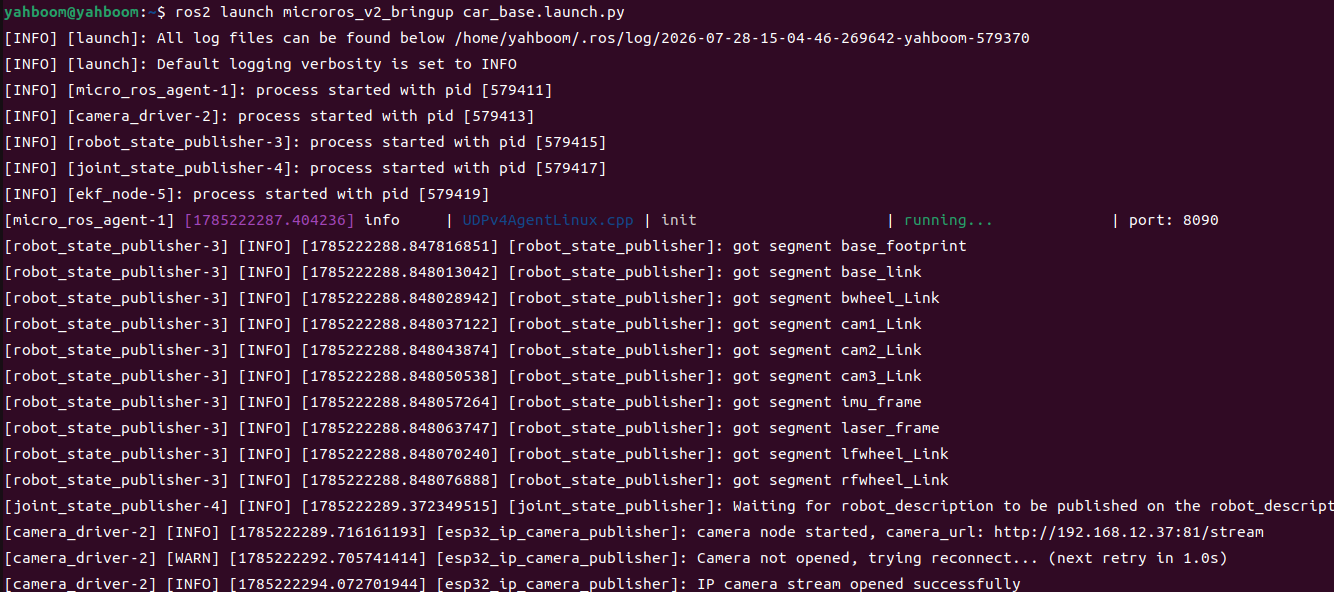
3. Start Gesture Action Group Control (Terminal 2)
xxxxxxxxxxros2 launch microros_v2_no_ptz_visual_control_pkg gesture_action_group_control.launch.py
4. Operation Instructions
Interaction
| Key | Function |
|---|---|
| Space | waiting ↔ idle |
| i / I | Return to idle |
| q / Q / ESC | Quit (stop first) |
Safety and Boundary Handling
- 5-finger emergency stop interrupts any action
- Gesture must be confirmed for ≥3 frames to trigger
- Odometry drives phase transitions
- Angle wraps ±π
- Stop before quitting
Experiment Result
- idle/waiting: the car is stationary waiting for a gesture
- Yes gesture held for 3 frames: square 0.5m × 4 sides, looped once
- OK gesture: rotate 360° in place
- Rock gesture: S-curve
- Thumb Down: back-and-forth 0.5m
- 5-finger emergency stop: immediately interrupts and returns to waiting
Code Explanation
Source paths:
- Launch:
~/microros_ws/src/microros_v2_no_ptz_visual_control_pkg/launch/gesture_action_group_control.launch.py- Node source:
~/microros_ws/src/microros_v2_no_ptz_visual_control_pkg/microros_v2_no_ptz_visual_control_pkg/gesture_action_group_control_node.py- Hand detector:
~/microros_ws/src/microros_v2_no_ptz_visual_control_pkg/microros_v2_no_ptz_visual_control_pkg/hand_detector.py
1. Core Node Analysis
gesture_action_group_control_node is the most complex node among the 4 documents, containing a three-state machine (idle/waiting/action_running), dual timers (image processing 15Hz + action control 30Hz), and an odometry PD closed loop.
Data flow:
_process_image(15Hz) →_detect→ MediaPipe gesture recognition → confirmation count →_start_action_action_tick(30Hz) → dispatches to_square_tick/_circle_tick/_s_curve_tick/_backforth_tickby action type → PD computation →/cmd_vel_odom_callback→ caches odometry position and yaw
Constructor — declares parameters, creates dual timers, subscribers/publishers:
x# Source file: ~/microros_ws/src/microros_v2_no_ptz_visual_control_pkg/microros_v2_no_ptz_visual_control_pkg/gesture_action_group_control_node.pydef __init__(self) -> None: super().__init__(DEFAULT_NODE_NAME) self._image_lock = threading.Lock() self._state_lock = threading.Lock() self._odom_lock = threading.Lock() self._state = STATE_IDLE # State machine initial: idle self._latest_frame: Optional[np.ndarray] = None # Odometry state (drives PD) self._odom_x = 0.0 self._odom_y = 0.0 self._odom_yaw = 0.0 # Gesture confirmation mechanism self._gesture_confirm_count = 0 self._last_gesture = "" # Action engine state self._action_type = "" self._action_phase = 0 self._phase_start_x = 0.0 self._phase_start_y = 0.0 self._phase_start_yaw = 0.0 self._settle_count = 0 self._declare_params() self._load_params() self._hand_det = HandDetector() # Subscriber QoS uniformly BEST_EFFORT (image + odometry) best_effort_qos = QoSProfile( history=QoSHistoryPolicy.KEEP_LAST, depth=1, reliability=QoSReliabilityPolicy.BEST_EFFORT, durability=QoSDurabilityPolicy.VOLATILE, ) self._img_sub = self.create_subscription( Image, self._img_topic, self._on_image, best_effort_qos) self._odom_sub = self.create_subscription( Odometry, self._odom_topic, self._odom_callback, best_effort_qos) self._cmd_pub = self.create_publisher(Twist, self._cmd_topic, best_effort_qos) # Dual timers: image processing 15Hz + action control 30Hz self._img_timer = self.create_timer( 1.0 / max(float(self._img_rate), MINIMUM_TIMER_RATE_HZ), self._process_image) self._action_timer = self.create_timer( 1.0 / max(float(self._action_rate), MINIMUM_TIMER_RATE_HZ), self._action_tick) # Keyboard polling timer (50Hz) if self._show_win: self._ensure_win() self._key_timer = self.create_timer(0.05, self._poll_keys) self._param_cb = self.add_on_set_parameters_callback(self._on_param_update)Action control timer callback — three-state machine scheduling:
xxxxxxxxxx# Source file: ~/microros_ws/src/microros_v2_no_ptz_visual_control_pkg/microros_v2_no_ptz_visual_control_pkg/gesture_action_group_control_node.pydef _action_tick(self) -> None: """Action control timer (30Hz), three-state machine scheduling.""" if self._state == STATE_IDLE: self._pub_zero_cmd() # idle: zero velocity return if self._state == STATE_WAITING: self._pub_zero_cmd() # waiting: zero velocity, wait for gesture return if self._state != STATE_ACTION: return with self._odom_lock: ox = self._odom_x oy = self._odom_y oyaw = self._odom_yaw phase_dist = math.hypot(ox - self._phase_start_x, oy - self._phase_start_y) # Dispatch to different tick functions by action type if self._action_type == GESTURE_SQUARE: self._square_tick(oyaw, phase_dist) elif self._action_type == GESTURE_CIRCLE: self._circle_tick(oyaw) elif self._action_type == GESTURE_S: self._s_curve_tick(oyaw) elif self._action_type == GESTURE_BACKFORTH: self._backforth_tick(phase_dist)Key logic: _distance_pd and _angle_pd compute the PD outputs for distance and angle respectively, with settle counting for determination. The S-curve action is an alternating turn→straight→turn→... sequence, driven by the s_turn_angles and s_straight_distances parameters.
2. Key Parameters
Parameter definition files:
- Launch:
~/microros_ws/src/microros_v2_no_ptz_visual_control_pkg/launch/gesture_action_group_control.launch.py- Node:
~/microros_ws/src/microros_v2_no_ptz_visual_control_pkg/microros_v2_no_ptz_visual_control_pkg/gesture_action_group_control_node.py
| Parameter | Type | Default | Description |
|---|---|---|---|
linear_kp / linear_kd | float | 0.8 / 0.25 | Distance PD gains |
angular_kp / angular_kd | float | 0.05 / 0.005 | Angle PD gains |
max_linear_x | float | 0.2 m/s | Maximum linear velocity |
max_angular_z | float | 0.6 rad/s | Maximum angular velocity |
square_forward_distance | float | 0.5 m | Square side length |
circle_total_angle_deg | float | 360.0° | Total rotation angle for the circle |
backforth_distance | float | 0.5 m | Back-and-forth distance |
gesture_hold_confirm_frames | int | 3 | Gesture confirmation frame count |
action_control_rate_hz | float | 30.0 Hz | Action control rate |
image_processing_rate_hz | float | 15.0 Hz | Image processing rate |
distance_tolerance | float | 0.05 m | Distance determination tolerance |
angle_tolerance_deg | float | 3.0° | Angle determination tolerance |
settle_frames | int | 3 | PD stabilization determination frames |
phase_cooldown_ticks | int | 10 | Cooldown ticks between phases |
s_turn_angles | list | [30,-60,60,-60,30]° | S-curve turn angle sequence |
s_straight_distances | list | [0.288,0.576,0.576,0.288,0.5] m | S-curve straight distance sequence |
3. Node Description
| Node | Package | Description |
|---|---|---|
gesture_action_group_control_node | microros_v2_no_ptz_visual_control_pkg | Gesture → action group, three-state machine + dual timers + PD closed loop |
Common Problems
| Problem | Cause | Solution |
|---|---|---|
| Action group interrupted | No data from /odom_raw odometry | Check whether the odometry topic is publishing normally |
| Gesture not triggered | Not enough confirmation frames | Hold the gesture for more than 3 frames |
| No detection at startup | MediaPipe environment not sourced | `source /opt/ros/humble/setup.bash |
| source ~/microros_ws/install/setup.bash` |