Welcome to Jetson Orin NANO Developer Kit repository
05. Jetson Orin Nano official kit screwdriver instructions
Jetson Orin Nano Official Kit Screwdriver Instructions
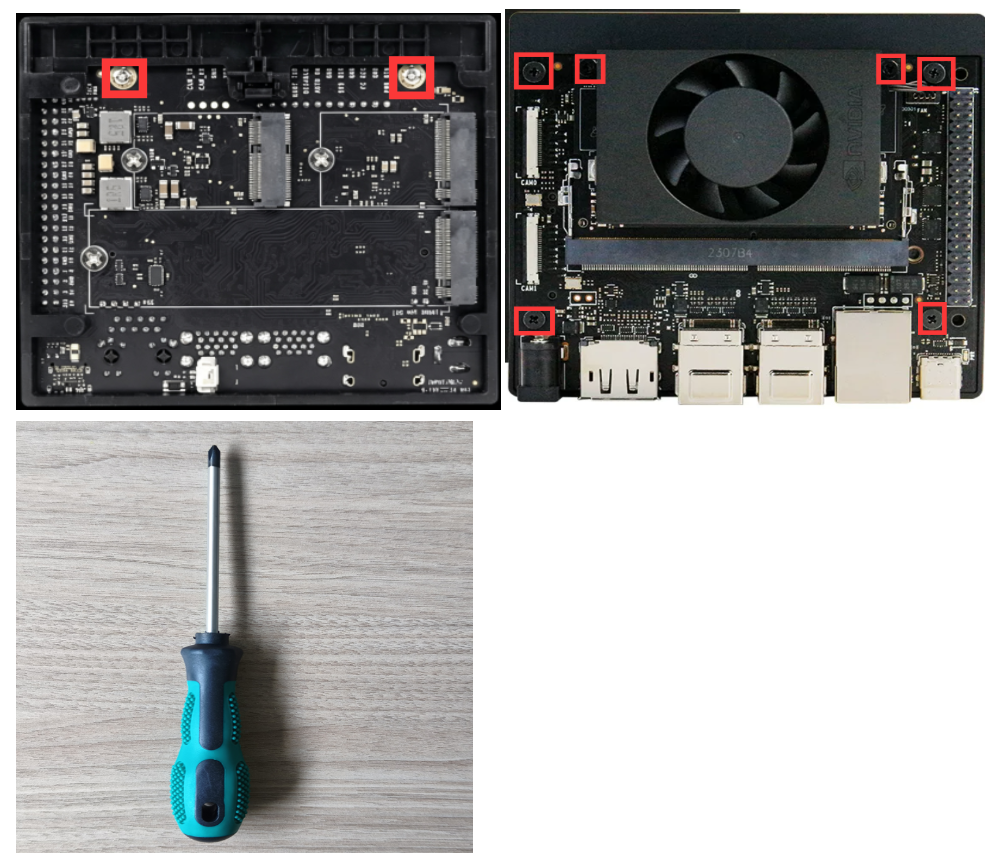
The Jetson Orin Nano official kit comes with two screwdrivers for removing screws of different specifications:
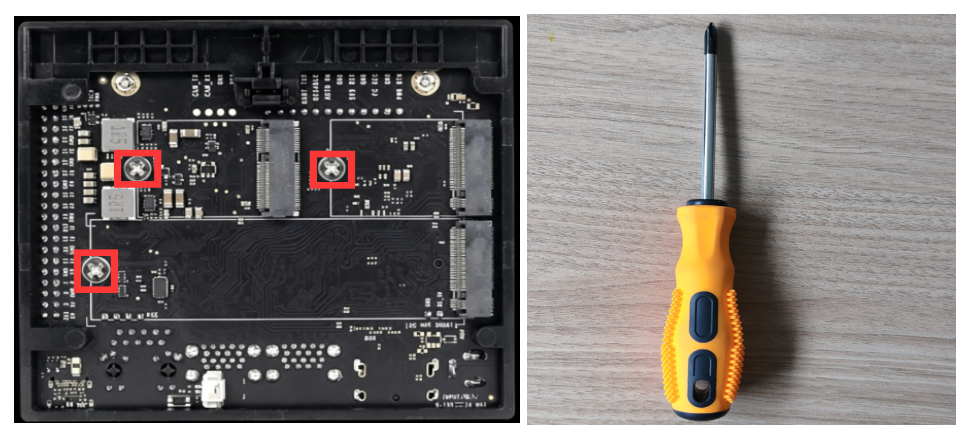
Yellow Screwdriver: Suitable for M3 screws.
Green Screwdriver: Suitable for M2 and M3 screws (⚠️ Note: For M3 screws on solid-state drives/network cards that have been secured with thread-locking adhesive, using the green screwdriver can easily cause screw head stripping).
🟡 Yellow Screwdriver
Purpose: Specifically for removing the M3 screws of solid-state drives (SSDs) and network cards.
⚠️ SSD Screw Removal Precautions
When the Jetson Orin Nano official kit leaves the factory, the solid-state drive screws have already been secured with thread-locking adhesive. When removing them for the first time, be sure to use the yellow screwdriver, press it vertically and firmly against the screw, and apply force to loosen the first turn. Never use the green screwdriver, to avoid stripping the Phillips cross head of the screw and making subsequent removal completely impossible.
🟢 Green Screwdriver
Purpose: Specifically for removing the M2 screws of the official kit base and the core board.