Welcome to Jetson Orin NANO Developer Kit repository
02.Network configuration
Network Configuration
Network Configuration1. WiFi Mode1.1. Connect to WiFi1.2. Check WiFi Information1.3. Set a Static IP2. Hotspot Mode2.1. Create a Hotspot2.2. Hotspot Information
The WiFi and hotspot modes require a wireless network card. Check whether the wireless network card and antenna are installed before making the following settings!
It is recommended to switch networks by connecting a display screen. Once the network is switched to a new network, the system needs to enable network sharing again for the new network before VNC remote control can be performed
1. WiFi Mode
1.1. Connect to WiFi
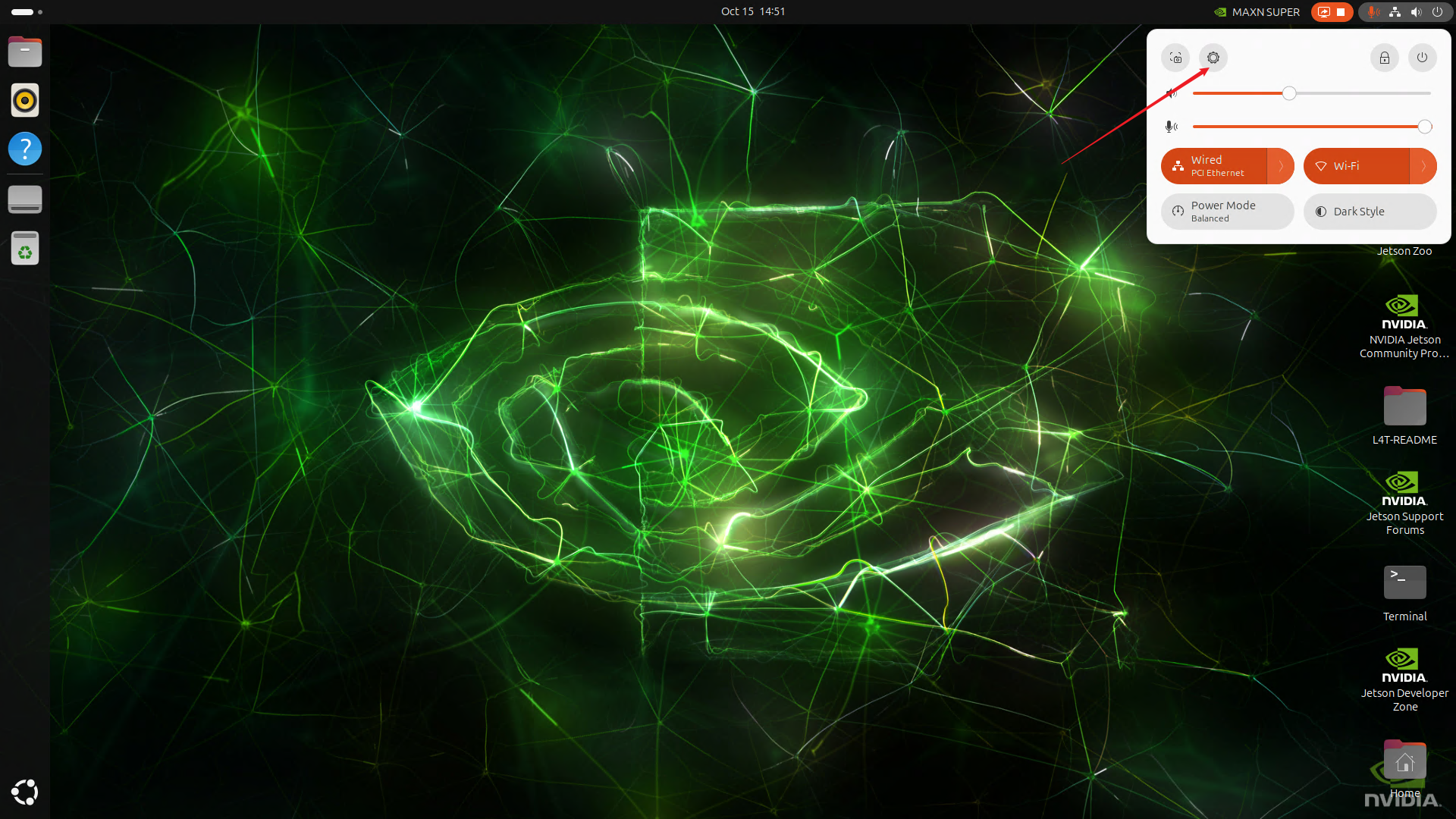
Select the menu option in the upper right corner of the system desktop → Wi- Fi Settings:
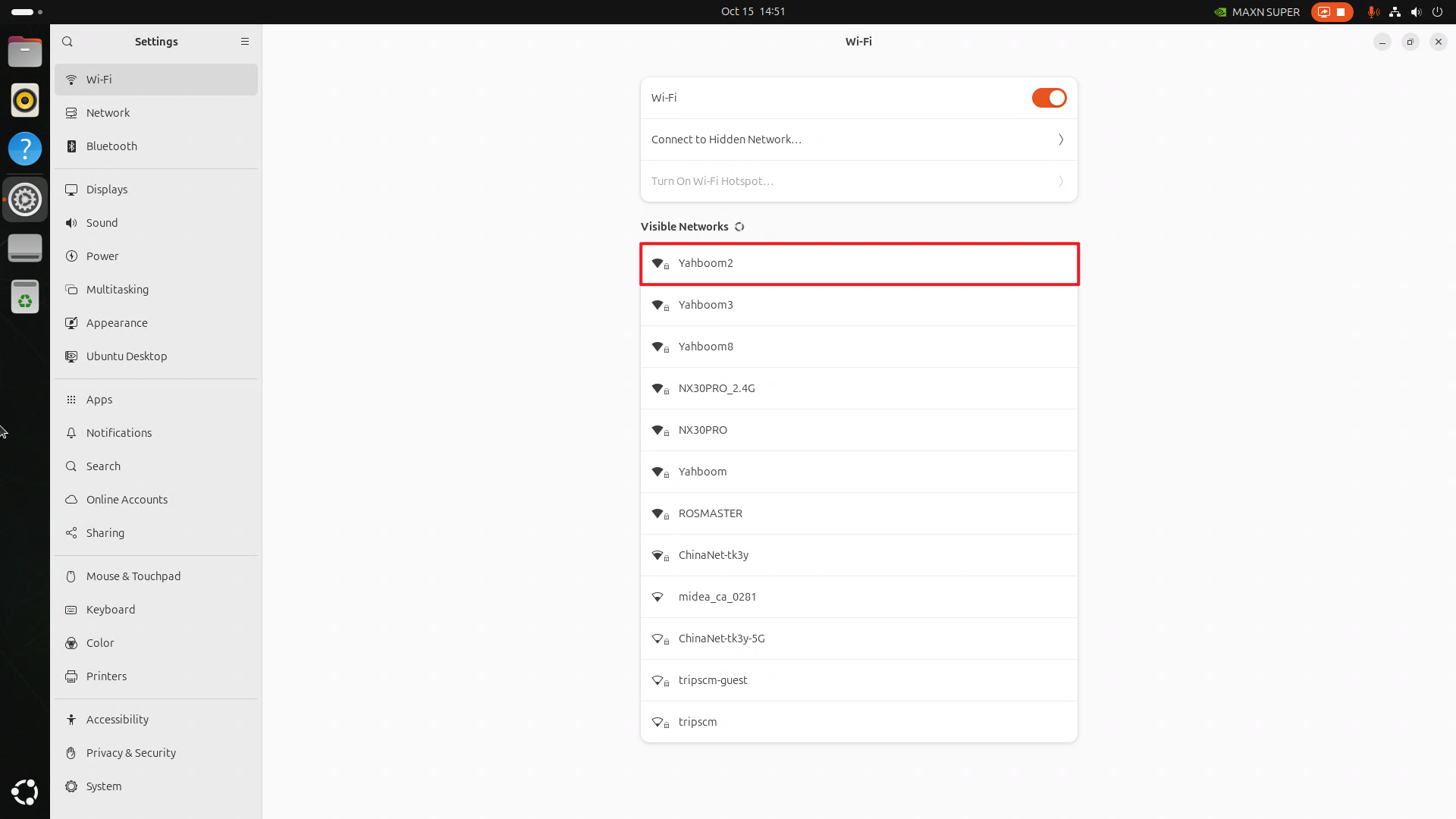
Select the WiFi to be connected: if the WiFi signal is very weak, check whether the antenna is not installed or the environment has poor signal
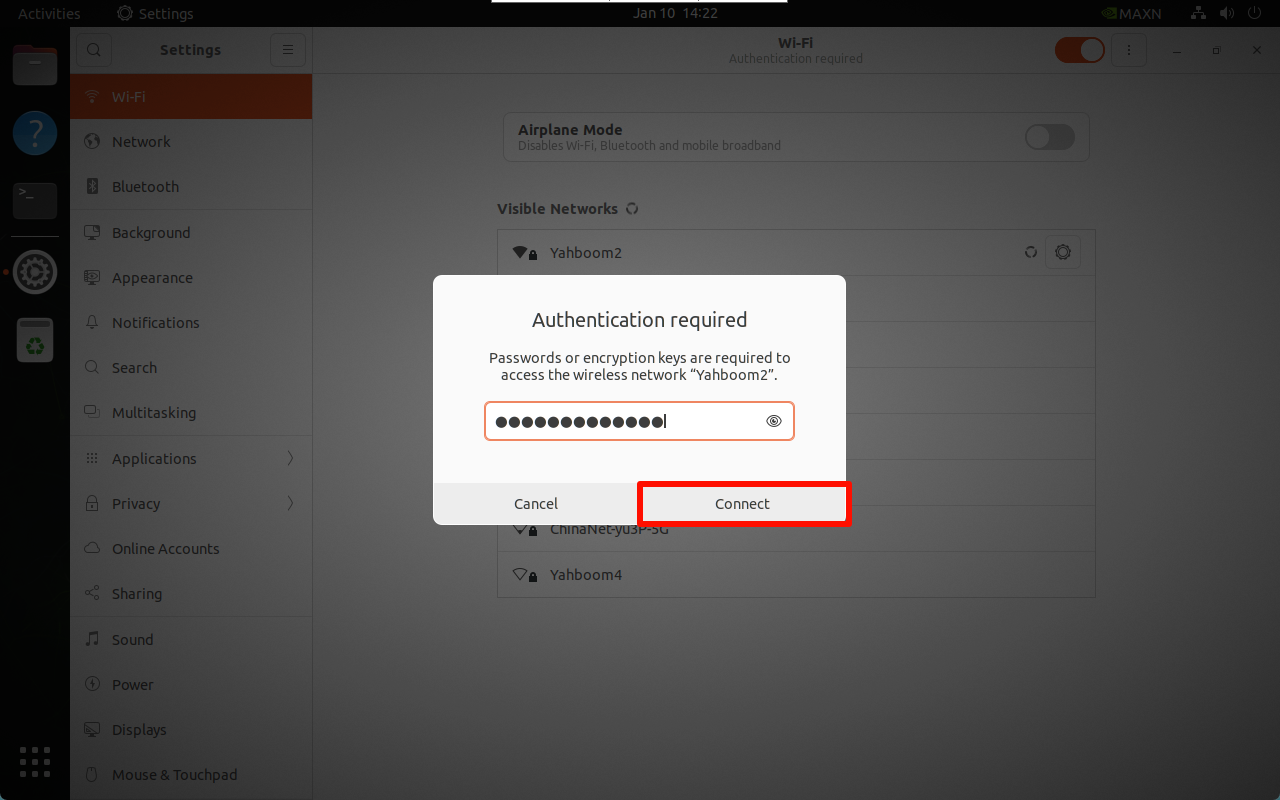
After entering the password, click Connect:
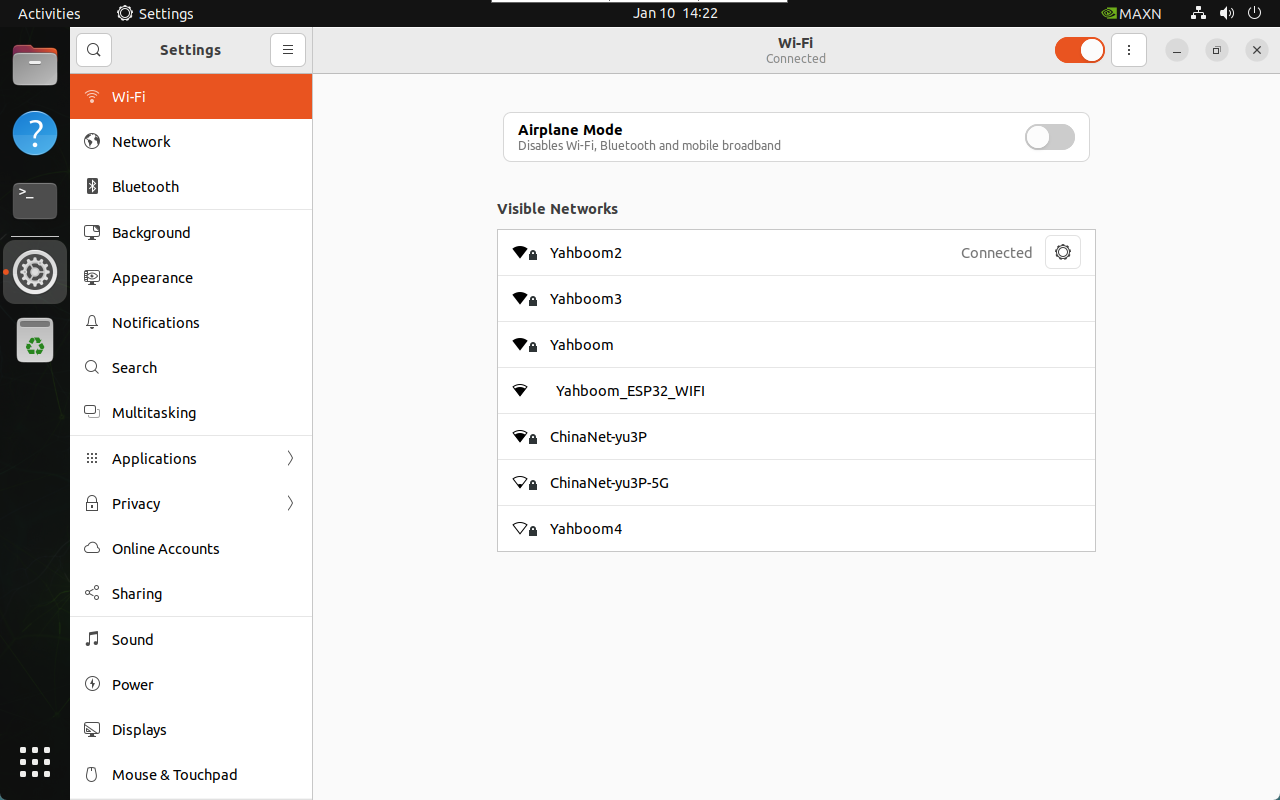

1.2. Check WiFi Information
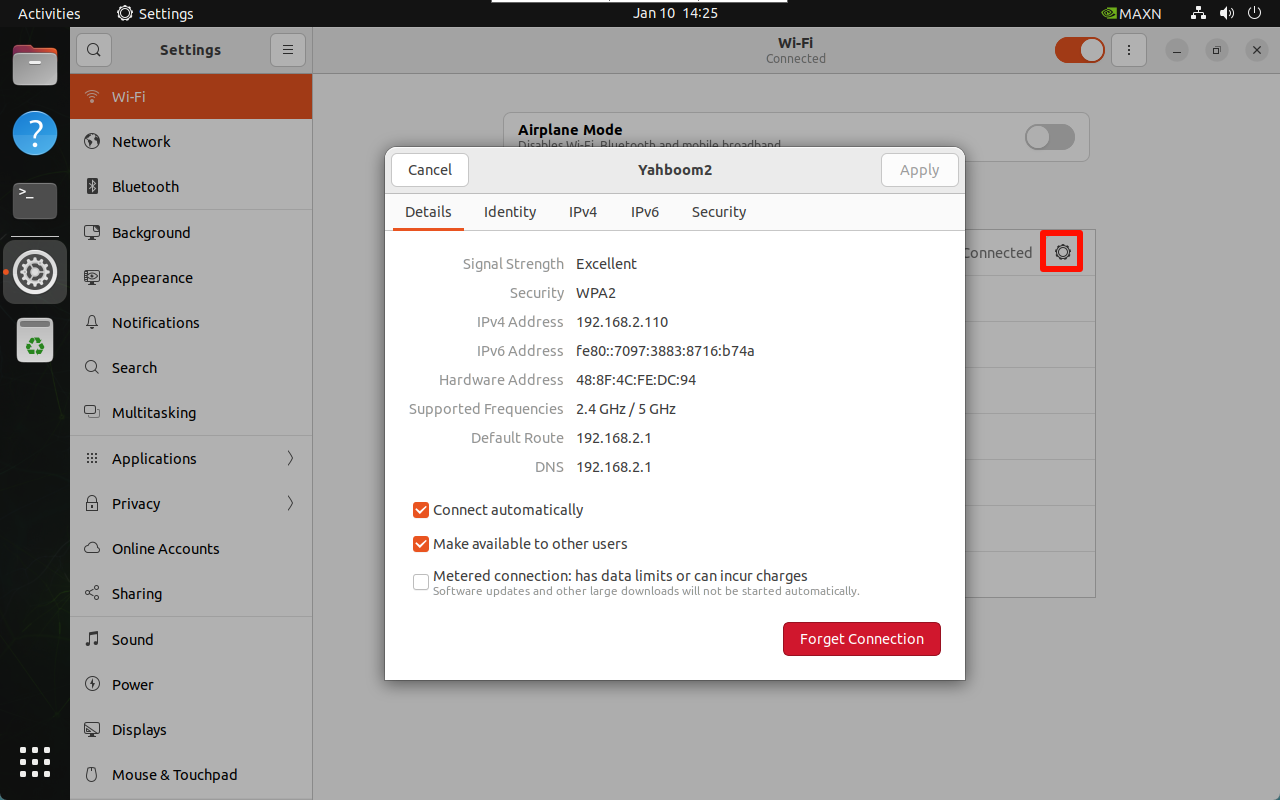
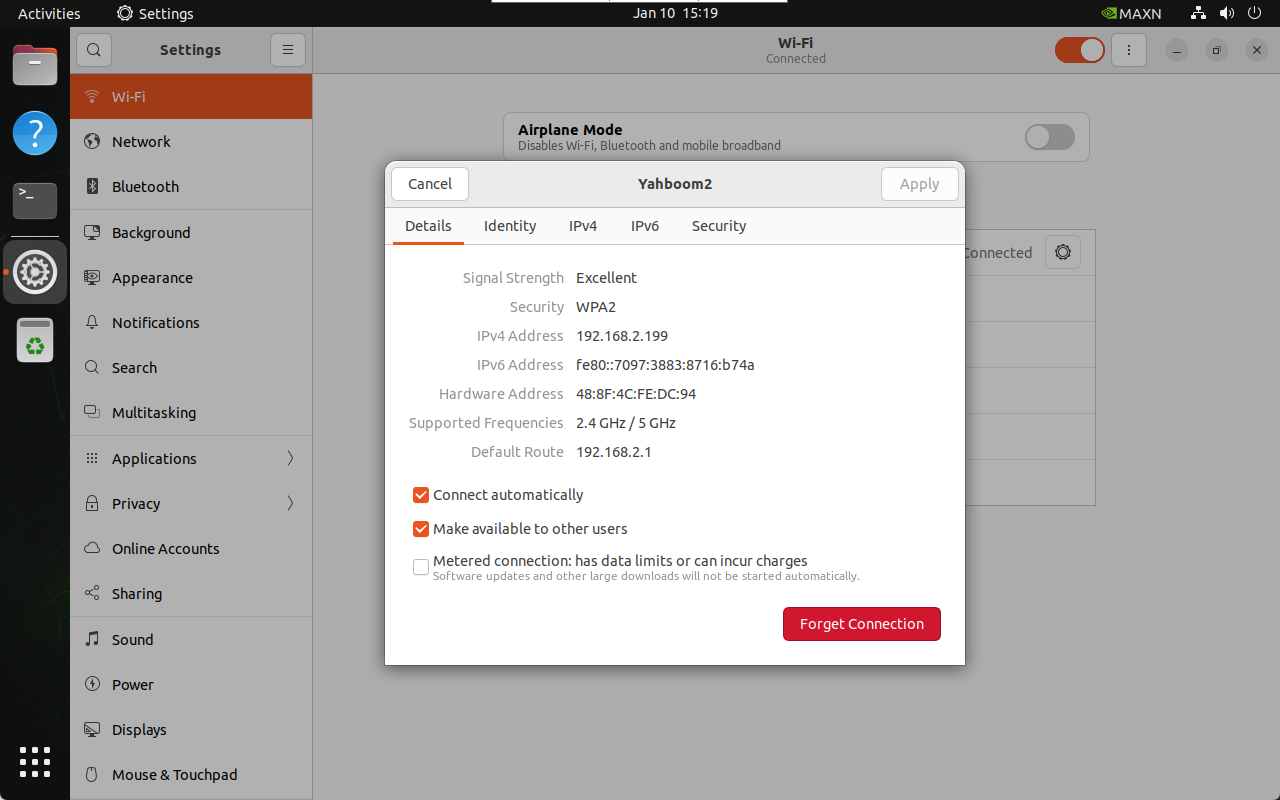
Click the settings icon of the connected WiFi:
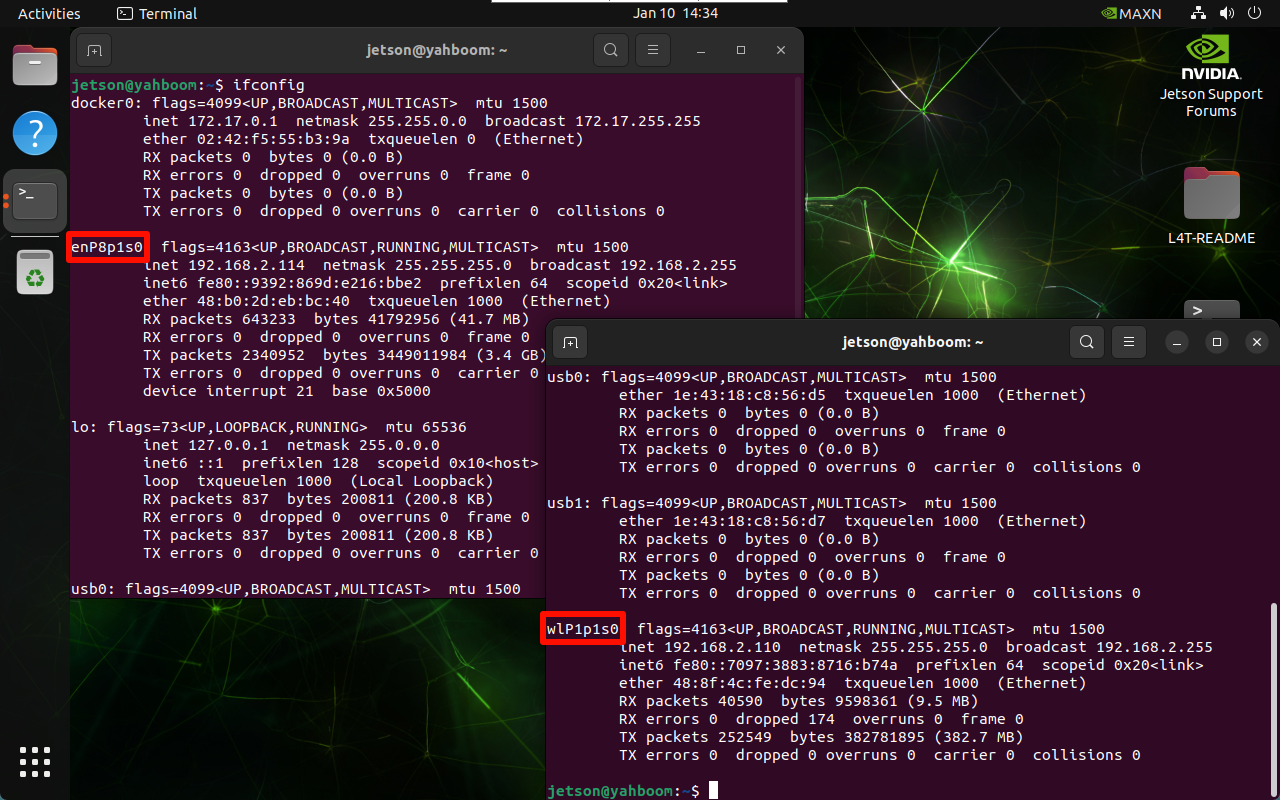
In the terminal, use the following command to view the IP addresses of all networks: enP8p1s0 is the wired interface and wlP1p1s0 is the WiFi interface
xxxxxxxxxxifconfig
1.3. Set a Static IP
Click the settings icon of the connected WiFi to modify the IPv4 options:
Address: enter the IP address to be fixed, which needs to be within the assignable IP address range
Netmask: enter 255.255.255.0
Gateway: enter the default gateway address of the WiFi
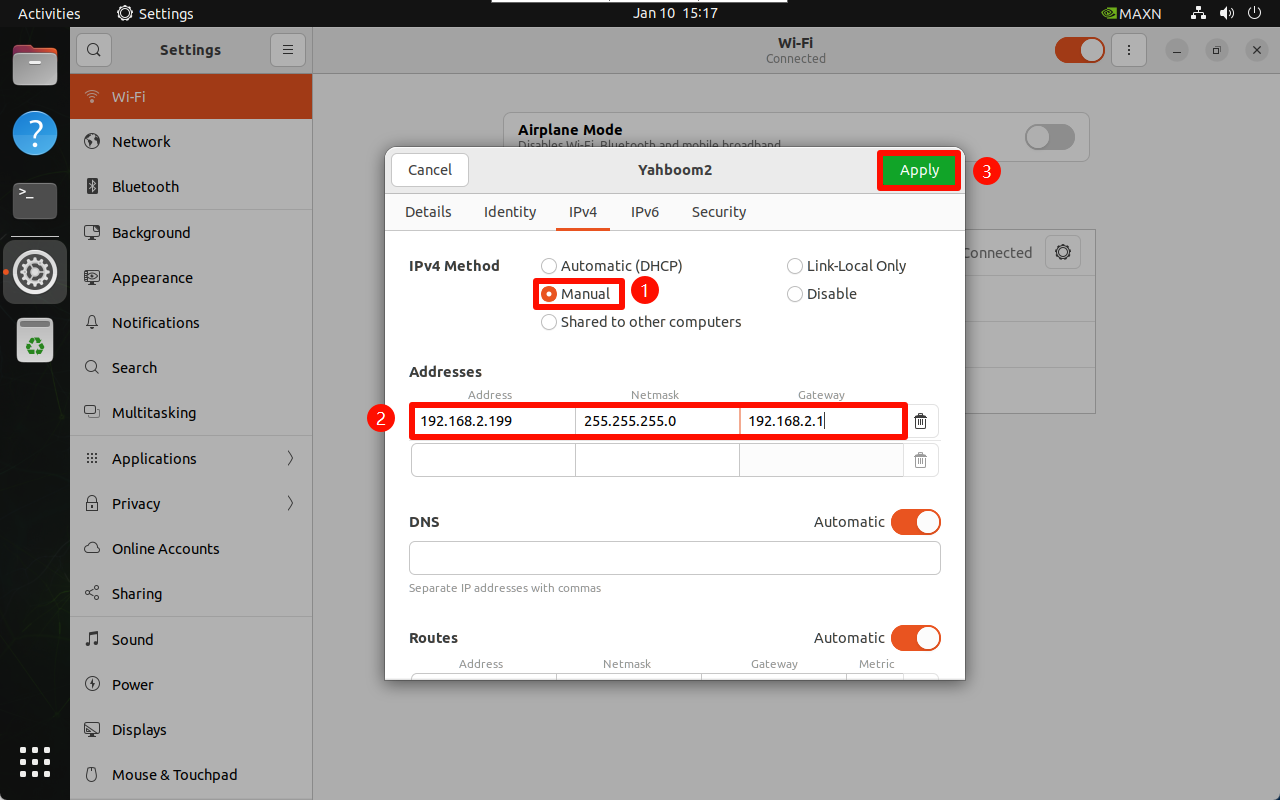
After completion, reconnect the WiFi to apply the configuration:
2. Hotspot Mode
The wireless network card needs to support hotspot before the hotspot mode can be enabled.
xxxxxxxxxxConfigure the hotspot mode on the desktop system. The hotspot will be automatically closed after the system restarts. Users who need it can look up the tutorial on starting the hotspot automatically at boot on Ubuntu 22.04 by themselves
2.1. Create a Hotspot
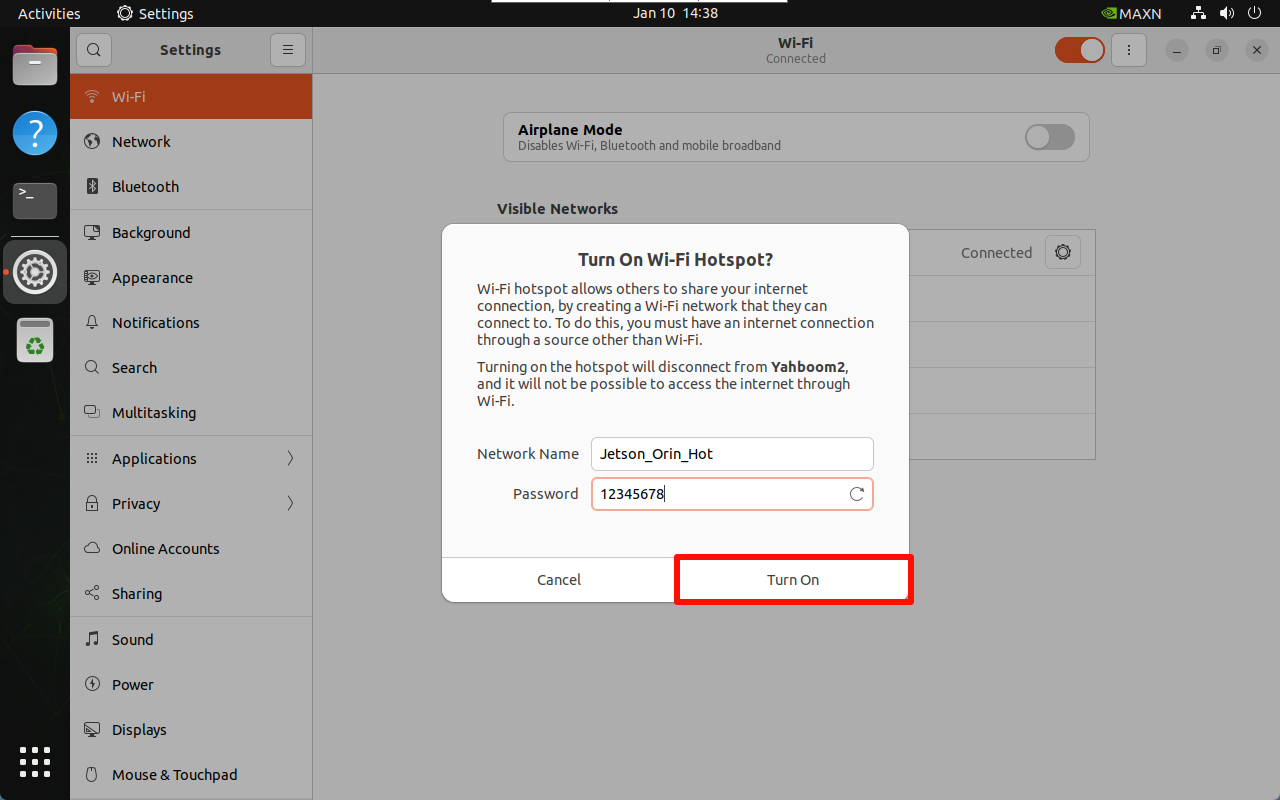
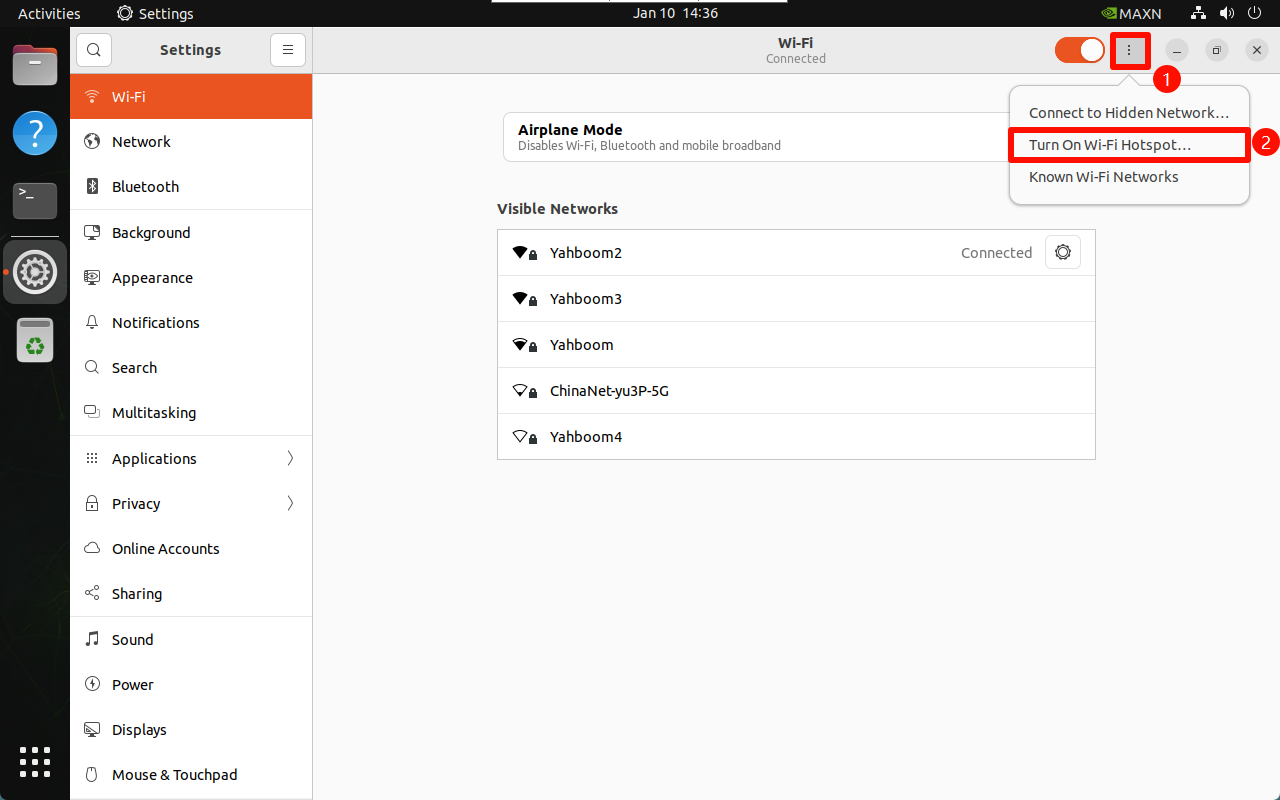
Enter the WiFi settings and select Turn On Wi-Fi Hotspot...
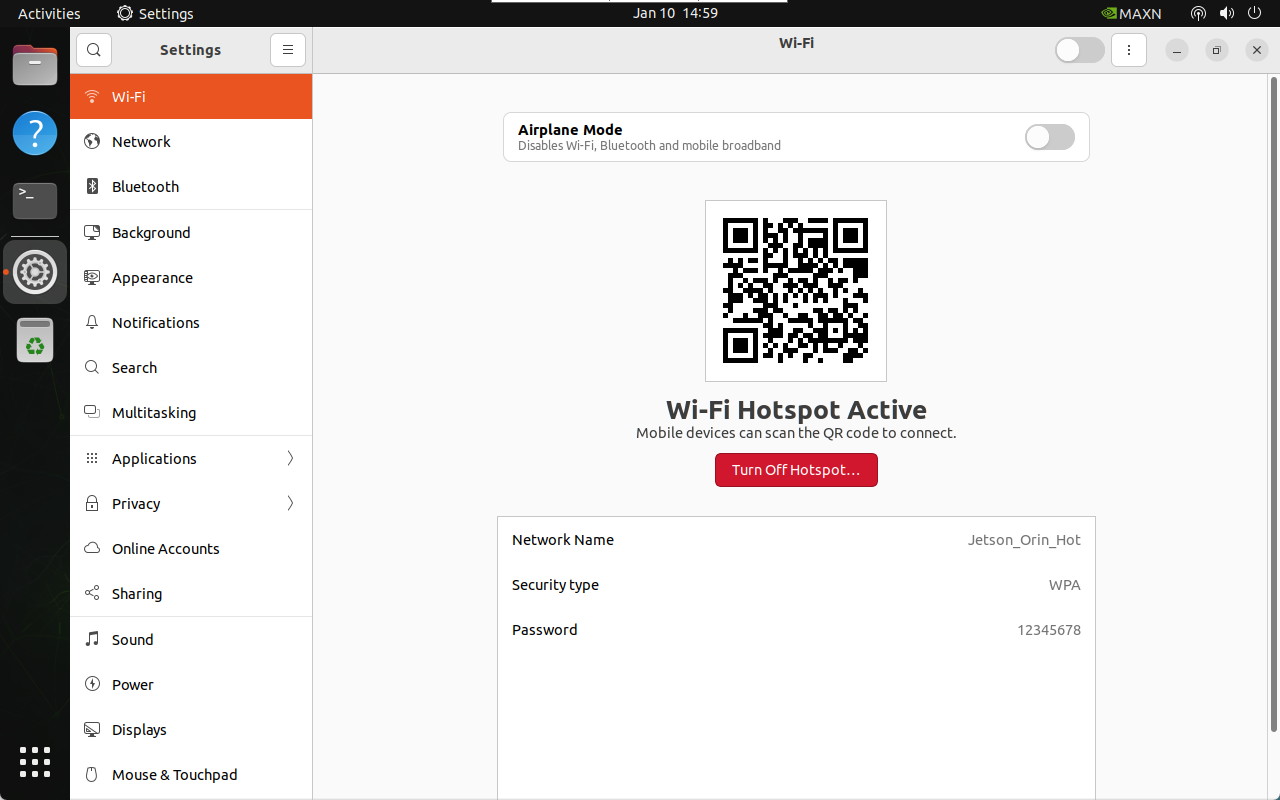
2.2. Hotspot Information
Hotspot name: Jetson_Orin_Hot (customizable)
Hotspot password: 12345678 (customizable)
Default IP of the hotspot mode: 10.42.0.1