Welcome to Jetson Orin NANO Developer Kit repository
03.DNN stereoscopic depth
Isaac ROS DNN Stereo Depth
Isaac ROS DNN Stereo Depth official website link: https://nvidia-isaac-ros.github.io/repositories_and_packages/isaac_ros_dnn_stereo_depth/index.html
Overview
DNN Stereo Depth uses deep learning to estimate disparity/depth from stereo images, and can provide distance information for robot manipulation, navigation, and obstacle avoidance. ESS is also the stereo depth component in the Isaac ROS perception solution.

Quick Experience
First use the command below to start the container
xxxxxxxxxx./run_isaac.sh
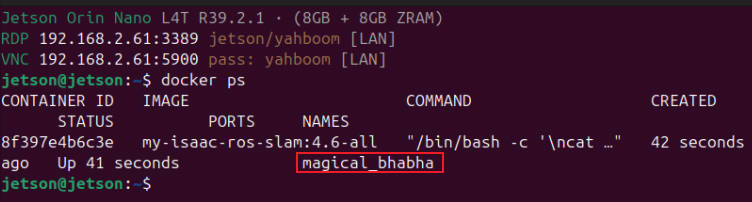
Then confirm the container on the host with docker ps, and open container terminals with docker exec -it <container name> bash; each terminal should use the same ROS/FastDDS environment, for example:
Note: The terminals below all execute inside the container:
After the power mode is set to MAXN, an overcurrent warning may pop up when running the case; ignore it.
Terminal A: Start Nano pool=8 ESS, specifying the model size that matches the 1920×1080 input:
xxxxxxxxxxros2 launch /workspaces/isaac_ros-dev/launch/ess_nano_pool8.launch.py \ engine_file_path:=/workspaces/isaac_ros-dev/isaac_ros_assets/models_pending/dnn_stereo_disparity/dnn_stereo_disparity_v4.1.0_onnx_trt10.16/ess.engine \ ess_plugin_file_path:=/workspaces/isaac_ros-dev/isaac_ros_assets/models_pending/dnn_stereo_disparity/dnn_stereo_disparity_v4.1.0_onnx_trt10.16/plugins/aarch64/ess_plugins.so \ input_image_width:=1920 input_image_height:=1080 \ model_input_width:=960 model_input_height:=576 threshold:=0.0Terminal B: Play the ESS input bag in a loop:
xxxxxxxxxxros2 bag play /workspaces/isaac_ros-dev/isaac_ros_assets/isaac_ros_ess/rosbags/ess_rosbag \ --loop --rate 0.25 --remap \ /left/camera_info:=/left/camera_info_rect \ /right/camera_info:=/right/camera_info_rectTerminal C: Start the official DNN Stereo visualizer:
xxxxxxxxxxros2 run isaac_ros_dnn_stereo_decoder isaac_ros_dnn_stereo_visualizer.py
When threshold is set to 0.4, the result is displayed as follows:

Terminal D: Check the disparity output for a short time:
timeout 8 ros2 topic hz /disparity