Welcome to Jetson Orin NANO Developer Kit repository
11.Modify screen resolution
Changing the ORIN Display Resolution
Changing the ORIN Display Resolution1. Direct Operation with a Mouse2. Changing via VNC Remote Login
This tutorial takes a 7-inch screen as an example
1. Direct Operation with a Mouse
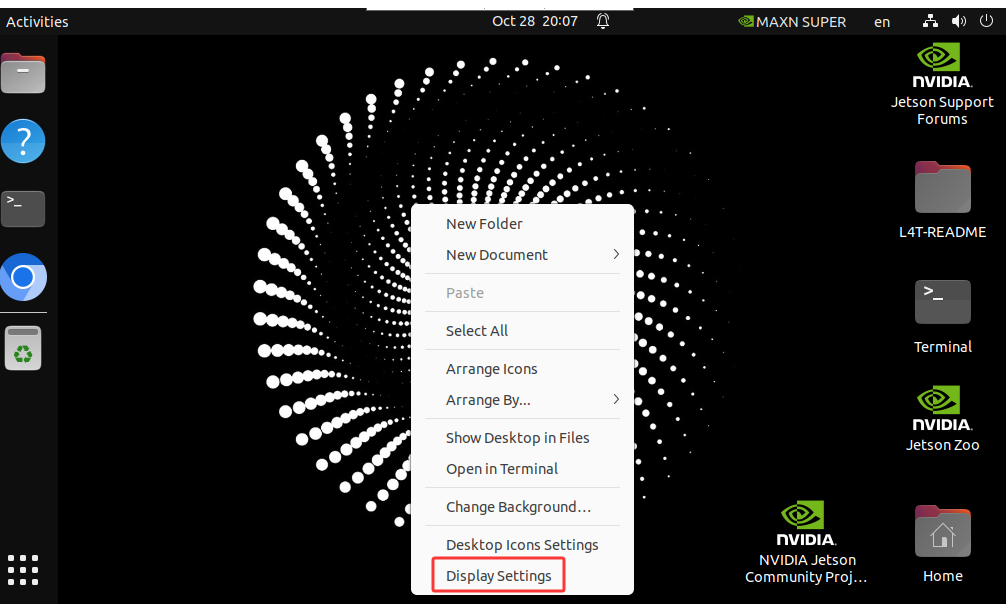
Connect the mouse to the USB port of the ORIN, right-click on the desktop, and select Display Setting
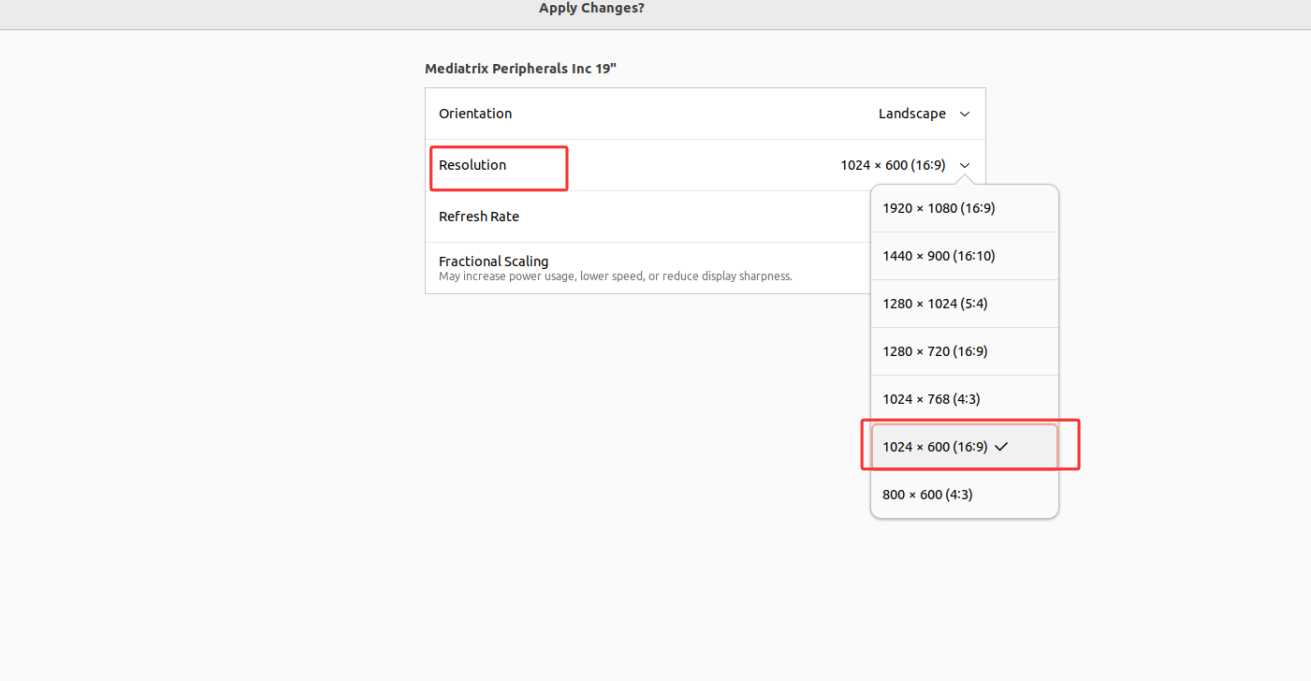
Click Resolution. Since the resolution of the 7-inch screen is 1024x600, select 1024x600 here
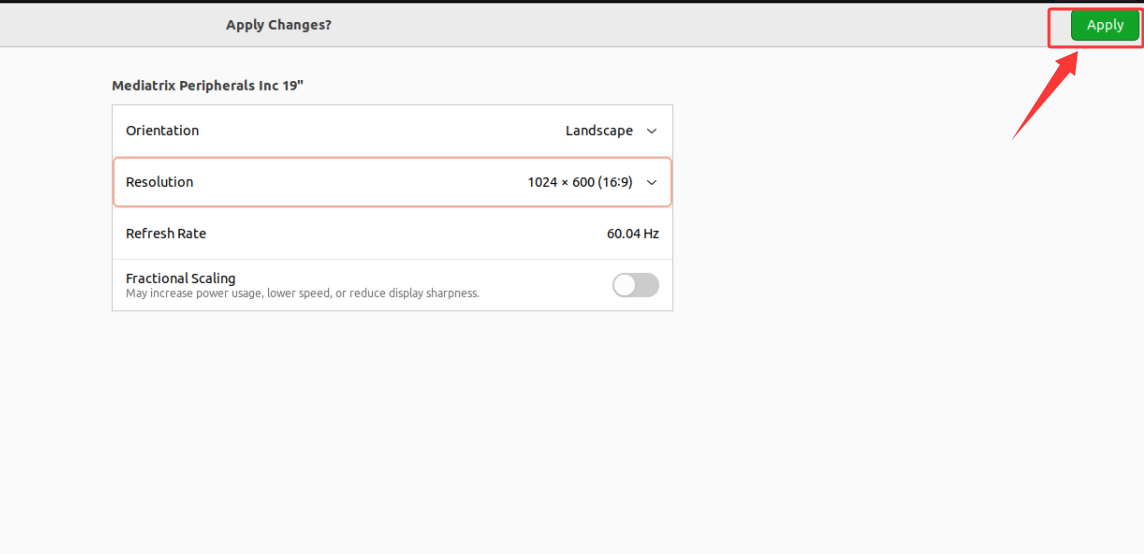
After selecting, click Apply in the upper right corner
After clicking Apply, the prompt shown below appears; click Keep Changes.
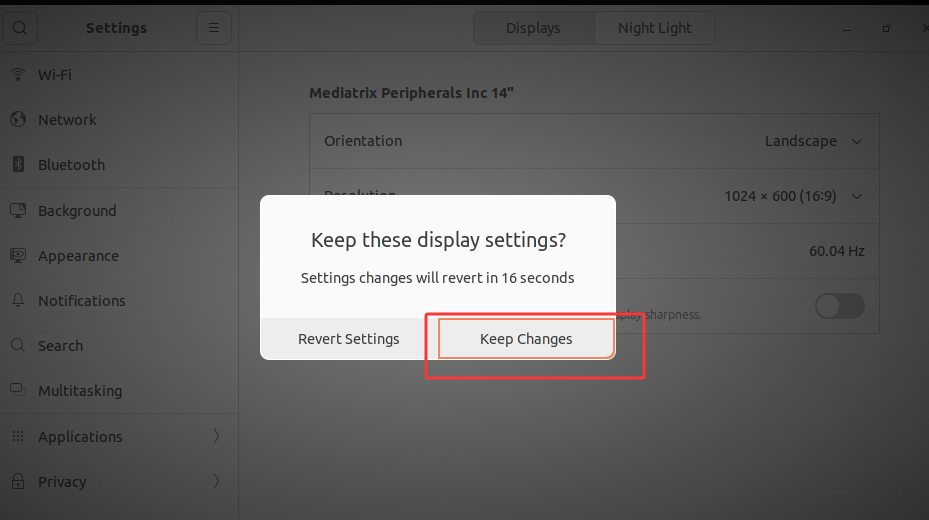
The modification is complete after the above steps are finished.
2. Changing via VNC Remote Login
Refer to the 04. VNC Remote Control chapter and remotely log in to the ORIN mainboard through VNC
After logging in, right-click on the desktop and select Display Setting
Click Resolution. Since the resolution of the 7-inch screen is 1024x600, select 1024x600 here
After selecting, click Apply in the upper right corner
After clicking Apply, VNC disconnects immediately, and VNC needs to be logged in remotely again at this point. After logging in, the prompt shown below appears; click Keep Changes.
The modification is complete after the above steps are finished.