Welcome to Jetson Orin NANO Developer Kit repository
04.Vehicle model classification
TAO VehicleTypeNet Vehicle Model Classification
TAO VehicleTypeNet Vehicle Model Classification1. Case Goal and Processing Flow2. Pre-Run Checks3. Starting Detection4. USB Camera Real-Time Detection4.1 Direct Run4.2 Common Parameters5. CSI Camera Real-Time Detection5.1 Direct Run5.2 Common Parameters6. Common Issues
Applicable environment: Jetson Orin Nano, JetPack 7.2.1, DeepStream 9.1
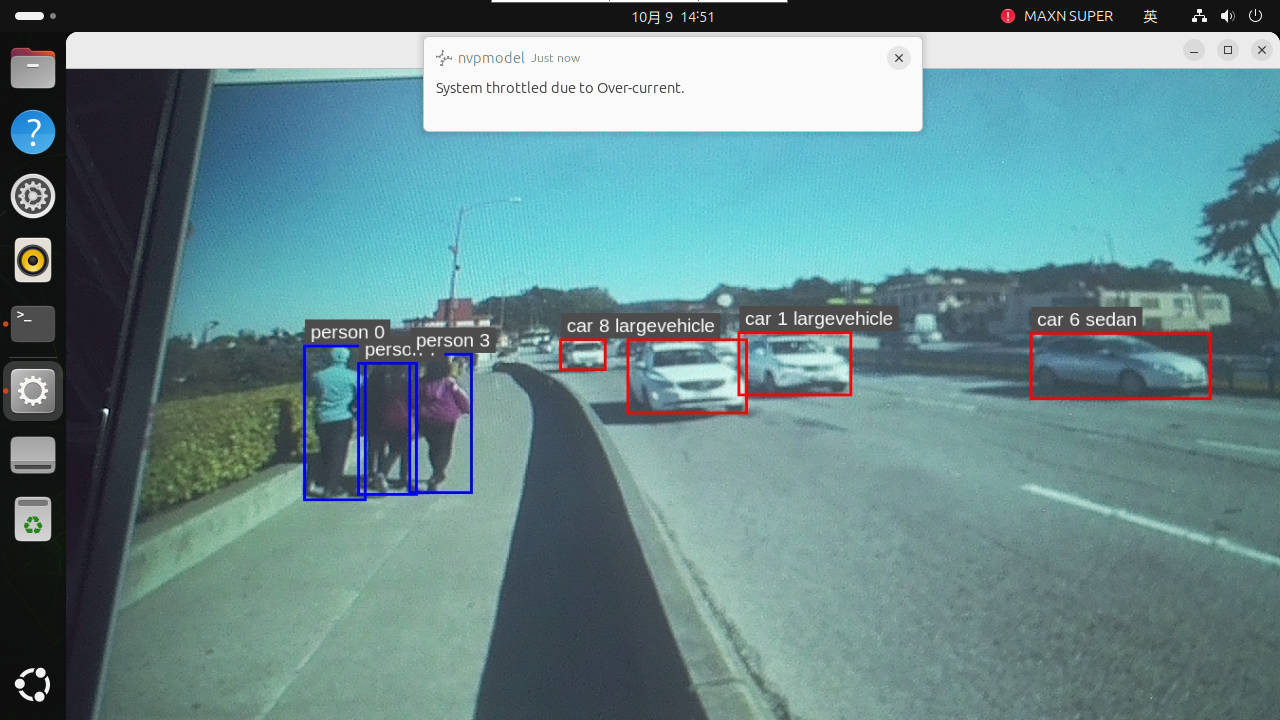
After setting the power mode to MAXN, running the case may pop up an over-current warning; just ignore it.
1. Case Goal and Processing Flow
VehicleTypeNet classifies vehicle region crops and does not replace a vehicle detector. The preceding TrafficCamNet produces vehicle boxes, and DeepStream crops them before feeding the vehicle model.
video/USB/CSI → TrafficCamNet → vehicle crop → VehicleTypeNet → vehicle class overlay → preview/video output2. Pre-Run Checks
xxxxxxxxxxcd ~/DeepStream/tao-toolkit-shell-demols -lh video_in/sample_1080p_h265.mp4ls -ld video_outWhen a real-time camera is needed, confirm the camera is connected and not occupied by other applications.
3. Starting Detection
Run vehicle model classification alone:
xxxxxxxxxx./run_video.sh vehicle --type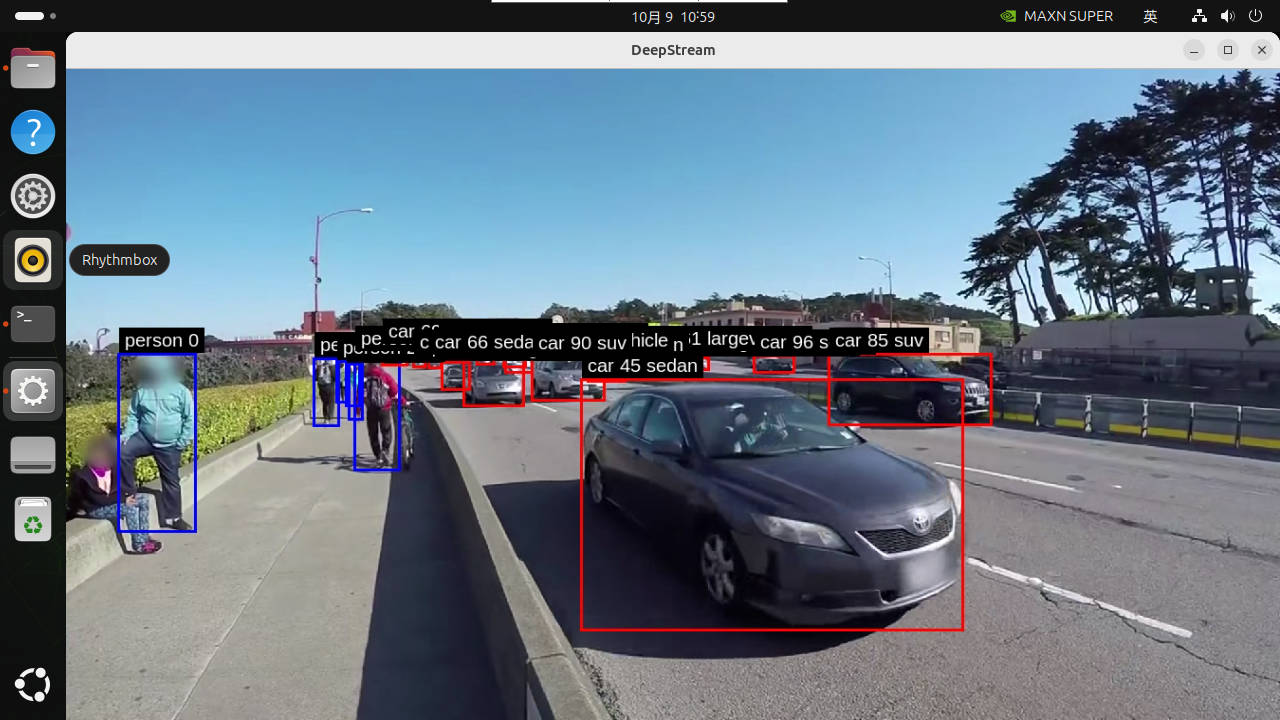
The input is video_in/sample_1080p_h265.mp4, and the output is video_out/out_vehicle_type.mp4. Running ./run_video.sh vehicle runs both brand and vehicle model classification, outputting video_out/out_vehicle.mp4.
Replacing the test video: replace the video according to the input path specified in the configuration, or check the configuration first and then modify the input source. Use gst-discoverer-1.0 to confirm the encoding can be decoded; keep the original material before replacing, and rename and save old outputs you need to keep before re-running.
4. USB Camera Real-Time Detection
4.1 Direct Run
Connect the USB camera, check the device and formats, then start the vehicle model branch:
xxxxxxxxxxls -l /dev/video*cd ~/DeepStream/tao-toolkit-shell-demo./run_usb.sh vehicle --typeObserve the live vehicle boxes and vehicle model labels in the Jetson desktop/VNC. The camera entry only previews and does not generate out_vehicle_type.mp4.
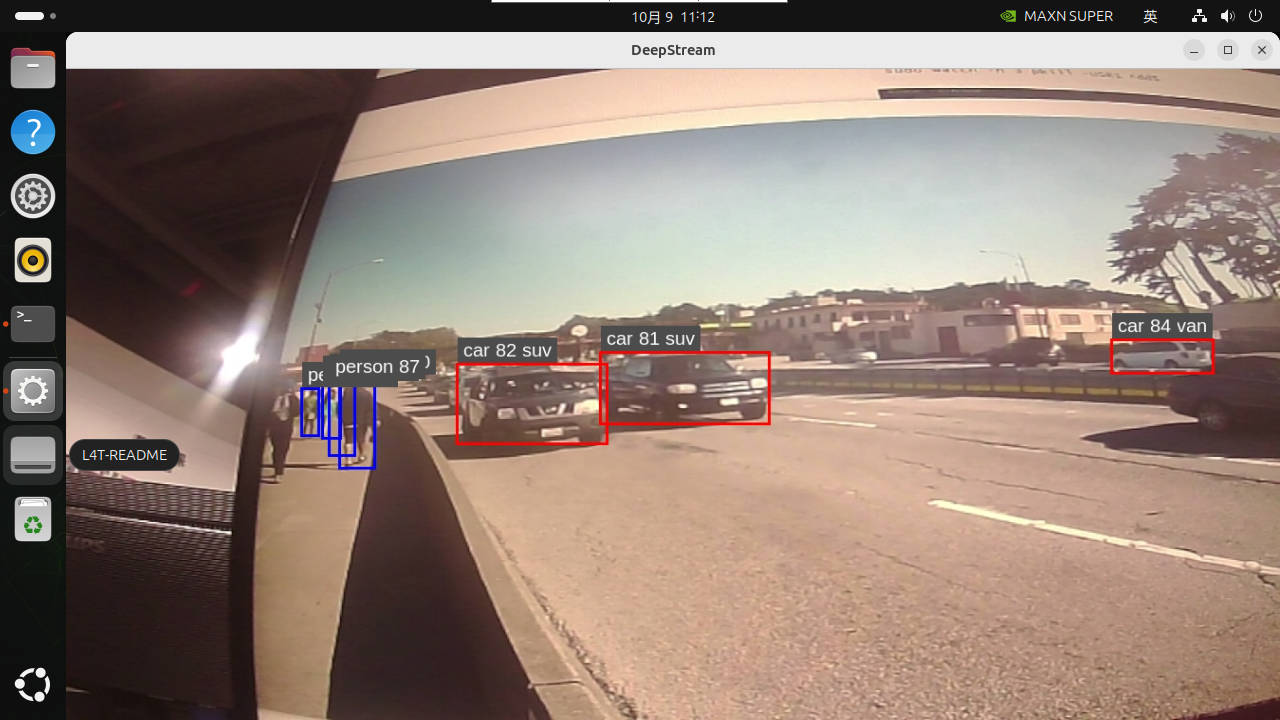
To stop, press Ctrl+C once and wait for the application to exit and the camera to be released. Vehicle model labels are produced only after TrafficCamNet detects vehicles.
4.2 Common Parameters
Before running, you can check the formats, resolutions, and frame rates supported by the camera:
xxxxxxxxxxv4l2-ctl -d /dev/video0 --list-formats-ext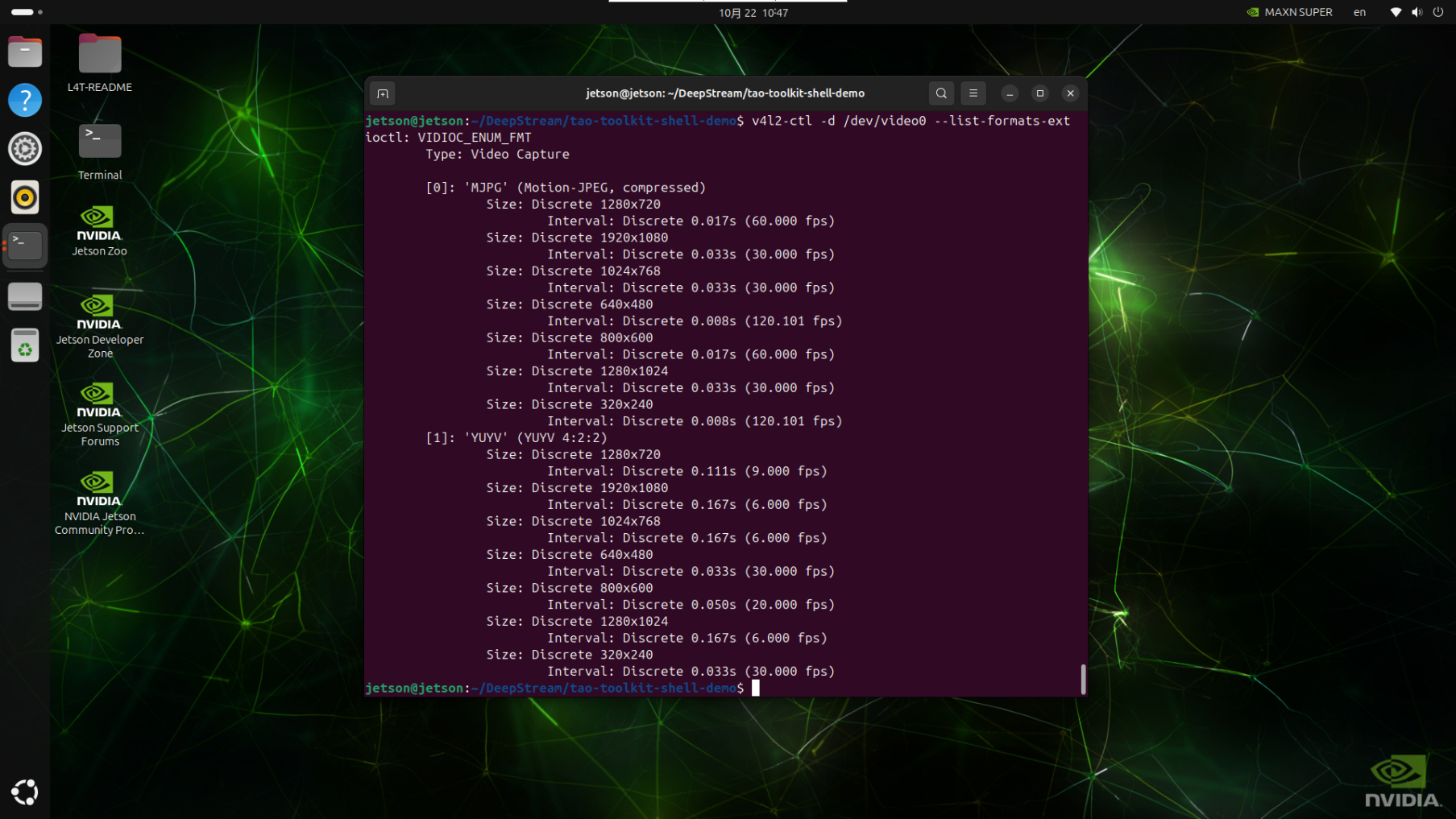
Note: the USB pipeline of Object Embedding Vector Generation is fixed to YUY2, so among the parameters below, choose the YUY2 parameters
x# View all parameters./run_usb.sh vehicle --type --help
# Use another video device./run_usb.sh vehicle --type --device /dev/video1
# Choose from the configurations found above that the camera supports; here we use 1280×720, 9FPS./run_usb.sh vehicle --type --width 1280 --height 720 --fps 95. CSI Camera Real-Time Detection
5.1 Direct Run
The CSI entry supports live preview. Connect a compatible camera, confirm the driver and Argus service are working, then run the corresponding command in a Jetson desktop/VNC graphical terminal:
xxxxxxxxxxcd ~/DeepStream/tao-toolkit-shell-demo./run_csi.sh vehicle --typeCSI mode supports live preview and does not generate offline video output. To stop, press Ctrl+C once and wait for the program to release the camera.
5.2 Common Parameters
Before running, you can check the formats, resolutions, and frame rates supported by the camera; this must be run in a graphical interface:
xxxxxxxxxxgst-launch-1.0 nvarguscamerasrc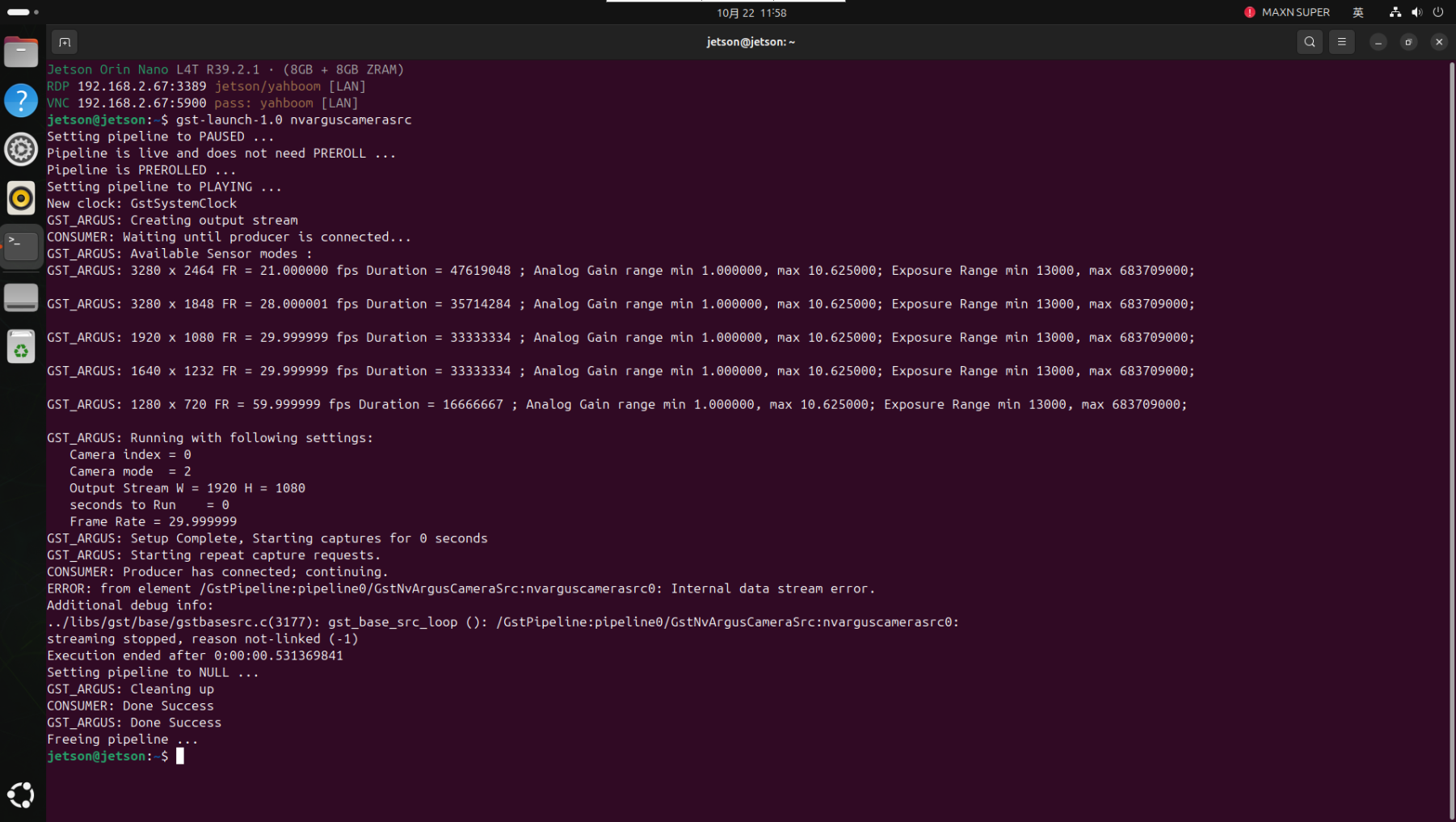
xxxxxxxxxx# View all parameters./run_csi.sh vehicle --type --help
# Use the second CSI camera./run_csi.sh vehicle --type --sensor-id 1
# Adjust input size and frame rate./run_csi.sh vehicle --type --width 1920 --height 1080 --fps 30
6. Common Issues
| Symptom | Check and Handling |
|---|---|
| Only vehicle boxes, no vehicle model labels | Check the preceding detection, the vehicle model secondary configuration, labels, and the corresponding engine. |
| Vehicle model not as expected | The class set is limited and depends on region/data distribution; evaluate with target material first. |
| USB device cannot be opened | Check /dev/video*, supported formats, permissions, and occupancy. |
| No CSI image | Check the compatible module, cable, sensor driver, Argus service, and camera occupancy. |
| No video file in camera mode | The camera entry only previews; video output is accepted only on the offline branch configured with a file sink. |