Welcome to Jetson Orin NANO Developer Kit repository
06.Image segmentation
Isaac ROS Image Segmentation
Isaac ROS Image Segmentation official website link: https://nvidia-isaac-ros.github.io/repositories_and_packages/isaac_ros_image_segmentation/index.html
Overview
Image segmentation classifies the input image pixel by pixel through a DNN, and outputs the spatial distribution of each semantic class in the image, which can be used for subsequent perception and scene understanding.
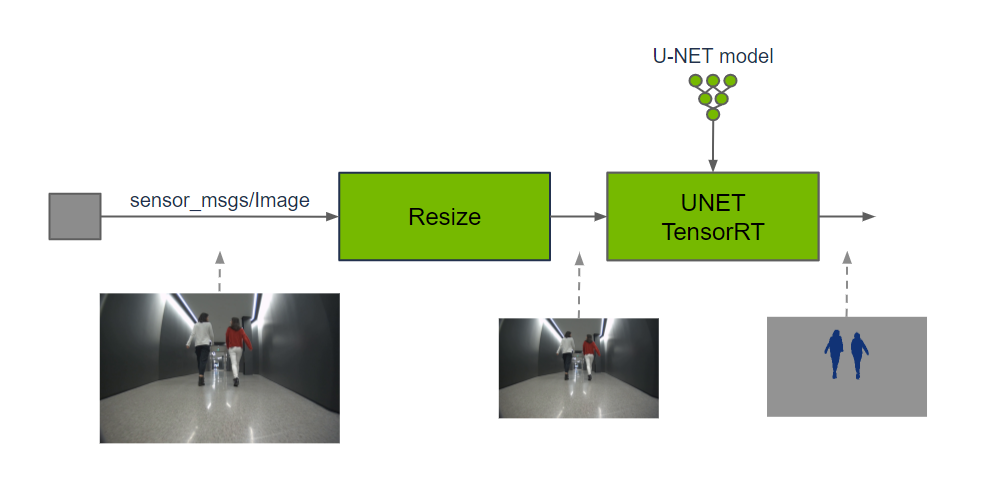
Model Preparation
seg_all.launch.py requires a SegFormer TensorRT engine with NCHW input and int64 output. First check the model directory:
xxxxxxxxxxcd /workspaces/isaac_ros-dev/isaac_ros_assetsls -lh models/triton/optimized_deployable_shuffleseg_unet_amr_v1.0/1/model.plan models_pending/optimized_deployable_shuffleseg_unet_amr_v1.0/1/model.planIf model.plan is already in the active directory, no switch is required. If the model exists in the pending directory and it is confirmed that it should be made active, execute inside the container:
xxxxxxxxxxmv models/triton/optimized_deployable_shuffleseg_unet_amr_v1.0 models_pending/mv models_pending/optimized_deployable_shuffleseg_unet_amr_v1.0 models/triton/ls -lh models/triton/optimized_deployable_shuffleseg_unet_amr_v1.0/1/model.planBefore executing, confirm that the active directory exists and that there is no directory with the same name in pending, so as to avoid a failed move or overwriting an existing model. After switching, confirm that model.plan exists, and then start the case. This launch file loads the plan directly and does not need to start the Triton server.
Quick Experience
First use the command below to start the container
xxxxxxxxxx./run_isaac.sh
Then confirm the container on the host with docker ps, and open container terminals with docker exec -it <container name> bash; each terminal should use the same ROS/FastDDS environment, for example:
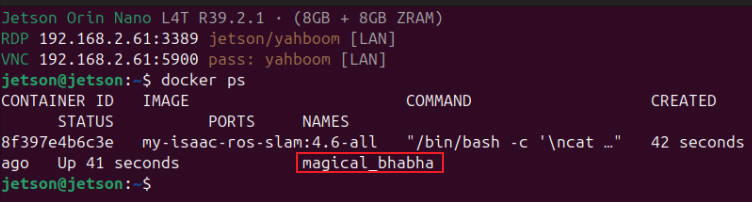
Note: The terminals below all execute inside the container:
After the power mode is set to MAXN, an overcurrent warning may pop up when running the case; ignore it.
Terminal A: Start segmentation and RViz:
xxxxxxxxxxros2 launch /workspaces/isaac_ros-dev/launch/seg_all.launch.pyThe RViz configuration rviz/segformer.rviz displays the original image /image and the colored mask /segformer/colored_segmentation_mask.
Terminal B: Play the input bag in a loop:
xxxxxxxxxxros2 bag play --loop \ /workspaces/isaac_ros-dev/isaac_ros_assets/isaac_ros_segformer/segformer_sample_data \ --remap \ /image_rect:=/image \ /camera_info_rect:=/camera_info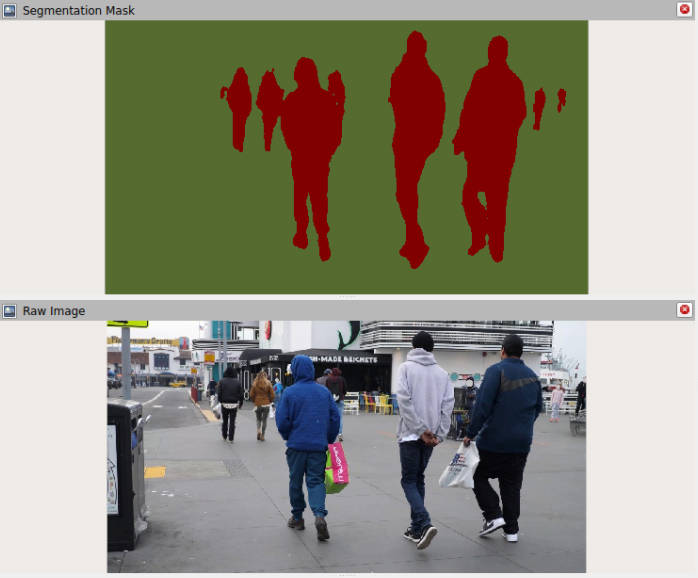
Terminal C: Check the mask size, encoding, and frequency:
ros2 topic echo --once /segformer/colored_segmentation_mask --field widthros2 topic echo --once /segformer/colored_segmentation_mask --field heightros2 topic echo --once /segformer/colored_segmentation_mask --field encodingtimeout 8 ros2 topic hz /segformer/colored_segmentation_mask