Welcome to Jetson Orin NANO Developer Kit repository
06.Image translation
Image Translation
1. Implementation Principle
Use the cv2.warpAffine() function to perform affine transformation (translation, rotation, scaling and shearing) on the image.
2. Implementation Effect
xxxxxxxxxxcd ~/opencv
xxxxxxxxxxpython3 06.image_translate.py
Note: click the image window and press any key to exit.
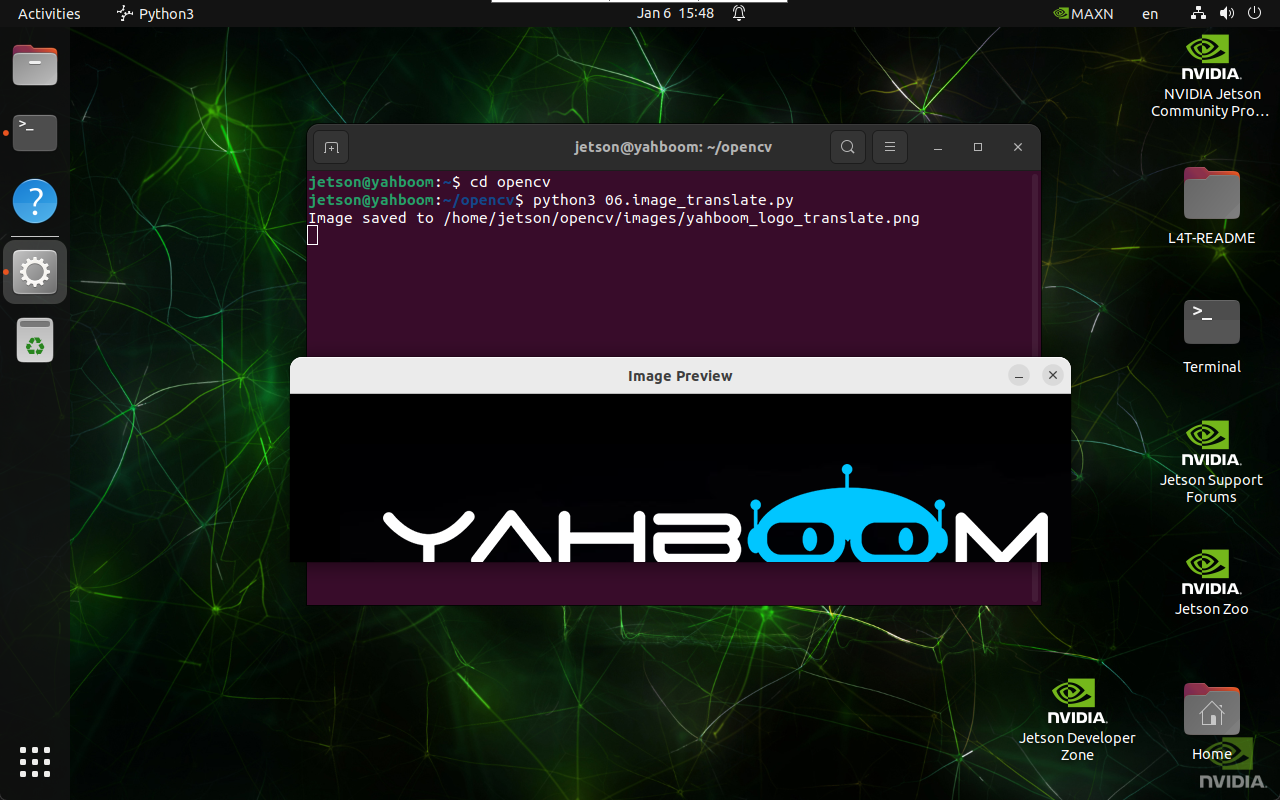
3. Implementation Code
import cv2import numpy as npdef translate_image(input_path, output_path, tx, ty):image = cv2.imread(input_path)if image is None:print("Error: Unable to open image file.")returnM = np.float32([[1, 0, tx], [0, 1, ty]])shifted_image = cv2.warpAffine(image, M, (image.shape[1], image.shape[0]))if cv2.imwrite(output_path, shifted_image):print(f"Image saved to {output_path}")cv2.imshow('Image Preview', cv2.imread(output_path))cv2.waitKey(0)cv2.destroyAllWindows()else:print("Error: Unable to save image file.")translate_image('/home/jetson/opencv/images/yahboom_logo.png', \'/home/jetson/opencv/images/yahboom_logo_translate.png', \50, 50)