Welcome to Jetson Orin NANO Developer Kit repository
6.ROS2 node
6. ROS 2 Node
1. Node Introduction
During communication, no matter which method is adopted, the construction of communication objects depends on nodes. In ROS 2, each node generally corresponds to a single function module (for example: the radar driver node may be responsible for publishing radar messages, and the camera driver node may be responsible for publishing image messages). A complete robot system may consist of many nodes working together; a single executable file (C++ program or Python program) in ROS 2 can contain one or more nodes.
2. Node Creation Process
Create the program file
Import the related ROS libraries
Write the node function
Write the configuration file
Compile and run
3. Hello World Node Case
This section uses a Python package as an example.
3.1. Create a Python Package
Replace workspace with the actual workspace path
cd workspace/srcros2 pkg create pkg_helloworld_py --build-type ament_python --dependencies rclpy --node-name helloworld3.2. Write the Code
After executing the above command, pkg_helloworld_py will be created, and a helloworld.py file will also be created to write the node:
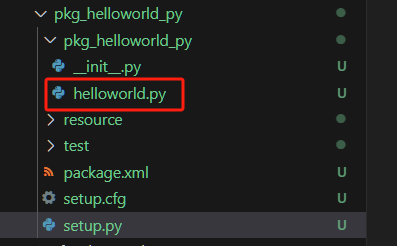
Delete the original code of helloworld.py and write the following code:
ximport rclpy # ROS2 Python interface libraryfrom rclpy.node import Node # ROS2 node classimport time
"""Create a HelloWorld node that outputs the "hello world" log at initialization"""class HelloWorldNode(Node): def __init__(self, name): super().__init__(name) # Initialize the ROS2 node parent class while rclpy.ok(): # Whether the ROS2 system is running normally self.get_logger().info("Hello World") # ROS2 log output time.sleep(0.5) # Sleep to control the loop period
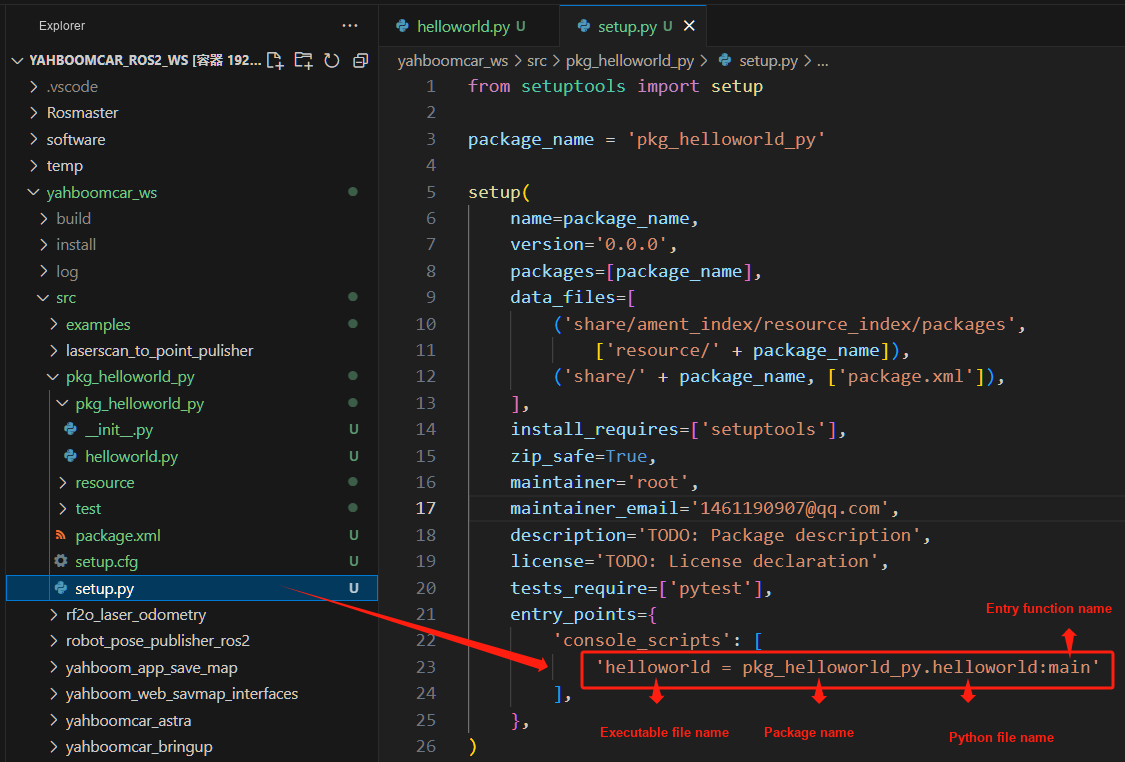
def main(args=None): # Main entry function of the ROS2 node rclpy.init(args=args) # Initialize the ROS2 Python interface node = HelloWorldNode("helloworld") # Create and initialize the ROS2 node object rclpy.spin(node) # Loop and wait for ROS2 to exit node.destroy_node() # Destroy the node object rclpy.shutdown() # Shut down the ROS2 Python interfaceAfter finishing the code, the package's build options need to be set so that the system knows the entry point of the Python program. Open the package's setup.py file and add the following entry point configuration:
3.3. Compile the Package
Compile the package
xxxxxxxxxxcolcon build --packages-select pkg_helloworld_pyRefresh the environment variables in the workspace
xxxxxxxxxxsource install/setup.bash3.4. Run the Node
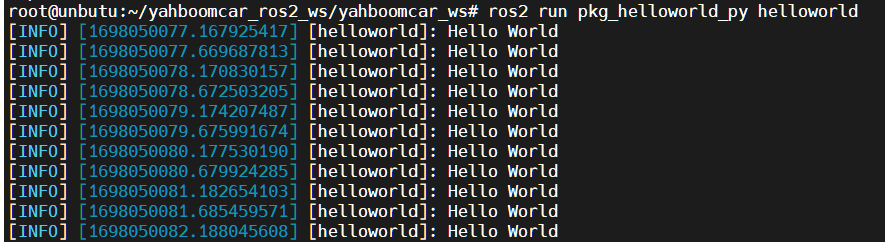
xxxxxxxxxxros2 run pkg_helloworld_py helloworldAfter it runs successfully, you can see the effect of printing the "Hello World" string in a loop in the terminal: