Welcome to Jetson Orin NANO Developer Kit repository
10.Visual SLAM
Isaac ROS Visual SLAM
Isaac ROS Visual SLAM official documentation: https://nvidia-isaac-ros.github.io/repositories_and_packages/isaac_ros_visual_slam/index.html
Overview
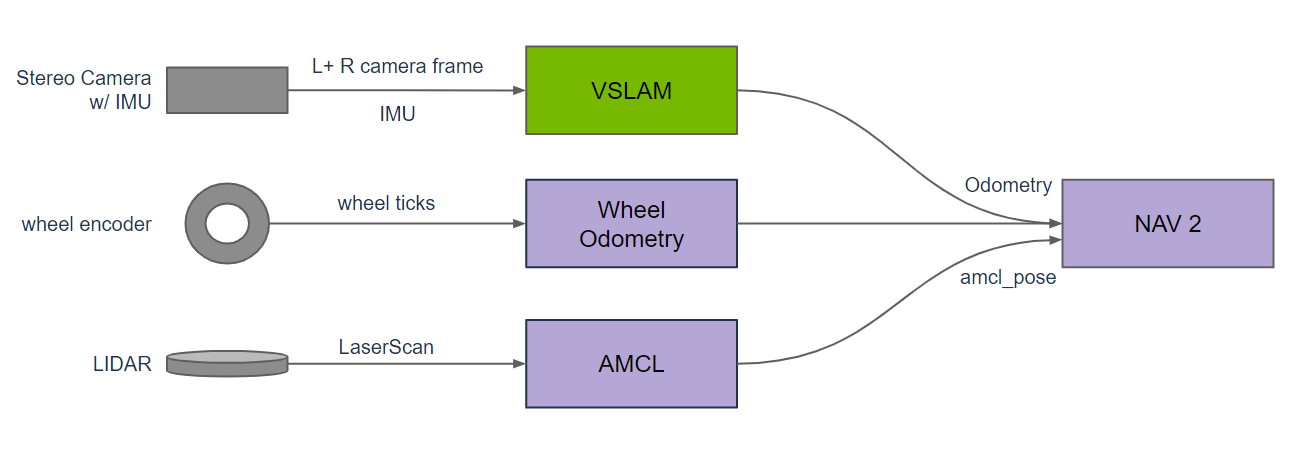
Isaac ROS Visual SLAM uses one or more stereo cameras and an optional IMU to estimate the robot odometry, and can serve as the input for mobile robot navigation or drone localization.
Quick Experience
First start the container with the following command:
./run_isaac.sh
Then confirm the container on the host with docker ps, and open container terminals with docker exec -it <container name> bash. Every terminal should use the same ROS/FastDDS environment, for example:
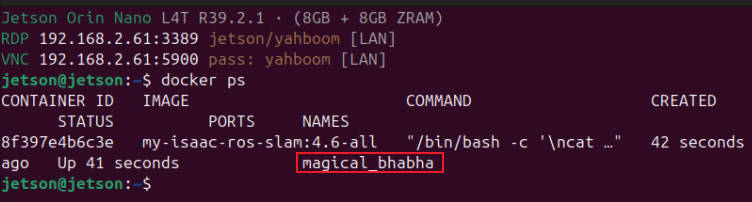
Note: All the terminals below run inside the container.
Terminal A: Loop the bag and remap the front stereo camera to the VSLAM inputs:
xxxxxxxxxxros2 bag play /workspaces/isaac_ros-dev/isaac_ros_assets/isaac_ros_visual_slam/quickstart_bag \ --loop --rate 0.5 --remap \ /front_stereo_camera/left/image_raw:=/visual_slam/image_0 \ /front_stereo_camera/left/camera_info:=/visual_slam/camera_info_0 \ /front_stereo_camera/right/image_raw:=/visual_slam/image_1 \ /front_stereo_camera/right/camera_info:=/visual_slam/camera_info_1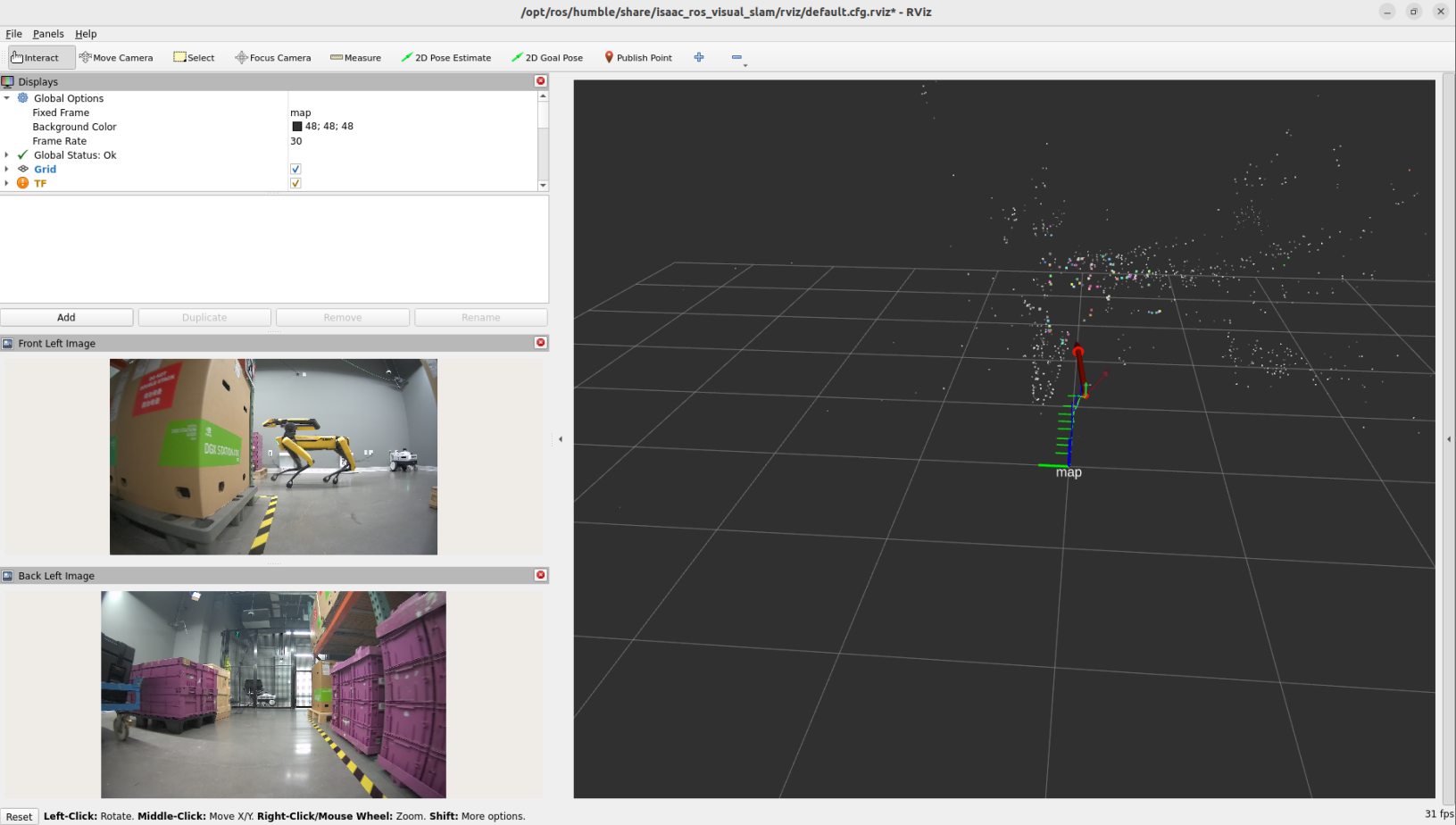
Terminal B: Monitor the odometry:
xxxxxxxxxxros2 topic hz /visual_slam/tracking/odometryA single odometry message and the map output topics can also be checked:
xxxxxxxxxxros2 topic echo /visual_slam/tracking/odometry --onceros2 topic info /visual_slam/vis/landmarks_cloud -vros2 topic info /visual_slam/tracking/slam_path -vTerminal C: Start the customized cuVSLAM and RViz launch:
xxxxxxxxxxros2 launch /workspaces/isaac_ros-dev/launch/vslam.launch.pyRViz uses /workspaces/isaac_ros-dev/rviz/vslam_nano.rviz with Fixed Frame set to map. It displays the front-left image /visual_slam/image_0, the rear-left image /back_stereo_camera/left/image_raw, the SLAM landmarks/path, and single-frame odometry. Do not switch to vslam_keepall.cfg.rviz, which overlays a large number of historical odometry graphics.