Welcome to Jetson Orin NANO Developer Kit repository
04.Camera calibration (CSI)
Camera Calibration (CSI)
Camera Calibration (CSI)1. Start the Camera2. Image Calibration2.1. Calibration Board2.2. View Topics2.3. Image Calibration2.3.1. Install the Image Calibration Tool2.3.2. Start the Image Calibration Tool2.3.3. Calibration Process2.3.4. Calibration Result
1. Start the Camera
cd ~/yahboom_ws
xxxxxxxxxxsource install/setup.bash
xxxxxxxxxxros2 run camera camera_csi
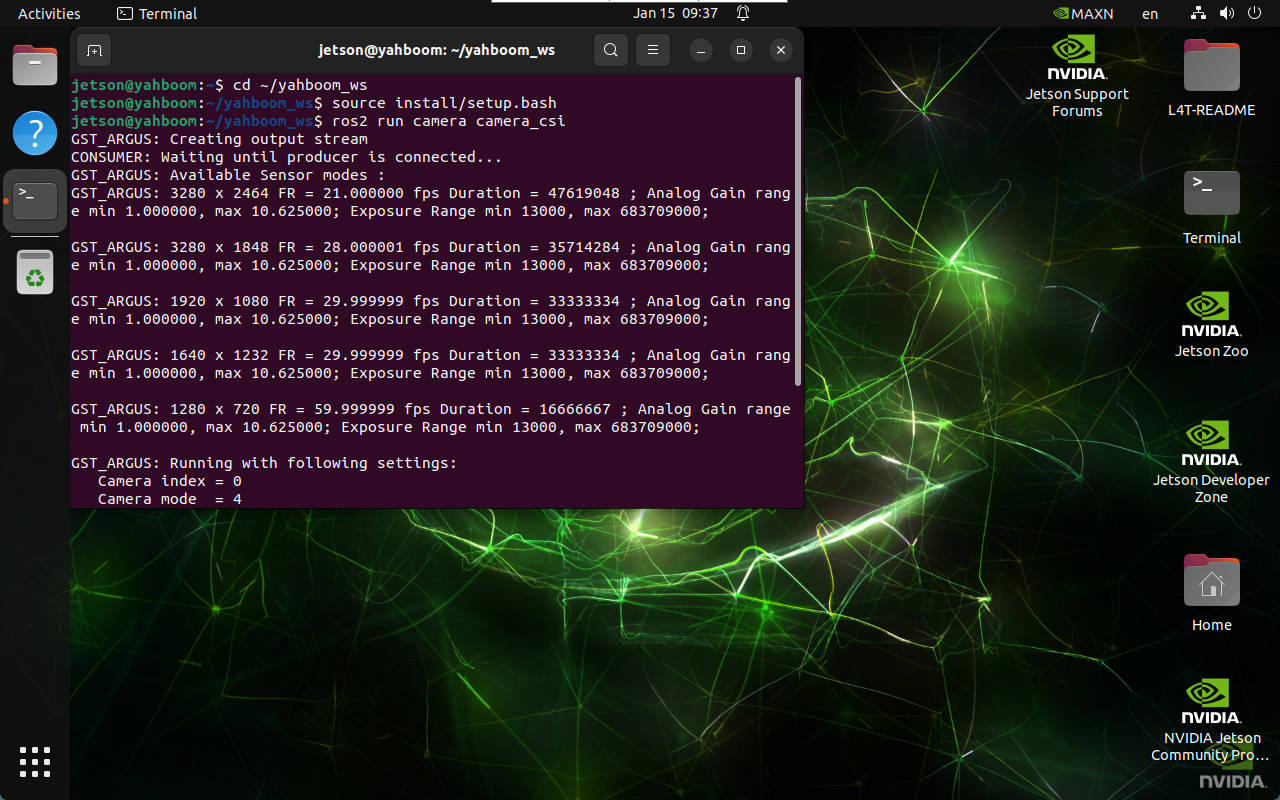
2. Image Calibration
2.1. Calibration Board
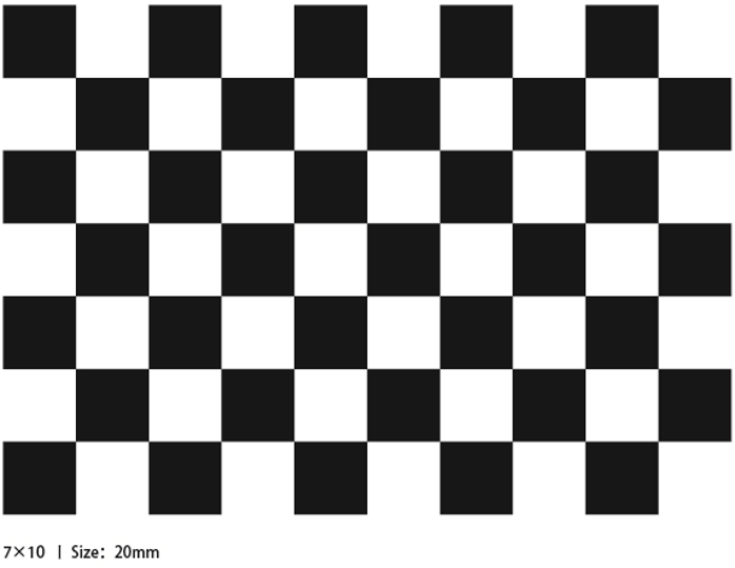
2.2. View Topics
xxxxxxxxxxros2 topic list
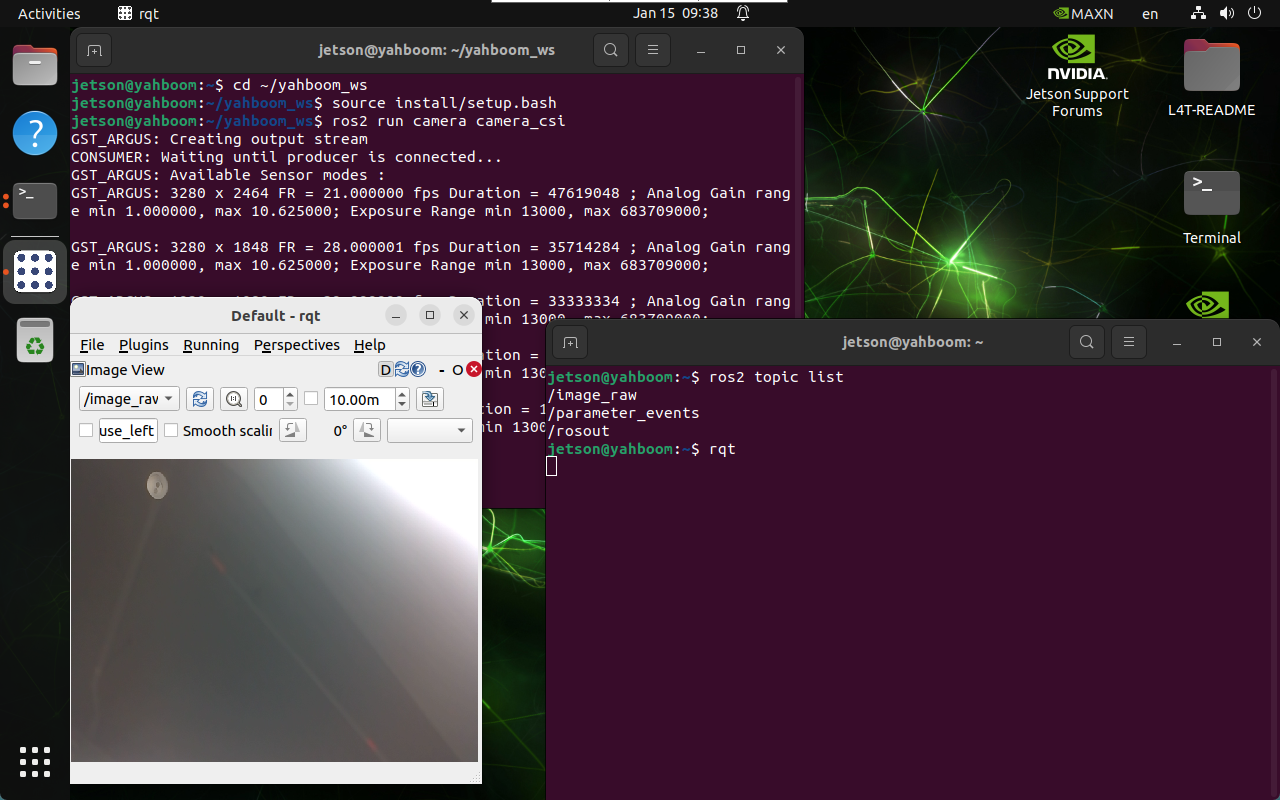
2.3. Image Calibration
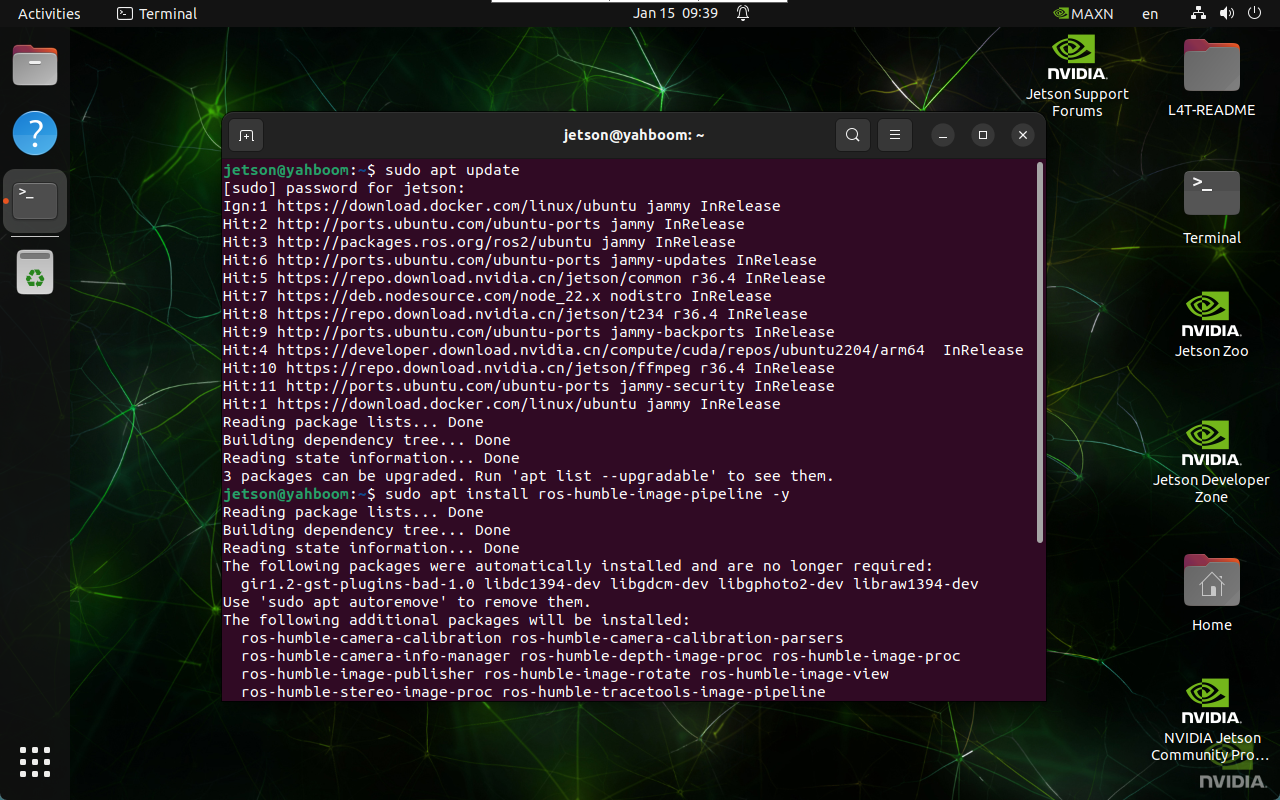
2.3.1. Install the Image Calibration Tool
xxxxxxxxxxsudo apt updatesudo apt install ros-${ROS_DISTRO}-image-pipeline -y
2.3.2. Start the Image Calibration Tool
Start the ROS 2 camera calibration tool camera_calibration and perform camera calibration: the camera must be started before calibration
xxxxxxxxxxros2 run camera_calibration cameracalibrator --size 9x6 --square 0.02 --ros-args --remap /image:=/image_raw
Parameter Description
--size: the number of inner corner points of the checkerboard → 9 rows and 6 columns of inner corner points
--square: the side length of the checkerboard → 0.02 m
--ros-args: pass ROS arguments
--remap: topic remapping → /image_raw as the image input stream
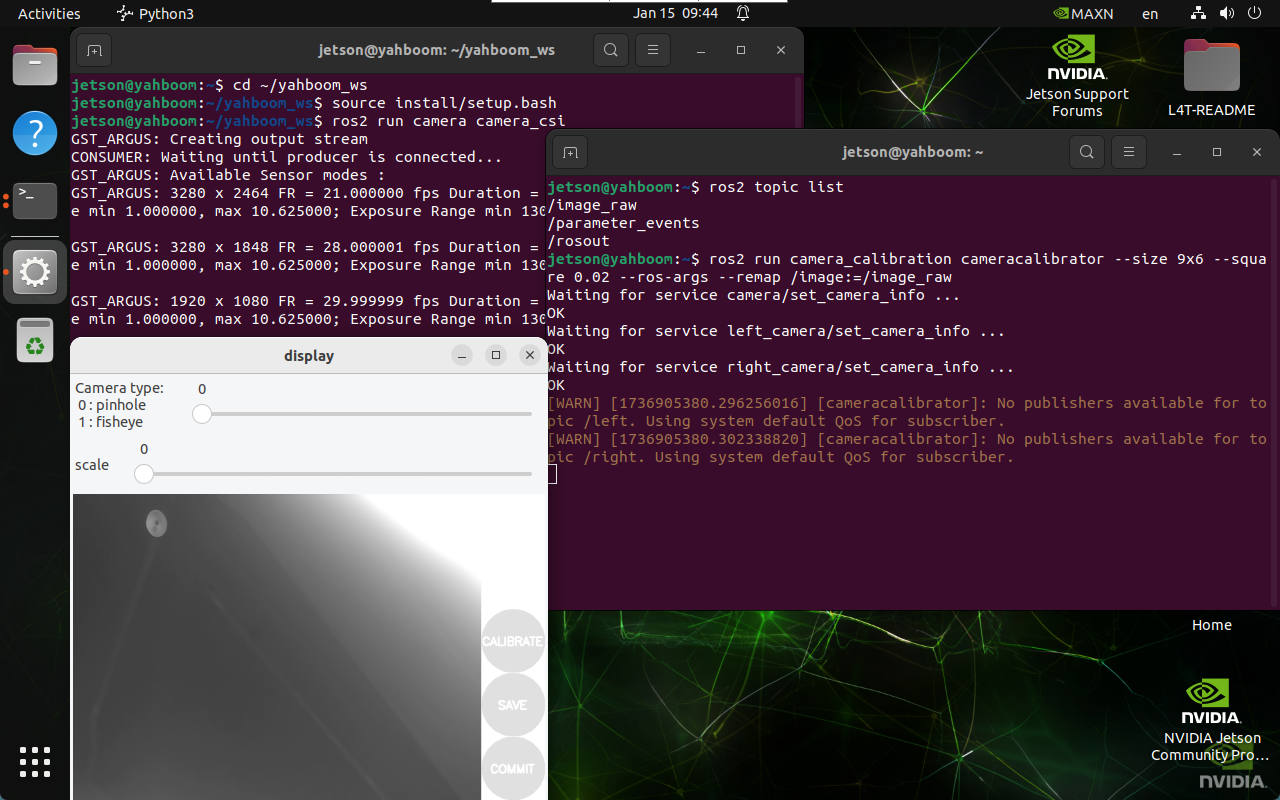
2.3.3. Calibration Process
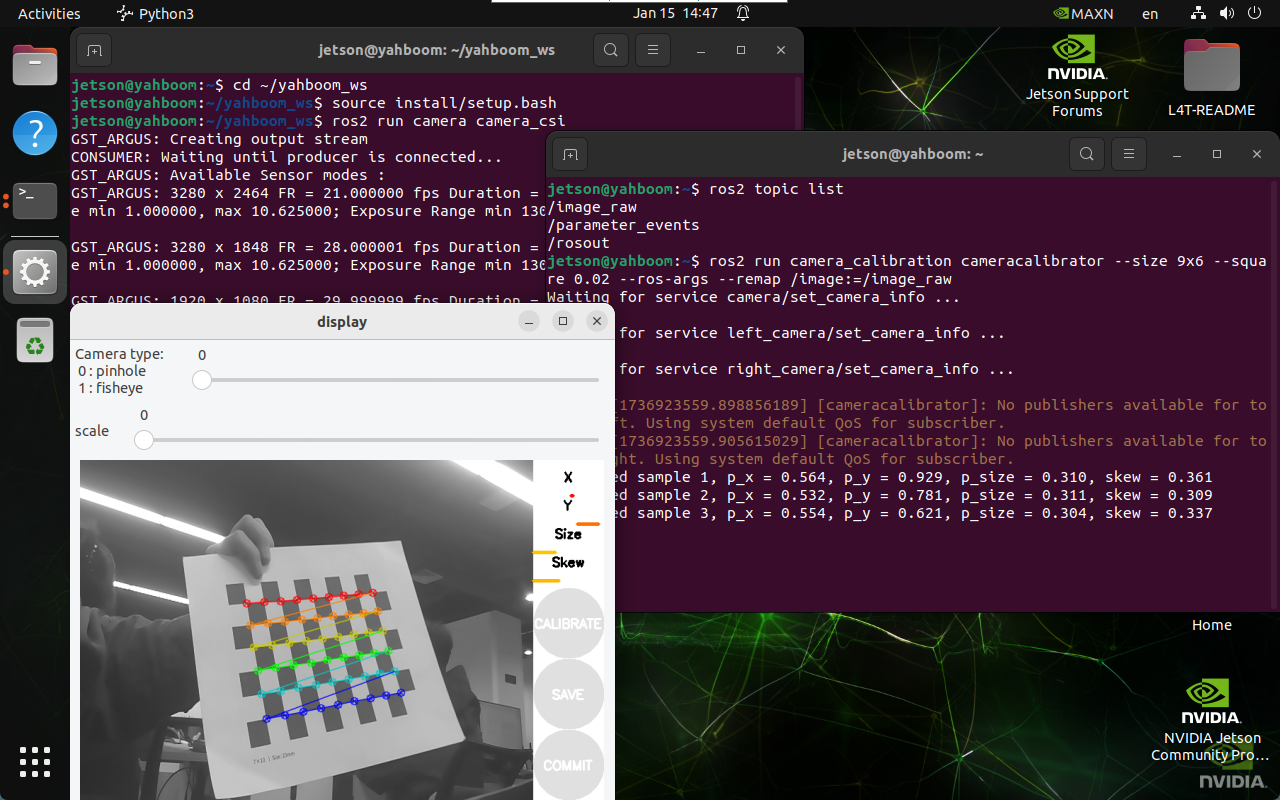
Parameter Description
X: the checkerboard moves left and right in the camera view
Y: the checkerboard moves up and down in the camera view
Size: the checkerboard moves forward and backward in the camera view
Skew: the tilting rotation of the checkerboard in the camera view
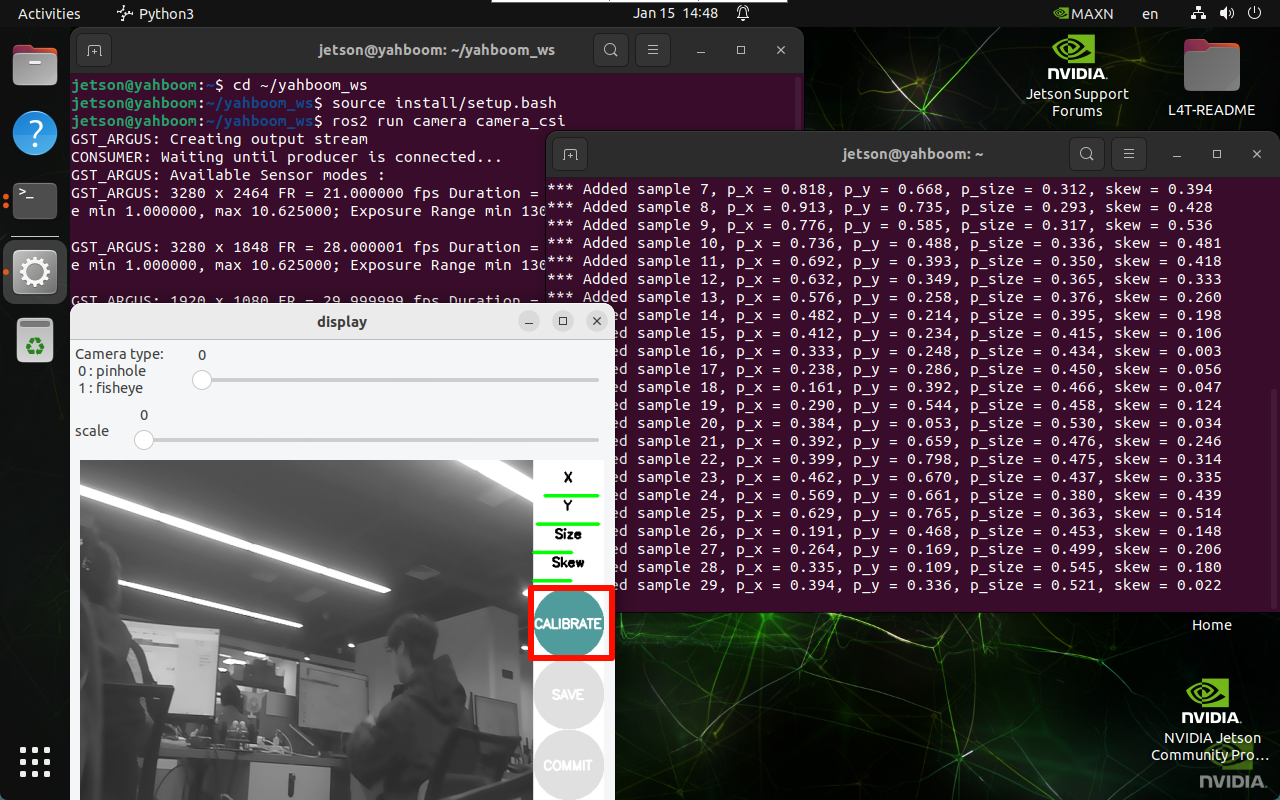
When X, Y, Size, and Skew turn green, you can click CALIBRATE to calculate the camera intrinsics: the more images are calibrated, the longer it takes, and the program may freeze
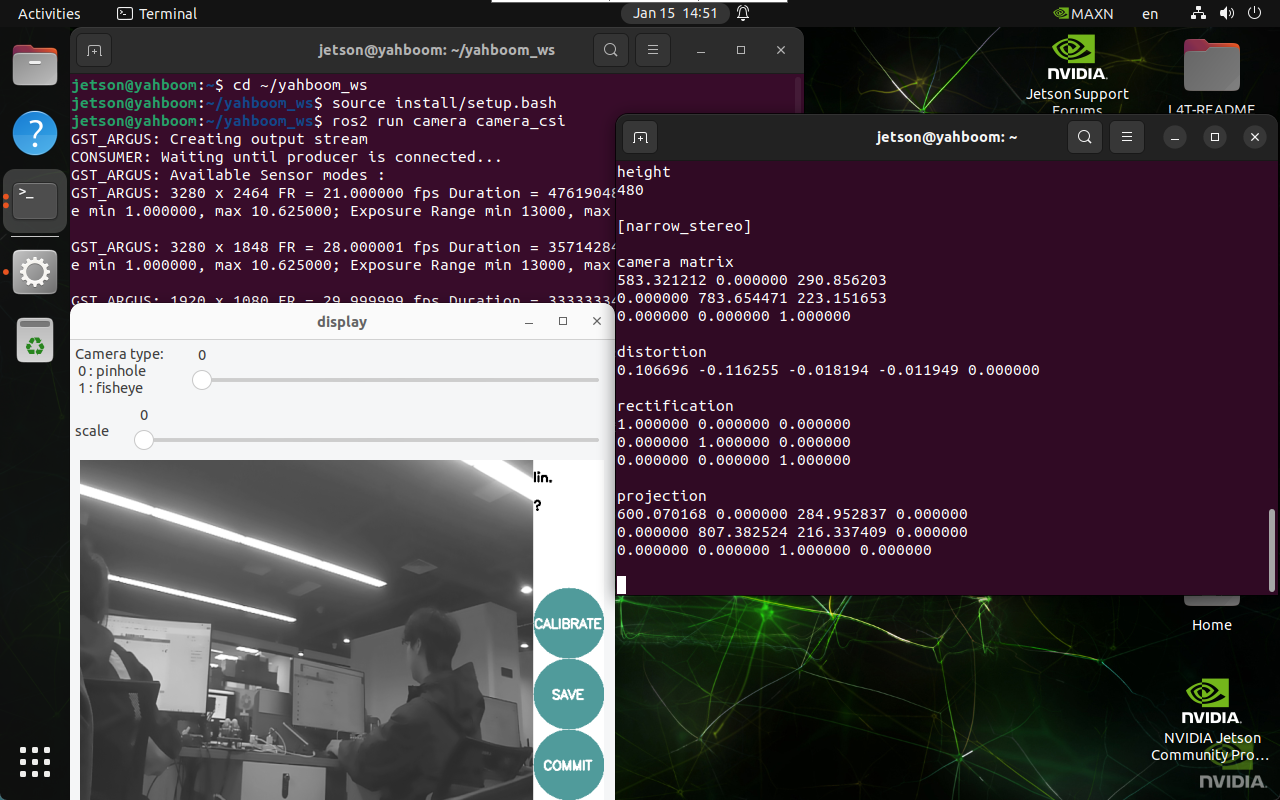
After calibration ends, click SAVE to save the result!
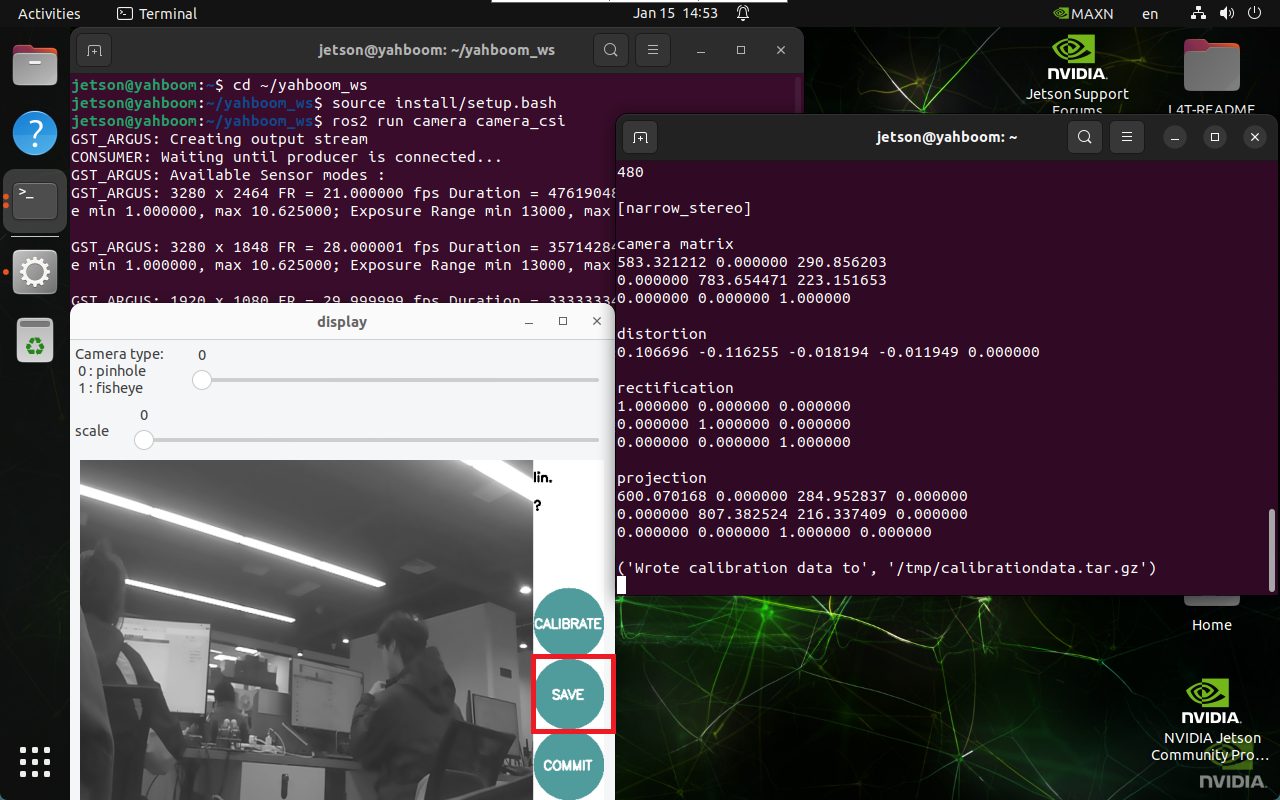
Close the program after saving successfully!
2.3.4. Calibration Result
Default save location and file name of the calibration result:
xxxxxxxxxx/tmp/calibrationdata.tar.gz
Copy and extract the calibration result:
xxxxxxxxxxsudo mv /tmp/calibrationdata.tar.gz ~mkdir calibrationdatatar -xzvf calibrationdata.tar.gz -C ~/calibrationdata
The extracted files include the calibration *.png, ost.yaml, and ost.txt files. We mainly copy the data in the ost.yaml file to the camera_usb.yaml file.
ost.yaml
Replace the data in the camera_usb.yaml file with image_width, image_height, the data in camera_matrix, the data in projection_matrix, and the data in distortion_coefficients of the image
xxxxxxxxxximage_width: 640image_height: 480camera_name: narrow_stereocamera_matrix:rows: 3cols: 3data: [583.32121, 0. , 290.8562 ,0. , 783.65447, 223.15165,0. , 0. , 1. ]distortion_model: plumb_bobdistortion_coefficients:rows: 1cols: 5data: [0.106696, -0.116255, -0.018194, -0.011949, 0.000000]rectification_matrix:rows: 3cols: 3data: [1., 0., 0.,0., 1., 0.,0., 0., 1.]projection_matrix:rows: 3cols: 4data: [600.07017, 0. , 284.95284, 0. ,0. , 807.38252, 216.33741, 0. ,0. , 0. , 1. , 0. ]
camera_csi.yaml
The modified file:
xxxxxxxxxx%YAML:1.0---image_width: 1920image_height: 1080camera_name: cameracamera_matrix: !!opencv-matrixrows: 3cols: 3dt: ddata: [583.32121, 0. , 290.8562 ,0. , 783.65447, 223.15165,0. , 0. , 1. ]distortion_model: plumb_bobdistortion_coefficients: !!opencv-matrixrows: 1cols: 5dt: ddata: [0.106696, -0.116255, -0.018194, -0.011949, 0.000000]rectification_matrix:rows: 3cols: 3data: [1., 0., 0.,0., 1., 0.,0., 0., 1.]projection_matrix:rows: 3cols: 4data: [600.07017, 0. , 284.95284, 0. ,0. , 807.38252, 216.33741, 0. ,0. , 0. , 1. , 0. ]