Welcome to Jetson Orin NANO Developer Kit repository
01.Quick start with the pre-configured environment (Recommended)
OpenClaw Quick Start on the Jetson Platform
The image we provide already has OpenClaw configured, along with the Alibaba Cloud Bailian and QQBot plugins. You can follow this tutorial to start OpenClaw quickly and try out its features.
Jetson Nano users must work inside Docker:
Start Docker
~/run_usb_docker.sh
In another terminal, enter Docker:
xxxxxxxxxx~/enter_docker.sh
1. First-Time Configuration
xxxxxxxxxxvim ~/.openclaw/openclaw.json
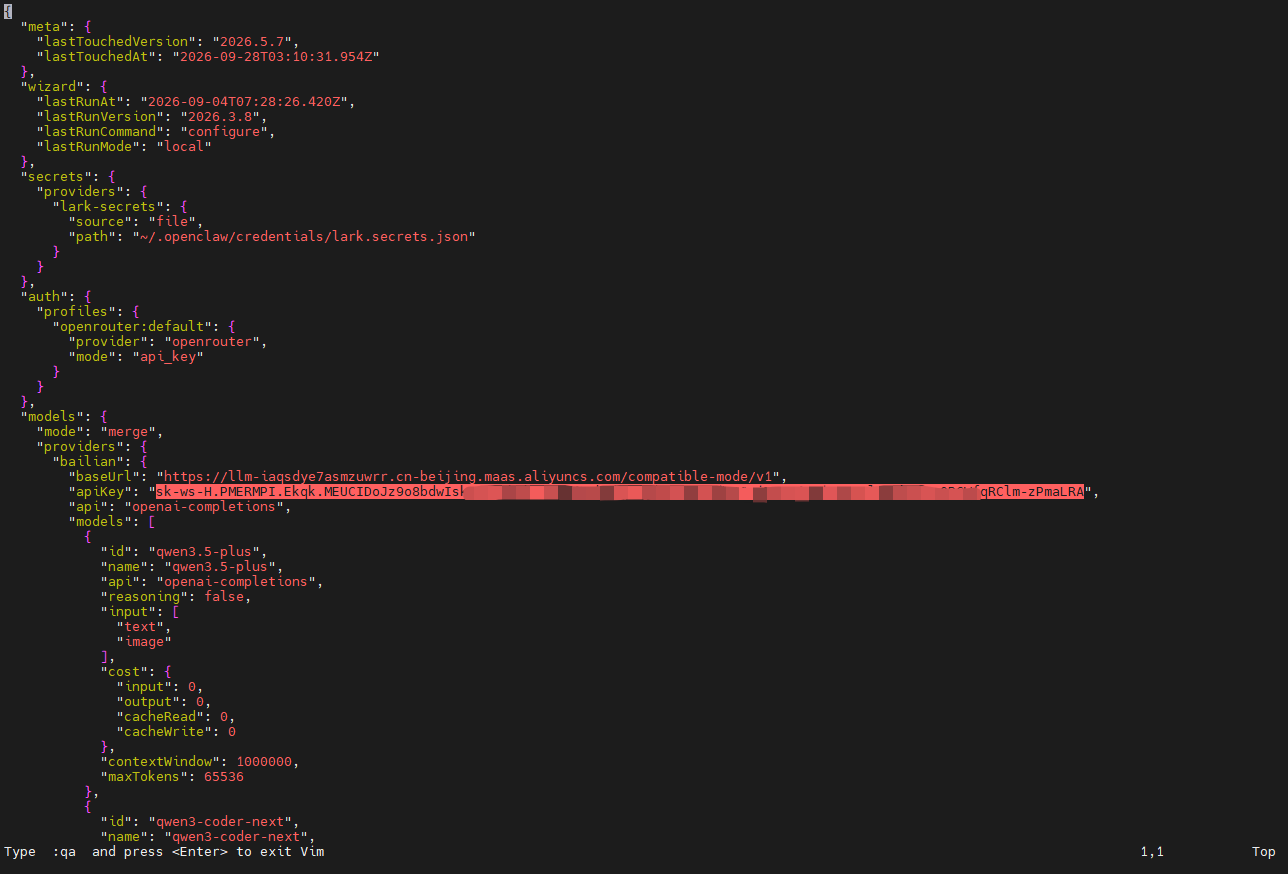
Fill in the key you obtained from the Bailian platform in the apiKey field under bailian. How to get an API Key: https://bailian.console.aliyun.com/
2. Starting OpenClaw
Start the Gateway in one terminal
xxxxxxxxxxopenclaw gateway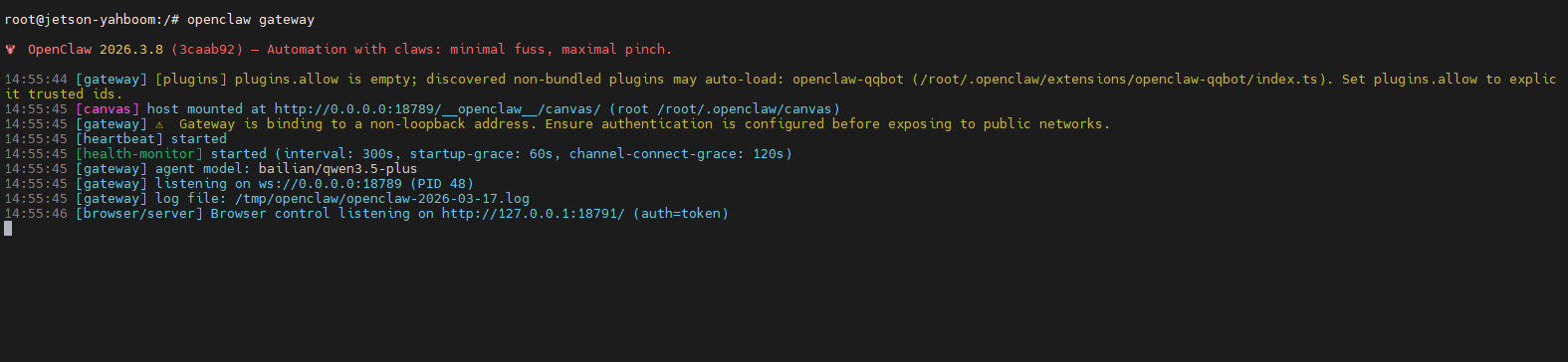
Use the TUI in another terminal:
xxxxxxxxxxopenclaw tui
Note: The Bailian qwen3.5-plus model is used by default. You can enter /models to select another model. Since only Bailian models are configured, other non-Bailian models cannot be used.
🎯 Feature List
Available after configuring the Bailian API Key:
| Feature | Description | Example |
|---|---|---|
| 🎨 Image Generation | Text-to-image, image editing, image translation | "Generate a picture of a cat" |
| 🎬 Video Generation | Image-to-video | "Turn this image into a video" |
| 🎵 Speech Synthesis | Multi-role voiceover (CosyVoice) | "Read this aloud in a gentle voice..." |
| 🎤 Speech Recognition | Speech-to-text | "Recognize this audio |
⚙️ Optional Configuration
QQBot (Send QQ Messages; Refer to the Later Tutorial for Detailed Configuration)
Go to https://bot.open.qq.com/ to create a bot
Get the AppID and AppSecret
Edit ~/.openclaw/openclaw.json:
xxxxxxxxxx{ "channels": { "qqbot": { "enabled": true, "appId": "your_appid", "clientSecret": "your_secret" } }}Or configure it by chatting with OpenClaw in the OpenClaw chat interface
💬 Usage Examples
Image Generation
xxxxxxxxxxUser: Generate a picture of a cute catAI: [image generated]
Speech Synthesis
xxxxxxxxxxUser: Read "Moonlight before my bed, like frost on the ground" aloud in a gentle female voiceAI: [audio file generated]
QQ Messages (QQBot Required)
xxxxxxxxxxUser: Send me a QQ message saying "Dinner is ready"AI: ✅ Message sent!
📁 Directory Structure
xxxxxxxxxx~/.openclaw/├── .env # API Key configuration├── openclaw.json # Main configuration file├── setup.sh # One-click setup script└── workspace/├── skills/ # Skills directory│ ├── aliyun-image/ # Image generation│ ├── alicloud-ai-audio-tts/ # Speech synthesis│ ├── alicloud-ai-audio-asr/ # Speech recognition│ ├── alicloud-ai-video-wan-video/ # Video generation│ └── qqbot-send/ # QQ messages├── MEMORY.md # AI long-term memory└── USER.md # User information
🔧 Common Commands
x# Start OpenClawopenclaw
# TUIopenclaw tui
# Check statusopenclaw status
# Configuration wizardopenclaw wizard
# List skillsopenclaw skills list
# Helpopenclaw --help🎭 Available Voices (Speech Synthesis)
Based on Bailian's CosyVoice-v2
| Role | Voice | Characteristics |
|---|---|---|
| Elderly man | longyichen | Steady, narrative |
| Young woman | longanrou | Gentle, natural |
| Young man | longhan_v2 | Clear, steady |
| Girl | longhuhu | Lively, cute |
| Boy | longniuniu | Childlike, lively |
📚 Useful Documentation
OpenClaw documentation: https://docs.openclaw.ai
Community: https://discord.com/invite/clawd
Skill marketplace: https://clawhub.com