Welcome to Jetson Orin NANO Developer Kit repository
08.Model conversion
Model Conversion
1. YOLO (Benchmark)
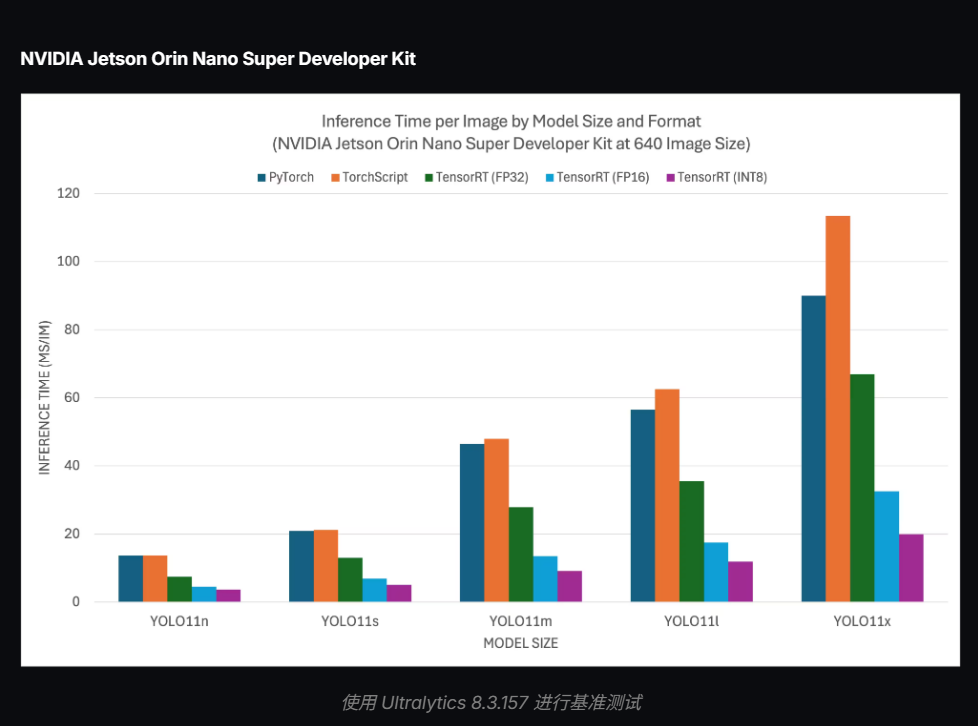
Benchmarking refers to the Ultralytics team benchmarking YOLO across ten different model formats, measuring both speed and accuracy. These formats include: PyTorch, TorchScript, ONNX, OpenVINO, TF SavedModel, TF GraphDef, TF Lite, MNN, NCNN, and ExecuTorch. Since the official comparison chart was only provided for yolo11 on JetsonOrin Super, we use the yolo11 test results as the reference here. As can be seen, the TensorRT format has the fastest model inference speed.
Comparison Chart
2. Model Conversion
Use the standalone YOLO26 CLI in the terminal to perform the conversion. Model names are automatically mapped to /home/jetson/ultralytics_yolo26/models.
yolo26 export model=yolo26n.pt format=engine
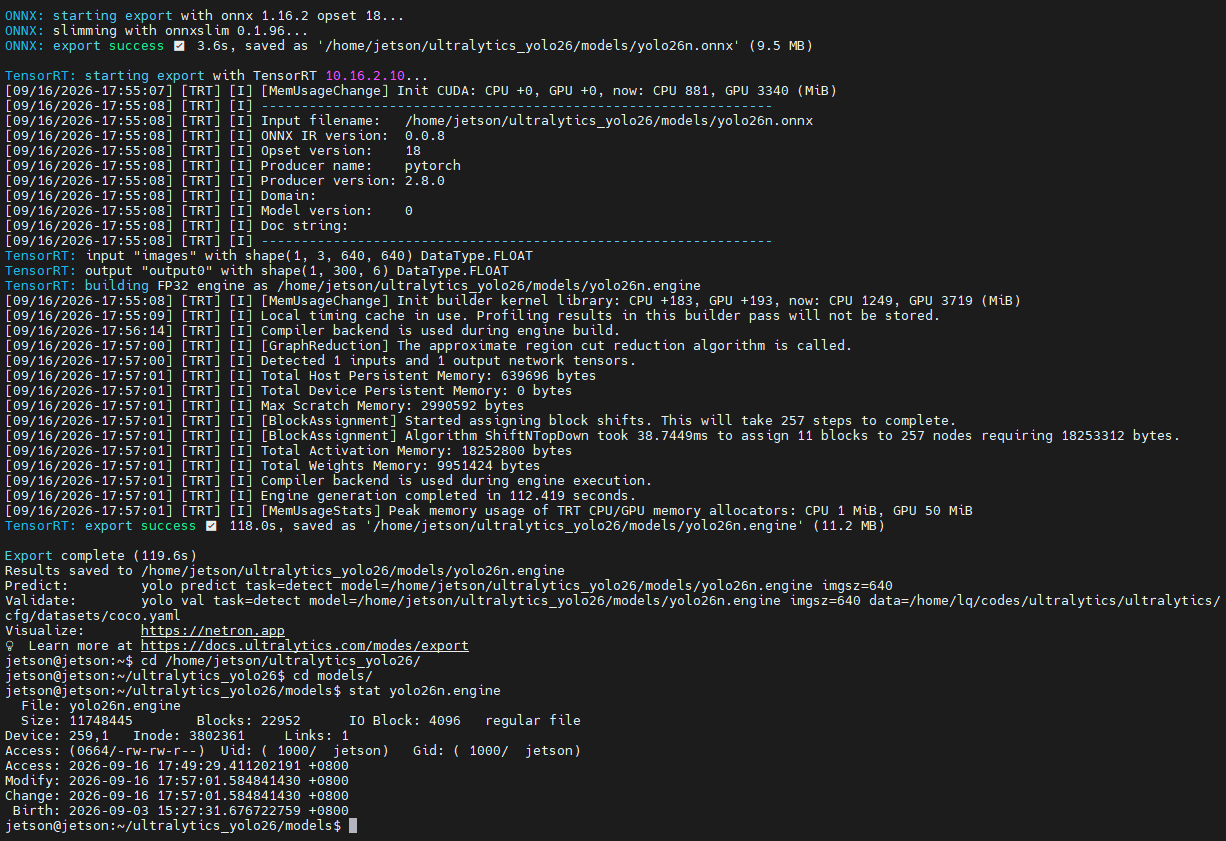
This single command converts the model into two different formats, .onnx and .engine, where .onnx is a universal format.
Besides yolo26n.pt, the four models for segmentation, pose detection, classification, and OBB can also be converted to .engine using the same method.
xxxxxxxxxxyolo26 export model=yolo26n-seg.pt format=engineyolo26 export model=yolo26n-pose.pt format=engineyolo26 export model=yolo26n-obb.pt format=engineyolo26 export model=yolo26n-cls.pt format=engine
After the conversion is complete, the .onnx and .engine files are located at:
xxxxxxxxxx/home/jetson/ultralytics_yolo26/modelsAll five Engine files are currently built with Ultralytics 8.4.138 and TensorRT 10.16.2. After upgrading Ultralytics, TensorRT, or the system environment, you should re-convert and run a static inference regression; do not reuse old Engine files directly.