Welcome to Jetson Orin NANO Developer Kit repository
07.3D scene reconstruction and mapping
Isaac ROS 3D Scene Reconstruction and Mapping
Isaac ROS Nvblox official website link: https://nvidia-isaac-ros.github.io/repositories_and_packages/isaac_ros_nvblox/index.html
Overview
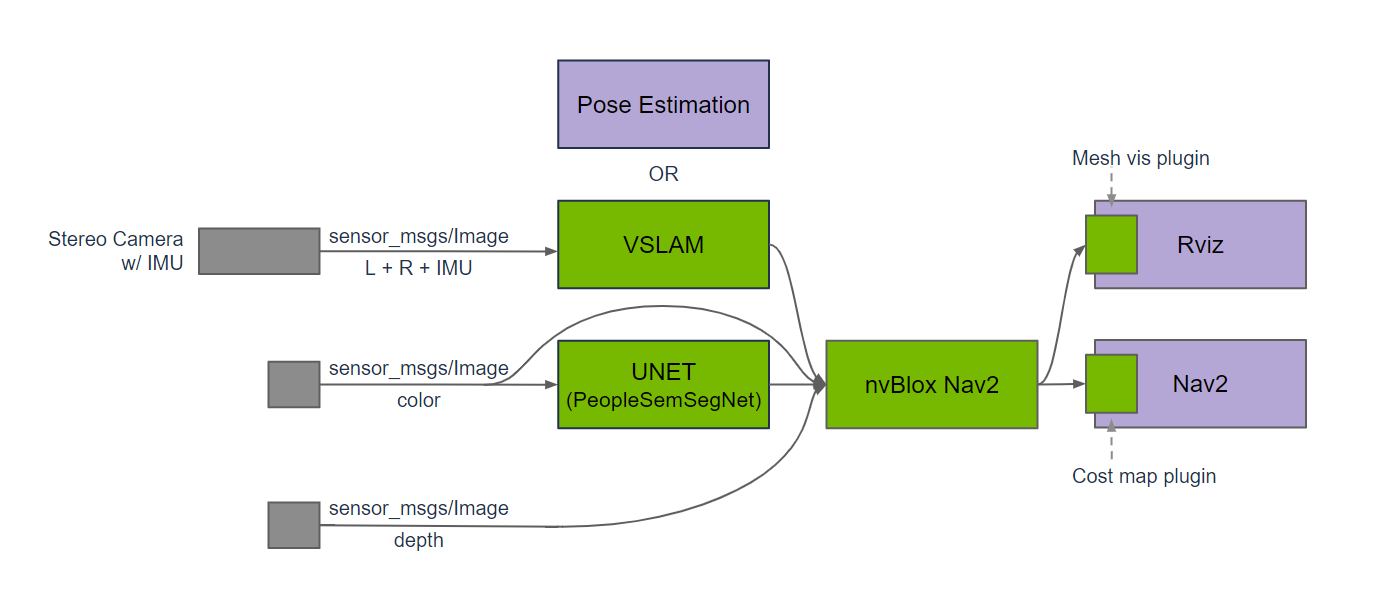
Nvblox uses depth and pose data to reconstruct a 3D scene in real time, and can output a 2D costmap for Nav2. It can work with a depth camera or a 3D LiDAR to provide an environment representation for robot navigation.
Quick Experience
First use the command below to start the container
xxxxxxxxxx./run_isaac.sh
Then confirm the container on the host with docker ps, and open container terminals with docker exec -it <container name> bash; each terminal should use the same ROS/FastDDS environment, for example:
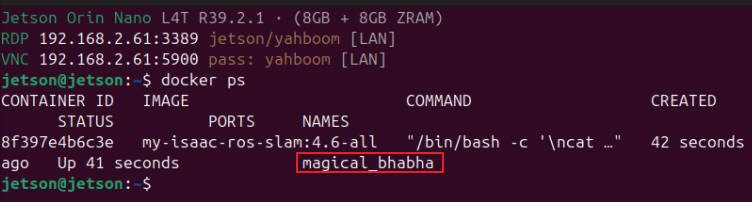
Note: The terminals below all execute inside the container:
Terminal A: Start Nvblox:
xxxxxxxxxxros2 run nvblox_ros nvblox_node --ros-args \ --params-file /opt/ros/jazzy/share/nvblox_examples_bringup/config/nvblox/nvblox_base.yaml \ --params-file /opt/ros/jazzy/share/nvblox_examples_bringup/config/nvblox/specializations/nvblox_sim.yaml \ -p use_sim_time:=false \ -p global_frame:=odom \ -p map_clearing_radius_m:=-1.0 \ -p layer_visualization_exclusion_radius_m:=0.0 \ -p decay_tsdf_rate_hz:=0.0 \ -p num_cameras:=1 \ -r camera_0/depth/image:=/front_stereo_camera/depth/ground_truth \ -r camera_0/depth/camera_info:=/front_stereo_camera/left/camera_info \ -r camera_0/color/image:=/front_stereo_camera/left/image_raw \ -r camera_0/color/camera_info:=/front_stereo_camera/left/camera_infoTerminal B: Open the dedicated RViz configuration:
xxxxxxxxxxrviz2 -d /workspaces/isaac_ros-dev/rviz/nvblox_nano.rvizThe configuration displays /nvblox_node/mesh, /nvblox_node/color_layer, and ESDF.
Terminal C: Play the quickstart for a single round only:
xxxxxxxxxxros2 bag play /workspaces/isaac_ros-dev/isaac_ros_assets/isaac_ros_nvblox/quickstart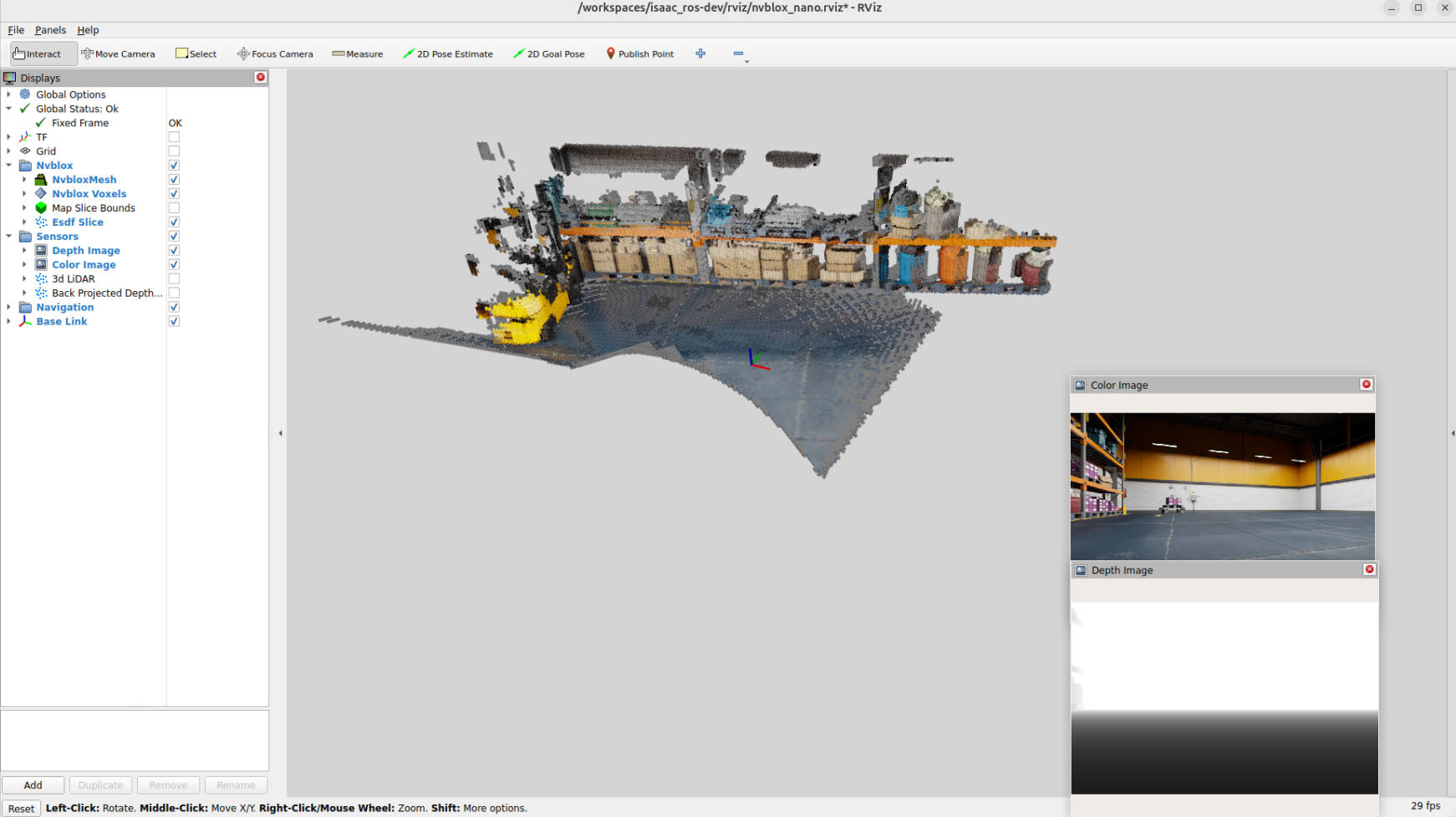
After playback ends, the bag exits by itself; Nvblox and RViz keep running, the image stops at the last frame, and the map in memory continues to be displayed. Another terminal can be opened to check:
ros2 topic echo --once /nvblox_node/static_map_slice