Welcome to Jetson Orin NANO Developer Kit repository
08.Object detection
Isaac ROS Object Detection
Isaac ROS Object Detection official website link: https://nvidia-isaac-ros.github.io/repositories_and_packages/isaac_ros_object_detection/index.html
Overview
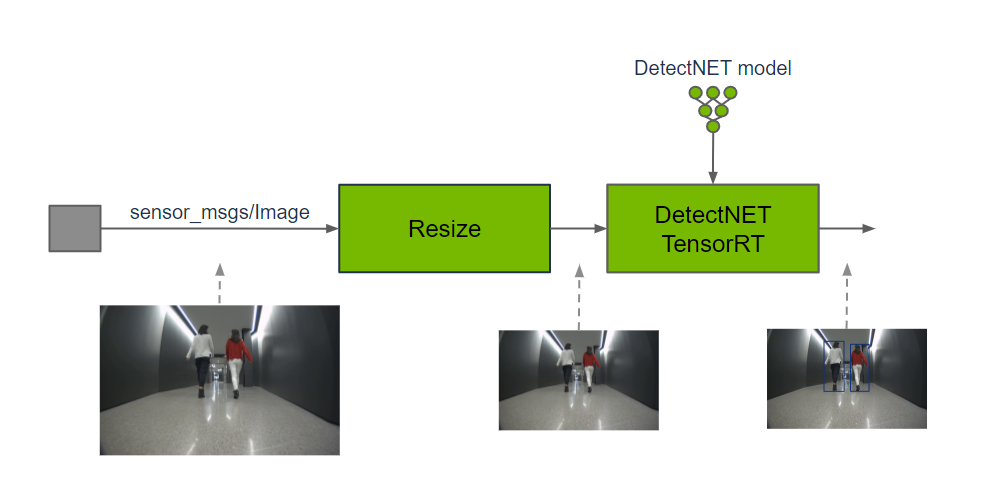
Isaac ROS provides GPU-accelerated detection models such as RT-DETR, DetectNet, and YOLOv8, which can predict the target class and 2D bounding box from the input image.
Quick Experience
First use the command below to start the container
xxxxxxxxxx./run_isaac.sh
Then confirm the container on the host with docker ps, and open container terminals with docker exec -it <container name> bash; each terminal should use the same ROS/FastDDS environment, for example:
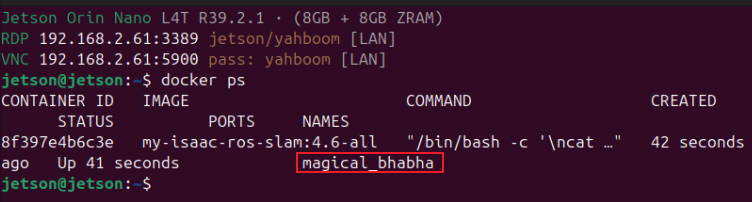
Note: The terminals below all execute inside the container:
After the power mode is set to MAXN, an overcurrent warning may pop up when running the case; ignore it.
Terminal A: Start DetectNet, the synchronized visualization node, and RViz:
xxxxxxxxxxros2 launch /workspaces/isaac_ros-dev/launch/detectnet_all.launch.pyThe RViz configuration is /workspaces/isaac_ros-dev/rviz/detectnet.rviz; view /detectnet_processed_image.
Terminal B: Play the detection bag in a loop at 0.25× speed:
xxxxxxxxxxros2 bag play /workspaces/isaac_ros-dev/isaac_ros_assets/isaac_ros_detectnet/rosbags/detectnet_rosbag \ --loop --rate 0.25 \ --remap /image:=/image_rect /camera_info:=/camera_info_rect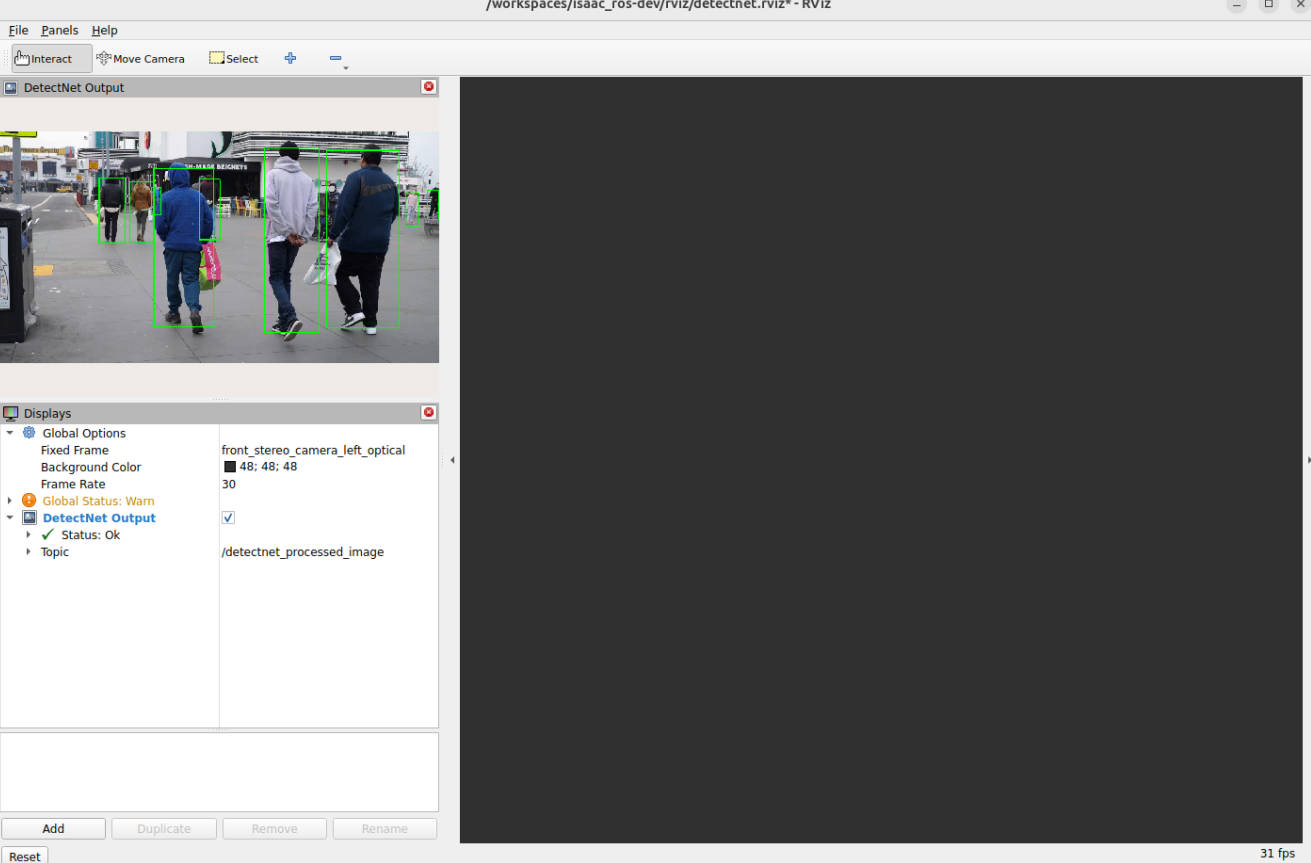
Terminal C: Check the detection and drawn image outputs:
timeout 8 ros2 topic hz /detectnet/detectionstimeout 8 ros2 topic hz /detectnet_processed_imageros2 topic info -v /detectnet_processed_image