Welcome to Jetson Orin NANO Developer Kit repository
02.PyTorch
PyTorch Environment Setup
PyTorch Environment Setup1. System Information2. Installing Dependencies3. Installing PyTorch3.1. Offline Installation3.2. Online Installation4. Verifying the InstallationReferences
Note on pip installation: Ubuntu 24.04 marks the system Python as "externally managed" according to PEP 668, so installing packages directly with pip may report
externally-managed-environment. The--break-system-packagesoption allows pip to install packages in that environment; virtual environments usually do not need this option, but it is kept here to keep the commands in this tutorial consistent.
The factory system already has the relevant environment set up, so the installation steps can be skipped.
PyTorch is an open-source deep learning framework developed by Meta (formerly Facebook), known for its flexibility and ease of use, and widely used in academic research and industrial applications.
1. System Information
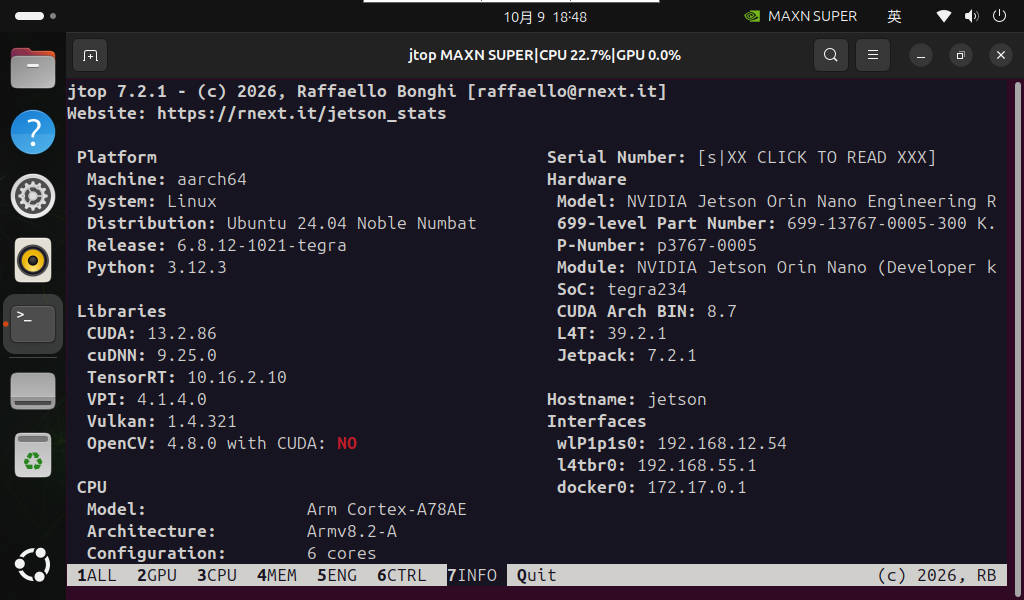
The current system uses PyTorch 2.8.0, Python 3.12, ARM64, and the PyTorch CUDA build version is 12.9.
2. Installing Dependencies
sudo apt updatesudo apt install python3-pip libopenblas-dev -yBefore installation, follow the NVIDIA instructions for the current JetPack version to confirm the CUDA/cuSPARSELt dependencies; do not add the Ubuntu 22.04 CUDA software source, and do not uninstall python3-sympy.
3. Installing PyTorch
The current system has been verified to run PyTorch 2.8.0 on CUDA 12.9. When installing, you must use a wheel that matches NVIDIA Jetson ARM64, CPython 3.12, and the current CUDA/JetPack; do not use the PyTorch 2.5.0a0, cp310, or JetPack 6 wheels from the old tutorials.
For installing PyTorch, choose either the offline or the online method!
3.1. Offline Installation
Download the PyTorch 2.8.0 wheel that matches the current JetPack, Python ABI, and CUDA version from the NVIDIA Jetson PyTorch release page.
Download URL: https://docs.nvidia.com/deeplearning/frameworks/install-pytorch-jetson-platform/index.html
xxxxxxxxxxcd Downloads/
xxxxxxxxxxpython3 -m pip install --user --break-system-packages ./<the downloaded PyTorch 2.8.0 ARM64 wheel file>
3.2. Online Installation
Copy the matching wheel URL from the current NVIDIA Jetson wheel release page:
xxxxxxxxxxexport TORCH_INSTALL='<the NVIDIA wheel URL corresponding to PyTorch 2.8.0, CPython 3.12, ARM64, CUDA 12.9>'
xxxxxxxxxxpython3 -m pip install --user --break-system-packages --no-cache-dir "$TORCH_INSTALL"
4. Verifying the Installation
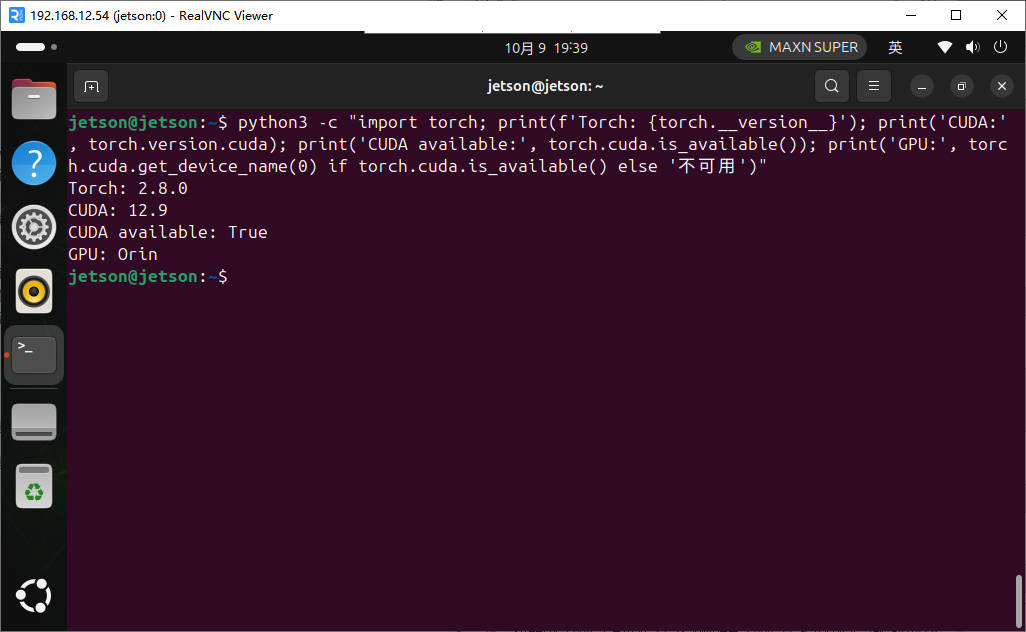
xxxxxxxxxxpython3 -c "import torch; print(f'Torch: {torch.__version__}'); print('CUDA:', torch.version.cuda); print('CUDA available:', torch.cuda.is_available()); print('GPU:', torch.cuda.get_device_name(0) if torch.cuda.is_available() else 'unavailable')"
References
https://docs.nvidia.com/deeplearning/frameworks/install-pytorch-jetson-platform/index.html