Welcome to Jetson Orin NANO Developer Kit repository
01.Mediapipe environment
Mediapipe Environment Setup
pip Installation Note: Ubuntu 24.04 marks the system Python as "externally managed" according to PEP 668, so installing packages directly with pip may report
externally-managed-environment.--break-system-packagesallows pip to install packages in this environment; virtual environments usually do not need this parameter, but this tutorial keeps it for consistent instructions.
Mediapipe is a cross-platform framework provided by Google for building multimodal (e.g., image, audio, video, etc.) processing pipelines.
1. Installing Mediapipe
Use the pip command to install mediapipe:
sudo pip3 install mediapipe --break-system-packages
Use the pip command to install OpenCV:
xxxxxxxxxxsudo pip3 install opencv-python --break-system-packages
Use the pip command to install dlib: some examples require this library
xxxxxxxxxxsudo pip3 install dlib --break-system-packages
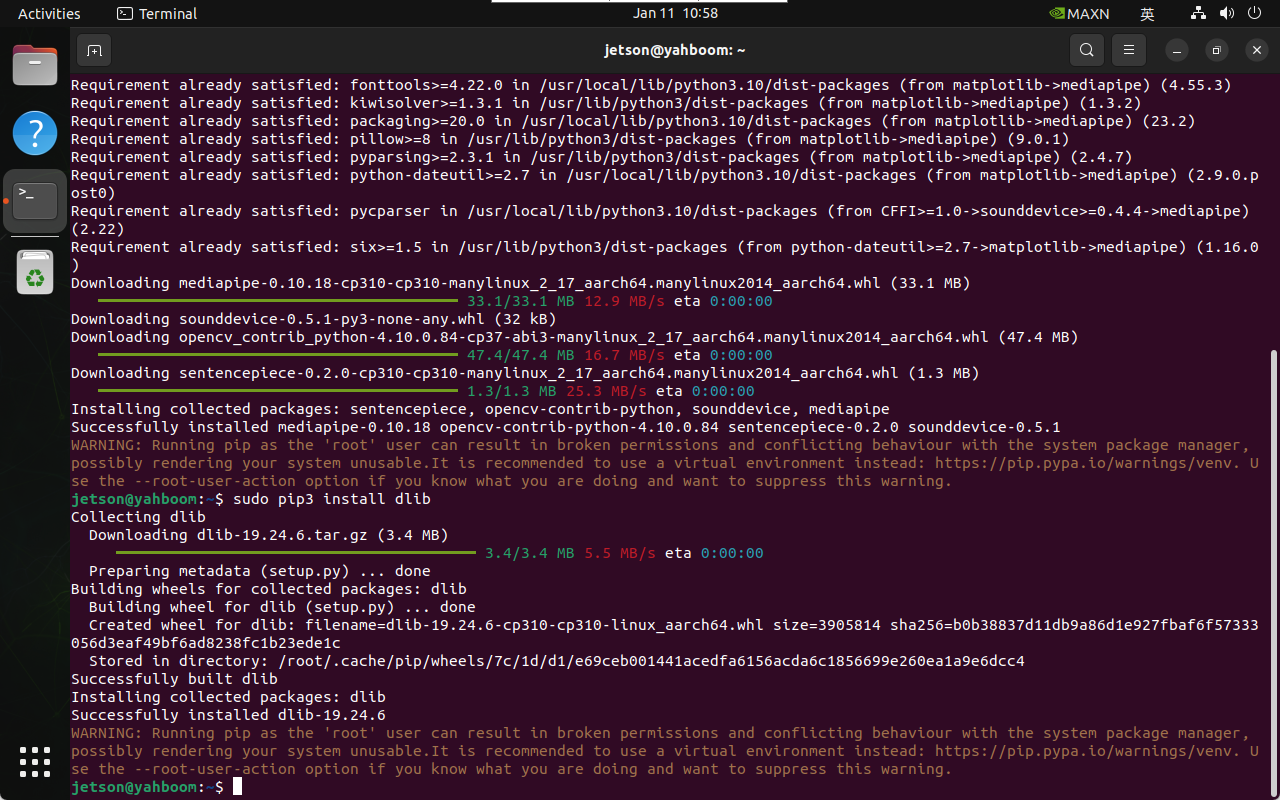
2. Verifying Mediapipe
xxxxxxxxxxpython3 -c "import mediapipe as mp; print(f'Mediapipe version: {mp.__version__}')"