Welcome to Jetson Orin NANO Developer Kit repository
05.Docker interaction
Docker Interaction
Docker Interaction1. Bash Script1.1. Basic Usage (Docker)1.2. Run the Script2. Shared Data2.1. Shared Folder2.2. Shared Network3. Shared Hardware3.1. Shared Graphical Interface3.2. Ordinary Camera3.3. Depth Camera
The tutorial mainly introduces the data and hardware interaction between the host and Docker.
1. Bash Script
Bash (Bourne Again SHell) is a scripting language for automated tasks. Users can combine multiple commands and execute them in sequence!
Docker commands provide optional parameters to start containers, but too many parameters will affect the reading and understanding of the command
1.1. Basic Usage (Docker)
Basic Script
x#!/bin/bashdocker run -it \<image_name>:<tag> /bin/bash
Sample Script
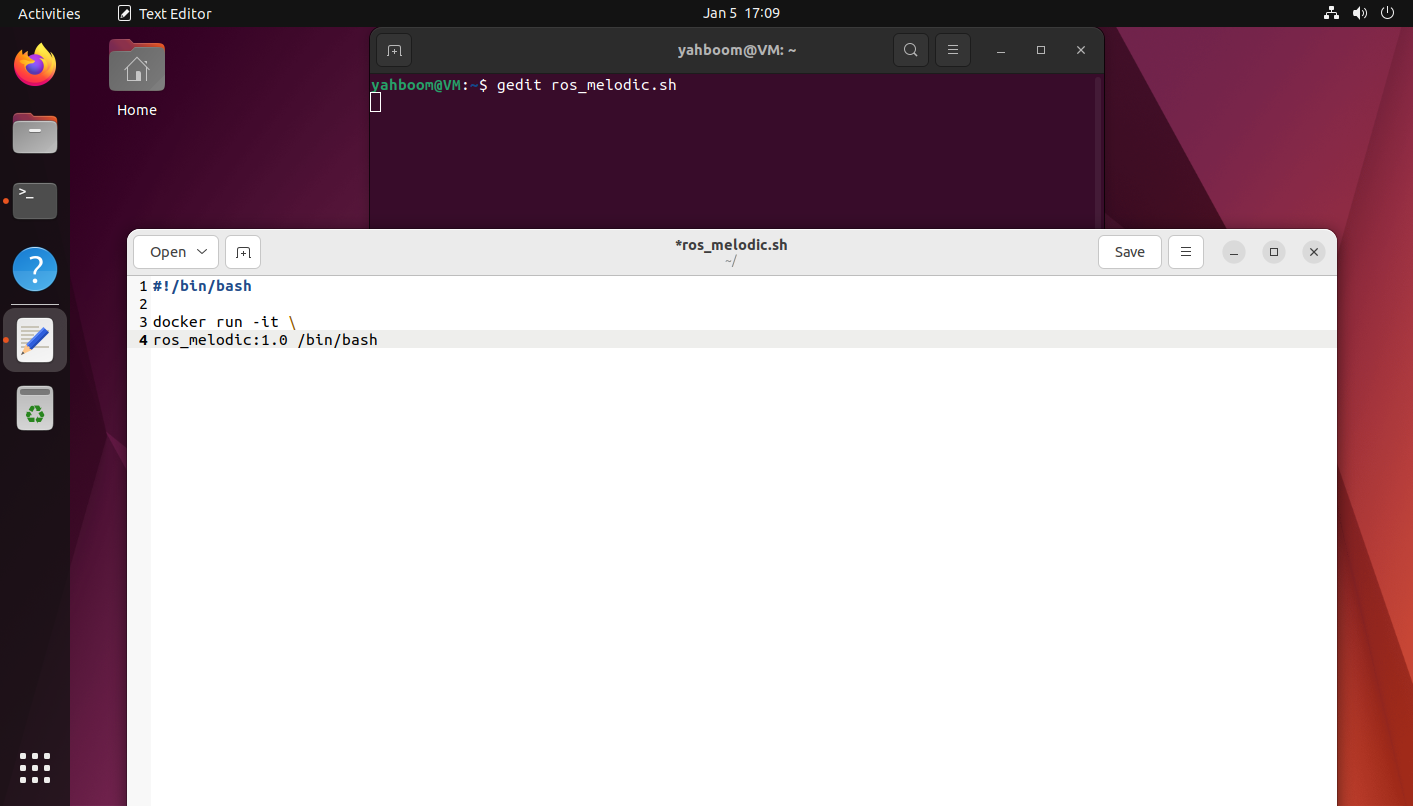
Write the example into the ros_melodic.sh file:
xxxxxxxxxxgedit ros_melodic.sh
xxxxxxxxxx#!/bin/bashdocker run -it \ros_melodic:1.0 /bin/bash
1.2. Run the Script
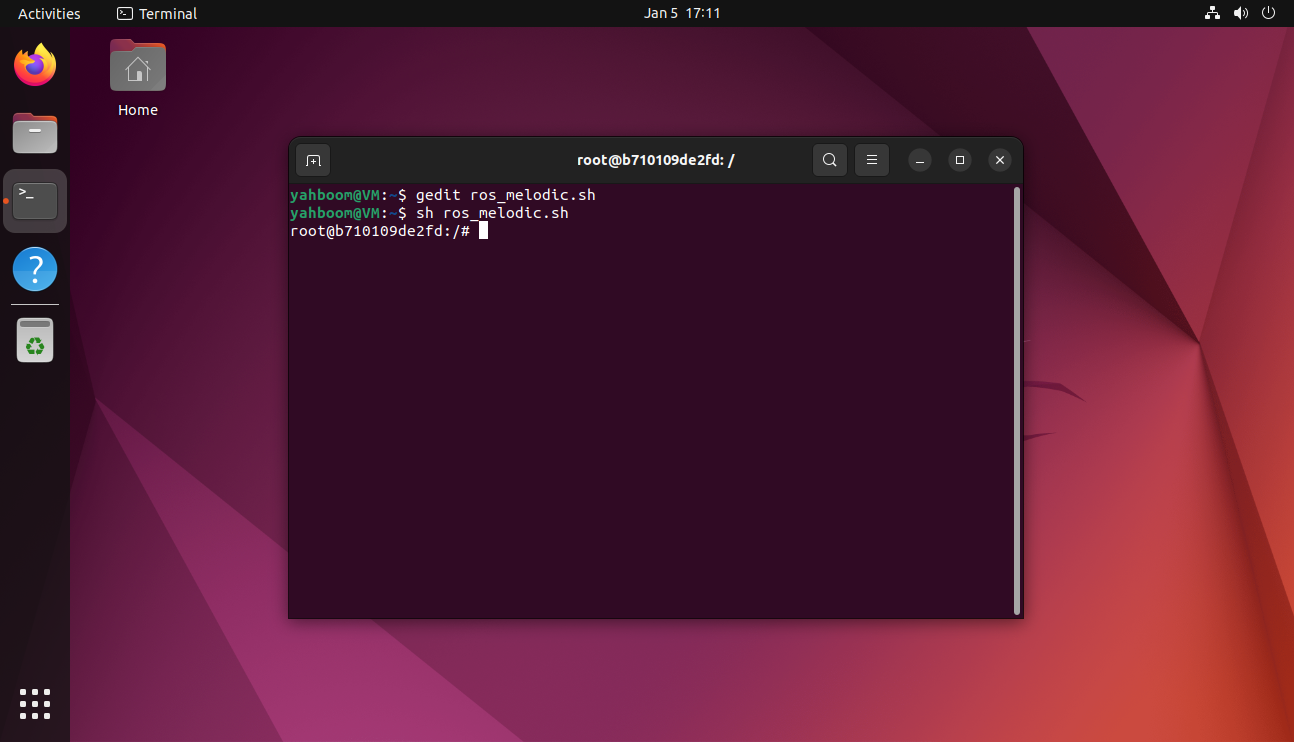
xxxxxxxxxxsh ros_melodic.sh
2. Shared Data
2.1. Shared Folder
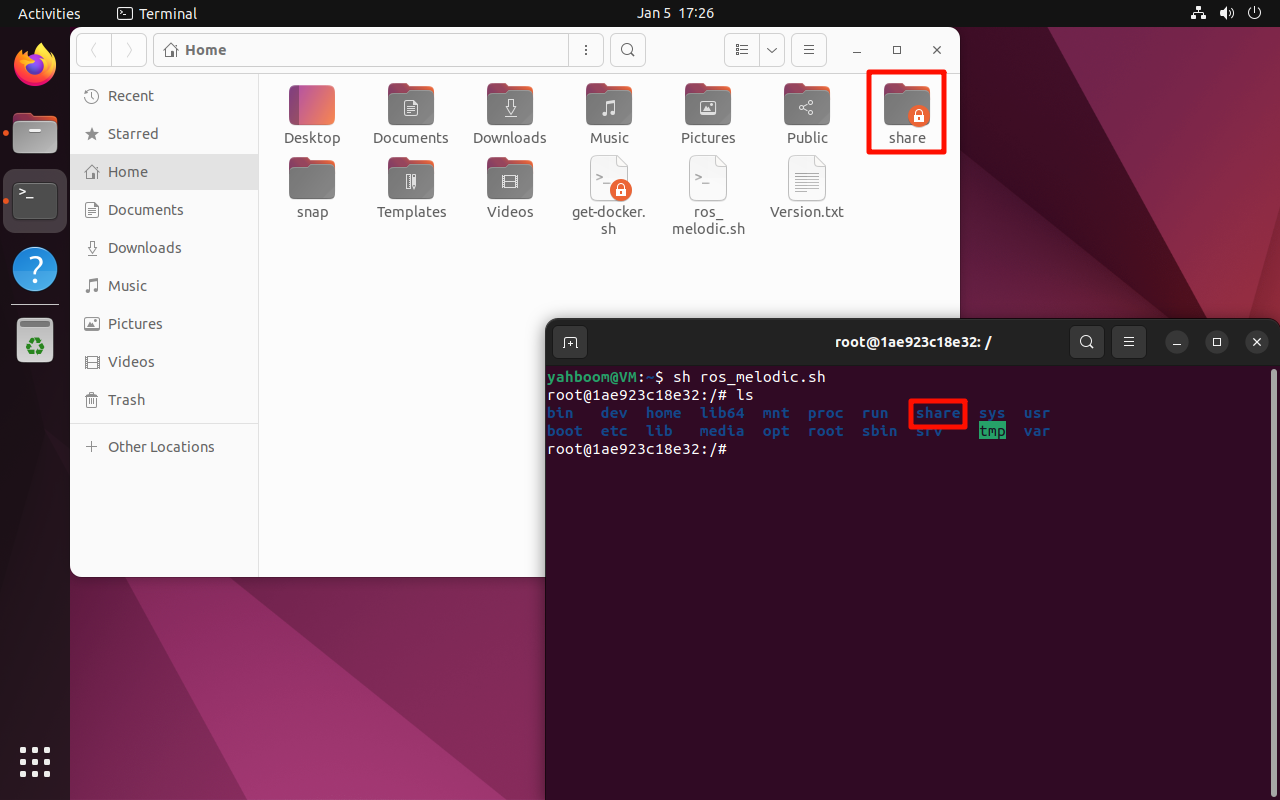
Share the host's share folder with Docker.
Sample Script
xxxxxxxxxx#!/bin/bashdocker run -it \-v /home/yahboom/share:/share \ros_melodic:1.0 /bin/bash
2.2. Shared Network
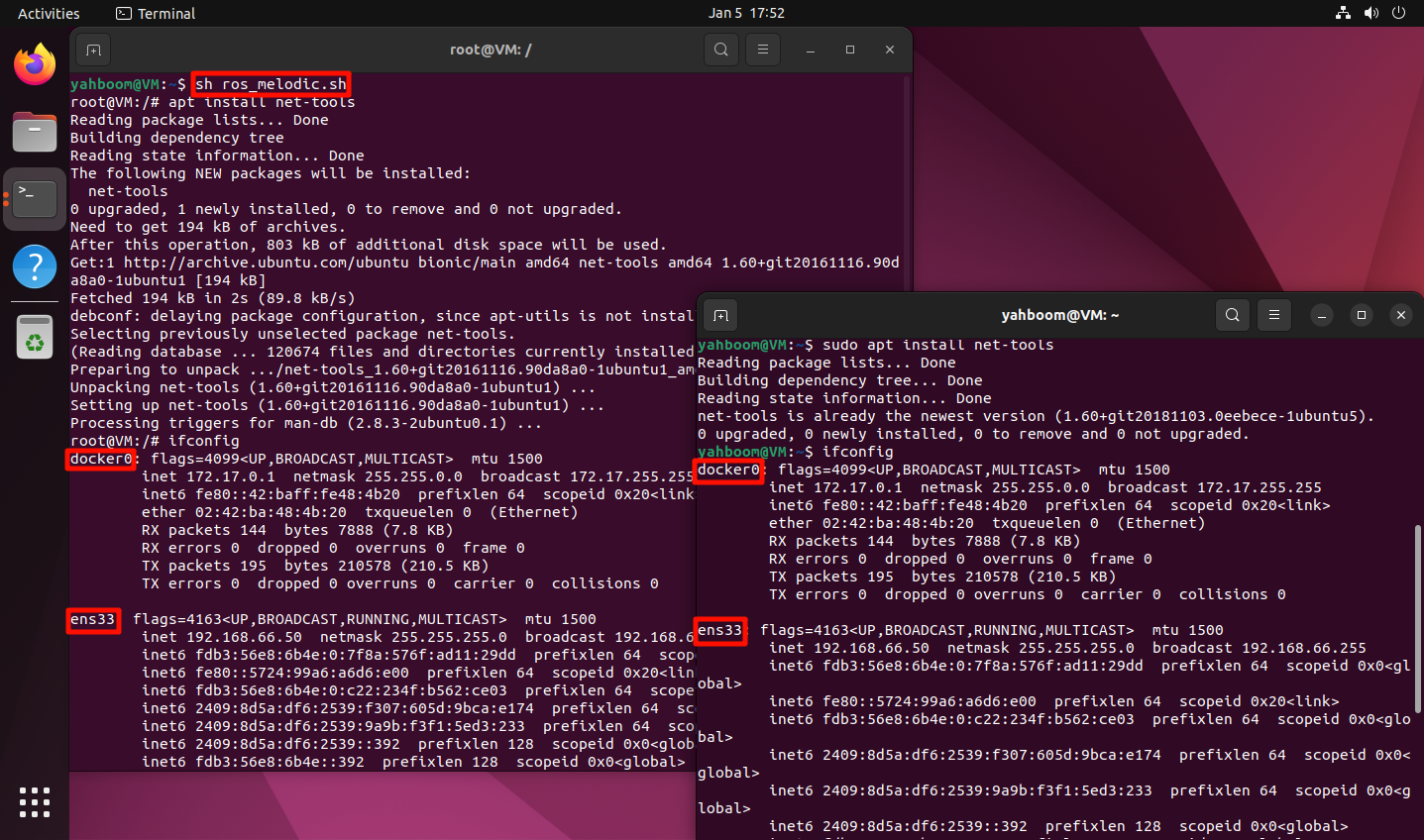
Share the host's network with Docker.
Sample Script
xxxxxxxxxx#!/bin/bashdocker run -it \--net=host \-v /home/yahboom/share:/share \ros_melodic:1.0 /bin/bash
If the ifconfig command is unavailable, install net-tools:
xxxxxxxxxxsudo apt install net-tools -y
xxxxxxxxxxifconfig
3. Shared Hardware
3.1. Shared Graphical Interface
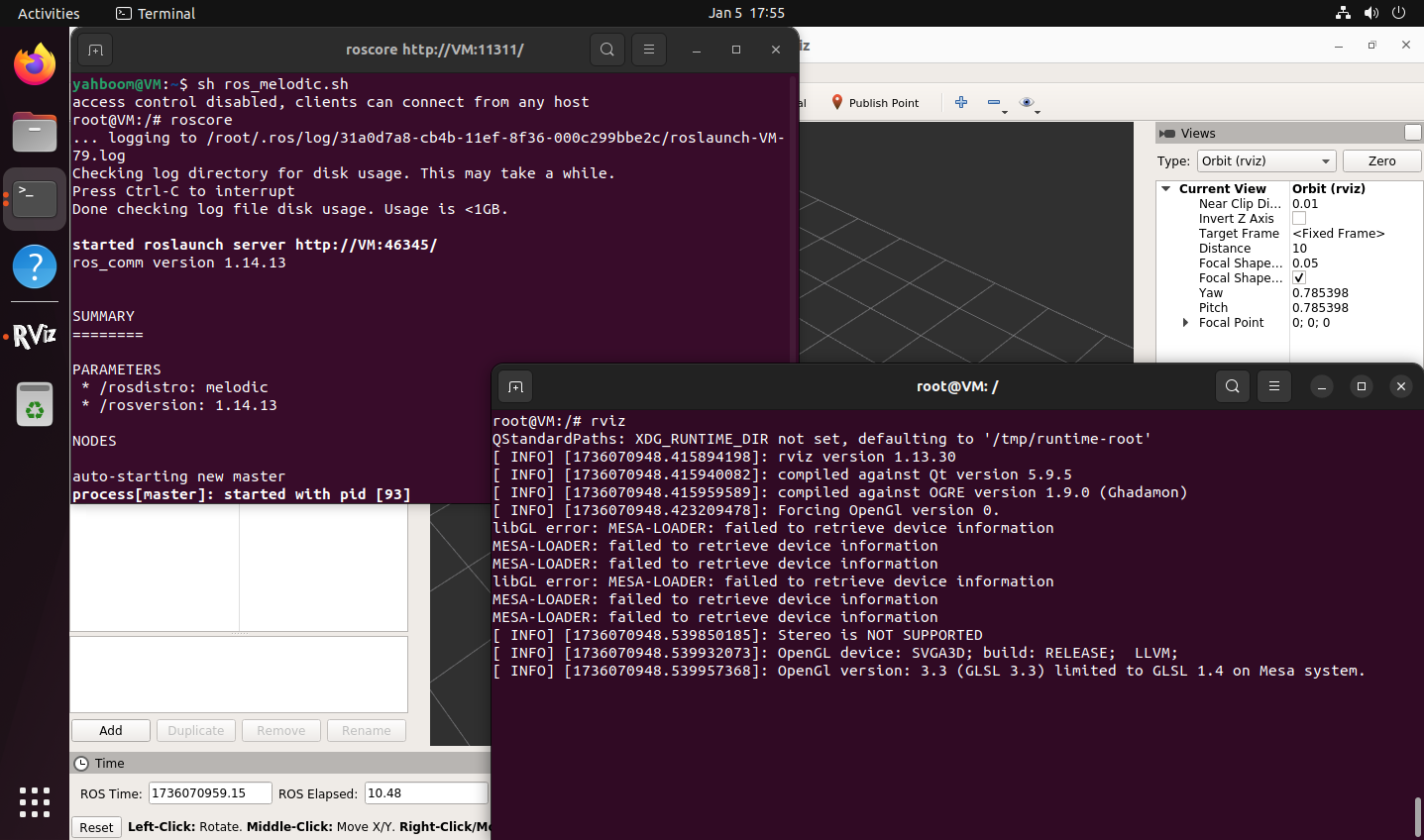
Docker runs programs with a graphical interface and needs to output to the local display graphical interface.
The following script only authorizes the local root user to connect to the current X11 display. Run it from a graphical desktop session; after the container exits, run xhost -si:localuser:root to revoke the authorization.
Sample Script
xxxxxxxxxx#!/bin/bashxhost +si:localuser:roottrap 'xhost -si:localuser:root' 0docker run -it \--net=host \-e DISPLAY=$DISPLAY \-e "QT_X11_NO_MITSHM=1" \-v /tmp/.X11-unix:/tmp/.X11-unix \-v /home/yahboom/share:/share \ros_melodic:1.0 /bin/bash
3.2. Ordinary Camera
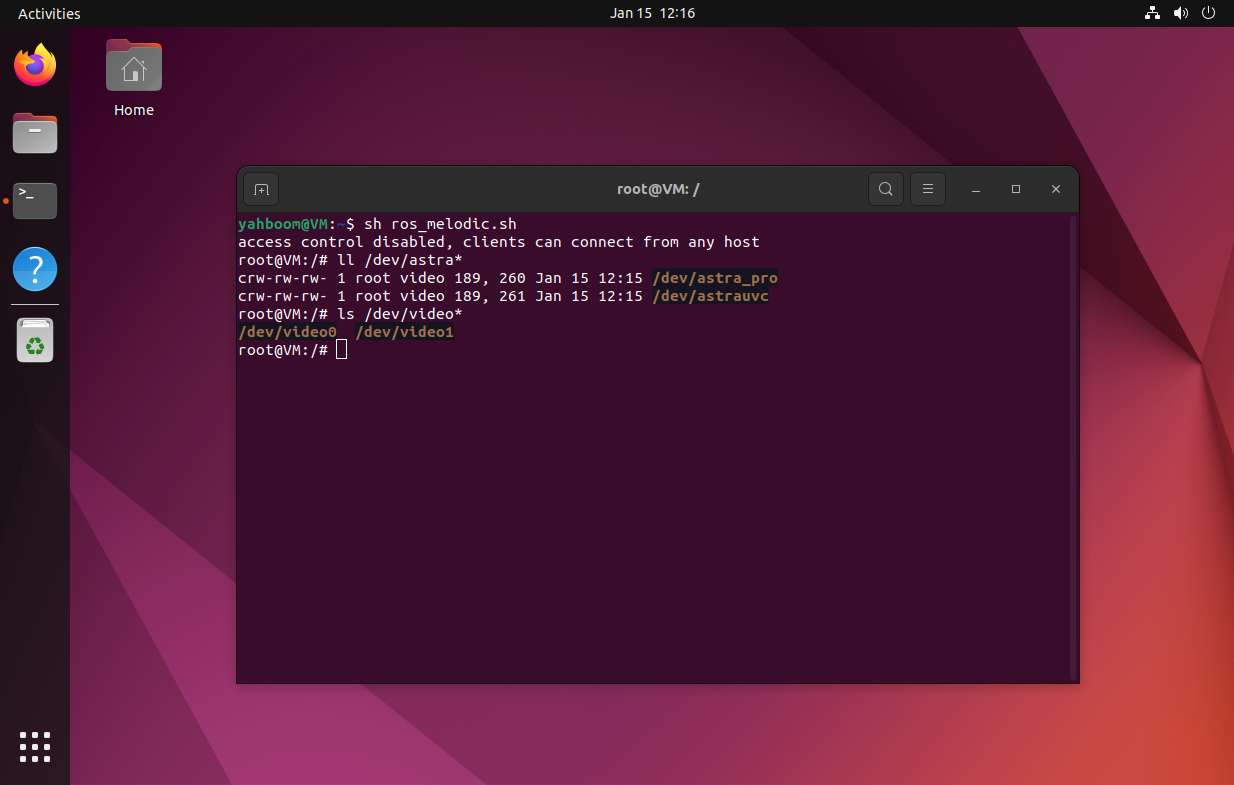
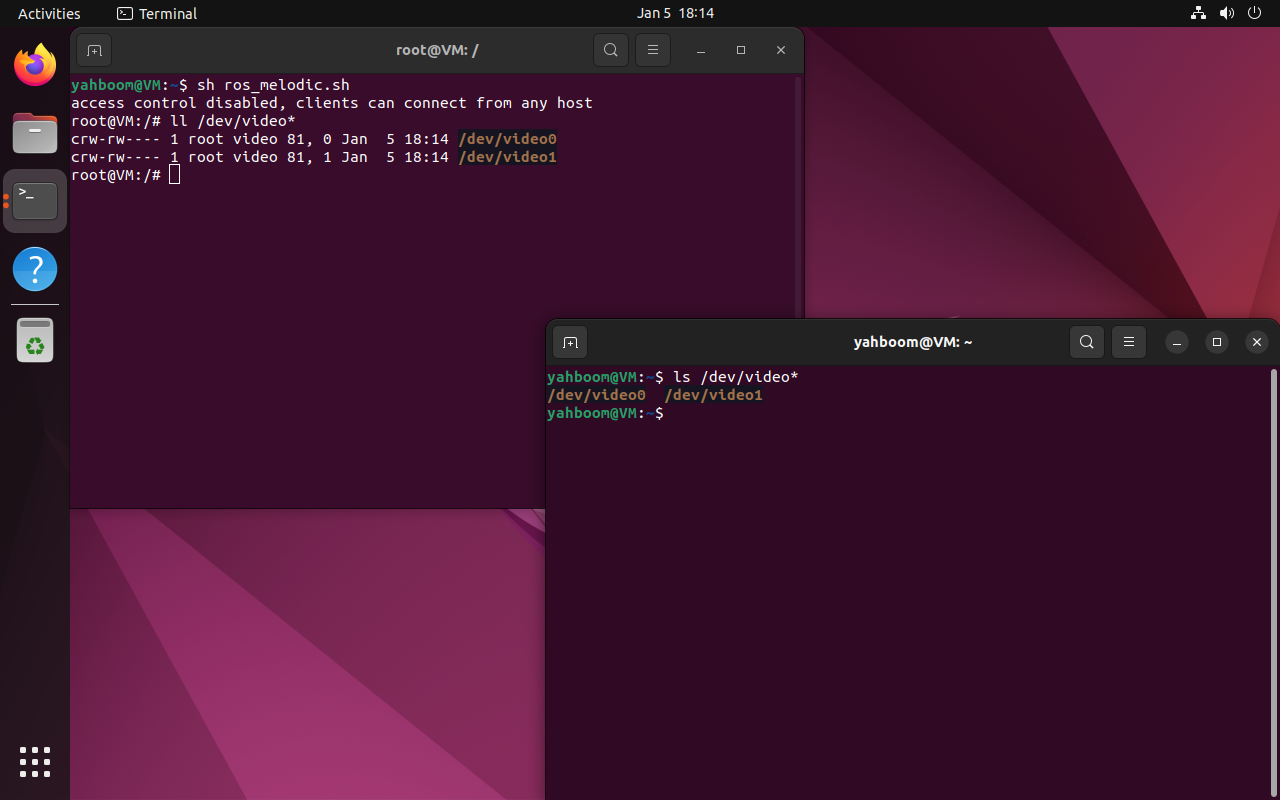
Mapping an ordinary camera to Docker: just add the /dev/video* device number corresponding to the camera
xxxxxxxxxxIf only one camera is connected, it generally corresponds to /dev/video0
Sample Script
xxxxxxxxxx#!/bin/bashxhost +si:localuser:roottrap 'xhost -si:localuser:root' 0docker run -it \--net=host \-e DISPLAY=$DISPLAY \-e "QT_X11_NO_MITSHM=1" \-v /tmp/.X11-unix:/tmp/.X11-unix \-v /home/yahboom/share:/share \--device=/dev/video0 \ros_melodic:1.0 /bin/bash
3.3. Depth Camera
Compared with an ordinary camera, a depth camera requires additional information to call the camera: take Astra Pro as an example
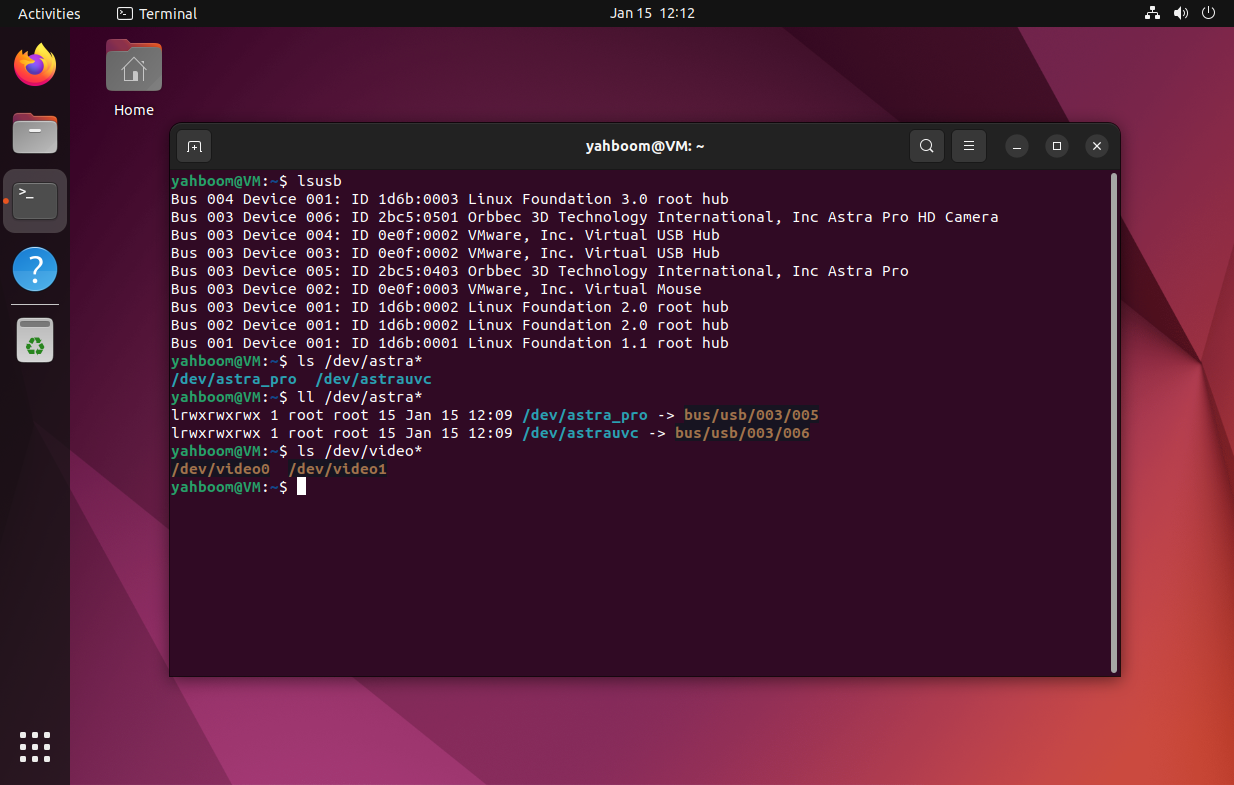
View USB Device Information
xxxxxxxxxxlsusb
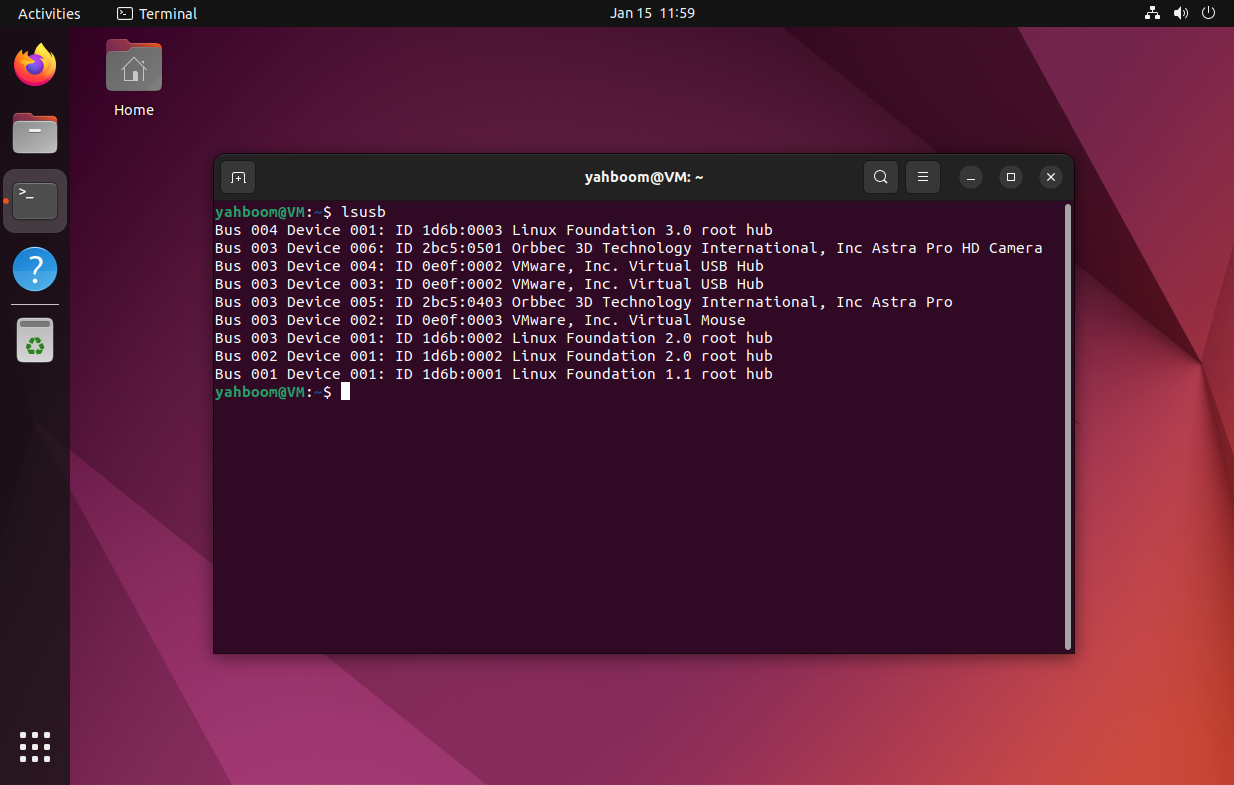
Information we need to pay attention to: USB bus number, device number on the USB bus, device vendor ID, product ID
xxxxxxxxxxBus 003 Device 005: ID 2bc5:0403 Orbbec 3D Technology International, Inc Astra ProBus 003 Device 006: ID 2bc5:0501 Orbbec 3D Technology International, Inc Astra Pro HD Camera
USB bus number: Bus 003
Device number on the USB bus: Device 005, Device 006
Device vendor ID: 2bc5
Product ID: 0403, 0501
Based on the vendor ID and the product ID, the device can be located and the device ID remapped; the USB bus number and the device number on the USB bus affect the devices connected in Docker.
Device ID Remap
This tutorial does not cover the binding process; only the result is shown.
Every time docker is started, pay attention to the USB bus number and the device number on the USB bus corresponding to the depth camera. If the two are inconsistent, the camera started in Docker keeps prompting that the device cannot be connected.
Sample Script
xxxxxxxxxx#!/bin/bashxhost +si:localuser:roottrap 'xhost -si:localuser:root' 0docker run -it \--net=host \-e DISPLAY=$DISPLAY \-e "QT_X11_NO_MITSHM=1" \-v /tmp/.X11-unix:/tmp/.X11-unix \-v /home/yahboom/share:/share \-v /dev/bus/usb/003/005:/dev/bus/usb/003/005 \-v /dev/bus/usb/003/006:/dev/bus/usb/003/006 \--device=/dev/astra_pro \--device=/dev/astrauvc \--device=/dev/video0 \--device=/dev/video1 \ros_melodic:1.0 /bin/bash