Welcome to Jetson Orin NANO Developer Kit repository
11.Model prediction
Model Prediction
Model Prediction1. Using the CLI2. Using Python2.1. USB CameraResult Preview2.2. CSI CameraResult Preview
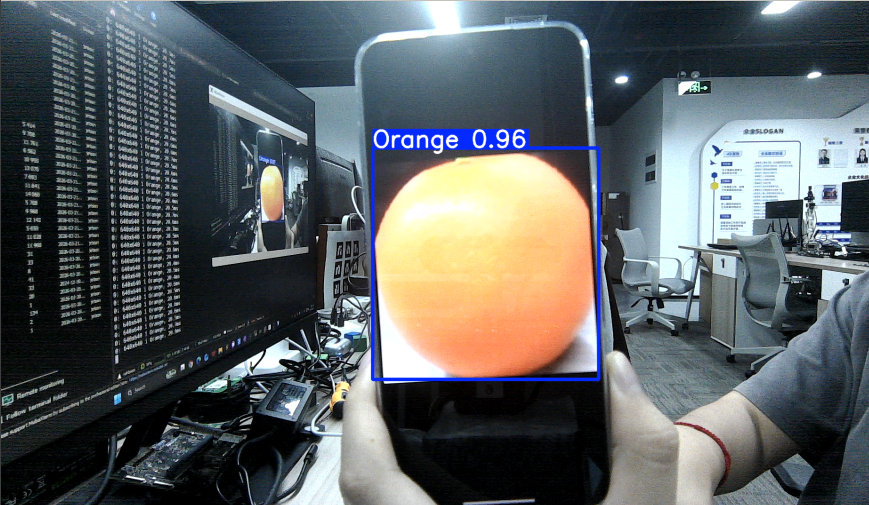
1. Using the CLI
When the CLI uses a camera index directly, it is suitable for USB/V4L2 cameras; for CSI cameras, use the Python examples later in this document.
xxxxxxxxxxcd /home/jetson/ultralytics_yolo26/data/yahboom_data/orange_data/runs/detect/train/weightsyolo26 predict model=best.engine source=0 save=False show=True
If the training output is actually located in directories such as train2 or train3, adjust the path according to the Results saved to entry in the training log. Adjust the source number for multiple cameras.
If you get Device '/dev/video0' is busy or Failed to open 0, the camera is being occupied by another process, not a best.engine loading failure. You can first run:
xxxxxxxxxxsudo fuser -v /dev/video0Common occupiers are ROS 2 camera_csi, other Python/OpenCV programs, or GStreamer processes. Retry after releasing the camera.
2. Using Python
Use Python to call the USB camera and the CSI camera to recognize oranges.
2.1. USB Camera
Use best.engine to predict the camera feed:
xxxxxxxxxxcd /home/jetson/ultralytics_yolo26/yahboom_demo
Run the code: click the preview window and press the q key to stop the program!
xxxxxxxxxxpython3 06.orange_camera_usb.py
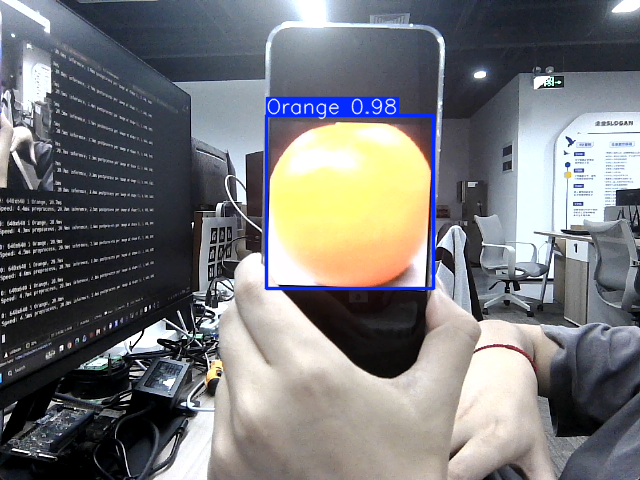
Result Preview
The location of the video output by yolo recognition: /home/jetson/ultralytics_yolo26/output/
Example code:
xxxxxxxxxximport os, syssys.path.insert(0, "/home/jetson/ultralytics_yolo26/runtime")os.environ.setdefault("ULTRALYTICS_CONFIG_DIR", "/home/jetson/ultralytics_yolo26/.config")
import cv2from ultralytics import YOLO
model = YOLO("/home/jetson/ultralytics_yolo26/data/yahboom_data/orange_data/runs/detect/train/weights/best.engine")
# Open the cammeracap = cv2.VideoCapture(0)cap.set(6, cv2.VideoWriter.fourcc('M', 'J', 'P', 'G'))cap.set(cv2.CAP_PROP_FRAME_WIDTH, 640)cap.set(cv2.CAP_PROP_FRAME_HEIGHT, 480)
# Get the video frame size and frame rateframe_width = int(cap.get(cv2.CAP_PROP_FRAME_WIDTH))frame_height = int(cap.get(cv2.CAP_PROP_FRAME_HEIGHT))fps = int(cap.get(cv2.CAP_PROP_FPS))
# Define the codec and create a VideoWriter object to output the processed videooutput_path = "/home/jetson/ultralytics_yolo26/output/06.orange_camera_usb.mp4"fourcc = cv2.VideoWriter_fourcc(*'mp4v')  # You can use 'XVID' or 'mp4v' depending on your platformout = cv2.VideoWriter(output_path, fourcc, fps, (frame_width, frame_height))
# Loop through the video frameswhile cap.isOpened():    # Read a frame from the video    success, frame = cap.read()
    if success:        # Run YOLO inference on the frame        results = model(frame)
        # Visualize the results on the frame        annotated_frame = results[0].plot()
        # Write the annotated frame to the output video file        out.write(annotated_frame)

        # Display the annotated frame        cv2.imshow("YOLO Inference", cv2.resize(annotated_frame, (640, 480)))
        # Break the loop if 'q' is pressed        if cv2.waitKey(1) & 0xFF == ord("q"):            break    else:        # Break the loop if the end of the video is reached        break# Release the video capture and writer objects, and close the display windowcap.release()out.release()cv2.destroyAllWindows()
2.2. CSI Camera
Use best.engine to predict the camera feed:
xxxxxxxxxxcd /home/jetson/ultralytics_yolo26/yahboom_demo
Run the code: click the preview window and press the q key to stop the program!
xxxxxxxxxxpython3 06.orange_camera_csi.py
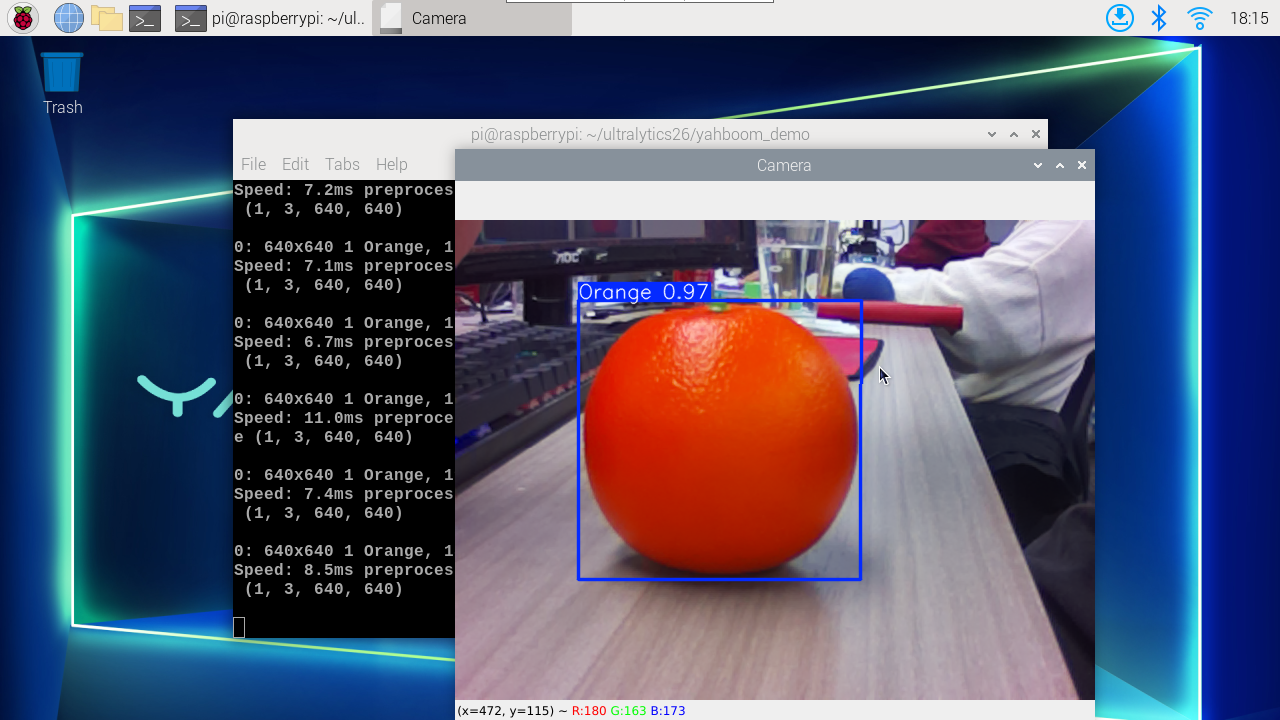
Result Preview
The location of the video output by yolo recognition: /home/jetson/ultralytics_yolo26/output/
Example code:
ximport os, syssys.path.insert(0, "/home/jetson/ultralytics_yolo26/runtime")os.environ.setdefault("ULTRALYTICS_CONFIG_DIR", "/home/jetson/ultralytics_yolo26/.config")
import cv2from ultralytics import YOLOfrom jetcam.csi_camera import CSICamera
# Load the YOLO modelmodel = YOLO("/home/jetson/ultralytics_yolo26/data/yahboom_data/orange_data/runs/detect/train/weights/best.engine")
# Open the camera (CSI Camera)cap = CSICamera(capture_device=0, width=640, height=480)
# Get the video frame size and frame rateframe_width = 640frame_height = 480fps = 30
# Define the codec and create a VideoWriter object to output the processed videooutput_path = "/home/jetson/ultralytics_yolo26/output/06.orange_camera_csi.mp4"fourcc = cv2.VideoWriter_fourcc(*'mp4v') # You can use 'XVID' or 'mp4v' depending on your platformout = cv2.VideoWriter(output_path, fourcc, fps, (frame_width, frame_height))
# Loop through the video frameswhile True: # Read a frame from the camera frame = cap.read()
if frame is not None: # Run YOLO inference on the frame results = model(frame)
# Visualize the results on the frame annotated_frame = results[0].plot()
# Write the annotated frame to the output video file out.write(annotated_frame)
# Display the annotated frame cv2.imshow("YOLO Inference", cv2.resize(annotated_frame, (640, 480)))
# Break the loop if 'q' is pressed if cv2.waitKey(1) & 0xFF == ord("q"): break else: # Break the loop if no frame is received (camera error or end of stream) print("No frame received, breaking the loop.") break
# Release the video capture and writer objects, and close the display windowcap.release()out.release()cv2.destroyAllWindows()