Welcome to Jetson Orin NANO Developer Kit repository
08.Model conversion
Model Conversion
Model Conversion1. Jetson Orin YOLO11 (Benchmark)2. Enabling Best Performance of the Mainboard2.1. Enabling MAX Power Mode2.2. Enabling Jetson Clocks3. Model Conversion3.1. CLI: pt → onnx → engine 3.2. Python: pt → onnx → engine4. Model PredictionUsing the CLIFAQERROR: onnxslimReferences
pip Installation Note: Ubuntu 24.04 marks the system Python as "externally managed" per PEP 668, so installing directly with pip may raise
externally-managed-environment.--break-system-packagesallows pip to install packages in that environment; virtual environments generally do not need this flag, but this tutorial keeps it for consistency of the instructions.
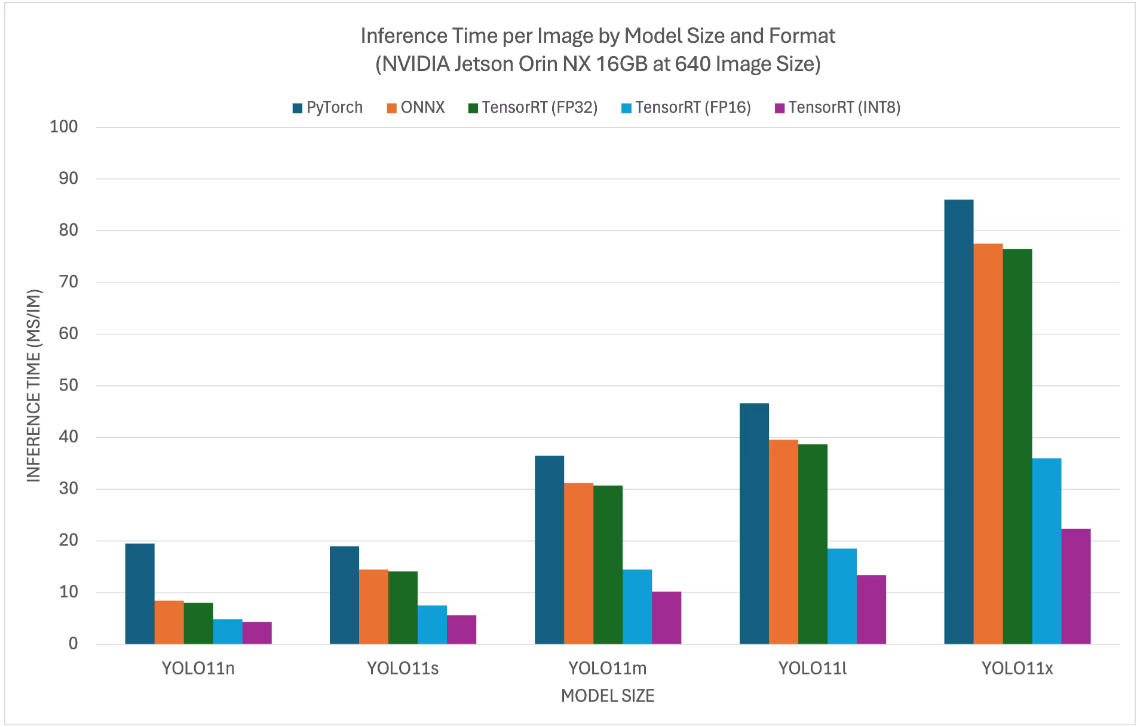
1. Jetson Orin YOLO11 (Benchmark)
The YOLO11 benchmark data comes from the Ultralytics team, who tested models in a variety of formats (for reference only)
2. Enabling Best Performance of the Mainboard
2.1. Enabling MAX Power Mode
Enabling MAX Power Mode on the Jetson ensures that all CPU and GPU cores are turned on:
sudo nvpmodel -m 2
2.2. Enabling Jetson Clocks
Enabling Jetson Clocks ensures that all CPU and GPU cores run at their maximum frequency:
xxxxxxxxxxsudo jetson_clocks
3. Model Conversion
Based on the test parameters for models in different formats provided by the Ultralytics team, we can see that inference with TensorRT delivers the best performance!
xxxxxxxxxxThe first time you use YOLO11's export mode, some dependencies will be installed automatically; just wait for it to complete!
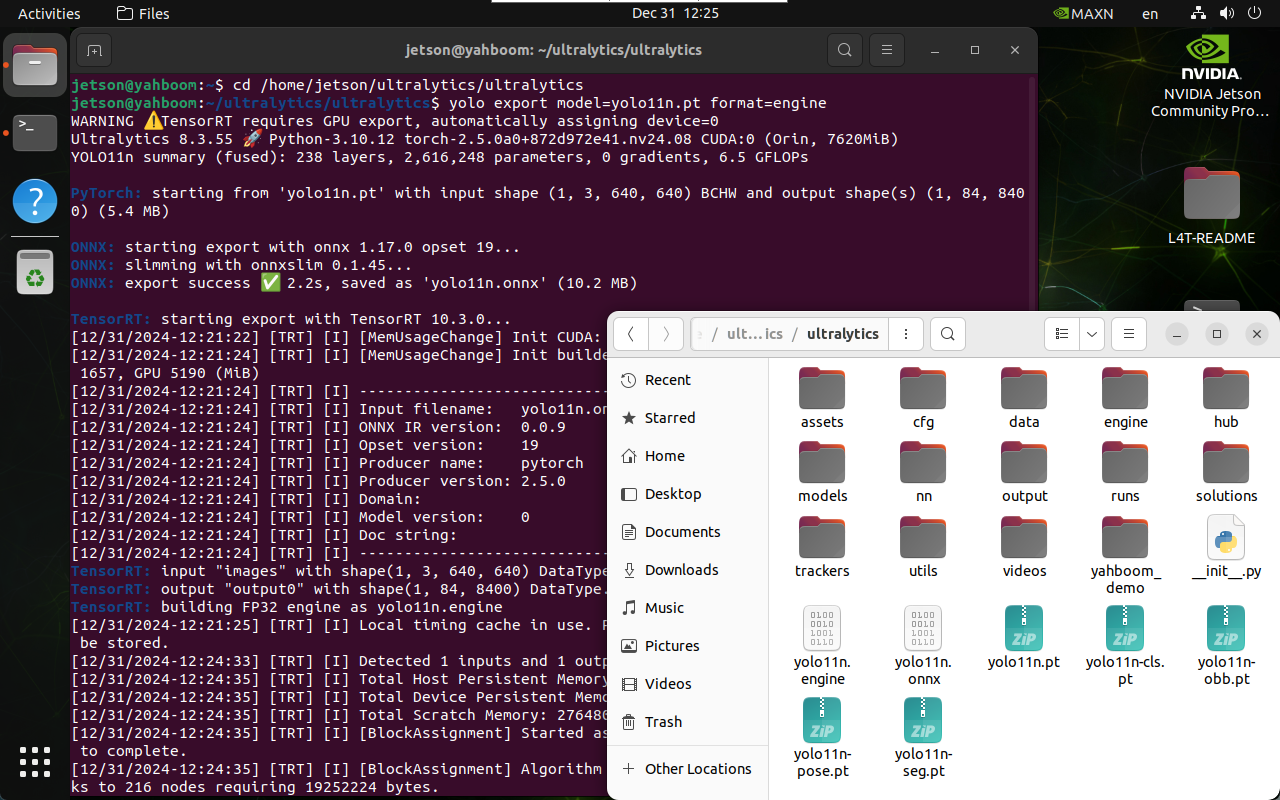
3.1. CLI: pt → onnx → engine
Convert a model in PyTorch format to TensorRT: the conversion process automatically generates an ONNX model
xxxxxxxxxxcd /home/jetson/ultralytics/ultralytics
xxxxxxxxxxyolo export model=yolo11n.pt format=engine# yolo export model=yolo11n-seg.pt format=engine# yolo export model=yolo11n-pose.pt format=engine# yolo export model=yolo11n-cls.pt format=engine# yolo export model=yolo11n-obb.pt format=engine
3.2. Python: pt → onnx → engine
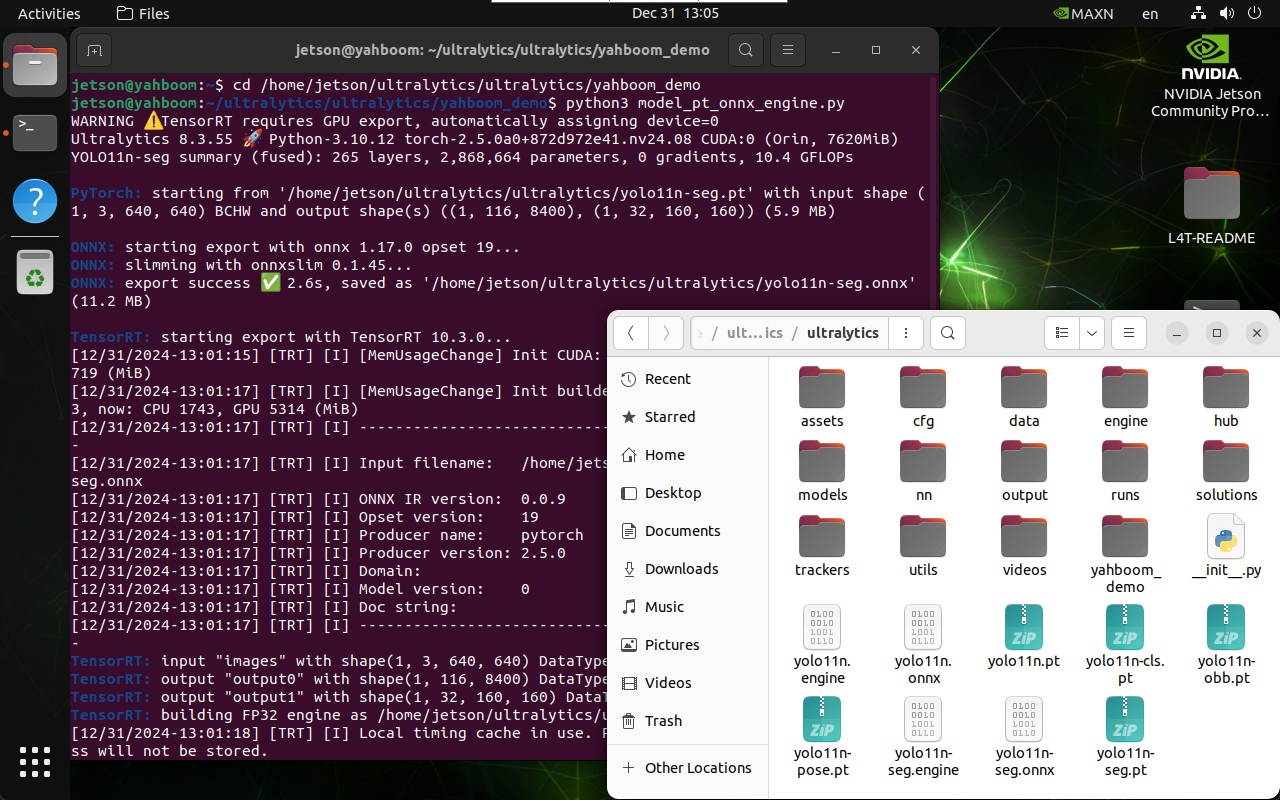
Convert a model in PyTorch format to TensorRT: the conversion process automatically generates an ONNX model
xxxxxxxxxxcd /home/jetson/ultralytics/ultralytics/yahboom_demo
xxxxxxxxxxpython3 model_pt_onnx_engine.py
xfrom ultralytics import YOLO# Load a YOLO11n PyTorch model# model = YOLO("/home/jetson/ultralytics/ultralytics/yolo11n.pt")model = YOLO("/home/jetson/ultralytics/ultralytics/yolo11n-seg.pt")# model = YOLO("/home/jetson/ultralytics/ultralytics/yolo11n-pose.pt")# model = YOLO("/home/jetson/ultralytics/ultralytics/yolo11n-cls.pt")# model = YOLO("/home/jetson/ultralytics/ultralytics/yolo11n-obb.pt")# Export the model to TensorRTmodel.export(format="engine")
Note: The converted model file is located in the same place as the model file being converted
4. Model Prediction
Using the CLI
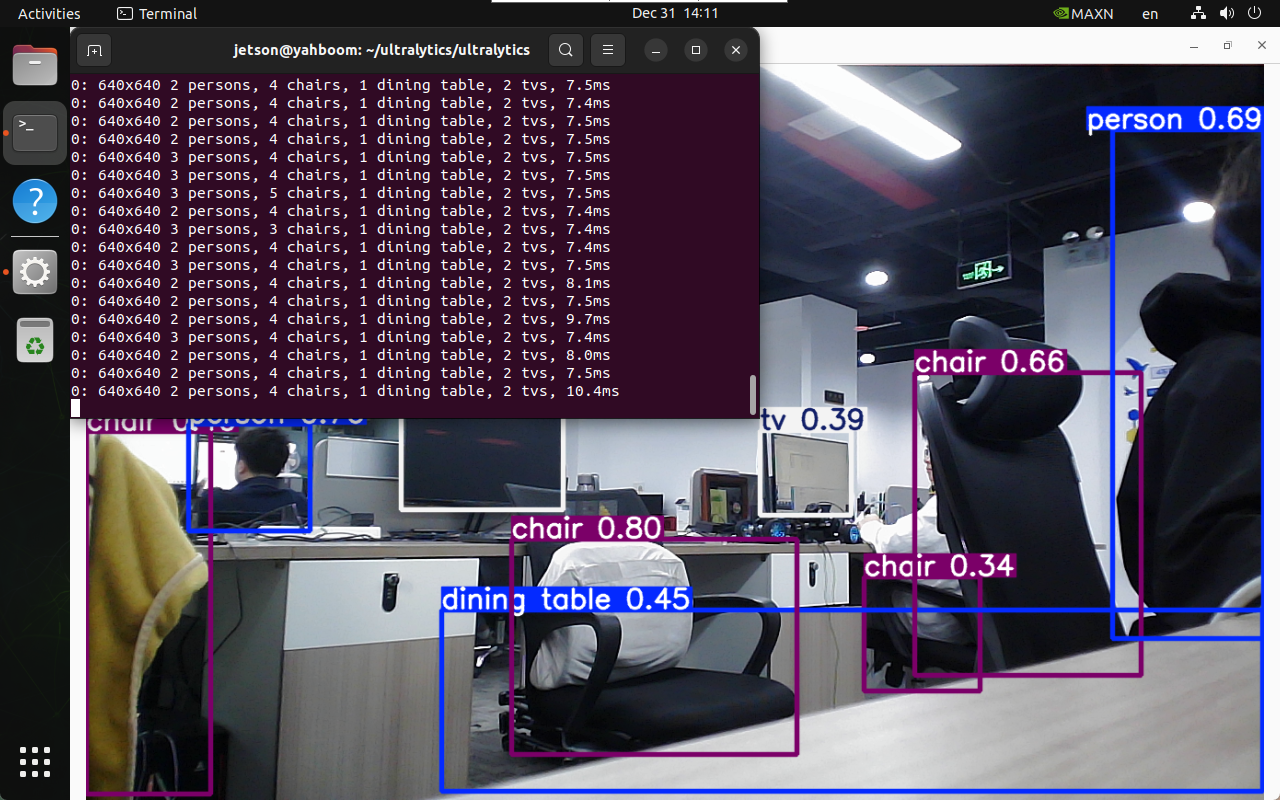
The CLI currently only supports calling a USB camera; users of CSI cameras can directly modify the earlier Python code to call the onnx and engine models!
xxxxxxxxxxcd /home/jetson/ultralytics/ultralytics
xxxxxxxxxxyolo predict model=yolo11n.onnx source=0 save=False show
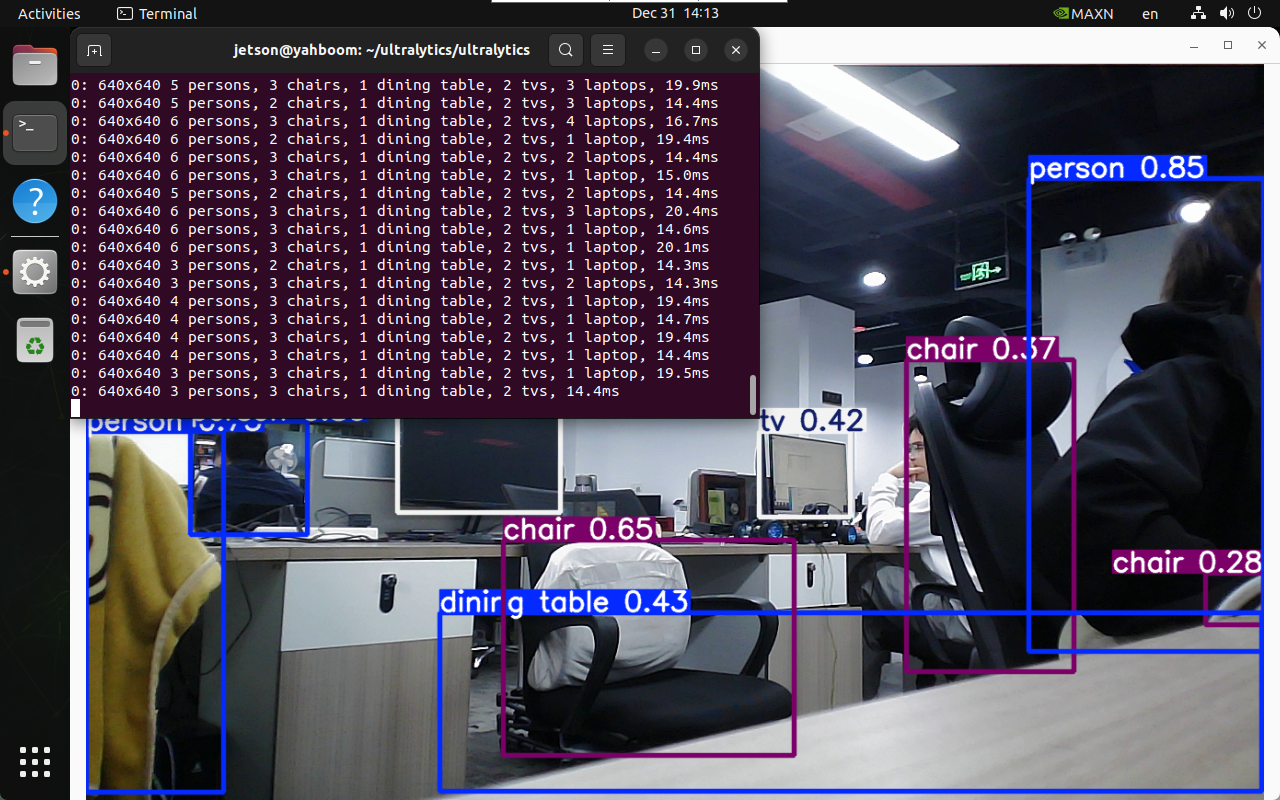
xxxxxxxxxxyolo predict model=yolo11n.engine source=0 save=False show
FAQ
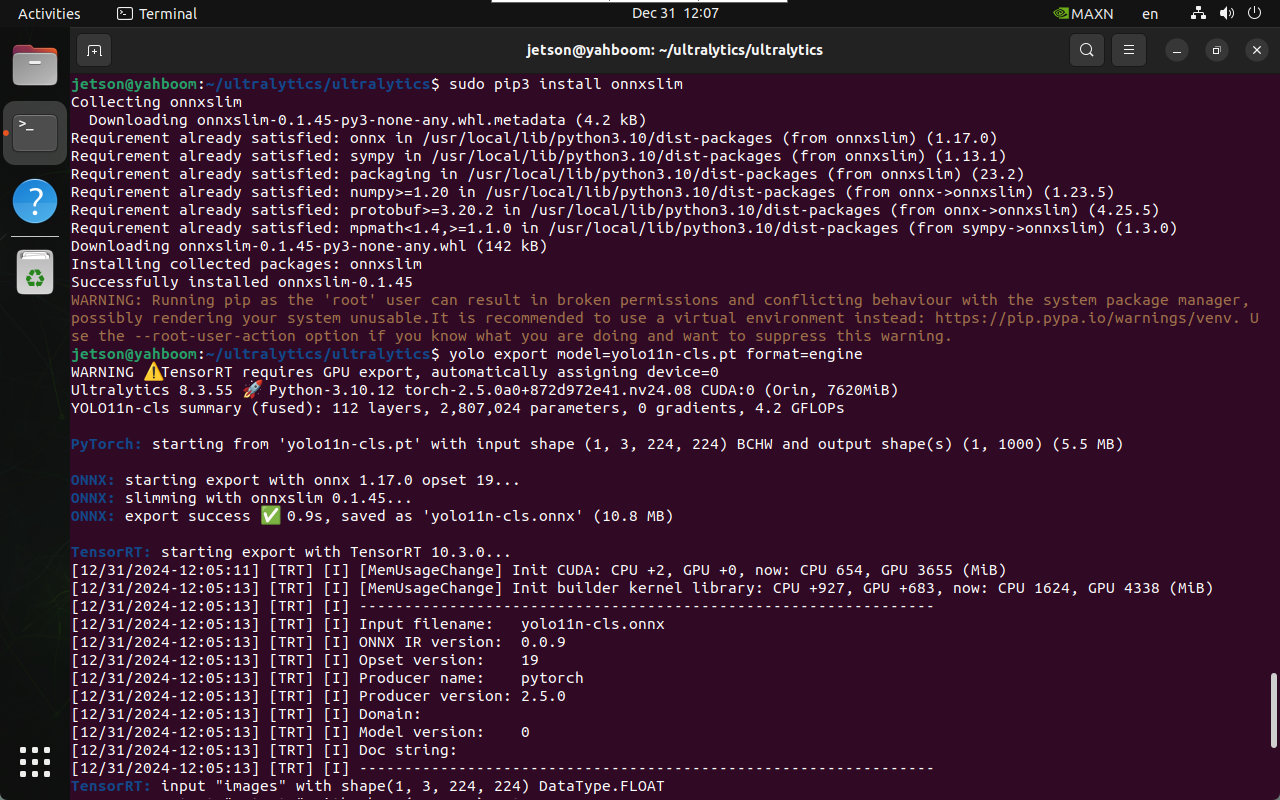
ERROR: onnxslim
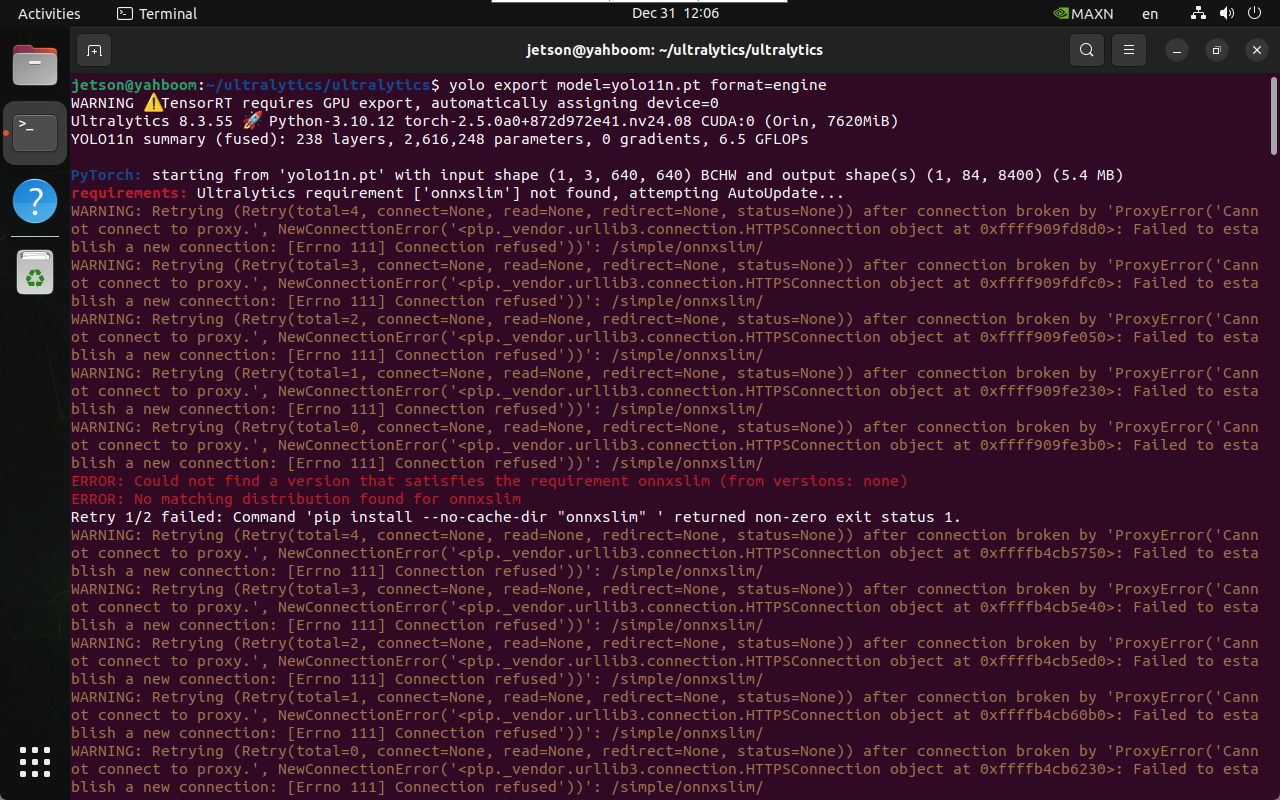
Solution: enter the onnxslim installation command in the terminal
xxxxxxxxxxsudo pip3 install onnxslim --break-system-packages