Welcome to Jetson Orin NANO Developer Kit repository
01.YOLO environment construction
YOLO Environment Setup
pip Installation Note: Ubuntu 24.04 marks the system Python as "externally managed" per PEP 668, so installing packages directly with pip may raise
externally-managed-environment.--break-system-packagesallows pip to install packages in that environment; virtual environments usually do not need this flag, but it is kept here to keep the commands consistent throughout this tutorial.
This chapter applies to setting things up yourself on the official image. If you are using the YAHBOOM image, you can skip this tutorial.
JestonNano Series
Due to the system version, the JetsonNano series needs to use the official Docker image provided by ultralytics. The Yahboom factory image already has the docker environment preinstalled, so there is no need to download it manually; this section is only for those who want to download and install it manually. Before starting, you need to configure the docker proxy environment to avoid the network being blocked.
Note: On JetsonNano it cannot be converted to engine for use, because the current JetPack 4.6.3 / TensorRT 8.2.0.6 cannot directly parse the Mod operator
One-Click Installation with Commands
t=ultralytics/ultralytics:latest-jetson-jetpack4sudo docker pull $t && sudo docker run -it --ipc=host --runtime=nvidia --gpus all ultralytics/ultralytics:latest-jetson-jetpack4

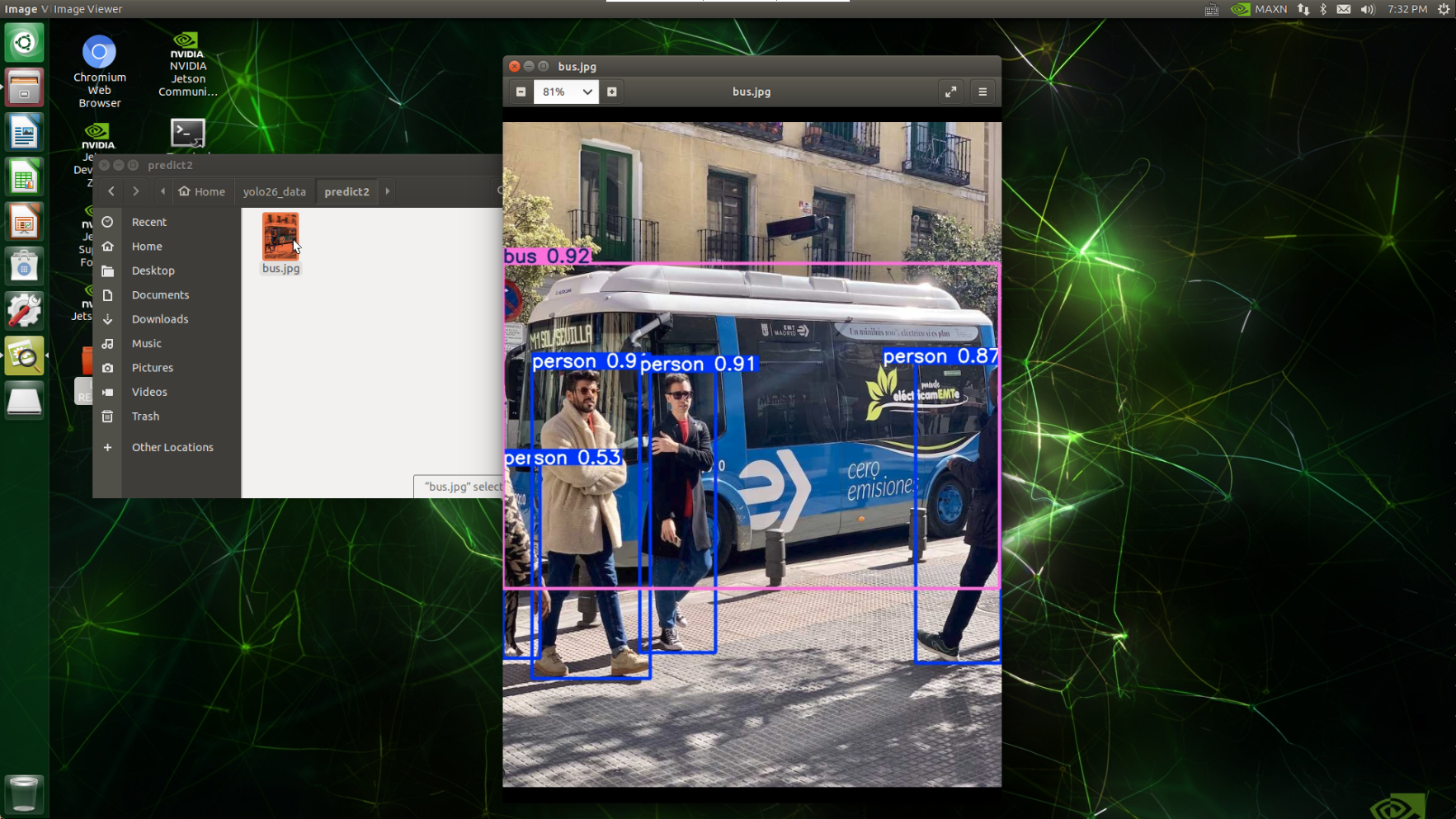
Use the CLI prediction method to run a prediction.
(Execute in the root@jetson-yahboom:/ultralytics directory)
x# Run inference with the exported modelyolo predict model=yolo26n.pt source='https://ultralytics.com/images/bus.jpg'# If the external network is unreachable, you can test with a local imageyolo predict model=yolo26n.pt source='/root/yolo26_data/bus.jpg'

We can copy the generated image to the ~/yolo26_data/ directory with the cp command, so that it can be viewed on the host machine.
JetsonOrin Series
If you are using the Yahboom official image, please skip this step. yolo26 is already preinstalled in the factory image.
Update the package list, install pip and upgrade it to the latest version
xxxxxxxxxxsudo apt updatesudo apt install python3-pip -ypip install -U pip --break-system-packagesInstall (update) the
ultralyticspip package with optional dependenciesxxxxxxxxxxpip install ultralytics[export] --break-system-packagesRestart the device
xxxxxxxxxxsudo rebootDownload the yolo26n.pt model
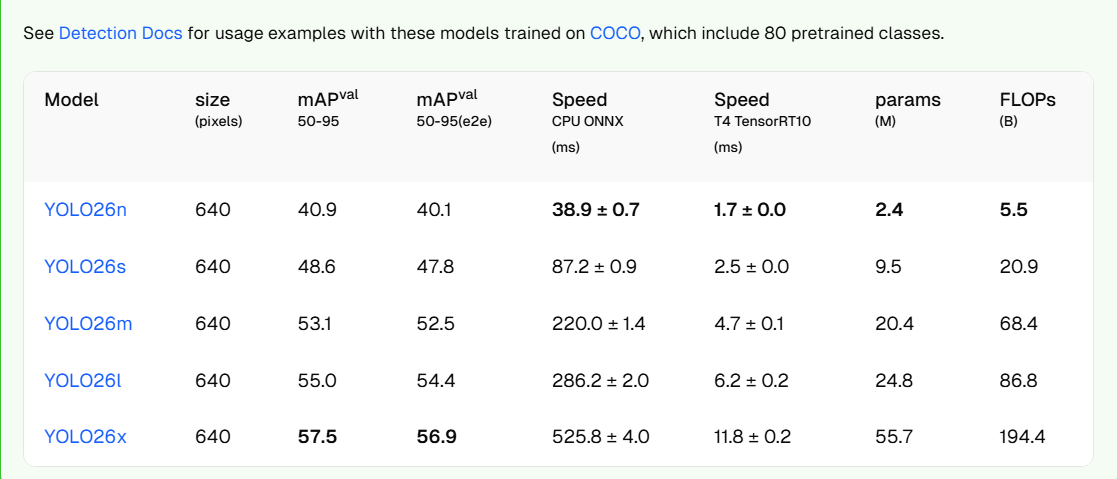
Ultralytics YOLO26 - Ultralytics YOLO Docs
Convert to TensorRT format (accelerates inference)
After downloading, put it in the /home/jetson/ultralytics/ directory
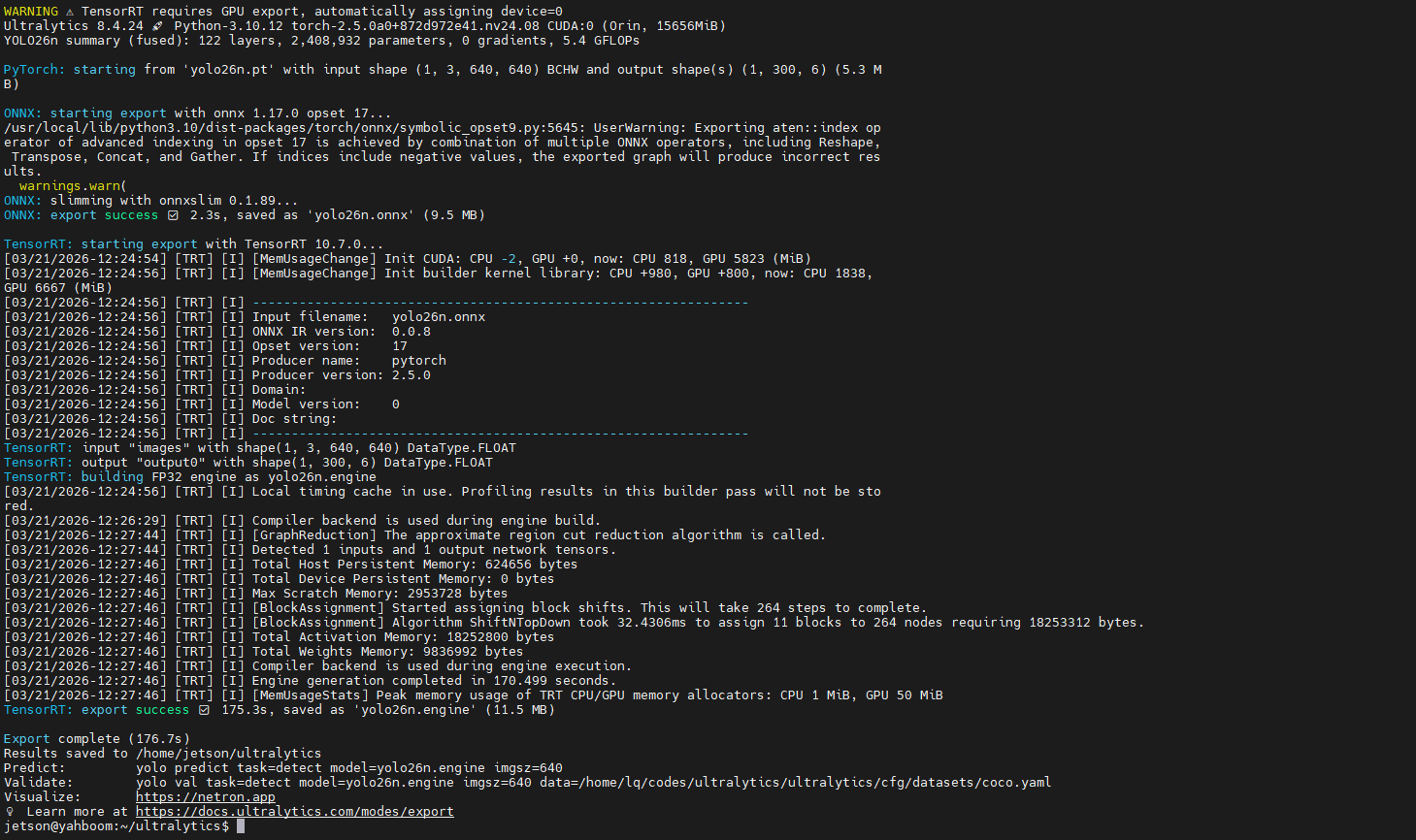
Run yolo export model=yolo26n.pt format=engine # creates 'yolo26n.engine' in the terminal