Welcome to Jetson Orin NANO Developer Kit repository
9.Llava visual multimodal large model
Llava
Llava1. Model Size2. Performance3. Using Llava3.1 Running Llava3.2 Starting a Conversation3.3 Visual Function3.4 Ending the ConversationReferences
Demo Environment
Development board: Jetson Orin series mainboard
Note: Due to performance limitations, the Jetson Orin Nano 4GB cannot run this model.
1. Model Size
| Model | Size |
|---|---|
| llava:7b | 4.7GB |
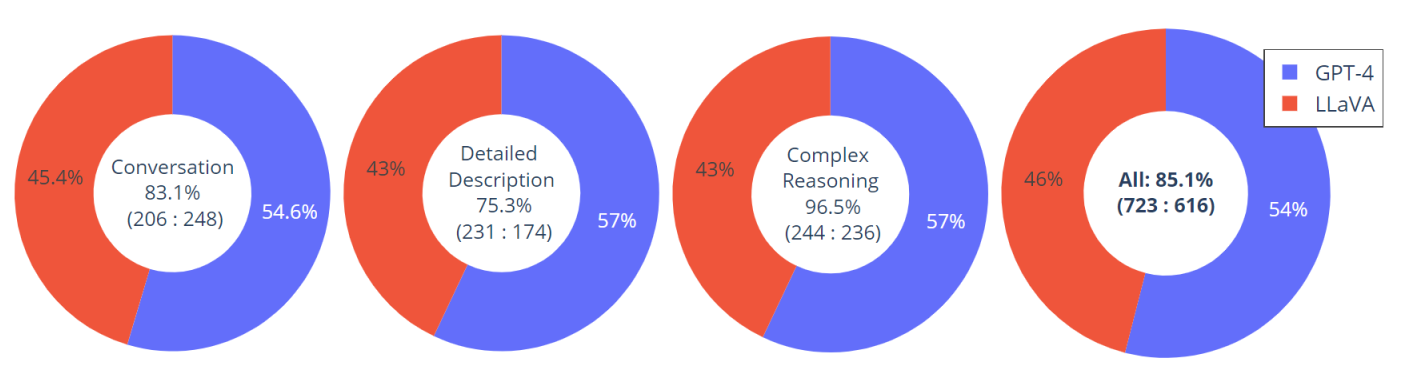
2. Performance
3. Using Llava
3.1 Running Llava
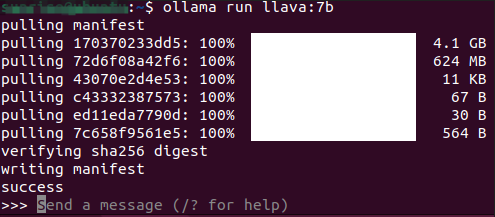
Run the model with the run command; if it is not downloaded yet, Ollama pulls it automatically:
ollama run llava:7b
3.2 Starting a Conversation
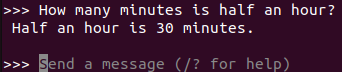
xxxxxxxxxxHow many minutes is half an hour?
Response time depends on the hardware; please be patient.
3.3 Visual Function

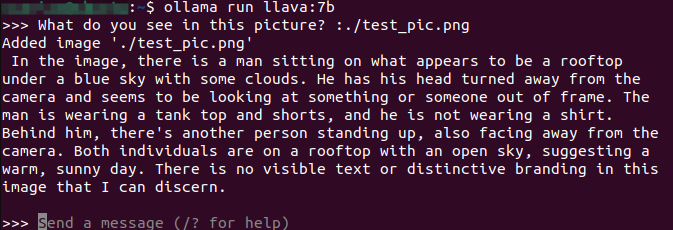
xxxxxxxxxxWhat do you see in this picture? :./test_pic.png#Use ": + image path" in the conversation to enable the model to use its visual function and interpret the information in the image
3.4 Ending the Conversation
Use the Ctrl+d shortcut or /bye to end the conversation!
References
Ollama
Official website: https://ollama.com/
GitHub: https://github.com/ollama/ollama
Llava
Ollama corresponding model: https://ollama.com/library/llava