Welcome to Jetson Orin NANO Developer Kit repository
7.ROS2 topic communication
7. ROS 2 Topic Communication
1. Introduction to Topic Communication
Topic communication is the most frequently used communication method in ROS 2. A publisher publishes data on a specified topic, and subscribers can receive the data as long as they subscribe to the data of that topic.
Topic communication is based on the publish/subscribe model, as shown in the figure:
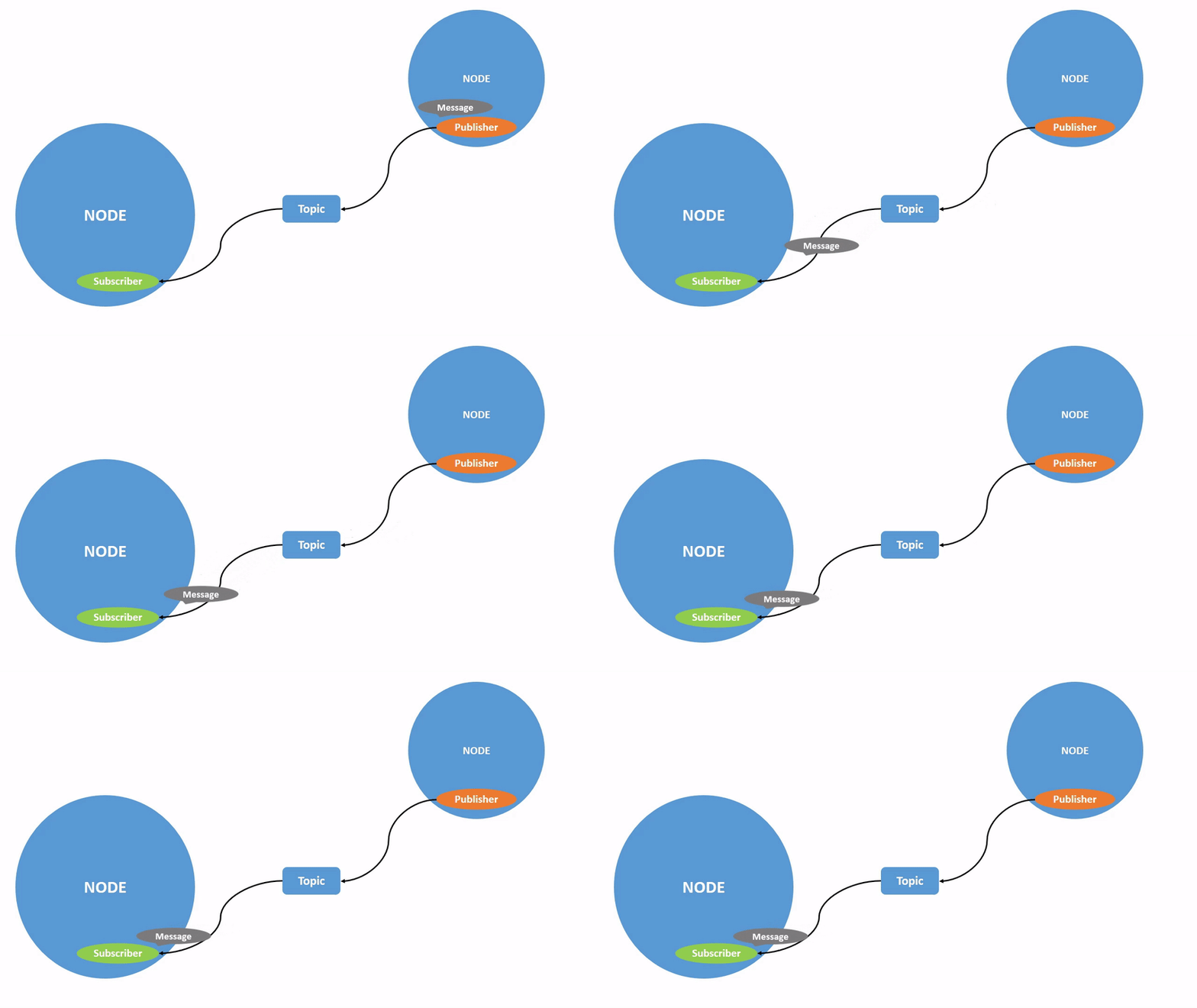
Topic data flows from one node to another. The object that sends data is called the publisher, and the object that receives data is called the subscriber. Each topic needs a name, and the transmitted data also needs a fixed data type.
Next, we will explain how to use the Python language to implement topic communication between nodes.
2. Create a New Package
Switch to the src directory of the workspace
Create a new pkg_topic package
ros2 pkg create pkg_topic --build-type ament_python --dependencies rclpy --node-name publisher_demoAfter executing the above command, the pkg_topic package will be created, and a publisher_demo node will also be created, with the relevant configuration files already configured.
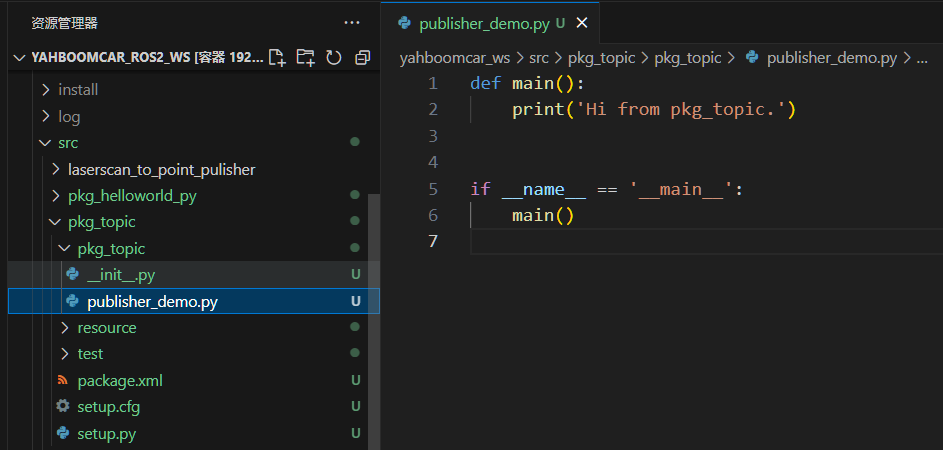
3. Publisher Implementation
3.1 Create a Publisher
Next, edit 【publisher_demo.py】 to implement the publisher function and add the following code:
xxxxxxxxxx#Import the rclpy libraryimport rclpyfrom rclpy.node import Node#Import the String messagefrom std_msgs.msg import String #Create a Topic_Pub node subclass that inherits from the Node base class, passing in one parameter, nameclass Topic_Pub(Node): def __init__(self,name): super().__init__(name) #Create a publisher using the create_publisher function; the parameters passed in are: #Topic data type, topic name, and the queue length for storing messages self.pub = self.create_publisher(String,"/topic_demo",1) #Create a timer that enters the interrupt handling function every 1 s; the parameters passed in are: #Interval at which the interrupt function is executed, interrupt handling function self.timer = self.create_timer(1,self.pub_msg) #Define the interrupt handling function def pub_msg(self): msg = String() #Create a variable msg of type String msg.data = "Hi,I send a message." #Assign a value to data in msg self.pub.publish(msg) #Publish the topic data #Main functiondef main(): rclpy.init() #Initialize pub_demo = Topic_Pub("publisher_node") #Create a Topic_Pub class object; the parameter passed in is the node name rclpy.spin(pub_demo) #Execute the rclpy.spin function, passing in one parameter, which is the Topic_Pub class object just created pub_demo.destroy_node() #Destroy the node object rclpy.shutdown() #Shut down the ROS2 Python interface3.2 Edit the Configuration File
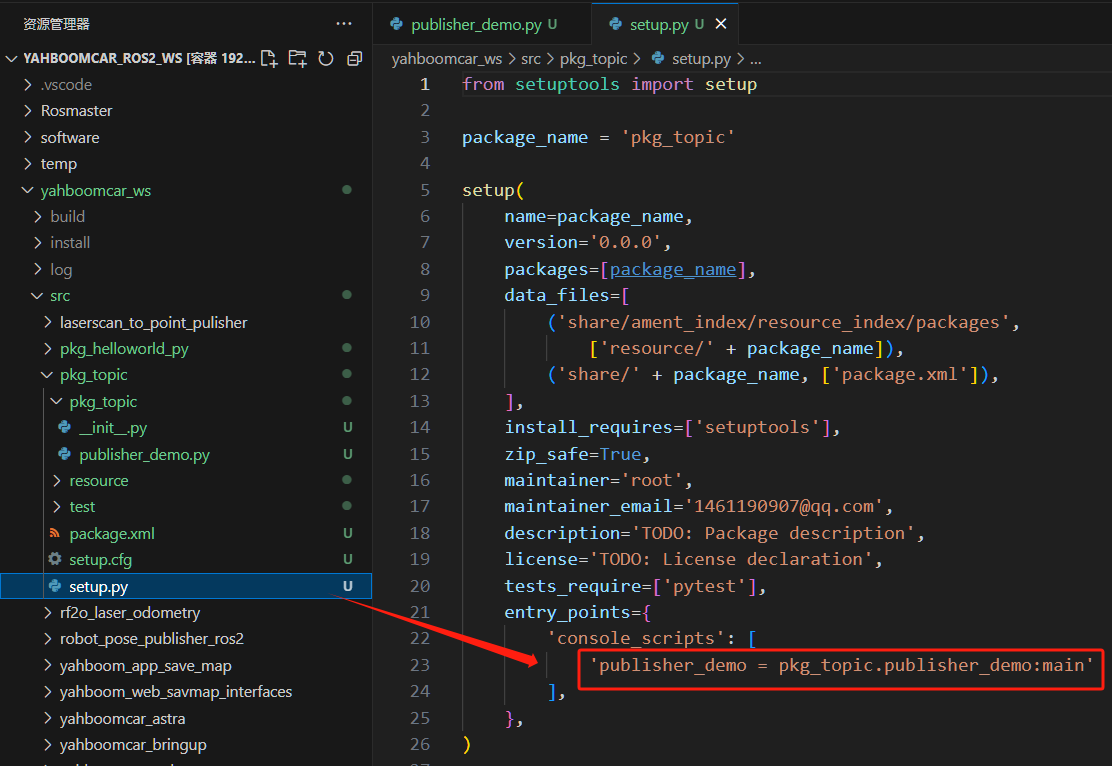
3.3 Compile the Package
Compile the package
xxxxxxxxxxcolcon build --packages-select pkg_topicRefresh the environment variables in the workspace
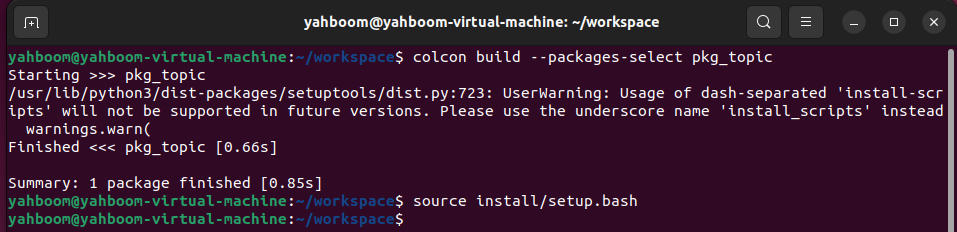
3.4 Run the Program
Run the command after refreshing the environment variables
xxxxxxxxxxros2 run pkg_topic publisher_demoAfter the program runs successfully, nothing is printed. The data can be viewed through the ros2 topic tool. First, check whether the topic is being published. Open another terminal and enter:
xxxxxxxxxxros2 topic list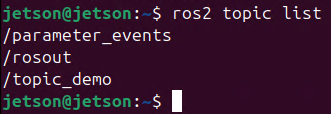
This topic_demo is the topic data defined in the program. Next, use ros2 topic echo to print this data. Enter in the terminal:
xxxxxxxxxxros2 topic echo /topic_demo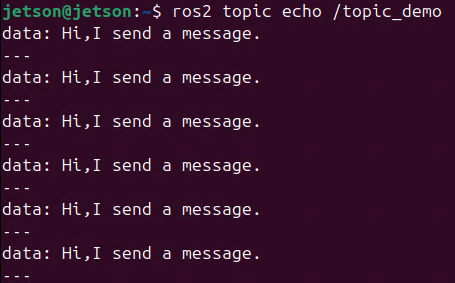
It can be seen that the "Hi,I send a message." printed in the terminal is consistent with msg.data = "Hi,I send a message." in the code.
4. Subscriber Implementation
4.1 Create a Subscriber
Create a new file 【subscriber_demo.py】 in the same directory as 【publisher_demo.py】
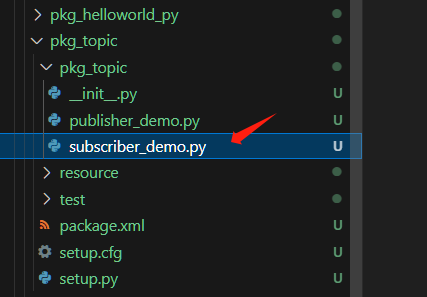
Next, edit 【subscriber_demo.py】 to implement the subscriber function and add the following code:
x#Import the related librariesimport rclpyfrom rclpy.node import Nodefrom std_msgs.msg import String
class Topic_Sub(Node): def __init__(self,name): super().__init__(name) #Create a subscriber using create_subscription; the parameters passed in are: topic data type, topic name, callback function name, queue length self.sub = self.create_subscription(String,"/topic_demo",self.sub_callback,1) #Callback function execution program: print the received message def sub_callback(self,msg): # print(msg.data,flush=True) self.get_logger().info(msg.data)
def main(): rclpy.init() #Initialize the ROS2 Python interface sub_demo = Topic_Sub("subscriber_node") # Create an object and initialize it rclpy.spin(sub_demo) sub_demo.destroy_node() #Destroy the node object rclpy.shutdown() #Shut down the ROS2 Python interface4.2 Edit the Configuration File
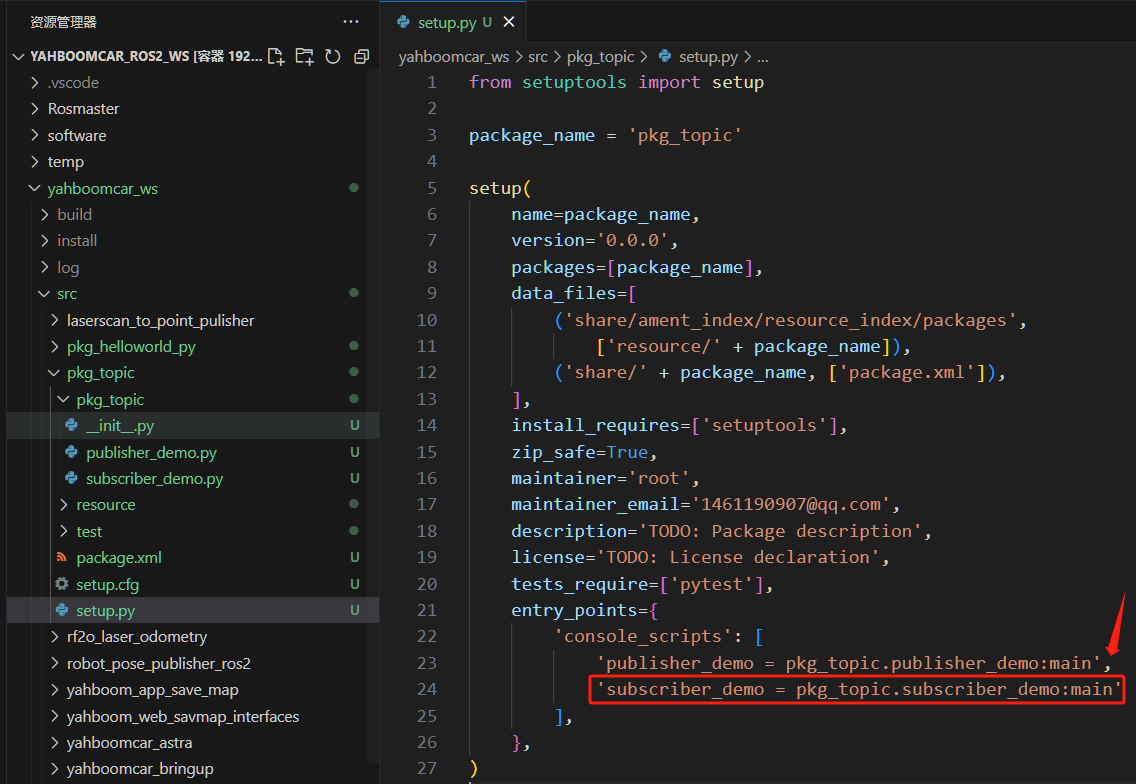
4.3 Compile the Workspace
Compile the package
xxxxxxxxxxcolcon build --packages-select pkg_topicRefresh the environment variables in the workspace
4.4 Run the Program
Execute the following in split terminals:
xxxxxxxxxx#Start the publisher noderos2 run pkg_topic publisher_demo#Start the subscriber noderos2 run pkg_topic subscriber_demo 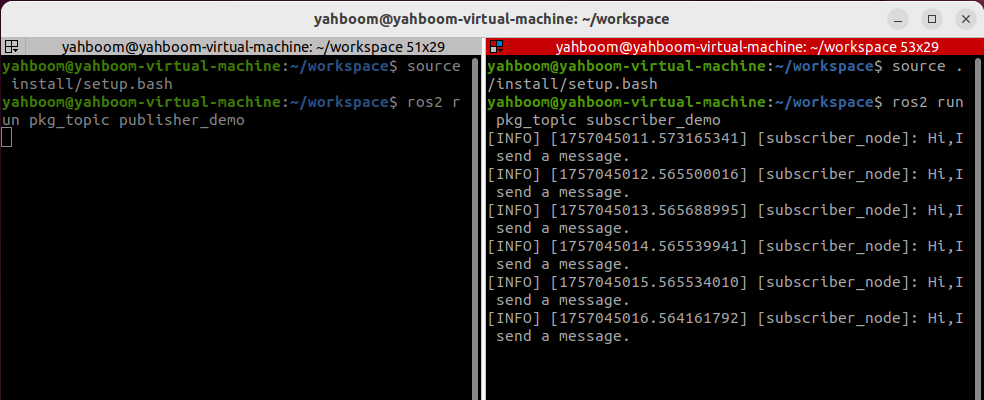
As shown in the figure above, the terminal running the subscriber node will print the information of /topic_demo published by the publisher.