Welcome to ROSMASTER M1 PRO repository
1.Robot Information Publishing
ROS Control
ROS Control1. Course Content2. Preparation3. Case Demonstration3.1 Chassis Sensor Topics3.2 Control the Robot Chassis via Topics3.3 Get the Battery Voltage3.4 Get the Chassis Control Board Firmware Version3.5 Get All Joint Angles of the Robotic Arm3.6 Robotic Arm Joint Angle Control3.6.1 Control the Robotic Arm via Topic3.6.2 Control the Robotic Arm via Service3.6.3 Restore the Robotic Arm to Its Initial Pose via Service3.7 Robotic Arm Torque Control3.8 Control Movement via Services3.9 Save a Camera Image via Service4. Core Source Code Analysis
1. Course Content
Learn the basic methods for controlling the robot through ROS.
This feature controls the car's velocity, buzzer, and robotic arm through the
ros2 topictools, and also reads low-level data such as LiDAR data, IMU data, odometry data, and so on.
2. Preparation
Start the basic nodes: chassis serial communication, robot URDF model, LiDAR, and so on.
xxxxxxxxxxros2 launch yahboomcar_bringup car_base.launch.py use_camera:=true3. Case Demonstration
3.1 Chassis Sensor Topics
Topic summary
| Topic | Message Type | Description |
|---|---|---|
imu | sensor_msgs/Imu | IMU angular velocity + linear acceleration |
odom_raw | nav_msgs/Odometry | Accumulated wheel odometry value |
scan | sensor_msgs/LaserScan | LiDAR scan data |
View all topics
xxxxxxxxxxros2 topic list
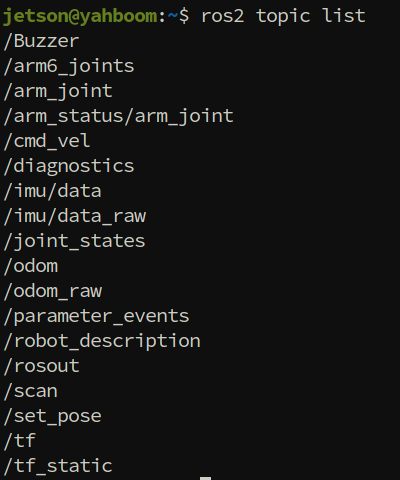
Subscribed topics
| Subscribed Topic | Message Type | Topic Function |
|---|---|---|
| /Buzzer | std_msgs/msg/Bool | Control the buzzer |
| /arm6_joints | arm_msgs/msg/ArmJoints | Control the 6 servos of the robotic arm |
| /arm_joint | arm_msgs/msg/ArmJoint | Control a single servo of the robotic arm |
| /cmd_vel | geometry_msgs/msg/Twist | Control the car's velocity |
Published topics
| Published Topic | Topic Message Type | Topic Attribute |
|---|---|---|
| /imu/data_raw | sensor_msgs/msg/Imu | Publish IMU data |
| /odom | nav_msgs/msg/Odometry | Odometry data |
| /scan | sensor_msgs/msg/LaserScan | LiDAR data |
View the publishing rate of a specified topic:
xxxxxxxxxxros2 topic hz /imu/data_raw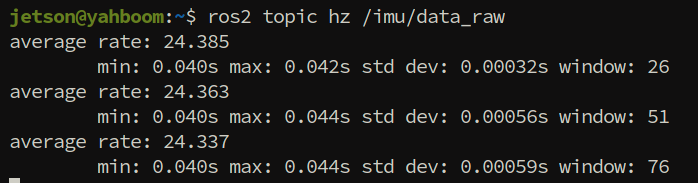
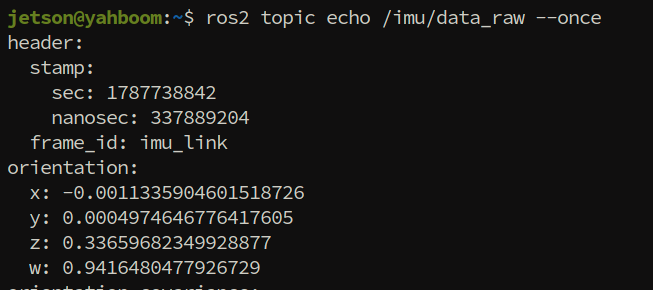
View the data content of a specified topic
xxxxxxxxxxros2 topic echo /imu/data_raw --once
Tip
The command format for viewing the data content, rate, and other information of other topics is the same — just replace the corresponding topic name.
3.2 Control the Robot Chassis via Topics
Use a command in the following format to publish a single frame of control data: ros2 topic pub <topic_name> <topic_message_type> <message_data> --once
Note
It is recommended to lift the chassis off the ground before performing topic movement tests.
Publishing a velocity command to
/cmd_velcontrols the car's movement:
xxxxxxxxxx# Move forward along the x-axis at 0.3 m/sros2 topic pub /cmd_vel geometry_msgs/msg/Twist "{linear: {x: 0.3}, angular: {z: 0.0}}"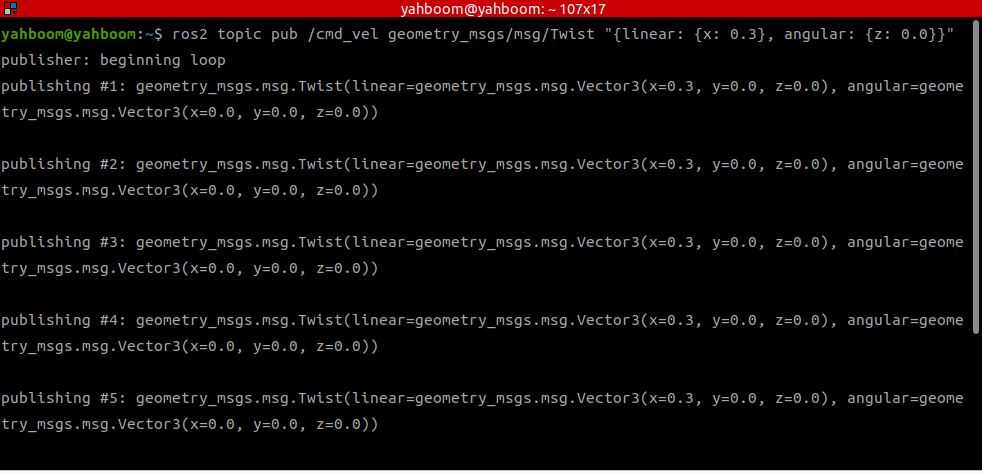
xxxxxxxxxx# Turn left in place at 1.0 rad/sros2 topic pub /cmd_vel geometry_msgs/msg/Twist "{angular: {z: 1.0}}"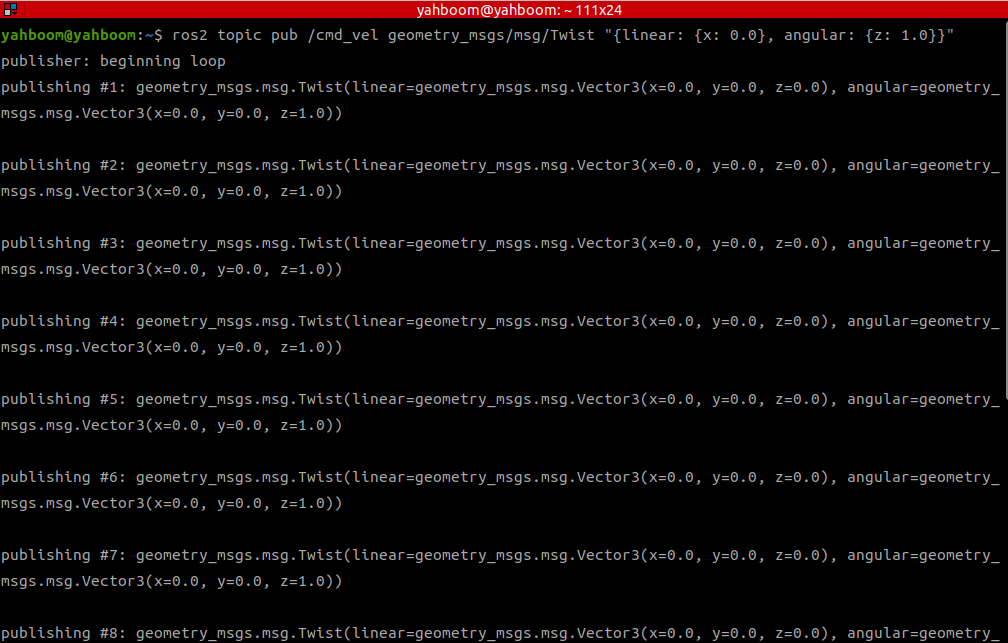
Stop the car's movement
xxxxxxxxxxros2 topic pub /cmd_vel geometry_msgs/msg/Twist "{linear: {x: 0.0}, angular: {z: 0.0}}"
3.3 Get the Battery Voltage
Important
If the buzzer keeps beeping "di-di-di——", the battery level is too low and the battery needs to be charged.
For lithium batteries, the battery level and the voltage are not in a linear relationship.
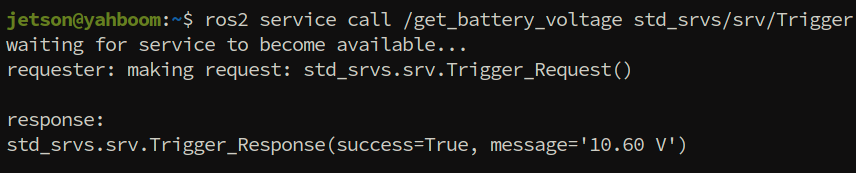
The normal battery voltage range is 10.3V~12V; when it drops below 10.3V, a reminder is given through the buzzer.
xxxxxxxxxxros2 service call /get_battery_voltage std_srvs/srv/Trigger
3.4 Get the Chassis Control Board Firmware Version
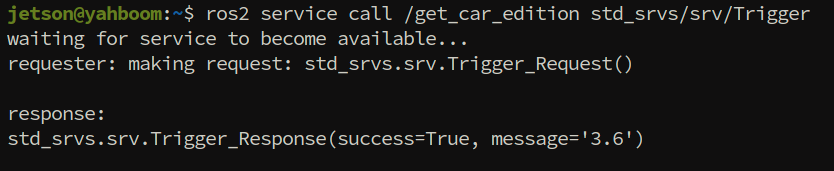
xxxxxxxxxxros2 service call /get_car_edition std_srvs/srv/Trigger
3.5 Get All Joint Angles of the Robotic Arm
xxxxxxxxxxros2 service call /get_arm_joints interfaces/srv/ArmPosition "{}"

3.6 Robotic Arm Joint Angle Control
3.6.1 Control the Robotic Arm via Topic
xxxxxxxxxxros2 topic pub --once /arm6_joints arm_msgs/msg/ArmJoints "{joint1: 90, joint2: 90, joint3: 90, joint4: 90, joint5: 90, joint6: 30, time: 2000}"

3.6.2 Control the Robotic Arm via Service
xxxxxxxxxxros2 service call /set_arm_joints interfaces/srv/ArmPosition "{request_joints: [90, 150, 12, 20, 90, 30]}"

3.6.3 Restore the Robotic Arm to Its Initial Pose via Service
xxxxxxxxxxros2 service call /reset_arm_pose std_srvs/srv/Trigger

3.7 Robotic Arm Torque Control
Disable torque
xxxxxxxxxxros2 service call /set_arm_torque std_srvs/srv/SetBool "{data: false}"
After the robotic arm torque is disabled, the arm joints can be moved slowly by hand.

Enable torque
xxxxxxxxxxros2 service call /set_arm_torque std_srvs/srv/SetBool "{data: true}"

3.8 Control Movement via Services
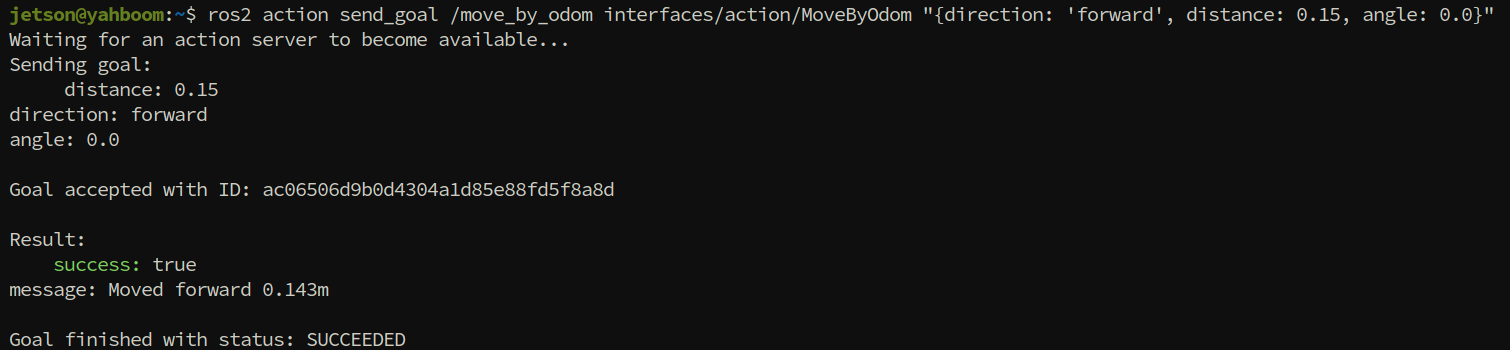
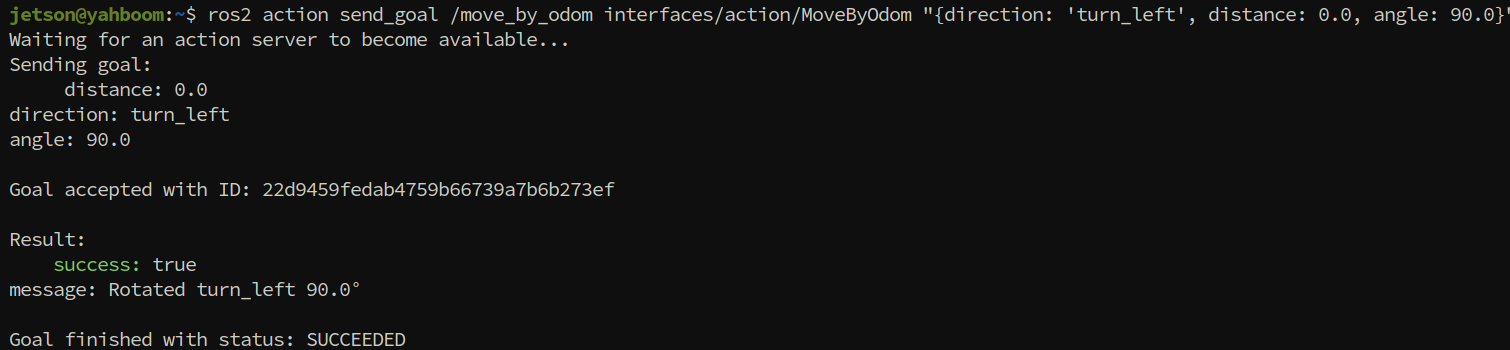
Control the chassis to move or rotate by a precise angle through an action service (closed-loop control based on odometry).
Note
Parameter description:
direction: movement direction; distance: movement distance; angle: rotation angle
Usage examples
xxxxxxxxxx# Move forward 0.15 mros2 action send_goal /move_by_odom interfaces/action/MoveByOdom "{direction: 'forward', distance: 0.15}"# Move backward 0.3 mros2 action send_goal /move_by_odom interfaces/action/MoveByOdom "{direction: 'backward', distance: 0.3}"
xxxxxxxxxx# Turn left 90 degreesros2 action send_goal /move_by_odom interfaces/action/MoveByOdom "{direction: 'turn_left', angle: 90.0}"# Turn right 45 degreesros2 action send_goal /move_by_odom interfaces/action/MoveByOdom "{direction: 'turn_right', angle: 45.0}"
xxxxxxxxxx# Strafe left 0.3 mros2 action send_goal /move_by_odom interfaces/action/MoveByOdom "{direction: 'left', distance: 0.3}"# Strafe right 0.3 mros2 action send_goal /move_by_odom interfaces/action/MoveByOdom "{direction: 'right', distance: 0.3}"
3.9 Save a Camera Image via Service
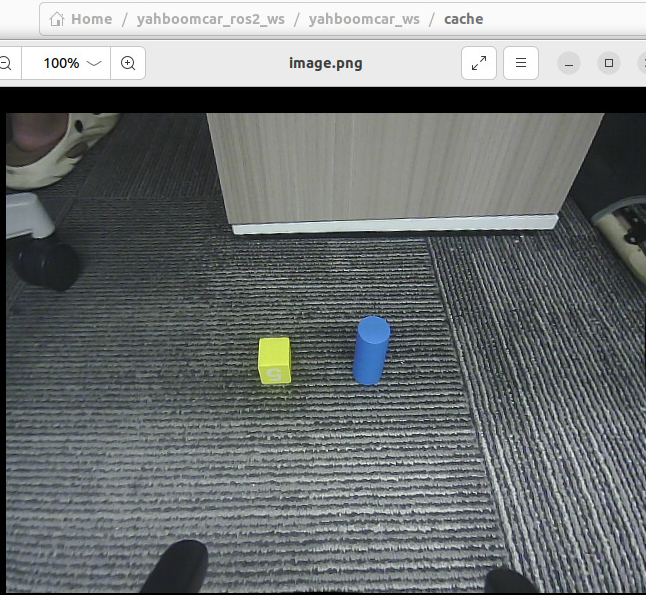
Save the most recent image from the camera's video stream.
xxxxxxxxxxros2 service call /save_image std_srvs/srv/Trigger

Default image save path: $HOME/yahboomcar_ros2_ws/yahboomcar_ws/cache/image.png. You can view the saved image at that path.

4. Core Source Code Analysis
Source code path
xxxxxxxxxx$HOME/yahboomcar_ros2_ws/yahboomcar_ws/src/yahboomcar_bringup/yahboomcar_bringup/mcnamu_driver.py
The code is fairly long, so only some key parts are explained here.
1. _odom_linear_move — Odometry-based linear motion control
goal_handle.request: gets the Action goal request and extracts the movement distancedistanceand directiondirection.Validates whether the direction parameter is one of
forward / backward / left / right; if invalid, aborts the goal and returns failure.Defines deceleration thresholds: within < 0.1 m of the target, use the minimum speed 0.07 m/s; between 0.1~0.3 m, decelerate linearly; > 0.3 m, run at full speed.
In the main control loop, checks for timeout and cancel requests, calculates the current Euclidean odometry distance
moved, and marks success once the target distance is reached.Decelerates in stages according to the remaining distance, maps the direction to x/y velocity components, and calls
set_car_motionto send velocity commands.
2. Buzzercallback — Buzzer control callback
Subscribes to the
/Buzzertopic with message typeBool.When
msg.dataisTrue, callsset_beep(1)to turn the buzzer on; when it isFalse, callsset_beep(0)to turn it off.
3. arm_callback — 6-joint robotic arm angle control callback
Extracts the 6 joint angles from the
ArmJointsmessage and assembles them into an angle list.Checks each joint angle one by one against the allowed range
self.bounds; if it is out of range, clamps it to the valid range and prints a warning.Calls
set_uart_servo_angle_arrayto send all 6 joint angles to the low level in one go.
4. single_arm_callback — Single-joint robotic arm angle control callback
Extracts the joint ID
id, target anglejoint, and motion timetimefrom theArmJointmessage.Validates whether the joint ID is legal (1~6); if legal, checks the angle range and clamps it; if not, prints a warning.
Calls
set_uart_servo_angleto control a single servo to rotate to the specified angle.
x
def _odom_linear_move(self, goal_handle): '''Execute linear movement using internal odometry (dead-reckoning)''' goal = goal_handle.request distance = goal.distance direction = goal.direction
linear_speed = abs(self.odom_linear_speed) start_x = self.odom_x start_y = self.odom_y
# Validate direction if direction not in ('forward', 'backward', 'left', 'right'): self.get_logger().error(f"Unknown linear direction: {direction}") goal_handle.abort() result = MoveByOdom.Result() result.success = False result.message = f"Unknown linear direction: {direction}" return result
# Ramp-down thresholds (meters) CLOSE_THRESHOLD = 0.1 # Below this: minimum speed RAMP_THRESHOLD = 0.3 # Below this: linear ramp from full to min MIN_SPEED = 0.07 # Minimum speed (m/s) to avoid stall
start_time = time.time() while rclpy.ok(): # Check timeout if time.time() - start_time > self.odom_timeout: self.get_logger().warn(f"Linear movement timeout ({self.odom_timeout}s)") goal_handle.abort() result = MoveByOdom.Result() result.success = False result.message = f"Movement timeout after {self.odom_timeout}s" return result
# Check if goal is cancelled if goal_handle.is_cancel_requested: self.get_logger().info("Linear movement cancelled") goal_handle.canceled() result = MoveByOdom.Result() result.success = False result.message = "Movement cancelled" return result
# Publish feedback using internal odometry dx = self.odom_x - start_x dy = self.odom_y - start_y moved = math.sqrt(dx*dx + dy*dy)
feedback = MoveByOdom.Feedback() feedback.moved_distance = float(moved) feedback.rotated_angle = 0.0 goal_handle.publish_feedback(feedback)
# Check if target distance reached if moved >= abs(distance) - self.odom_position_tolerance: self.get_logger().info( f"Linear movement complete! Moved {moved:.3f}m") goal_handle.succeed() result = MoveByOdom.Result() result.success = True result.message = f"Moved {direction} {moved:.3f}m" return result
# --- Ramp-down: gradual deceleration when approaching target --- distance_to_go = abs(distance) - moved if distance_to_go < CLOSE_THRESHOLD: ramp_speed = MIN_SPEED elif distance_to_go < RAMP_THRESHOLD: ramp_speed = MIN_SPEED + (linear_speed - MIN_SPEED) * ( (distance_to_go - CLOSE_THRESHOLD) / (RAMP_THRESHOLD - CLOSE_THRESHOLD)) else: ramp_speed = linear_speed
# Map direction to velocity components with ramp speed if direction == 'forward': vx, vy = ramp_speed, 0.0 elif direction == 'backward': vx, vy = -ramp_speed, 0.0 elif direction == 'left': vx, vy = 0.0, ramp_speed else: # right vx, vy = 0.0, -ramp_speed
# Send velocity command self.car.set_car_motion(vx, vy, 0.0) time.sleep(0.1)
# Should not reach here, but guard goal_handle.abort() result = MoveByOdom.Result() result.success = False result.message = "Unexpected exit from control loop" return result
def Buzzercallback(self,msg: Bool): if not isinstance(msg, Bool): return if msg.data: for i in range(3): self.car.set_beep(1) else: for i in range(3): self.car.set_beep(0)
def arm_callback(self, msg: ArmJoints): j1 = msg.joint1 j2 = msg.joint2 j3 = msg.joint3 j4 = msg.joint4 j5 = msg.joint5 j6 = msg.joint6 angles = [j1, j2, j3, j4, j5, j6] for i, (angle, bound) in enumerate(zip(angles, self.bounds)): if angle < bound[0] or angle > bound[1]: clamped = max(bound[0], min(angle, bound[1])) self.get_logger().warn(f"Arm joint {i+1} angle {angle} exceeds bounds [{bound[0]}, {bound[1]}], clamped to {clamped}") angles[i] = int(clamped) run_time = int(msg.time) self.car.set_uart_servo_angle_array(angle_s=angles, run_time=run_time)
def single_arm_callback(self, msg: ArmJoint): jid = msg.id angle = msg.joint duration = msg.time if 1 <= jid <= len(self.bounds): bound = self.bounds[jid - 1] if angle < bound[0] or angle > bound[1]: clamped = max(bound[0], min(angle, bound[1])) self.get_logger().warn(f"Arm joint {jid} angle {angle} exceeds bounds [{bound[0]}, {bound[1]}], clamped to {clamped}") angle = int(clamped) else: self.get_logger().warn(f"Invalid arm joint ID: {jid}") self.get_logger().debug(f"Arm single ID:{jid}, angle:{angle}") self.car.set_uart_servo_angle(jid, angle, duration)