Welcome to ROSMASTER M1 PRO repository
6.Deploy the RAG Knowledge Base
Deploy the Local RAG Knowledge Base
Deploy the Local RAG Knowledge Base1. Course Content2. View the Preset Knowledge Base3. Extending the RAG Knowledge Base3.1 Economy Mode Knowledge Base3.2 High Quality Mode Knowledge Base3.3 Recall Test
1. Course Content
Master the process and method for local deployment, debugging, and testing of the RAG knowledge base.
Master the method for extending the RAG knowledge base according to your own task scenarios.
Tip
The RAG knowledge base helps provide reference knowledge for general AI large models in vertical domains, avoiding hallucinated replies from AI large models and increasing the model's reply capability with vertical-domain knowledge.
The RAG knowledge base can help the robot quickly extend its generalization ability in different task scenarios.
2. View the Preset Knowledge Base
Tip
The knowledge base preset here provides some training samples for task scenarios, helping the AI model quickly master the relevant skills.
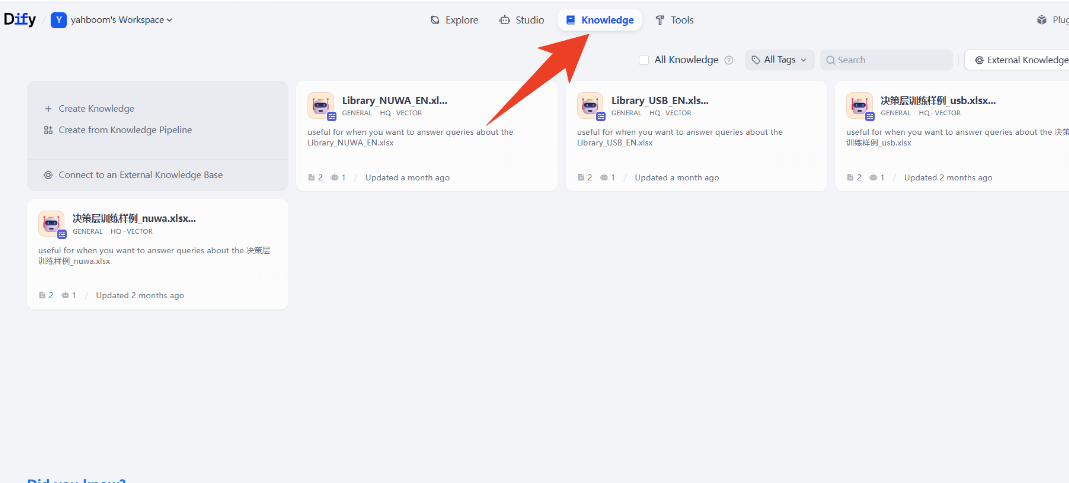
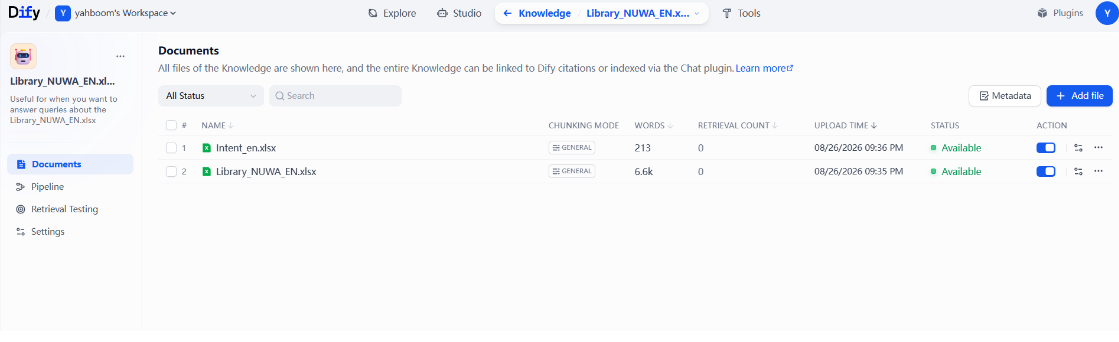
Open a knowledge base; inside is the
Sample trainingpreset file, where:Decision-layer sample library: stores some preset reference samples related to specific task scenarios.
3. Extending the RAG Knowledge Base
If you need to extend a new knowledge base, click Create Knowledge Base.
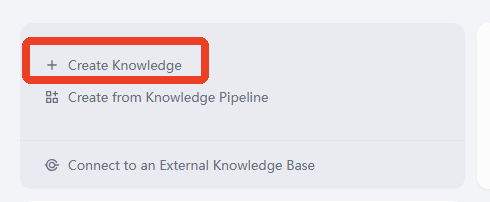
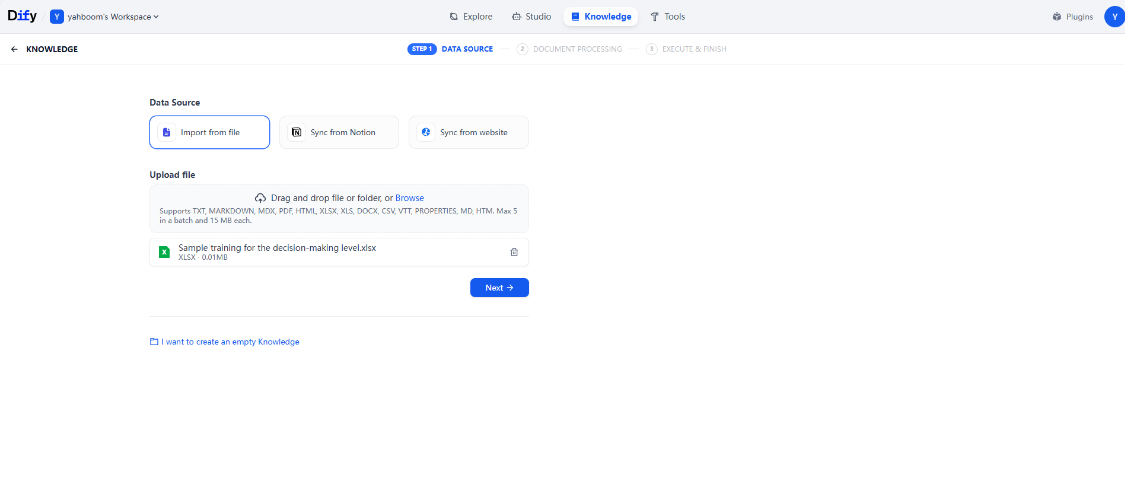
Here, the data source is demonstrated with importing local data as an example.
Click Import Existing Text —> Select File —> Next.
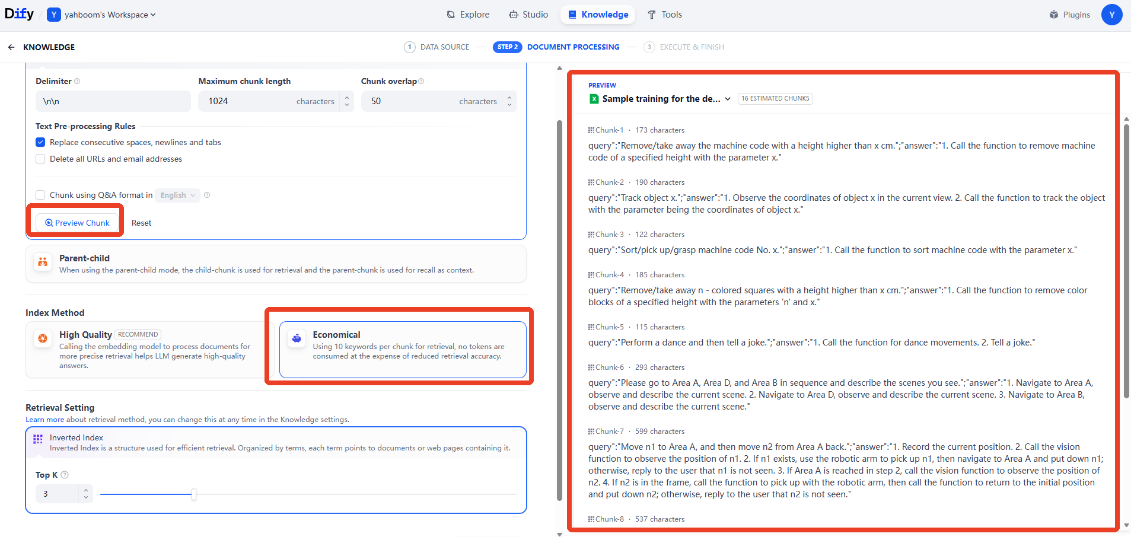
Then enter the knowledge base configuration page. Click the preview chunks to view the chunking effect on the file. Here, select Economy for the index mode.
Tip
For beginners, it is recommended to first use the Economy mode for learning and testing. The difference between the two index modes:
Economy: retrieves content in the knowledge base through keywords; it cannot perform extended retrieval of similar semantics, and the way of retrieving knowledge fragments is relatively rigid.
High Quality mode: requires an embedding model that consumes extra tokens and requires a rerank model; it can achieve more accurate retrieval of similar-semantic fragments.
The factory default knowledge base mode is High Quality mode.
3.1 Economy Mode Knowledge Base
After selecting the following configuration, click Save & Process.
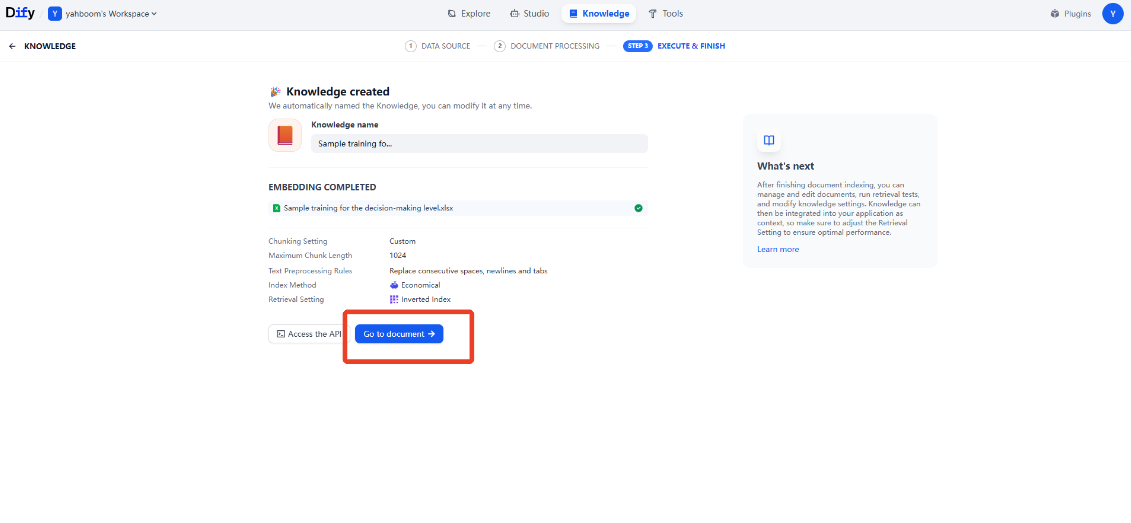
Then wait for the embedding to complete, and click Go to Document.
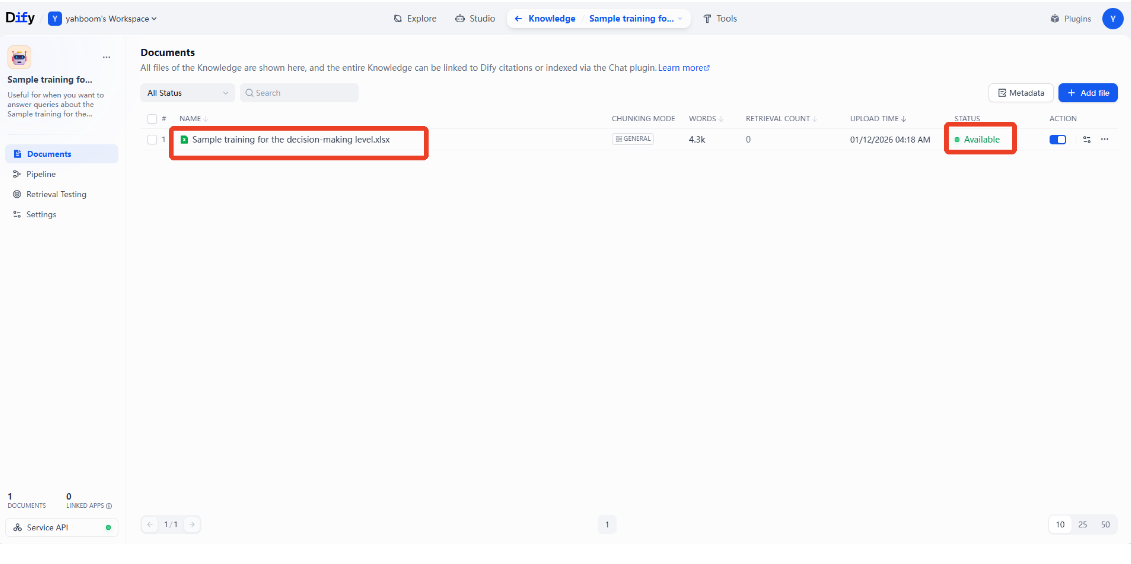
When the knowledge base is normal, its status is displayed as Available; then click the file of the knowledge base.
Then we can see the chunked knowledge base fragments, where the small text below each chunk is the keyword automatically chunked for that fragment (only available in Economy mode).
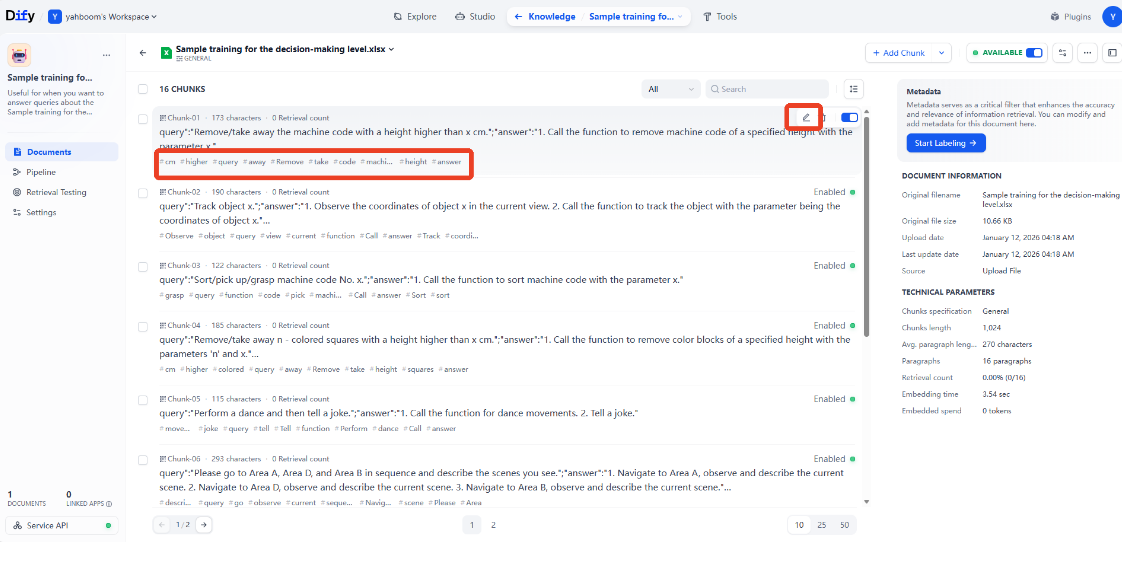
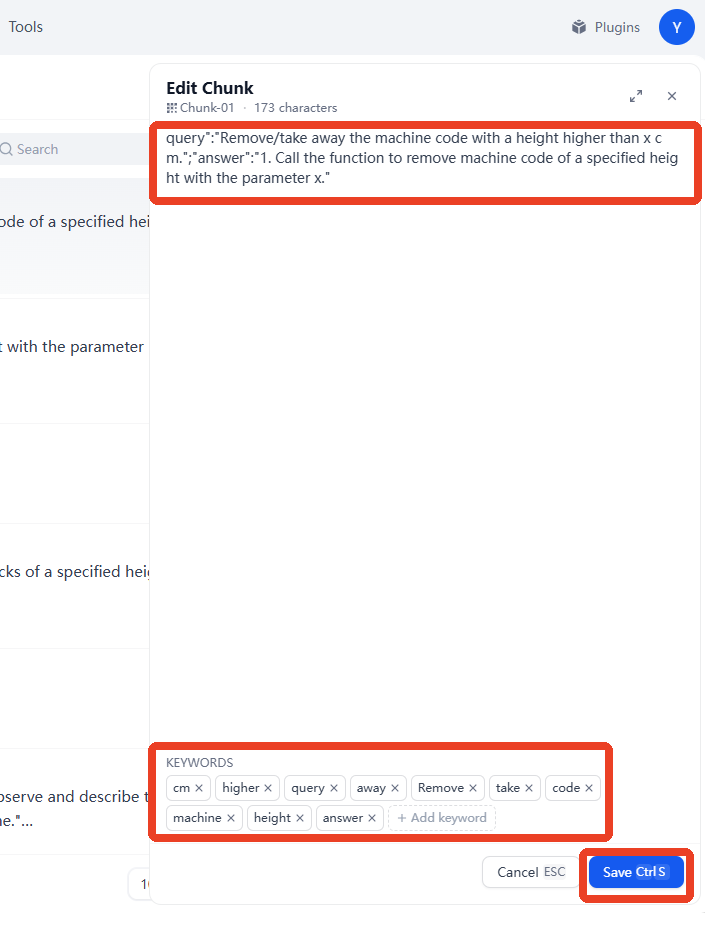
If the keyword does not describe the knowledge fragment accurately, click Edit on the right of the fragment to individually edit the fragment content or the keyword. The figure below modifies the keyword, and then click Save.
3.2 High Quality Mode Knowledge Base
If you later need to use a high-quality knowledge base, refer to this part of the tutorial.
Creating a knowledge base and importing files is the same as above.
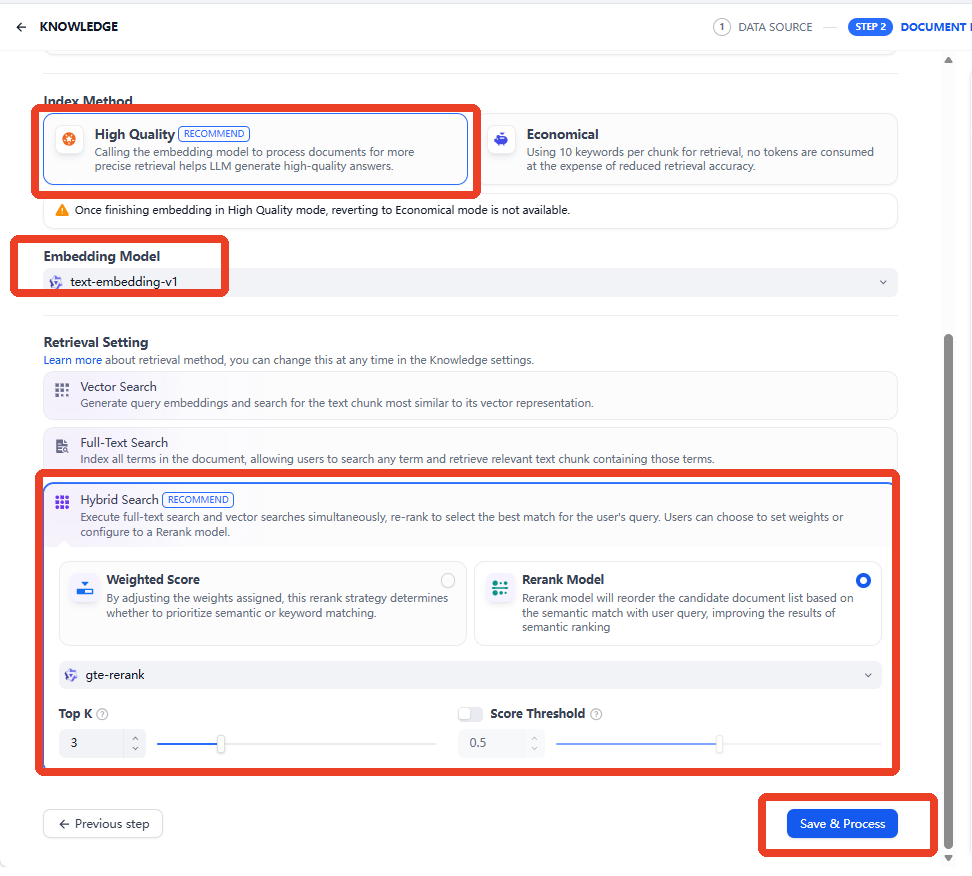
Here, select High Quality for the index method, and choose any one of the retrieval methods. Here, hybrid retrieval is used as an example; finally, click Save & Process.
3.3 Recall Test
The recall test tests the actual effect of the knowledge base recalling relevant knowledge fragments based on the input, helping with tuning to obtain a better AI model reply effect.
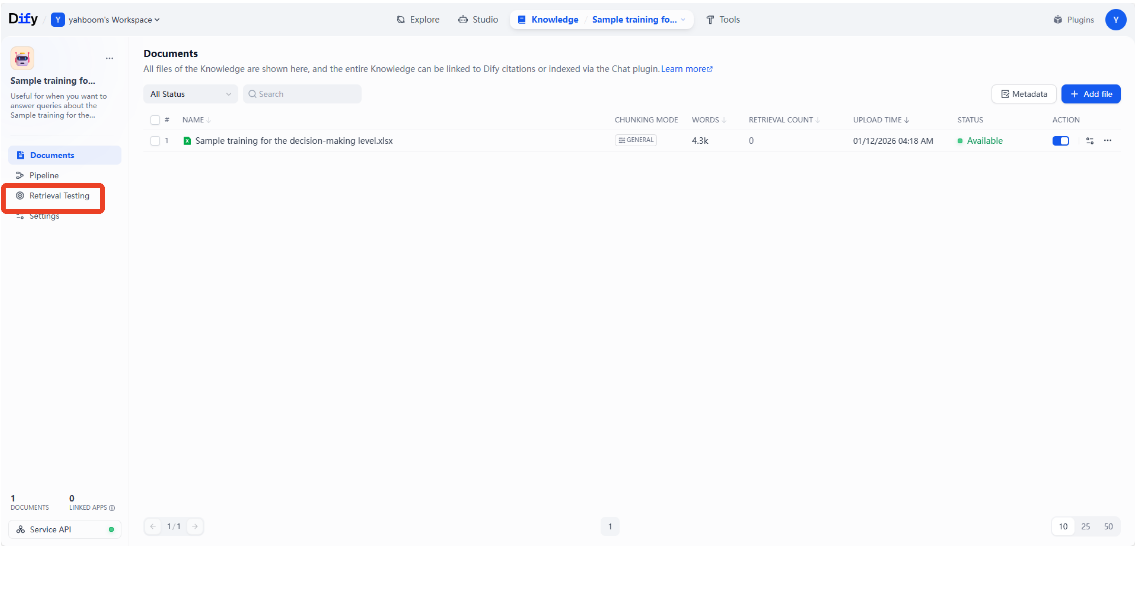
After opening a knowledge base, click Recall Test on the left.
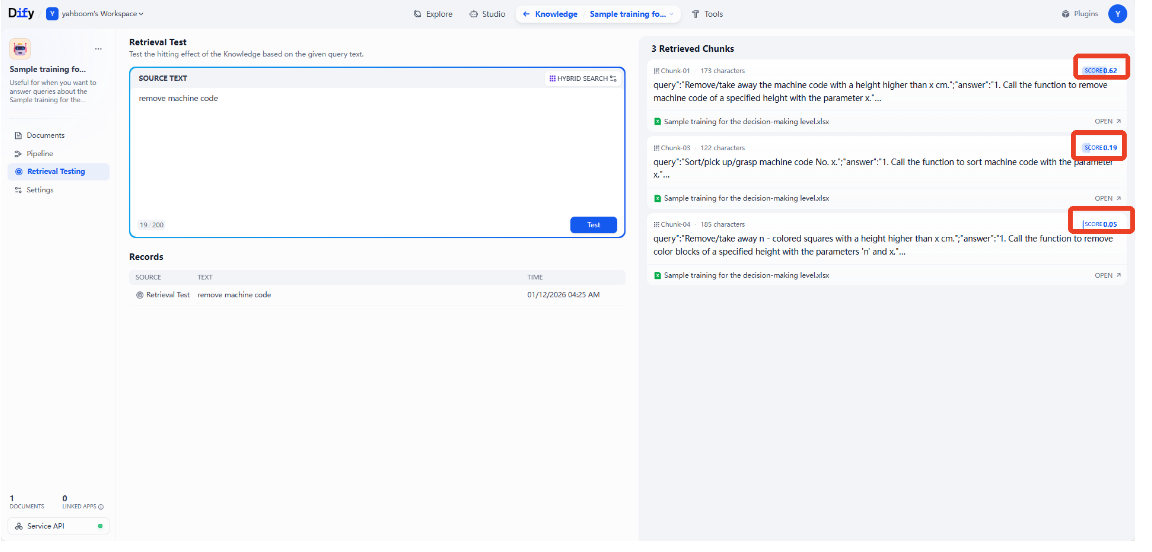
Enter the test content in the source text (simulating the content the user enters in actual use), then click Test.
The recalled paragraphs appear on the right, namely the knowledge base fragments related to the input content. What is tested here is the Economy mode knowledge base, which retrieves the knowledge base based on keywords.
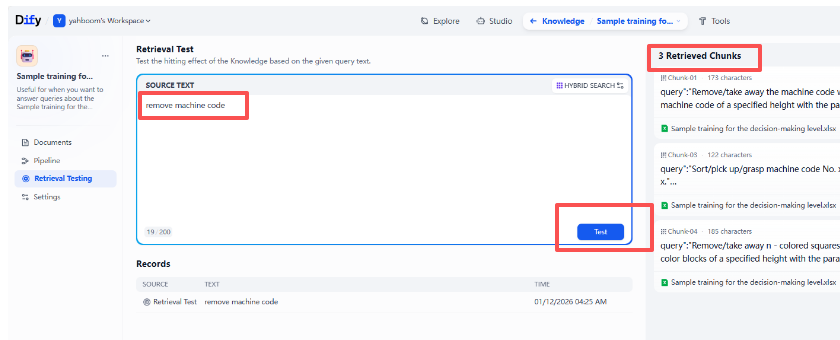
If it is a High Quality mode knowledge base, the recalled fragments will have a
SCORErating; the higher the score, the higher the relevance of the fragment to the input content. The High Quality mode knowledge base can perform associative retrieval of similar semantics, and also consumes tokens.